In the all-digital world of today, companies cannot effectively run without data, applications, and IT infrastructure. But there are unforeseen interruptions like computer attacks, technical malfunctions, or natural catastrophes which can shove the processes to the ground. This is where disaster recovery will come in play. An effective disaster recovery program will ensure companies are able to restore essential systems promptly and reduce downtime, saving money and reputation.
What is Disaster Recovery?

Disaster recovery is a term that is used to describe the act of recovering information, systems, and IT infrastructure following a disruption. Such interruptions may include hardware failures and human errors, as well as more crucial events such as ransomware attacks or natural disasters.
The major object of disaster recovery is to provide business continuity. Organizations will be able to restore their operations within a set time as opposed to losing valuable data or extending their downtime. A disaster recovery plan is normally an element of a larger business continuity plan (BCP), with specific emphasis on data and IT system recovery.
Important aspects of disaster recovery are:
- Back-up/Storage of data.
- Recovery plans and processes.
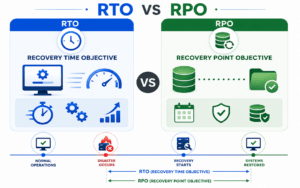
- Well-determined recovery time goals (RTO)
- Recovery point objectives (RPO)
How Disaster Recovery Works
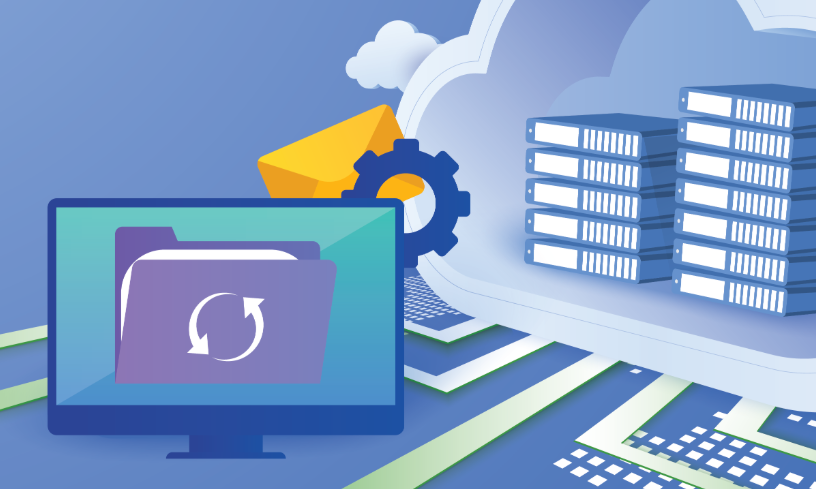
Disaster recovery is a product of planning, technology, and procedures that ensure that normal operations are restored within a short time after a disaster. In a simple overview of how it functions, the following is what happens:
1. Risk Assessment and Planning
The first step here is completed by organizations, as they determine potential threats and vulnerabilities. This assists in designing a disaster recovery plan that is specific to certain risks.
2. Data Backup
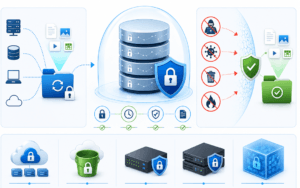
Periodic backups are carried out and saved in safes places out in the cloud or offsite. This guarantees access to information even in cases where the main system may be ruined.
3. Replication and Redundancy
Vital systems and information are mirrored on-the-fly or periodically. This redundancy enables companies to change to backup systems without huge hitches.
4. Failover Mechanism
Should a failure occur, the systems will automatically transition to a backup server or environment. This is referred to as failover and assists in continuity.
5. Recovery and Restoration
When the problem is addressed, systems are reinstated in their natural setting. Data integrity is verified, and the normal operations are restored.
6. Testing and Updates
Disaster recovery plans are tested on a regular basis and updated to maintain the effectiveness of the plans against changing threats.
This thoroughly organized process provides minimum downtime, short recovery, and less data loss.
What Does a Disaster Recovery Server Mean?
A disaster recovery server is a special-purpose server that restores and provides backup service in case of loss of the main server. It provides a reserve setting that can carry out operations in case of an emergency.
These servers are normally offered in a different physical place or in cloud format so that they are not impacted by the same disaster that has happened to the main system.
Key functions of a disaster recovery server include:
- Caching of data/information replica of primary systems.
- Permitting fast recovery in the event of outages.
- Helping business continuity through the running of essential applications.
- Minimizing downtime and loss of data.
Disaster recovery servers can be of various types, which include:
- Cold servers – Turned on when required (slower recovery)
- Warm servers – Partially configured and quicker to activate
- Hot servers – Complete replicas, but with instant failover.
The correct type is based on the recovery objectives, the budget, and the criticality of the operations of a given organization.
Disaster Recovery is Important to businesses.
In the absence of an adequate disaster recovery plan, a simple disruption can result in:
- Significant financial losses
- Corruption or irreversible loss of data.
- Loss of brand image.
- Compliance or legal problems.
Having a working disaster recovery system will provide businesses with assurance that they will be able to recover in time and keep serving the clients without serious inconveniences.
Secure Your Data with Pexo IT Consulting’s Professionally Owned Solutions.
Disaster recovery is more than just basic backups to protect your business against the unexpected and should include a more detailed disaster recovery plan. Pexo is a company that provides sophisticated solutions to data backup and disaster recovery that ensure your important systems are secure and that they can be easily recovered. Secure cloud backups, real-time data replication, and scalable recovery facilities ensure that businesses reduce downtime and ensure smooth business operations. Discover their customized solutions here to develop a strong IT infrastructure.
FAQs
1. What is the primary intent of the disaster recovery?
Disaster recovery is primarily intended to recover the IT system and data back to normal following a disruption so that lost time is minimal, and business is still carried on.
2. What is the frequency of disaster recovery plan testing?
The disaster recovery plans must be testable at least once a year or twice or as many as there are substantial changes in the IT infrastructure.
3. What is the difference between disaster recovery and backup?
Backup entails data replication in order to maintain the integrity, and is half the battle, whereas disaster recovery is the entire process involved in restoring systems, applications, and operations after a failure.