In the context of business data protection, becoming familiar with backup types is not optional; it is mandatory. Whether it is a small business organisation or a large enterprise system, the selection of the appropriate backup strategy will directly affect recovery timeline, storage expenses and business continuity.
Here in this blog, we will be disassembling a full backup, an incremental backup and a differential backup in a simple, practical manner- so that you can make your choice of what suits best in your setup.
What Is A Full Backup?

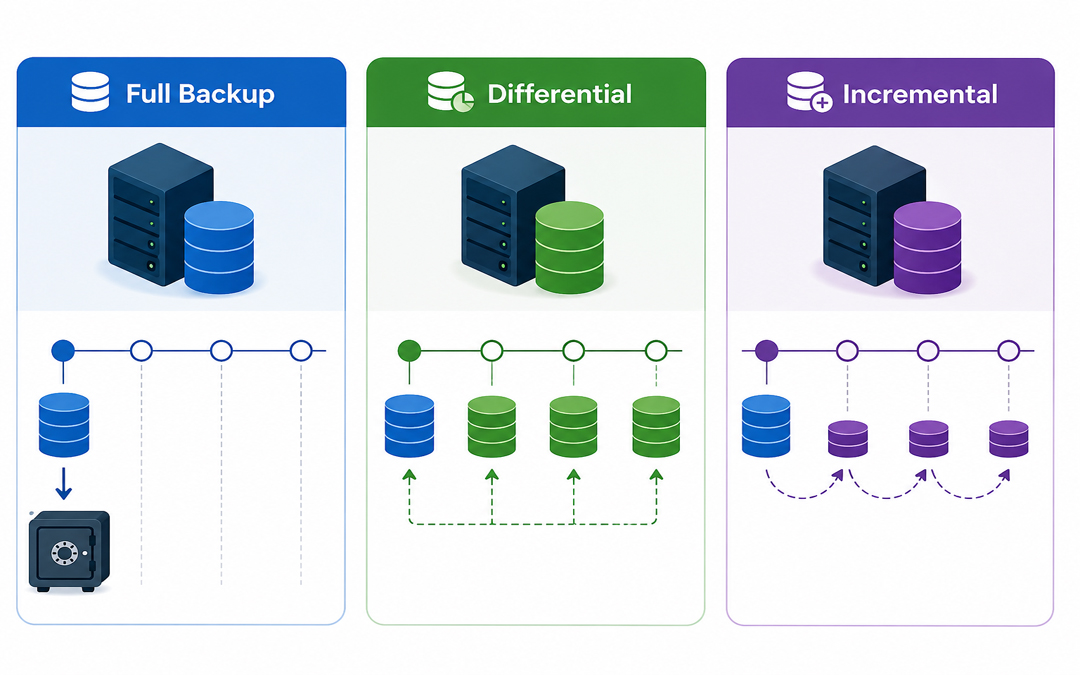
The simplest one is the complete backup. It generates an exact duplicate of all of your data, including files, folders and system information, at a given moment in time.
Example:
Consider that you have 100 GB of data. Each time you run it, it will make a complete copy of all 100 GB.
Key Features:
- Copies everything
- Works independently (no dependency on other backups)
- Quick and simple to restore.
Pros:
- Rapid recovery (single file recovery was sufficient)
- Simple to manage
- Reliable
Cons:
- Takes more time
- Makes use of the biggest storage area.
- A complete backup is commonly required as a baseline before implementing other backup techniques.
What is a Backup Incremental?
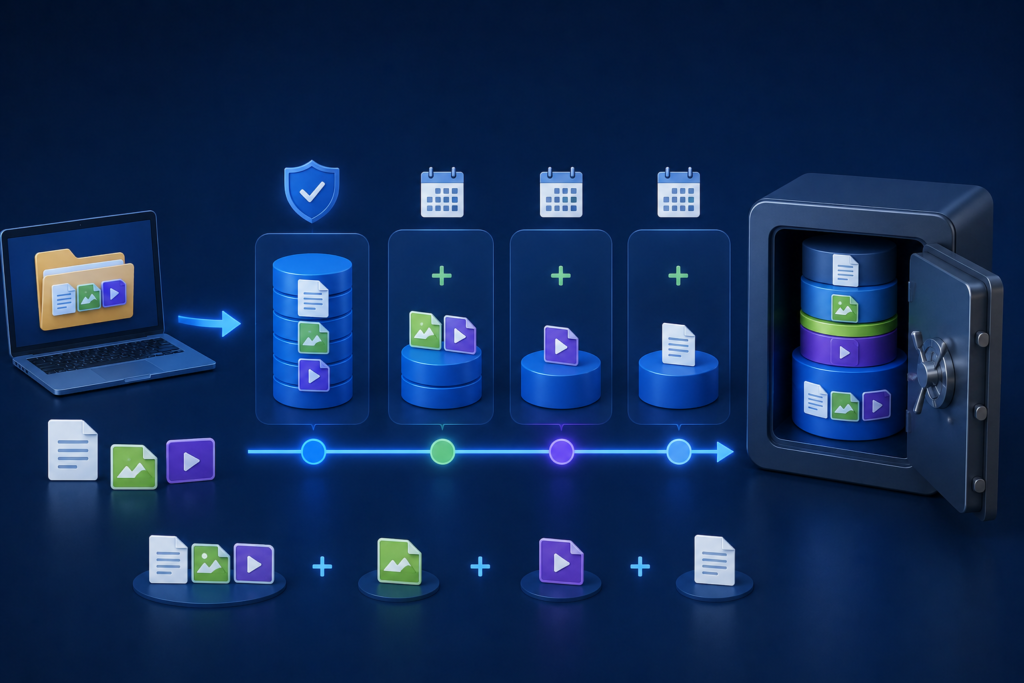
A differential backup captures all changes made since the last full backup.
Example:
Day 1 → Full backup (100 GB)
Day 2→ Differential (5 GB change)
Day 3 → Incremental backup (3 GB changes)
Key Features:
- Its support to determine changes since the last backup.
- Extremely efficient storage and speed.
Pros:
- Fast backups
- Low storage usage
- Good to use daily or more frequently.
Cons:
- Slow recovery process
- Whole backup chain (full + all incrementals) required.
- Incremental files can be corrupt, failing to recover, since all steps are required.
What is a Differential Backup?
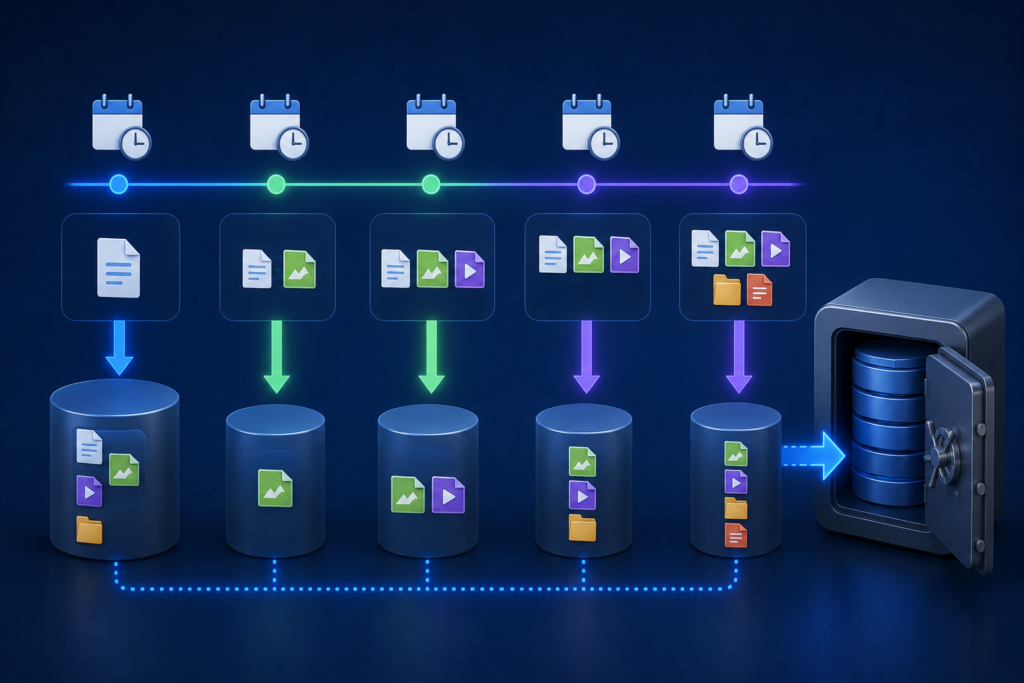
A differential backup is a backup of the difference between the last full backup and the current backup.
Example:
Day 1 → Full backup (100 GB)
Day 2 → Differential (5 GB)
Day 3 → Differential (Changes since Day 1, 8 GB total)
Key Features:
- Supports changes that have been made after the last full backup.
- Easier to restore than incremental.
Pros:
- Quicken a restore vs. an incremental.
- Only for the requirement
- Last full backup
- Recent differential backup
Cons:
- Takes more storage than incremental.
- The size of the backup grows with time.
The difference between full and incremental backup is speed and reliability, established by differential backup.
Main Differences Between Full, Incremental, and Differential Backup
| Feature | Full Backup | Incremental Backup | Differential Backup |
| Data Copied | All data | Changes since last backup | Changes since last full |
| Backup Speed | Slow | Fast | Medium |
| Storage Use | High | Low | Medium |
| Restore Speed | Fast | Slow | Faster than incremental |
| Dependency | None | High (chain required) | Moderate |
| Best Use | Weekly/monthly basis | Frequent backups | Balanced approach |
Practical Scenario: Which one is to be used?
Suppose that you operate a business where data gets updated on a daily basis:
Option 1: Full Backup Only.
- Daily backups = large storage requirements + slow processing.
Not efficient
Option 2: Full + Incremental (Most Common)
- Weekly full backup
- Daily incremental backups
Most suitable for saving storage and time.
Option 3: Full + Differential
- Weekly full backup
- Daily differential backups
Slightly greater storage, faster recovery.
The majority of businesses adopt both and use a combination of approaches to achieve better performance.
When to Choose Each Backup Type
Select Full Backup When:
- You need a simple recovery
- Data size is small
- You would like a clean restore point.
Select Incremental Backup When:
- There is a lack of storage space.
- You require regular backups.
- Bandwidth in the network is low.
Select Differential Backup When:
- You desire to heal more quickly.
- You can match average storage usage.
- You must strike a balance between speed and reliability.
Why Backup Strategy Matters More Than You Think
Data loss may occur because of:
- Cyberattacks (ransomware)
- System failures
- Human errors
Pexo’s Data Backup & Disaster Recovery services are designed to create automated and secure backup systems tailored to the unique needs of each business. Cloud backups and disaster recovery planning protection as well as relationships between these solutions, ensure minimal downtime and a timely recovery when it matters.
Conclusion
Knowing the distinction between full, incremental and differential backups will help you create a smarter, more efficient data protection policy.
- Complete backups are simple and reliable.
- Incremental backups are time and space-saving.
- Differential Backup is faster to recover.
However, it is not about picking one- it is about the combination of them in a strategic manner to make sure that you are in safe hands when you need the data the most; you can access and recover it easily.