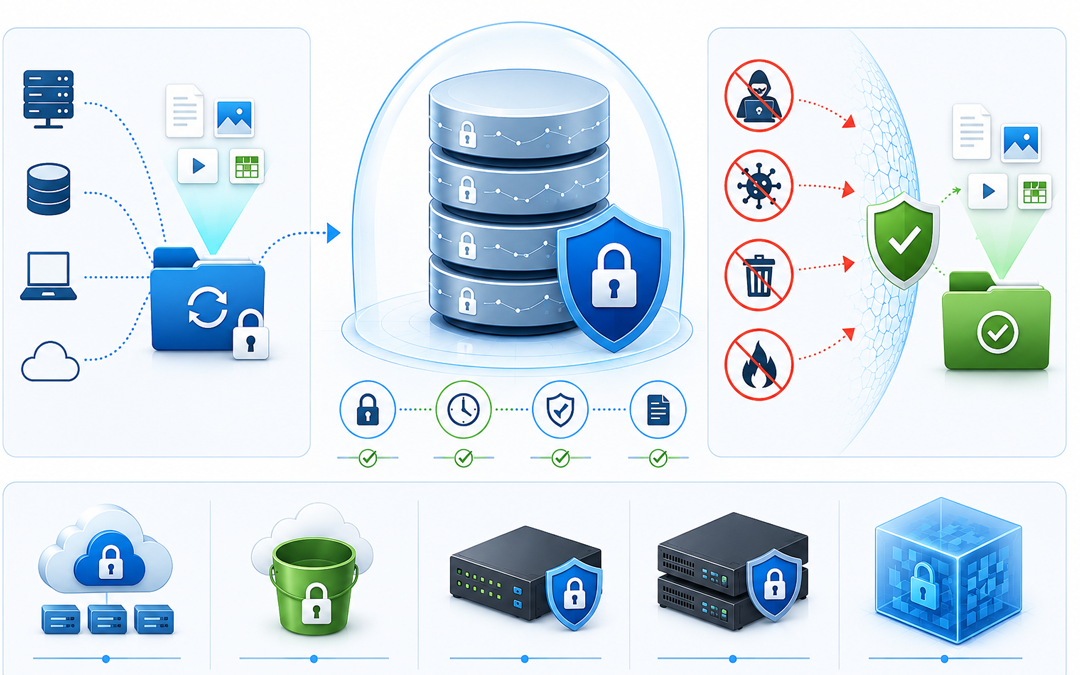
Data loss can occur in a flash, whether from ransomware attacks, accidental deletions, hardware failures, or insider threats. While traditional backups remain an indispensable part of any backup strategy, cybercriminals have been onto the traditional backup strategy and have been increasingly targeting backup systems and other IT components that can be dual-routed to a single point of failure. This is where immutable backups come into place as part of modern disks, cybersecurity, and disaster recovery requirements.
In this guide, we’ll unpack what immutable backups mean, how immutable backups work, and answer the question: What is a real-life example of an immutable backup?
What Do Immutable Backups Mean?
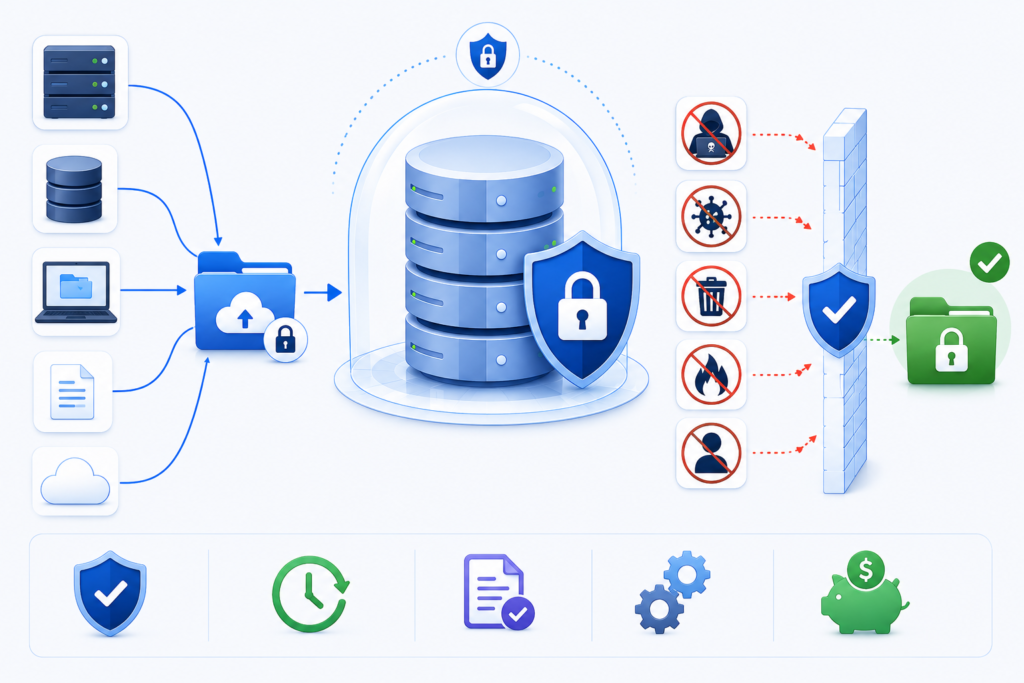
The term immutable backup means one that cannot be modified, deleted, or overwritten for a specific retention period. Once the data has been written to the backup, it is considered “read only” until the specified time has elapsed.
In other words, immutable backups are basically a snapshot of the data that cannot be touched, no matter what the cyberattacks, human error, or any other factor.
This is where the extra layer of protection comes in because if a cyberattacker has infected your IT systems, they cannot modify or delete immutable backup files.
How Do Immutable Backups Work?
When you back up data to an immutable storage environment, you’ll apply a Write Once, Read Many (WORM) policy. With this policy in place, the data can be written once, but not altered or deleted until the retention period expires.
Below is a typical sequence of events:
Data Is Backed Up
A backup platform copies files, databases, applications, or entire systems to a backup repository based on a backup plan.
Immutability Policies Are Set
The backup platform locks newly created backup files based on one or more retention policies.
Changes Are Restricted
No user can change or delete the backup data during the retention period.
Recovery Remains Available
The backup cannot be edited, but accredited individuals may retrieve it to restore the database as many times as required.
The Data Retains Expires
When the retention period ends, the organization can either delete the backup data or start locking it again.
This approach ensures that you’ll always have a clean, uncorrupted copy of your data.
What Is An Example of An Immutable Backup?
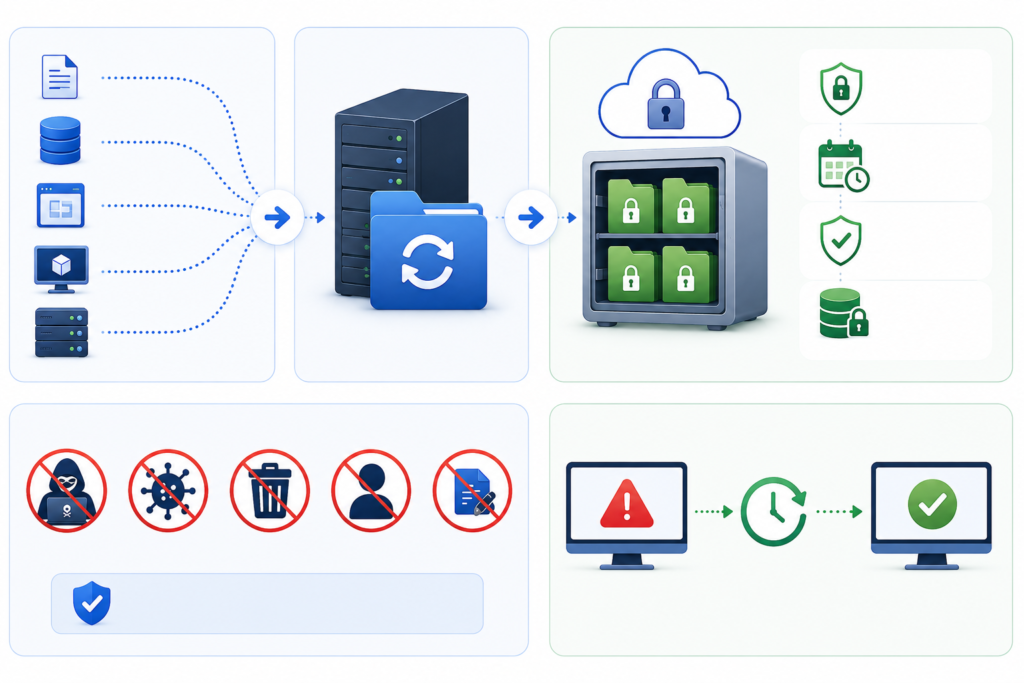
“What is an example of an immutable backup?” is a question many organizations ask.
One example of that is a business that uses cloud object storage with object lock capabilities.
Consider that:
- A business backs up its financial data on a daily basis.
- These backups reside in an immutable cloud storage repository.
- The business moves to a 90-day retention policy.
- If ransomware infects the production servers and attempts to delete the backup files, the immutable copies are safe.
- The IT staff recovers the systems from the protected copies.
Backup appliances with WORM capability can also lock snapshot images against changes.
Having immutable backups is only the beginning of a comprehensive business continuity plan. Businesses also require the expertise of a professional who can also monitor and promptly initiate quick recovery actions, through appropriate solutions, to reduce costs and eliminate the impacts of unexpected events on their organization.
Protect, Recover, and Thrive with Pexo’s Data Backup Services
Pexo’s Data Backup and Disaster Recovery services enable businesses to secure vital data, by creating secure backup solutions, quick recovery options, and customized disaster recovery planning. Whether you’re building protection against ransomware attacks or preparing for a solid business continuity solution, Pexo provides the right solutions to keep your business running at all times.
Final Thoughts
Companies are increasingly aware of what immutable backup data means. These backups provide powerful protection by ensuring there is no possibility of the critical recovery data being modified or deleted during a predefined period.
By applying the building blocks of immutable backups in practice, companies will be better positioned to protect themselves from ransomware and human error, as well as system failures. Cloud object lock solutions, WORM-enabled storage systems and other options provide several examples of immutable backups that can help businesses secure their most valuable asset: their data.
Choosing to invest in immutable backup technology now means that companies can equip themselves with a way to weather the storm when disaster strikes tomorrow.