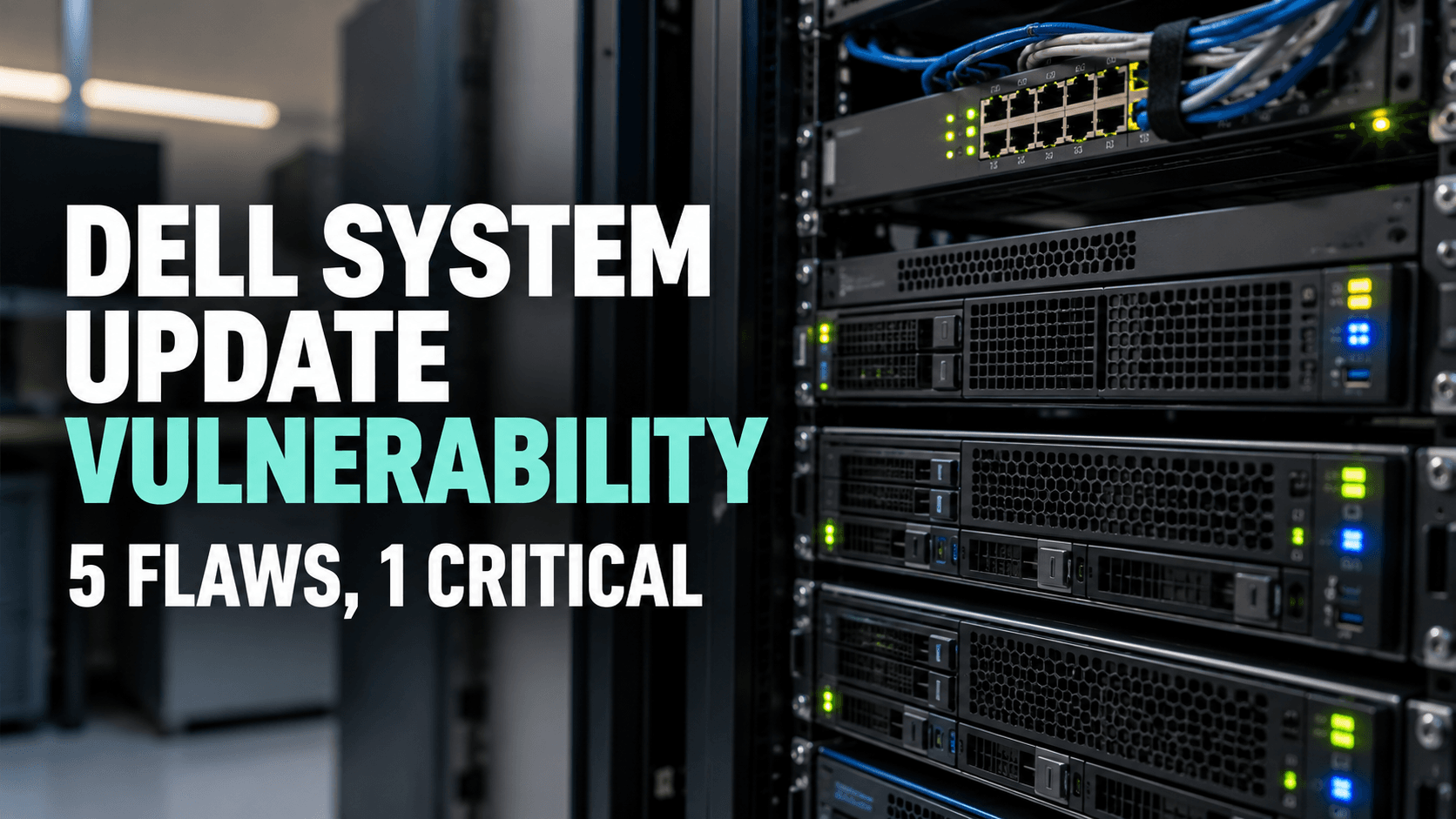
Dell System Update Vulnerability: 5 Flaws, 1 Critical
Dell System Update Vulnerability: 5 Flaws, 1 Critical
A Dell System Update vulnerability disclosed on October 1 could let an unauthenticated attacker run code with root privileges on unpatched systems, according to Dell’s own advisory. The flaw, tracked as CVE-2026-86360, scores 9.6 out of 10 and affects Dell System Update (DSU) versions before 2.3.0.0.
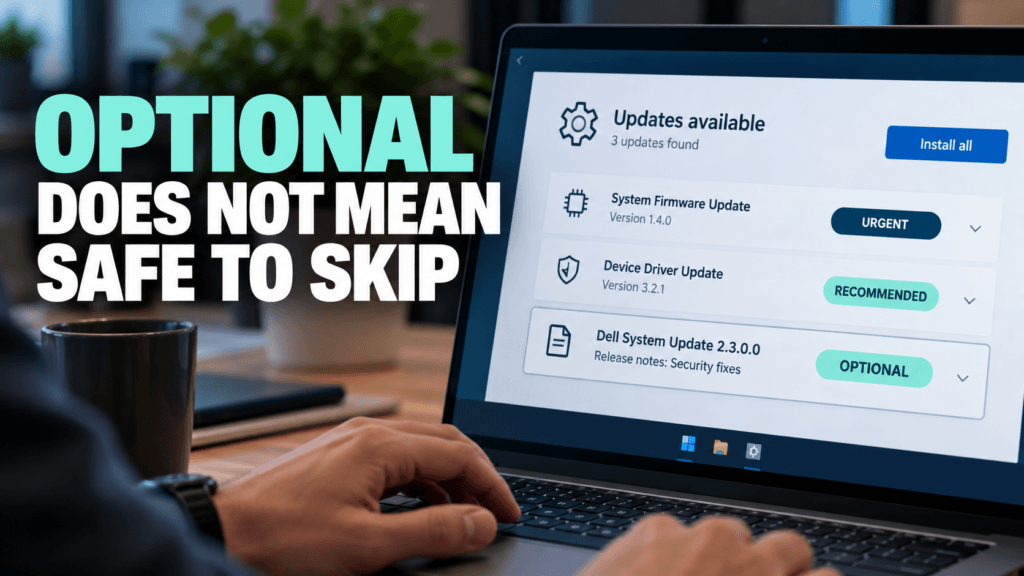
Dell has not said the flaw is being exploited, so there is no need to panic. The part worth your attention is how the fix was labelled. Dell’s download page shows DSU 2.3.0.0 released on July 28 with an importance rating of “Optional,” more than two months before the advisory. If your patching only covers updates marked urgent, this one would have slipped past.
What the Dell System Update Vulnerability Means for Small Businesses
DSU is the tool Dell provides for finding and applying BIOS, firmware and driver updates on its servers. It runs on Windows Server 2022 and 2025 and on several Linux distributions, and Dell lists it as compatible with a long run of PowerEdge models, from small tower servers to rack systems. If your business runs a physical Dell server for files, accounting or a line of business application, either you or your IT provider may have DSU installed.
Dell’s advisory covers five flaws. One is critical and four are rated high:
CVE-2026-86360 (9.6, critical): a path traversal flaw that an unauthenticated attacker with remote access could use to run code as root. Dell’s scoring notes that some user interaction is required.
CVE-2026-86361 and CVE-2026-86362 (both 8.2): permission and access control flaws that let a low privileged local user gain higher privileges.
CVE-2026-63697 (7.6): an improper certificate validation flaw that could allow remote code execution by an attacker who already has high privileges.
CVE-2026-71168 (7.3): a path traversal flaw that could let a low privileged local attacker run code.
Dell also patched two maximum severity flaws in its Container Storage Modules, which connect Dell storage arrays to Kubernetes, on the same day. Most small businesses will not run those.
Why “Optional” Did Not Mean Safe to Skip
The fix for this Dell System Update vulnerability was on Dell’s site well before the advisory. The download page lists the release date as July 28, 2026, the importance as Optional, and the fixes as “Security fixes.” The advisory followed on October 1, 65 days later. Many patching routines sort updates by label and install the urgent ones first, and a label like Optional can push a security update to the bottom of the queue.
We cannot tell from the outside why the advisory came later. The lesson is for the receiving end: an importance label is a hint, not a risk rating. Read the release notes, and treat anything that mentions security fixes as a candidate for your next patch window.
What to Do About the Dell System Update Vulnerability Now
To close the Dell System Update vulnerability, work through these steps:
Find out whether DSU is installed. Check your Dell servers for DSU and note the version. If your IT provider manages the servers, ask them. Anything before 2.3.0.0 is affected.
Update to 2.3.0.0 or later. Dell lists that version as the fix for all five flaws, and its download page includes install steps for Windows and Linux.
Limit who can reach your server management tools. Keep them off the public internet and restrict access on your network. This is good practice whatever the flaw, and it narrows the window for a remote attack.
Add a release notes check to your routine. Flag any update whose notes mention security fixes, whatever its label.
BleepingComputer notes that state backed groups have exploited other Dell vulnerabilities in recent years, which is one more reason not to wait for an exploitation report before updating.
Patching the Physical Server Is the Part That Gets Forgotten
Firmware, BIOS and management tools rarely show up in the monthly Windows update routine, so they are easy to leave for later. A tool that exists to keep your server current can itself be out of date. If you are not sure who owns that job at your business, settle it this week. Our post on Windows Server 2012 end of life covers another way a server quietly falls out of support.
If you would like help checking your servers or setting up a patching routine that covers firmware as well as Windows, we support small businesses across Markham and the GTA with managed IT services and cyber security. Get in touch and we will walk you through where to start, starting with the Dell System Update vulnerability if you run PowerEdge servers.
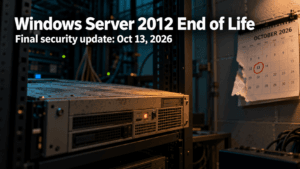
Windows Server 2012 end of life is almost here. On October 13, 2026, Microsoft ships the final security update for Windows Server 2012 and 2012 R2. The Office 2021 end of support date lands on the very same day, and it is also Patch Tuesday, so the next two weeks are a good window to find out what is actually running in your office. Here is what is changing, what it means in plain terms, and how a small or mid-sized business can handle it without a last-minute scramble. What Windows Server 2012 end of life actually means Windows Server 2012 and 2012 R2 reached the end of extended support in October 2023. Since then, the only way to keep receiving security fixes has been Microsoft’s paid Extended Security Updates program, which runs for a maximum of three years. That third year ends on October 13, 2026, and there is no fourth. In practice, October 13 is the real cliff edge. Your servers will keep running after that day, and nothing on screen will warn you. The difference is that any new vulnerability found in Windows Server 2012 will stay unpatched for good. An attacker only needs one flaw that nobody is going to fix. A quick note on Windows Server 2022: it also leaves mainstream support on October 13, but that is not a security cliff. It keeps receiving security updates under extended support until October 2031, so there is nothing to panic about there. Windows 10 is the other date to check. For commercial editions (Pro, Enterprise and Education), Microsoft’s ESU dates table shows the first year of Extended Security Updates also ending on October 13, 2026, with the second year running through October 12, 2027. Any Windows 10 PCs that rely on that program need the next year of coverage in place to keep receiving updates. Office 2021 end of support lands on the same day Office 2021 and Office LTSC 2021 reach end of support on October 13, 2026. Unlike Windows Server 2012, Microsoft is offering no extended security updates for Office 2021. The apps will keep opening and working, but Microsoft stops issuing security fixes and bug fixes, and phone and chat support ends too. That matters more than it sounds. Office is where your team opens email attachments all day, and Office flaws are a regular feature of Patch Tuesday. We saw this in our September 2026 Patch Tuesday breakdown, where the Office and Outlook Preview Pane risk stood out. After October 13, flaws like those simply stop being fixed in Office 2021. The usual way forward is Microsoft 365 Apps, which updates continuously, or Office LTSC 2024 if you prefer a one-time purchase. Why unsupported software is a bigger risk than it looks Small businesses tend to feel this sooner than they expect, for three reasons. Security. Every new flaw stays open permanently, and the longer an unsupported system stays in place, the more of them pile up. Insurance. Cybersecurity insurance applications and renewals commonly ask what software you run, and unsupported systems can make those conversations harder. Baseline expectations. Canada’s Cyber Centre baseline controls for small and medium organizations include automatically patching operating systems and applications. They also recommend replacing software that no longer receives updates because the vendor ended support, which describes Windows Server 2012 and Office 2021 after October 13. What to do before October 13? Not sure what your office is running? That is the most common starting point, and it is a normal one. Windows Server 2012 end of life is a fixed date you can plan around, and two weeks is enough to make a real start. If you want a second pair of eyes, a managed IT services provider can run the inventory, line up the migration, and help you decide what to move first. Whenever you are ready, you can reach the Pexo team through our contact page. Table of Content 1 What Windows Server 2012 end of life actually means 2 Office 2021 end of support lands on the same day 3 Why unsupported software is a bigger risk than it looks 4 What to do before October 13? 5 Not sure what your office is running?
The most useful questions to ask your MSP right now have nothing to do with your own network. They are about the tools your provider uses to reach into it. On September 11, 2026, the U.S. Cybersecurity and Infrastructure Security Agency added a critical ConnectWise ScreenConnect vulnerability to its Known Exploited Vulnerabilities catalog after confirming that attackers were already using it in real attacks. ScreenConnect is one of the most widely used remote support platforms in the managed services industry, which means the story is not really about one product. It is about a category of tools that sit at the center of how nearly every managed IT provider reaches into a client’s network. For a small or mid-sized business, the useful takeaway is not which specific vulnerability appeared this week. It is a short set of questions to ask your MSP so you understand how they secure the tools they use to reach you. What Actually Happened With ScreenConnect? The flaw, tracked as CVE-2026-84869, is an improper privilege management and missing authorization issue. In practical terms, it could allow an attacker to transfer files to a device and execute them during an active remote support session without the host user ever approving the action. CISA set a remediation deadline of September 14, 2026, for federal agencies covered by Binding Operational Directive 26-04, and the same urgency applies to any organization running the affected version. The specific patch was straightforward for providers who noticed. The harder question sits one level up: how confident is your provider in their ability to spot, patch, and respond to something like this on their own infrastructure, not just on yours? Why This Matters for Small Businesses? Managed service providers are built on trust and access. A single provider often holds administrative reach into dozens or hundreds of client environments using remote support tools, remote monitoring platforms, and centralized password vaults. That concentration of access is efficient for delivery, and it is also exactly why attackers have been aiming at the provider layer rather than at each client individually. According to the Huntress 2026 Cyber Threat Report, abuse of remote monitoring and management tools now accounts for 24% of all observed incidents, up from 7% the year before. Huntress’s own analysis flagged ScreenConnect specifically, including one case where a rogue install sat quietly for five months before an attacker used it as an entry point. The ScreenConnect entry in the KEV catalog is not an isolated event. It is the latest example of a documented, ongoing trend, and it is why the cybersecurity posture of your provider now matters as much as your own, which is exactly why the questions to ask your MSP have shifted this year. 5 Questions to Ask Your MSP If you already have a managed IT provider, or you are evaluating one, these are the questions to ask your MSP directly. Good providers will have clear, unrehearsed answers. 1. How quickly do you patch the tools you use to reach my network? Ask about their patch cadence for their own infrastructure, not just yours. A provider running weekly patch cycles internally is in a very different position than one that treats their tools as “set and forget.” Our September Patch Tuesday breakdown shows how quickly critical fixes can pile up in a single month. 2. What monitoring do you have on your own remote sessions? Session logging, anomaly detection, and alerting on unusual remote access patterns should all exist on the provider side. If they cannot describe what triggers an alert on their own systems, that is a signal worth paying attention to. 3. Do you enforce multi-factor authentication on every tool that reaches my environment? Every account, every technician, every tool. Not “we use MFA on email.” MFA on the remote support platform, on the RMM console, on the password vault, and on any cloud dashboard that touches client data. Enterprise-grade password managers make this practical to enforce at scale. 4. What is your response plan if one of your own accounts is compromised? The right answer is not “that would not happen.” The right answer is a specific set of steps: session revocation, credential rotation, client notification timelines, and a documented containment playbook. This should also connect back to whatever cybersecurity insurance obligations exist on either side. 5. Are you aligned to a recognized security framework internally, not just for compliance reporting? Frameworks like the NIST Cybersecurity Framework 2.0 and the CIS Controls exist for exactly this reason. A provider who applies these internally, not only when a client asks about compliance, is thinking about their own posture the same way they think about yours. What to Do Next? If you already have a managed IT provider, send these five questions in a short message and see how they respond. The quality of the answer matters as much as the content: unrehearsed and specific beats polished and vague every time. If you are weighing options, bring these questions to ask your MSP into the conversation before you sign anything. A provider who treats these questions as reasonable and expected is showing you how they operate. One who deflects is also telling you something. At Pexo, security posture starts with the tools we use before it reaches the networks we protect. If you are evaluating your options, our managed IT services team is happy to walk you through exactly how we answer each of these questions for our own environment. Table of Content 1 What Actually Happened With ScreenConnect? 2 Why This Matters for Small Businesses? 3 5 Questions to Ask Your MSP 3.1 1. How quickly do you patch the tools you use to reach my network? 3.2 2. What monitoring do you have on your own remote sessions? 3.3 3. Do you enforce multi-factor authentication on every tool that reaches my environment? 3.4 4. What is your response plan if one of your own accounts is compromised? 3.5 5. Are you aligned to a recognized security
A firewall vulnerability rated 9.8 out of 10 was patched by Check Point on September 9. There was no confirmed attack at the time, just a warning from the Dutch government’s cyber security centre that exploitation looked imminent. On September 22, CISA confirmed it, and added a second Check Point flaw alongside it. That two week gap between disclosure and confirmed exploitation is the whole story here, and it says more about patch timing than about any one vendor. What This Firewall Vulnerability Actually Does Check Point actually shipped two separate patches on September 9, for two different vulnerabilities on two different parts of its product line.Check Point actually shipped two separate patches on September 9, for two different vulnerabilities on two different parts of its product line. CVE-2026-85102 is the flaw in the Security Gateway itself, the device handling live VPN traffic. It’s a flaw in how the gateway validates certificates during VPN negotiation. Get past that check and an unauthenticated attacker can run code directly on the gateway, no login required. CVE-2026-93616 sits somewhere different: the Security Management Server, the console that controls policy, logs, and configuration across a Check Point deployment (also affects Multi-Domain Security Management Server, Log Server, Multi-Domain Log Server, and SmartEvent). It’s a path traversal flaw that lets an unauthenticated attacker upload and execute arbitrary scripts on the management server, fixed separately through Check Point’s R82.20 Security Hotfix, not the same patch that covers the gateway flaw. That distinction matters operationally. Patching the gateway doesn’t patch the management server, and vice versa. A business running Check Point needs to confirm both planes are current, not just one. Check Point found and disclosed both issues itself, and shipped fixes the same day. No evidence of active exploitation at the time of disclosure. By September 12, Check Point had started observing exploitation attempts against Spark firewall customers using anonymizing infrastructure. By September 22, CISA had confirmed active exploitation of both and added them to its Known Exploited Vulnerabilities catalog with a federal remediation deadline of September 25, as SecurityAffairs reported. The same week, CISA added two more network edge products to its confirmed exploited list: a flaw in Arista’s VeloCloud Orchestrator, and one in F5’s BIG-IP APM. Four vulnerabilities, three vendors, one week, the same lesson each time. Attackers probe internet facing network gear first, because it’s the thing standing between them and everything behind it. Why This Matters for a Small or Midsize Business? These aren’t obscure enterprise products. Firewalls, VPN gateways, and the management consoles that control them are exactly what a small business relies on to guard its perimeter, often without a dedicated security team watching vendor bulletins day to day. A firewall vulnerability like this doesn’t need an employee to click a link or fall for a phishing email. It just needs the device to be reachable and unpatched. The Real Gap Isn’t the Vendor, It’s the Patch Window Check Point did everything right here. Found both issues itself, disclosed them, shipped fixes the same day, no delay. The businesses at risk right now aren’t the ones using Check Point. They’re the ones still running the unpatched build two weeks later, whether or not anyone on staff knew a patch existed, or knew there were two patches to apply instead of one. That’s true of any vendor, not just this one. A 9.8 severity rating is urgent the day it’s published, not the day it shows up on a government watchlist. What to Check This Week? If patching your perimeter isn’t something you can say with confidence is centrally tracked and verified across every device and every console, that’s worth a conversation before the next firewall vulnerability lands. Managed IT services that includes patch management as a standing part of the job closes exactly this kind of gap. It’s the same problem covered in what to ask your MSP about their own security, just from the vendor side this time. Table of Content 1 What This Firewall Vulnerability Actually Does 2 Why This Matters for a Small or Midsize Business? 3 The Real Gap Isn’t the Vendor, It’s the Patch Window 4 What to Check This Week?
Monil Saheba, Pexo's CEO, shapes business resilience through technology. He leads teams redefining IT with strategic support and cybersecurity, empowering organizations to harness technology for innovation and success.