Google & Yahoo’s New DMARC Policy Shows Why Businesses Need Email Authentication… Now

Have you been hearing more about email authentication lately? There is a reason for that. It’s the prevalence of phishing as a major security threat. Phishing continues as the main cause of data breaches and security incidents. This has been the case for many years.

A major shift in the email landscape is happening. The reason is to combat phishing scams. Email authentication is becoming a requirement for email service providers. It’s crucial to your online presence and communication to pay attention to this shift.

Google and Yahoo are two of the world’s largest email providers. They have implemented a new DMARC policy that took effect in February 2024. This policy essentially makes email authentication essential. It’s targeted at businesses sending emails through Gmail and Yahoo Mail.

But what’s DMARC, and why is it suddenly so important? Don’t worry, we’ve got you covered. Let’s dive into the world of email authentication. We’ll help you understand why it’s more critical than ever for your business.

The Email Spoofing Problem

Imagine receiving an email seemingly from your bank. It requests urgent action. You click a link, enter your details, and boom – your information is compromised.

The common name for this is email spoofing. It’s where scammers disguise their email addresses. They try to appear as legitimate individuals or organizations. Scammers spoof a business’s email address. Then they email customers and vendors pretending to be that business.

These deceptive tactics can have devastating consequences on companies. These include:

  • Financial losses
  • Reputational damage
  • Data breaches
  • Loss of future business

Unfortunately, email spoofing is a growing problem. It makes email authentication a critical defense measure.

What is Email Authentication?

Email authentication is a way of verifying that your email is legitimate. This includes verifying the server sending the email. It also includes reporting back unauthorized uses of a company domain.

Email authentication uses three key protocols, and each has a specific job:

  • SPF (Sender Policy Framework): Records the IP addresses authorized to send email for a domain.
  • DKIM (DomainKeys Identified Mail): Allows domain owners to digitally “sign” emails, verifying legitimacy.
  • DMARC (Domain-based Message Authentication, Reporting, and Conformance): Gives instructions to a receiving email server. Including, what to do with the results of an SPF and DKIM check. It also alerts domain owners that their domain is being spoofed.

SPF and DKIM are protective steps. DMARC provides information critical to security enforcement. It helps keep scammers from using your domain name in spoofing attempts.

Here’s how it works:

  1. You set up a DMARC record in your domain server settings. This record informs email receivers (like Google and Yahoo). It tells them the IP addresses authorized to send emails on your behalf.
  2. What happens next? Your sent email arrives at the receiver’s mail server. It is looking to see if the email is from an authorized sender.
  3. Based on your DMARC policy, the receiver can take action. This includes delivery, rejection, or quarantine.
  4. You get reporting back from the DMARC authentication. The reports let you know if your business email is being delivered. It also tells you if scammers are spoofing your domain.

Why Google & Yahoo’s New DMARC Policy Matters

Both Google and Yahoo have offered some level of spam filtering. But didn’t strictly enforce DMARC policies. The new DMARC policy raises the bar on email security.

  • Starting in February 2024, the new rule took place. Businesses sending over 5,000 emails daily must have DMARC implemented.
  • Both companies also have policies for those sending fewer emails. These relate to SPF and DKIM authentication.

Look for email authentication requirements to continue. You need to pay attention to ensure the smooth delivery of your business email.

The Benefits of Implementing DMARC:

Implementing DMARC isn’t just about complying with new policies. It offers a range of benefits for your business:

  • Protects your brand reputation: DMARC helps prevent email spoofing scams. These scams could damage your brand image and customer trust.
  • Improves email deliverability: Proper authentication ensures delivery. Your legitimate emails reach recipients’ inboxes instead of spam folders.
  • Provides valuable insights: DMARC reports offer detailed information. They give visibility into how different receivers are handling your emails. As well as help you identify potential issues. They also improve your email security posture.

Taking Action: How to Put DMARC in Place

Implementing DMARC is crucial now. This is especially true considering the rising email security concerns with email spoofing. Here’s how to get started:

  • Understand your DMARC options
  • Consult your IT team or IT security provider
  • Track and adjust regularly

Need Help with Email Authentication & DMARC Monitoring?

DMARC is just one piece of the email security puzzle. It’s important to put email authentication in place. This is one of many security measures required in the modern digital environment. Need help putting these protocols in place? Just let us know.

Contact us today to schedule a chat.

Featured Image Credit

This Article has been Republished with Permission from The Technology Press.

Here Are 5 Data Security Trends to Prepare for in 2024

With cyber threats evolving at an alarming pace, staying ahead of the curve is crucial. It’s a must for safeguarding sensitive information. Data security threats are becoming more sophisticated and prevalent. The landscape must change to keep up. In 2024, we can expect exciting developments alongside persistent challenges.

Over 70% of business professionals say their data privacy efforts are worth it. And that their business receives “significant” or “very significant” benefits from those efforts.

Staying informed about these trends is crucial. This is true whether you’re an individual or a business safeguarding valuable data.

Here are some key areas to watch.

1. The Rise of the Machines: AI and Machine Learning in Security

Artificial intelligence (AI) and machine learning (ML) are no longer futuristic concepts. They are actively shaping the cybersecurity landscape. This year, we’ll likely see a further rise in their application:

  • Enhanced Threat Detection: AI and ML algorithms excel at analyzing massive datasets. This enables them to identify patterns and anomalies that might escape human notice. This translates to a quicker detection of and reaction to potential cyber threats.
  • Predictive Analytics: AI can predict potential vulnerabilities and suggest proactive measures. It does this by analyzing past cyberattacks and security incidents.
  • Automated Response: AI can go beyond detection and analysis. Professionals can program it to automatically isolate compromised systems. As well as block malicious activity and trigger incident response procedures. This saves valuable time and reduces the potential impact of attacks.

AI and ML offer significant benefits. But it’s important to remember they are tools, not magic solutions. Deploying them effectively requires skilled professionals. Experts who can interpret the data and make informed decisions.

2. Battling the Ever-Evolving Threat: Ransomware

Ransomware is malicious software that encrypts data and demands a ransom for decryption. It has been a persistent threat for years. Unfortunately, it’s not going anywhere in 2024. Hackers are constantly refining their tactics, targeting individuals and businesses alike. Here’s what to expect:

  • More Targeted Attacks: Hackers will likely focus on meticulously selecting high-value targets. Such as critical infrastructure or businesses with sensitive data. They do this to maximize their impact and potential payout.
  • Ransomware-as-a-Service (RaaS): This enables those with limited technical expertise to rent ransomware tools. This makes it easier for a wider range of actors to launch attacks.
  • Double Extortion: Besides encrypting data, attackers might steal it beforehand. They then may threaten to leak it publicly if the ransom isn’t paid, adding pressure on victims.

3. Shifting Strategies: Earlier Data Governance and Security Action

Traditionally, companies have deployed data security measures later in the data lifecycle. For example, after data has been stored or analyzed. But a new approach towards earlier action is gaining traction in 2024. This means:

  • Embedding Security Early On: Organizations are no longer waiting until the end. Instead, they will integrate data controls and measures at the start of the data journey. This could involve setting data classification levels. As well as putting in place access restrictions. They will also be defining data retention policies early in the process.
  • Cloud-Centric Security: More organizations are moving towards cloud storage and processing. As they do this, security solutions will be closely integrated with cloud platforms. This ensures consistent security throughout the entire data lifecycle.
  • Compliance Focus: Data privacy regulations like GDPR and CCPA are becoming increasingly stringent. As this happens, companies will need to focus on data governance to ensure compliance.

4. Building a Fortress: Zero Trust Security and Multi-Factor Authentication

We’re in a world where traditional perimeter defenses are constantly breached. This is why the “Zero Trust” approach is gaining prominence. This security model assumes that no user or device is inherently trustworthy. Users and programs need access verification for every interaction. Here’s how it works:

  • Continuous Verification: Every access request will be rigorously scrutinized. This is regardless of its origin (inside or outside the network). Systems base verification on factors like user identity, device, location, and requested resources.
  • Least Privilege Access: Companies grant users the lowest access level needed to perform their tasks. This minimizes the potential damage if hackers compromise their credentials.
  • Multi-Factor Authentication (MFA): MFA adds an important extra layer of security. It requires users to provide extra factors beyond their password.

5. When Things Get Personal: Biometric Data Protection

Biometrics include facial recognition, fingerprints, and voice patterns. They are becoming an increasingly popular form of authentication. But this also raises concerns about the potential for misuse and privacy violations:

  • Secure Storage Is Key: Companies need to store and secure biometric data. This is ideally in encrypted form to prevent unauthorized access or breaches.
  • Strict Regulation: Expect governments to install stricter regulations. These will be around the collection, use, and retention of biometric data. Organizations will need to ensure they adhere to evolving standards. They should also focus on transparency and user consent.

How to Prepare for Evolving Data Security Trends

Feeling a bit overwhelmed? Don’t worry, here are some practical steps you and your organization can take:

  • Stay Informed
  • Invest in Training
  • Review Security Policies
  • Embrace Security Technologies
  • Test Your Systems

Schedule a Data Security Assessment Today!

The data security landscape of 2024 promises to be both intriguing and challenging. We can help you navigate this evolving terrain with confidence.

A data security assessment is a great place to start. Contact us today to schedule yours.

Featured Image Credit

This Article has been Republished with Permission from The Technology Press.

Introducing the New Microsoft Planner (Everything You Need to Know)

Calendars, task lists, and project planning are important business tools. Many people use Microsoft’s apps to power these processes, including Planner, Microsoft To Do, and Project for the web.

These tools help keep processes on track and enable task accountability. But they’re separate apps. Switching between apps can be cumbersome and adds more complexity to a workflow.

On average, employees switch between 22 different apps 350 times per day.

Microsoft is putting a dent in app overload. The company is rolling out a brand-new version of Microsoft Planner in early 2024. It’s packed with exciting features designed to simplify your project management journey.

What apps does the new Planner include?

The new Microsoft Planner combines:

  • The current Planner’s collaboration features
  • The simplicity of Microsoft To Do for task management
  • The capabilities of Microsoft Project for the web
  • The automation of Microsoft Copilot (the company’s AI companion)

The new Planner promises to be a powerful tool for staying organized, boosting collaboration, and achieving your goals with more ease.

Unifying Your Workflow: Tasks, Plans & Projects in One Place

Say goodbye to juggling several apps and hello to a streamlined experience. The new Planner goes beyond basic to-do lists. It seamlessly integrates tasks, plans, and projects under one roof.

This means you can manage everything from large to small, including simple daily tasks to complex multi-phased projects, all within a single, intuitive interface.

Image source: Microsoft

You can use the new Microsoft Planner from within Microsoft Teams or via a web browser. Here are some of the exciting things you will be able to do with it.

Enhanced Collaboration: Working Together Made Easy

Collaboration is key in today’s fast-paced world. Working remotely has become the new normal, meaning tools need to keep people coordinated wherever they are.

The new Planner empowers teams to work together seamlessly. Real-time updates ensure everyone stays on the same page. Features like shared task ownership and comments foster clear communication and efficient collaboration.

AI-Powered Insights: Your Smart Copilot for Success

The new Planner incorporates the power of AI with Microsoft Copilot built in. This intelligent assistant helps you stay on top of your work. It can suggest relevant plans, tasks, and goals based on your needs and context. It can even analyze your progress and suggest adjustments to keep you on track.

Scaling with Your Needs: From Simple Tasks to Enterprise Projects

One size doesn’t fit all. The new Planner understands that. It offers flexibility to cater to both individual needs and complex enterprise projects. Microsoft Planner can adapt to your specific requirements. It’s flexible for use to fill big or small needs, whether you’re managing a personal grocery list or planning and deploying a large-scale company transformation.

Pre-Built Templates: Get Started Fast & Save Time

You don’t have to start from “square 1,” unless you want to. Microsoft Planner provides several ready-made templates to help you get started on a new project or goal quickly.

You’ll see templates for things like:

  • Project Management
  • Software Development
  • Sprint Planning
  • Marketing Campaign
  • Commercial Construction
  • Employee Onboarding
  • and more

Image source: Microsoft

Here’s a sneak peek at some key features of the new Microsoft Planner 2024:

  • Improved Navigation: A redesigned interface makes finding what you need faster and easier.
  • Enhanced Task Views: It has different views, like grid and board views, allowing you to customize how you see and organize your tasks.
  • Microsoft App Integration: Planner integrates with many Microsoft tools, including Power BI, Teams, Microsoft Viva Goals, Power Automate, and more.
  • Customizable Fields: Add custom fields to tasks to capture specific information relevant to your project needs.
  • Goal Setting: Define clear goals and track progress visually within your plans.
  • Critical Path: Identify the essential tasks needed to complete your project on time.
  • Improved Search: Find the information you need quickly and easily with powerful search functionality.

Access and Availability

Mark your calendars! The new Planner will be available in preview in early 2024. It will become generally available soon after. Some features will roll out later in the year. You can visit Microsoft’s site to sign up for updates and see a feature roadmap.

The Future of Tasks, Planning & Project Management

The new Microsoft Planner 2024 is an example of a trend we’ve seen in the digital world: less is more. Meaning, fewer apps to juggle and more streamlined interfaces.

Planner’s powerful features make it an invaluable tool that both individuals and teams alike can leverage to streamline workflows. It also has an intuitive interface and AI-powered assistant to drive productivity.

Get Expert Business Software Support & Management

Managing both legacy and new cloud tools can be complex. Features often go underutilized, and security can be a big problem if it’s not done right. Our team of business software experts is here to help you.

Contact us today to schedule a chat.

Featured Image Credit

This Article has been Republished with Permission from The Technology Press.

9 Signs That Your Smart Home Device Has Been Hacked

Smart home devices are becoming more popular and convenient. But they also pose some serious security risks. Hackers can target these devices to access your personal information, spy on your activities, or cause damage to your home.

Often, the dangers of smart home devices fall under the radar. Seventy-five percent of people feel some level of distrust about the use of their data. Yet most people are willing to use smart home technology.

As we enjoy the convenience of smart living, it’s crucial to be vigilant about cyber threats. A hacker may have compromised your smart system without you even knowing it.

How can you tell if a hacker has compromised your smart home device? Here are some signs to look out for:

1. Unexpected Behavior

Unexpected behavior is the first sign someone has compromised your smart home device. If your device starts acting erratically, it’s time to investigate. Erratic behavior can include:

  • Lights flickering
  • Thermostat settings changing
  • Smart locks behaving unpredictably

Hackers often manipulate smart devices to create disturbances. Noticing these irregularities early can prevent further damage.

2. Unusual Network Traffic

Monitoring your home network is a fundamental aspect of cybersecurity. Have you observed a sudden surge in data usage? Noticed unusual patterns in network traffic? If so, this could indicate unauthorized access.

Hackers may exploit your smart devices to launch attacks or steal sensitive information. Regularly check your router’s activity logs. This helps you stay vigilant against abnormal network behavior.

3. Strange Sounds or Voices

Smart speakers and voice-activated assistants have become commonplace in many households. If you start hearing unfamiliar voices or strange sounds from these devices, it’s a red flag.

Hackers may use compromised devices to eavesdrop or communicate with household members. This poses serious privacy concerns. Ensure that your smart devices are only responding to authorized voices.

4. Device Settings Modification

Smart devices offer customizable settings to cater to individual preferences. Have you noticed unauthorized changes to these settings, such as alterations in camera angles, sensor sensitivity, or device preferences? If so, there’s a high likelihood that a hacker has compromised your device.

Regularly review and update your device settings. This helps you maintain control over your smart home ecosystem.

5. Unexplained Data Transfers

Smart devices often collect and send data to the cloud for analysis or storage. Keep an eye on your device’s data usage. Be wary of unexplained data transfers. Hackers may exploit vulnerabilities to extract sensitive information from your devices.

Regularly review the data usage patterns of your smart devices. This helps you to identify any suspicious activity.

6. Device Inaccessibility

Suddenly finding yourself locked out of your smart home devices could be a sign of hacking. Hackers may change passwords or enable two-factor authentication without your consent. They can take control of your accounts, rendering you unable to access or manage your devices.

Always act promptly to regain control. Secure your accounts if you suspect unauthorized access.

7. New or Unknown Devices on the Network

Regularly review the list of devices connected to your home network. Do you spot unfamiliar or unauthorized devices? If so, it’s a clear sign that someone may have breached your network.

Hackers often connect to your network to exploit vulnerabilities in smart devices or launch attacks. Secure your network with strong passwords. Also, consider implementing network segmentation for added protection.

8. Frequent Software Glitches

Smart devices receive regular software updates that patch vulnerabilities and enhance security. Have you noticed frequent software glitches, or has your device failed to update? It could be a sign of interference by a malicious actor.

Ensure that your smart devices are running the latest firmware. This ensures they have the latest security patches and bug fixes installed.

9. Emails or Messages Confirming Changes You Didn’t Make

Some smart devices send notifications or emails to confirm changes such as settings, passwords, or device access. Did you receive such confirmations for actions you didn’t take? If so, this is a clear sign of unauthorized access.

Take immediate action to secure your account, including changing passwords and reviewing access permissions.

Need Help Securing Your Smart Home & Peace of Mind?

As our homes become smarter, so must our approach to cybersecurity. The first step in safeguarding your digital domain is recognizing signs that a hacker has compromised your smart home device.

Remember, smart home devices can make your life easier and more comfortable, but they also need careful maintenance and protection.

Need some guidance? We can help you ensure that your smart home remains a secure haven of innovation, instead of a vulnerable target for cyber threats.

Contact us today to schedule a smart home security consultation.


Featured Image Credit

This Article has been Republished with Permission from The Technology Press.
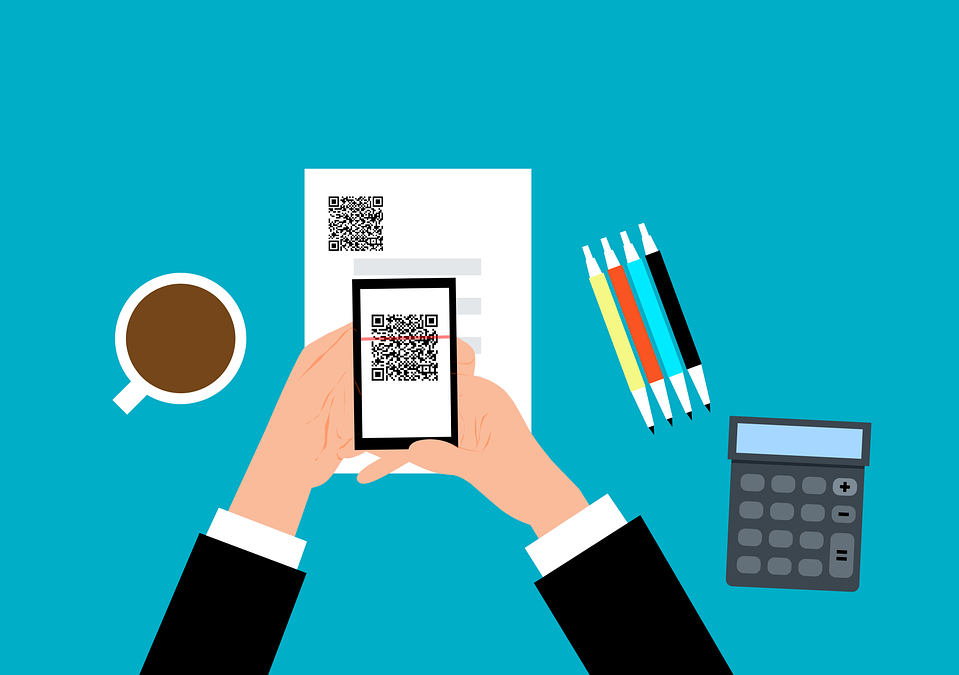
Be Careful When Scanning QR Codes – There’s a New Scam Going Around!

QR codes are everywhere these days. You can find them on restaurant menus, flyers, and posters. They’re used both offline and online. QR codes are convenient and easy to use. You just scan them with your smartphone camera. You’re then directed to a link, a coupon, a video, or some other online content.

With the rise in popularity of QR codes comes an unfortunate dark side. Cybercriminals are exploiting this technology for nefarious purposes. Scammers create fake QR codes. They can steal your personal information. They can also infect your device with malware or trick you into paying money.

It’s crucial to exercise caution when scanning QR codes. This emerging scam highlights the potential dangers lurking behind those seemingly innocent squares.

The QR Code Resurgence

QR codes were originally designed for tracking parts in the automotive industry. They have experienced a renaissance in recent years. As a result, they’re used as a form of marketing today.

They offer the convenience of instant access to information. You simply scan a code. They’ve become an integral part of various industries, including retail and hospitality.

Unfortunately, cybercriminals are quick to adapt. A new phishing scam has emerged, exploiting the trust we place in QR codes.

How the Scam Works

The scammer prints out a fake QR code. They place it over a legitimate one. For example, they might stick it on a poster that advertises a product discount or a movie.

You come along and scan the fake QR code, thinking it’s legitimate. The fake code may direct you to a phishing website. These sites may ask you to enter sensitive data, such as your credit card details, login credentials, or other personal information.

Or scanning the QR code may prompt you to download a malicious app, one that contains malware that can do one or more of the following:

  • Spy on your activity
  • Access your copy/paste history
  • Access your contacts
  • Lock your device until you pay a ransom

The code could also direct you to a payment page that charges you a fee for something supposedly free.

Here are some tactics to watch out for.

Malicious Codes Concealed

Cybercriminals tamper with legitimate QR codes. They often add a fake QR code sticker over a real one. They embed malicious content or redirect users to fraudulent websites.

Fake Promotions and Contests

Scammers often use QR codes to lure users into fake promotions or contests. When users scan the code, it may direct them to a counterfeit website. The website may prompt them to provide personal information, leading to potential identity theft or financial fraud.

Malware Distribution

Some malicious QR codes start downloads of malware onto the user’s device. This can result in compromised security, including unauthorized access to personal data and potential damage to the device’s functionality.

Stay Vigilant: Tips for Safe QR Code Scanning

Verify the Source

Be cautious when scanning QR codes from unknown or untrusted sources. Verify the legitimacy of the code and its source, especially if it prompts you to enter personal information.

Use a QR Code Scanner App

Consider using a dedicated QR code scanner app rather than the default camera app on your device. Some third-party apps provide extra security features, such as code analysis and website reputation checks.

Inspect the URL Before Clicking

Before visiting a website prompted by a QR code, review the URL to ensure it matches the legitimate website of the organization it claims to represent.

Avoid Scanning Suspicious Codes

Trust your instincts. If a QR code looks suspicious, refrain from scanning it. Scammers often rely on users’ curiosity. Be careful when scanning QR codes that you see in public places. Don’t scan them if they look suspicious, damaged, or tampered with. Exercising caution is paramount.

Update Your Device and Apps

Keep your device’s operating system and QR code scanning apps up to date. Regular updates often include security patches that protect against known vulnerabilities.

Be Wary of Websites Accessed via QR Code

Don’t enter any personal information on a website that you accessed through a QR code. This includes things like your address, credit card details, login information, etc.

Don’t pay any money or make any donations through a QR code. Only use trusted and secure payment methods.

Contact Us About Phishing Resistant Security Solutions

QR codes can be useful and fun, but they can also be dangerous if you’re not careful. Always scan them with caution. Protect yourself from scammers who want to take advantage of your curiosity.

This scam falls under the umbrella of phishing. Phishing is one of the most dangerous modern risks for individuals and organizations. If you need help ensuring your devices are phishing resistant, just let us know.

Contact us today to learn more.


Featured Image Credit: Link

This article has been republished with permission from The Technology Press.
Eye-opening Insights from the 2023 Annual Cybersecurity Attitudes and Behaviors Report

We are living in an era dominated by digital connectivity. You can’t overstate the importance of cybersecurity. As technology advances, so do the threats that lurk in the online world.

Often, it’s our own actions that leave us most at risk of a cyberattack or online scam. Risky behaviors include weak passwords and lax security policies, as well as thinking, “This won’t happen to me.” This is why human error is the cause of approximately 88% of data breaches.

The National Cybersecurity Alliance and CybSafe are working to correct poor cyber hygiene. Each year, the duo publishes a report on cybersecurity attitudes and behaviors. The goal is to educate both people and businesses on how to better secure their digital landscapes.

This year’s study surveyed over 6,000 people across the U.S., Canada, the U.K., Germany, France, and New Zealand. The survey asked about several things, including knowledge of cybersecurity risks, security best practices, and challenges faced.

The report reveals some eye-opening insights, including how people perceive and respond to cyber threats, as well as what they can do to improve their cybersecurity posture. Here are some of the key findings from the report.

We Are Online… a Lot

It’s no surprise that 93% of the study participants are online daily. The logins we create continue to expand, as well as those considered “sensitive.” Sensitive accounts hold personal information that could be harmful if stolen.

Nearly half (47%) of the study’s respondents have ten or more sensitive online accounts. This amplifies risk, especially if people are using the same password for two or more of those accounts.

Source: The Annual Cybersecurity Attitudes and Behaviors Report 2023

Online Security Makes People Frustrated

Most people (84%) feel that online security is a priority. But as many as 39% feel frustrated, and nearly the same amount feel intimidated. It can seem that you just can’t get ahead of the hackers. Just over half of people thought digital security was under their control. That leaves a whole lot who don’t think so.

But that is no reason to let down your defenses and become an easy target. There are best practices you can put in place to safeguard your online accounts that work.

These include:

  • Enabling multi-factor authentication on your accounts
  • Using an email spam filter to catch phishing emails
  • Adding a DNS filter to block malicious websites
  • Using strong password best practices

People Need More Access to Cybersecurity Training

One way to reduce human errors associated with cybersecurity is to train people. The survey found that just 26% of respondents had access to cybersecurity training.

It also broke this down by employment status. We see that those not actively employed are most lacking. Even those employed can use more training access and encouragement. Just 53% report having access to cybersecurity awareness training and using it.

Source: The Annual Cybersecurity Attitudes and Behaviors Report 2023

Employers can significantly reduce their risk of falling victim to a data breach by beefing up their security awareness training. There is also a large opportunity to provide more training, particularly to those retired or not actively employed.

Cybercrime Reporting Is Increasing

Over a quarter (27%) of survey participants said they had been a victim of cybercrime.

The types of cybercrimes reported include:

  • Phishing (47%)
  • Online dating scams (27%)
  • Identity theft (26%)

Which generation reported the most cybercrime incidents? Millennials. In fact, Baby Boomers and the Silent Generation reported the fewest.

Source: The Annual Cybersecurity Attitudes and Behaviors Report 2023

No matter where you fall in the generations, it’s important to adopt security best practices. We’ll go through some of these next.

Online Security Best Practices to Reduce Your Risk

  1. Strong, Unique Passwords:
    • Start with the basics. Create strong, unique passwords for each online account.
    • Use a combination of uppercase and lowercase letters, numbers, and special characters.
  2. Multi-Factor Authentication (MFA):
    • Enhance your account security with multi-factor authentication.
    • MFA adds an extra barrier to unauthorized access, even for compromised passwords.
  3. Regular Software Updates:
    • Keep all your software, including operating systems and mobile apps, up to date.
  4. Beware of Phishing Attacks:
    • Exercise caution when clicking on links or opening attachments, especially in emails from unknown sources.
    • Verify the legitimacy of emails and websites. Check for subtle signs, such as misspelled URLs or unfamiliar sender addresses.
  5. Use Secure Wi-Fi Networks:
    • Ensure you connect to a secure and password-protected Wi-Fi network.
    • Avoid using public Wi-Fi for sensitive transactions, unless using a virtual private network (VPN).
  6. Data Backup:
    • Regularly back up important data to an external device or a secure cloud service.
  7. Use Antivirus and Anti-Malware Software:
    • Install reputable antivirus and anti-malware software on all devices.
    • Regularly scan your systems for potential threats.
  8. Be Mindful of Social Media Settings:
    • Review and adjust your privacy settings on social media platforms.
    • Limit the amount of personal information visible to the public.
  9. Secure Your Personal Devices:
    • Lock your devices with strong passwords or biometric authentication.
  10. Educate and Stay Informed:
    • Educate yourself and your team through cybersecurity awareness programs. This fosters a culture of vigilance and preparedness.

Schedule Cybersecurity Awareness Training Today

A little education on cybersecurity goes a long way toward protecting your data. Our experts can provide security training at the level you need. We’ll help you fortify your defenses against phishing, scams, and cyberattacks.

Contact us today to schedule a chat.


Featured Image Credit: Pixabay

Smart Tactics to Reduce Cloud Waste at Your Business

Cloud computing has revolutionized the way businesses operate. It offers scalability, flexibility, and cost-efficiency. But cloud services also come with a downside: cloud waste.

Cloud waste is the unnecessary spending of resources and money on cloud services. These services are often not fully utilized or optimized. About 32% of cloud spending is wasted. This can lead to budget concerns as spending skyrockets.

But that figure also holds opportunity. It means that you can reduce nearly a third of cloud spending by optimizing how you use cloud tools.

So, how can you reduce cloud waste at your business and save money? Here are some smart tactics to consider.

Conduct a Comprehensive Cloud Audit

Before implementing any cost-cutting strategies, conduct an audit. It’s essential to have a clear understanding of your current cloud usage. Conducting a comprehensive cloud audit allows you to identify:

  • Underutilized resources
  • Overprovisioned instances
  • Unnecessary services

Use cloud management tools to generate reports. Look at usage patterns, costs, and performance metrics. This initial assessment forms the foundation for implementing effective waste reduction tactics.

Put in Place Right-Sizing Strategies

Right-sizing involves matching your cloud resources to the actual demands of your workloads. Many businesses fall into the trap of overprovisioning. This means securing more user licenses or features than they need. This leads to increased costs and unnecessary waste.

Analyze your workload requirements and resize instances accordingly. Use tools provided by your cloud service provider. These tools can identify and adjust the capacity of instances. This ensures that you only pay for the resources you truly need.

Use Reserved Instances and Savings Plans

Cloud providers offer cost-saving options like Reserved Instances (RIs) and Savings Plans. These allow businesses to commit to a specific amount of usage in exchange for discounted rates. By leveraging these options, you can significantly reduce your cloud costs over time.

Carefully analyze your workload and usage patterns. Then, determine the most cost-effective reserved capacity or savings plan. Find a plan that aligns with your business’s long-term goals.

Install Automated Scaling Policies

Dynamic workloads require dynamic resource allocation. Install automated scaling policies. These ensure that your infrastructure scales up or down based on demand. This optimizes performance and prevents overprovisioning during periods of low activity.

Cloud services enable you to set predefined policies for scaling, such as AWS Auto Scaling and Autoscale in Azure. These features help ensure efficient resource utilization without manual intervention.

Track and Optimize Storage

Storage costs can accumulate quickly, especially when data is not regularly reviewed and archived. Estimate your storage needs and put in place lifecycle policies to automatically downsize lesser-used data, such as transitioning less frequently accessed data to lower-cost storage options.

Regularly review and delete unnecessary data to free up storage space. Adopt a proactive approach to storage management. This can help you significantly reduce costs associated with data storage.

Schedule Your Cloud Resources

Schedule your cloud resources to run only when you need them. For example, turn off development, testing, or staging environments during nights and weekends. Or scale down your production environment during off-peak hours.

Use available tools to automate the scheduling of your cloud resources based on automated rules and policies that you define.

Delete Unused or Orphaned Cloud Resources

Sometimes, you may forget or neglect to delete cloud resources that you no longer need or use. This can include:

  • Snapshots
  • Backups
  • Volumes
  • Load balancers
  • IP addresses
  • Unused accounts

These resources can accumulate over time and incur unnecessary costs. To avoid this, regularly audit your cloud environment. Delete any unused or orphaned resources your business is not using. You can often use cloud provider tools to find and remove these.

Weed Out Duplicate Services

Different departments in the same organization may be using duplicate services. Marketing may use one task management app, while Sales uses a different one. Centralize cloud resources and remove duplicate tools.

Having everyone use the same cloud tool for the same function can save money as well as enhance collaboration, reporting, and data integration.

Embrace Serverless Architecture

Serverless computing allows businesses to run applications without managing the underlying infrastructure. You pay only for the actual compute resources used for your processes. This eliminates the need for provisioning and maintaining servers, which reduces both operational complexity and costs. Consider migrating suitable workloads to a serverless model. This can help you optimize resource use and cut cloud waste.

Schedule a Cloud Optimization Assessment Today!

By following these smart tactics, you can reduce cloud waste at your business and optimize your cloud spending. This helps you save money while improving operational efficiency and environmental sustainability.

Are you struggling with expanding cloud costs? Need help identifying and removing cloud waste? Our team of cloud experts can help you.

Contact us today to schedule your assessment.


Featured Image Credit

This Article has been Republished with Permission from The Technology Press.

What Is Microsoft Security Copilot? Should You Use It?

It can be challenging to keep up with the ever-evolving cyber threat landscape. Companies need to process large amounts of data and respond to incidents quickly and effectively. Managing an organization’s security posture is complex.

That’s where Microsoft Security Copilot comes in. Microsoft Security Copilot is a generative AI-powered security solution that provides tailored insights to empower your team to defend your network. It works with other Microsoft security products and integrates with natural language to generate tailored guidance and insights.

In this article, we will explain what Microsoft Security Copilot is, explore its benefits, and whether it’s the right choice to enhance your digital defenses.

What Is Microsoft Security Copilot?

Microsoft Security Copilot is a cutting-edge cybersecurity tool that leverages the power of AI and machine learning for threat detection and response. Copilot aims to enhance the efficiency and effectiveness of cybersecurity operations.

Microsoft Security Copilot helps security teams:

  • Respond to cyber threats
  • Process signals
  • Assess risk exposure at machine speed

It works with other Microsoft security products as well. A big benefit is that it integrates with natural language, allowing you to ask questions plainly to generate tailored guidance and insights.

Security Copilot can help with end-to-end scenarios such as:

  • Incident response
  • Threat hunting
  • Intelligence gathering
  • Posture management
  • Executive summaries on security investigations

How Does Microsoft Security Copilot Work?

You can access Microsoft Security Copilot capabilities through a standalone experience or embedded experiences available in other Microsoft security products.

Copilot integrates with several tools, including:

  • Microsoft Sentinel
  • Microsoft Defender XDR
  • Microsoft Intune
  • Microsoft Defender Threat Intelligence
  • Microsoft Entra
  • Microsoft Purview
  • Microsoft Defender External Attack Surface Management
  • Microsoft Defender for Cloud

You can use natural language prompts with Security Copilot, making it easy to ask for information or guidance on various security topics.

For example, you can ask:

  • What are the best practices for securing Azure workloads?
  • What is the impact of CVE-2024-23905 on my organization?
  • Generate a report on the latest attack campaign.
  • How do I remediate an incident involving TrickBot malware?

![Security Copilot](image link)

Image source: Microsoft

Should You Use Microsoft Security Copilot?

The Pros:

  1. Advanced Threat Detection
    Microsoft Security Copilot employs advanced algorithms to detect and analyze threats that may go unnoticed by traditional security measures. It has the ability to adapt to new threats in real time, enhancing the security posture for organizations.
  2. Operational Efficiency
    Copilot automates threat analysis, allowing security teams to focus on strategic decision-making. It also reduces the time and effort spent on manual data analysis, streamlining workflows and enabling quicker responses to potential threats.
  3. Integration with Microsoft Products
    Microsoft Security Copilot seamlessly integrates with several Microsoft products, creating a comprehensive cybersecurity ecosystem. The synergy between these tools enhances threat visibility and response capabilities.
  4. Continuous Learning
    The AI and machine learning components of Copilot continuously learn from new data, improving their ability to identify and mitigate emerging threats over time. This adaptive learning approach ensures that the tool evolves alongside the ever-changing threat landscape.
  5. Reduced False Positives
    Copilot’s advanced algorithms contribute to a more accurate threat detection process, minimizing false positives that can overwhelm security teams. The result is a more focused and efficient response to genuine threats.

The Considerations:

  1. Integration Challenges
    Microsoft Security Copilot seamlessly integrates with Microsoft and other security products. However, organizations using a diverse range of cybersecurity tools may face integration challenges. Consider the compatibility of Copilot with your existing cybersecurity infrastructure.
  2. Resource Requirements
    The deployment of advanced AI and machine learning technologies may demand extra resources. Companies should check if their existing infrastructure supports the requirements of the tool.
  3. Training and Familiarization
    Successfully leveraging the benefits of Copilot requires training and familiarization with the tool’s functionalities. Ensure that your security team is adequately trained to maximize the potential of this cybersecurity solution.

The Bottom Line

Microsoft Security Copilot represents a leap forward in AI-driven cybersecurity, with advanced capacity for real-time threat detection, operational efficiency, and extensive integration capabilities. These factors make it a compelling choice, especially for businesses seeking to fortify their digital defenses.

Your unique business needs should guide the decision to adopt Microsoft Security Copilot. Consider factors such as existing cybersecurity infrastructure, resource availability, and the commitment to ongoing training.

Get Expert Microsoft Product Support Here!

Microsoft is a vast ecosystem of interconnected business tools, and Security Copilot is one of the newest to help you secure your online landscape. If you need some help leveraging these tools for your company, let us know. We are experienced Microsoft service providers, and our team can help you make the most of these tools.

Contact us today to schedule a consultation


Feature Image Credit The Technology Press

This Article has been Republished with Permission from The Technology Press.

5 Ways to Leverage Microsoft 365’s New AI Innovations

Microsoft 365 has a powerful suite of cloud-based productivity tools. They can help you work smarter and faster. Microsoft has consistently been at the forefront of innovation. M365 was one of the very first all-in-one cloud tools, introduced as Office 365 in 2013. Now, Microsoft and its business tools are at the leading edge of generative AI.

The Microsoft 365 platform has been adding some amazing AI innovations. They sit inside tools like Word, Excel, PowerPoint, Teams, and more. If you know how to use them, these smart features can enhance your experience as well as significantly boost your productivity.

Next, we will explore some of the ways you can leverage Microsoft 365’s new AI innovations so that you can get more out of your work.

Microsoft Copilot: A Game-Changer in Collaboration

Microsoft Copilot is the crown jewel of Microsoft’s AI innovations. It’s designed to be your virtual collaborator. It can help you generate code, write documents, and even craft emails more efficiently. This AI-powered tool is built on the foundations of OpenAI’s ChatGPT technology, enabling it to understand context, anticipate your needs, and generate content in a remarkably human-like manner.

Here are some of the tools in the Microsoft universe that incorporate Copilot:

  • Word
  • Excel
  • PowerPoint
  • Outlook
  • Teams
  • Edge
  • Windows
  • Bing
  • Dynamics 365 Sales

How can you take advantage of the benefits offered by Microsoft Copilot? Here are a few ways to jump on the added efficiency and time-savings they bring.

1. Speed Up Document Creation

In the realm of document creation, Copilot shines as a versatile writing companion. It helps when drafting a report, crafting a presentation, or composing an email. Copilot provides intelligent suggestions, helping you articulate your thoughts more effectively. It speeds up the writing process and ensures that your content is clear, concise, and tailored to your audience.

2. Enhance Your Teams Meeting Experience

One of the key strengths of Copilot is its ability to enhance collaboration across teams. It can create coherent and context-aware responses, such as a summary of meeting notes and an action item list.

Another helpful feature is the ability to catch up on what you’ve missed. Have you arrived late to a Teams meeting? You can just ask it to summarize the important points of the conversation so far.

3. Create PowerPoints with Ease

More people can become “PowerPoint Masters” with Copilot. The AI-infused features in PPT can create a slide deck for you based on text prompts.

It can tap into Microsoft’s stock images to fill your slides. Copilot will also suggest text to use based on your presentation topic. Do you have a PowerPoint that you need help with? The tool can reorganize your slides for a better presentation flow.

4. Enjoy Smart Business Insights in Excel

Another new AI innovation in Microsoft 365 is Excel Ideas. This feature can help you analyze and visualize your data with ease. Excel Ideas can automatically detect patterns and trends in your data, suggesting charts, tables, and summaries that best suit your needs.

You can also use Excel Ideas to ask natural language questions about your data, such as “What is the average sales by region?” or “Which product has the highest profit margin?” You’ll get instant answers in the form of charts or formulas.

5. Save Time in Outlook with AI Help

We all get those long emails from time to time—the ones that you push to the bottom of your inbox for when you have more time. Well, the new Copilot feature in Outlook can help. Just ask it to summarize the key points of an email for you to save yourself reading time.

You can also use Copilot in Outlook to help write emails. It will save help by providing a first draft, as well as suggesting responses to emails in your inbox.

A Future of Intelligent Productivity

As we embrace the era of intelligent productivity, Microsoft 365 becomes more powerful. Its new AI innovations pave the way for a more efficient work environment.

By incorporating these capabilities into your daily workflow, you’re staying competitive as well as setting the pace for the future of work.

Tap into the Future with Our M365 Services

Microsoft 365’s commitment to continuous improvement ensures that you have cutting-edge tools needed to stay ahead, innovate, and thrive—especially in a rapidly evolving digital landscape. Embrace the power of AI. Unlock a new dimension of productivity with Microsoft 365.

Our team of M365 experts can help you ensure you’re getting the full benefit of these features, as well as new ones Microsoft is developing and rolling out in the coming months. We’ll help your team save time and improve your bottom line.

Give us a call today to schedule a chat.


Featured Image Credit: Link to image.

This Article has been Republished with Permission from The Technology Press.

9 Tips for Setting Up AI Rules for Your Staff

Artificial intelligence (AI) is a powerful tool. It can enhance the productivity, efficiency, and creativity of your staff. But AI also comes with some challenges and risks. Businesses need to address and manage these to use AI effectively.

Establishing clear and ethical guidelines, or “AI rules,” for staff interaction is essential. Otherwise, you may not know when AI is being used for business data. Employees may also be scared to use AI without direction. This can leave them missing out on incredible time savings.

64% of businesses expect AI to increase productivity.

In this article, we will share some tips for setting up AI rules for your staff. These tips can help you harness the benefits of AI while avoiding the pitfalls.

Define the scope and purpose of AI use.

Before you introduce AI to your staff, you need to have a clear vision. Know what you want to achieve with AI. As well as how it aligns with your business goals and values.

You also need to communicate this vision to your staff. Explain how AI will support their work and improve their outcomes. This will help you set realistic expectations and avoid confusion or frustration.

Establish ethical principles and guidelines.

AI can have significant impacts on your staff, customers, and partners. As well as society at large. So, you need to ensure that your AI use is ethical, fair, transparent, and accountable. You can do this by developing a set of ethical principles and guidelines. They should reflect your organizational culture and values. As well as follow relevant laws and regulations. You also need to educate your staff on these guidelines and track their compliance.

Involve stakeholders in the decision-making process.

AI rule-setting should not be a top-down process. Involve key stakeholders, including employees, in the decision-making process. Gather insights from different departments and roles. This helps ensure that AI rules are reflective of diverse perspectives. This collaborative approach enhances the quality of the rules. It also fosters a sense of ownership and engagement among staff members.

Assign roles and responsibilities.

AI is not a magic solution that can replace human judgment and oversight. You still need to have a clear division of roles and responsibilities. This would be between your staff and the AI systems they use.

You should define who handles the following AI system tasks:

  • Design
  • Development
  • Deployment
  • Maintenance
  • Auditing
  • Updating

You should also define who is accountable for the outcomes and impacts of AI use. Ensure that you support your staff with training, enablement, and change management.

Provide training and support.

Empower your staff with the skills necessary to work effectively alongside AI. Offer comprehensive training programs. They should cover the basics of AI technology. As well as its applications within the organization and guidelines for AI interaction. Providing ongoing support ensures that employees feel confident. As well as capable in their roles within an AI-enhanced environment.

Ensure data security and privacy.

AI systems often rely on vast amounts of data. As such, emphasize robust data security and privacy measures. Clearly communicate the steps taken to safeguard sensitive information. Adhere to data protection regulations. Establish a robust cybersecurity framework. One that protects both employee and organizational data from potential breaches.

Put a feedback loop in place.

Create a system for gathering feedback from employees about their interactions with AI. This feedback loop serves as a valuable mechanism. It helps with identifying areas of improvement and refining AI rules. As well as addressing any concerns or challenges that arise during implementation. Actively listen to employee feedback to foster a culture of continuous improvement.

Review and update your AI rules regularly.

AI is a dynamic and evolving field. It requires constant adaptation and improvement. You cannot set up your AI rules once and forget about them. You need to review and update these rules regularly. This is to ensure that they are still relevant and effective. As well as aligned with your business goals and values. You also need to evaluate the performance, outcomes, and impacts of your AI use. Use this information to make adjustments as needed.

Encourage a growth mindset.

Foster a culture of curiosity and a growth mindset within your organization. Encourage employees to embrace AI as a tool for augmentation. But not a replacement. Communicate that AI is here to enhance their capabilities and streamline processes. It allows them to focus on more strategic and creative aspects of their roles.

Get Expert Guidance with an AI Transformation

AI can be a game-changer for your business. That is if you use it wisely and responsibly. By following these tips, you can set up AI rules for your staff. Rules that can help you leverage the power of AI while minimizing the risks.

Need an expert guide for a digital or AI transformation? Give us a call today to schedule a chat.


Featured Image Credit: Robot Technology

This Article has been Republished with Permission from The Technology Press.