What Is the Difference Between Incremental, Differential, and Full Backup?

In the context of business data protection, becoming familiar with backup types is not optional; it is mandatory. Whether it is a small business organisation or a large enterprise system, the selection of the appropriate backup strategy will directly affect recovery timeline, storage expenses and business continuity.

Here in this blog, we will be disassembling a full backup, an incremental backup and a differential backup in a simple, practical manner- so that you can make your choice of what suits best in your setup.

What Is A Full Backup?

Full Backup

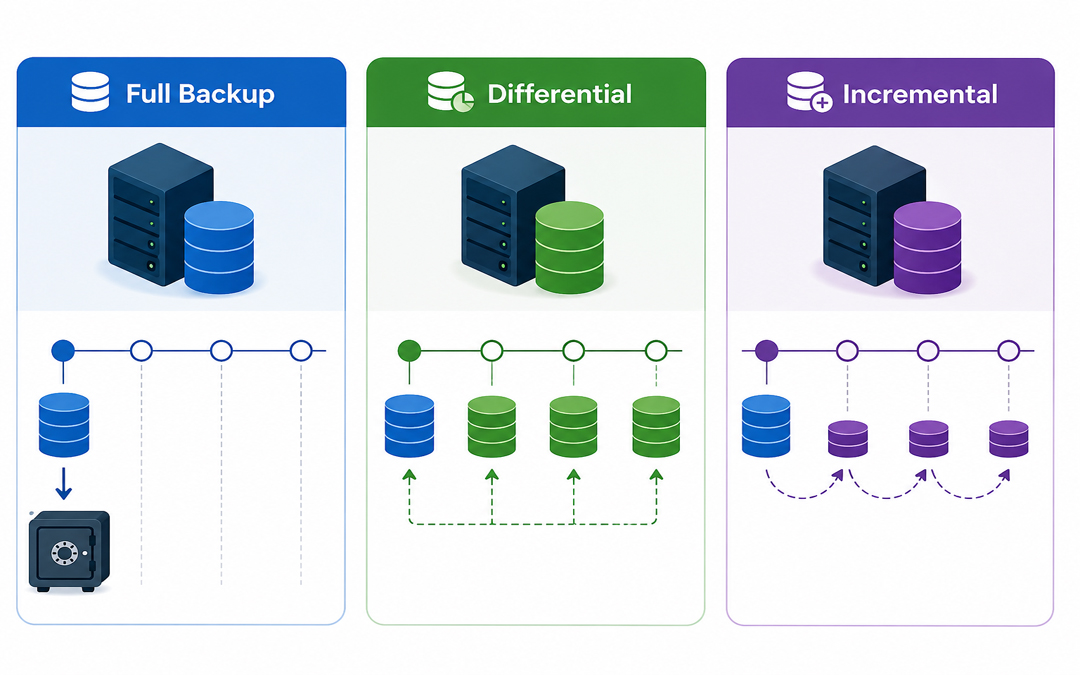
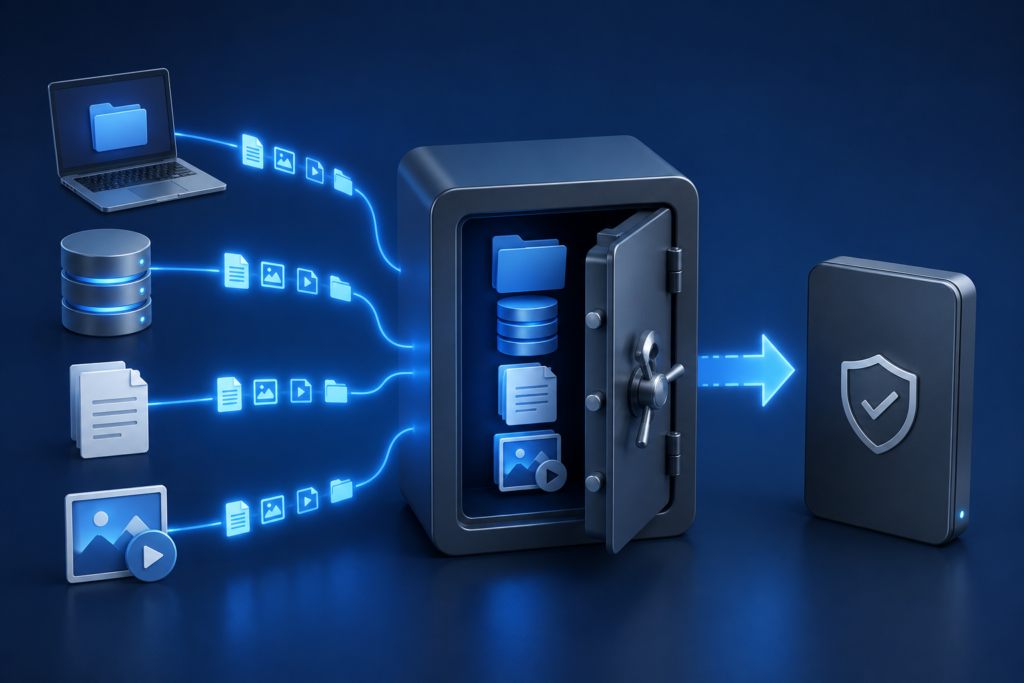
The simplest one is the complete backup. It generates an exact duplicate of all of your data, including files, folders and system information, at a given moment in time.

Example:

Consider that you have 100 GB of data. Each time you run it, it will make a complete copy of all 100 GB.

Key Features:

  1. Copies everything
  2. Works independently (no dependency on other backups)
  3. Quick and simple to restore.

Pros:

  • Rapid recovery (single file recovery was sufficient)
  • Simple to manage
  • Reliable

Cons:

  • Takes more time
  • Makes use of the biggest storage area.
  • A complete backup is commonly required as a baseline before implementing other backup techniques.

What is a Backup Incremental?

Incremental Backup

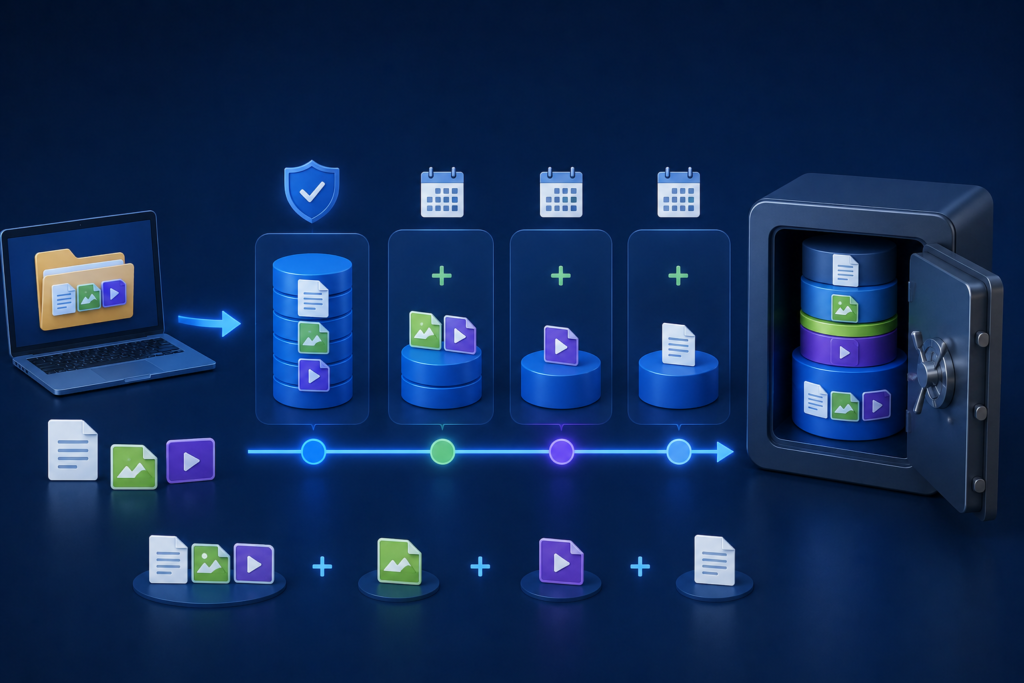
A differential backup captures all changes made since the last full backup.

Example:

Day 1 → Full backup (100 GB)
Day 2→ Differential (5 GB change)
Day 3 → Incremental backup (3 GB changes)

Key Features:

  • Its support to determine changes since the last backup.
  • Extremely efficient storage and speed.

Pros:

  • Fast backups
  • Low storage usage
  • Good to use daily or more frequently.

Cons:

  1. Slow recovery process
  2. Whole backup chain (full + all incrementals) required.
  3. Incremental files can be corrupt, failing to recover, since all steps are required.

What is a Differential Backup?

Differential Backup

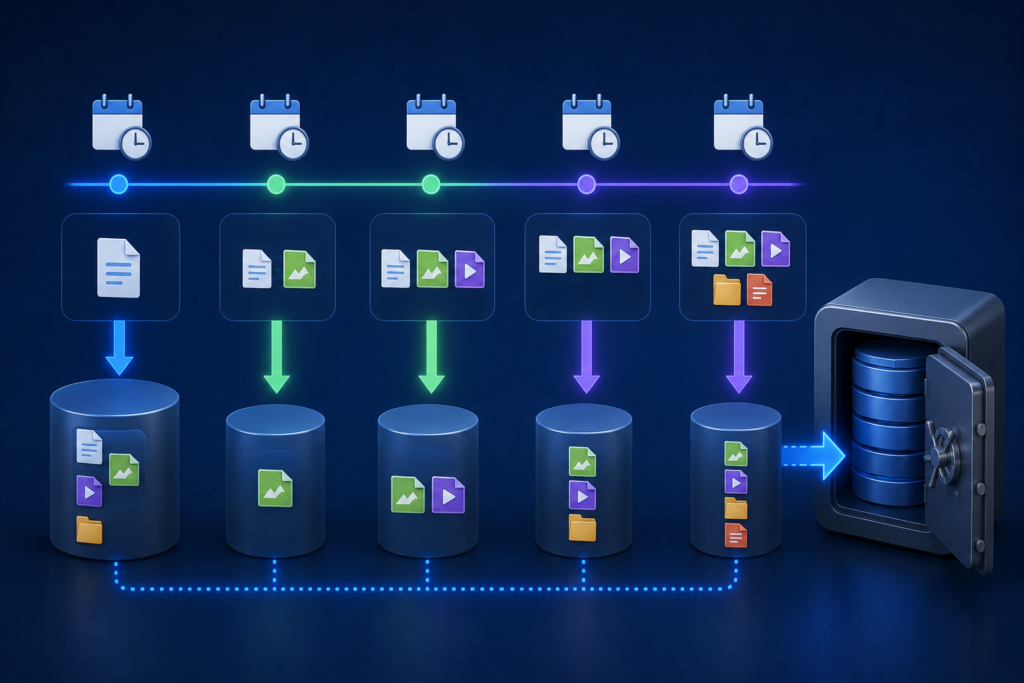
A differential backup is a backup of the difference between the last full backup and the current backup.

Example:

Day 1 → Full backup (100 GB)
Day 2 → Differential (5 GB)
Day 3 → Differential (Changes since Day 1, 8 GB total)

Key Features:

  • Supports changes that have been made after the last full backup.
  • Easier to restore than incremental.

Pros:

  • Quicken a restore vs. an incremental.
  • Only for the requirement
  • Last full backup
  • Recent differential backup

Cons:

  • Takes more storage than incremental.
  • The size of the backup grows with time.

The difference between full and incremental backup is speed and reliability, established by differential backup.

Main Differences Between Full, Incremental, and Differential Backup

FeatureFull BackupIncremental BackupDifferential Backup
Data CopiedAll dataChanges since last backupChanges since last full
Backup SpeedSlowFastMedium
Storage UseHighLowMedium
Restore SpeedFastSlowFaster than incremental
DependencyNoneHigh (chain required)Moderate
Best UseWeekly/monthly basisFrequent backupsBalanced approach

Practical Scenario: Which one is to be used?

Suppose that you operate a business where data gets updated on a daily basis:

Option 1: Full Backup Only.

  • Daily backups = large storage requirements + slow processing.

Not efficient

Option 2: Full + Incremental (Most Common)

  • Weekly full backup
  • Daily incremental backups

Most suitable for saving storage and time.

Option 3:
Full + Differential

  • Weekly full backup
  • Daily differential backups

Slightly greater storage, faster recovery.

The majority of businesses adopt both and use a combination of approaches to achieve better performance.

When to Choose Each Backup Type

Select Full Backup When:

  • You need a simple recovery
  • Data size is small
  • You would like a clean restore point.

Select Incremental Backup When:

  • There is a lack of storage space.
  • You require regular backups.
  • Bandwidth in the network is low.

Select Differential Backup When:

  1. You desire to heal more quickly.
  2. You can match average storage usage.
  3. You must strike a balance between speed and reliability.

Why Backup Strategy Matters More Than You Think

Data loss may occur because of:

  • Cyberattacks (ransomware)
  • System failures
  • Human errors

Pexo’s Data Backup & Disaster Recovery services are designed to create automated and secure backup systems tailored to the unique needs of each business. Cloud backups and disaster recovery planning protection as well as relationships between these solutions, ensure minimal downtime and a timely recovery when it matters.
Conclusion

Knowing the distinction between full, incremental and differential backups will help you create a smarter, more efficient data protection policy.

  • Complete backups are simple and reliable.
  • Incremental backups are time and space-saving.
  • Differential Backup is faster to recover.

However, it is not about picking one- it is about the combination of them in a strategic manner to make sure that you are in safe hands when you need the data the most; you can access and recover it easily.

What Is Hybrid Backup? Understanding Hybrid Backup Sync and QNAP Hybrid Backup Sync in Simple Terms

Data loss is not only a technical problem, but it may also interfere with work, postpone projects, and even affect the income. Loss of important data may be expensive, whether as a result of accidental deletion, system failure, or a cyber threat. This explains why commercial companies are venturing far beyond the conventional way of backing and embracing intelligent alternatives such as hybrid backup.

What Is Hybrid Backup?

Hybrid Backup

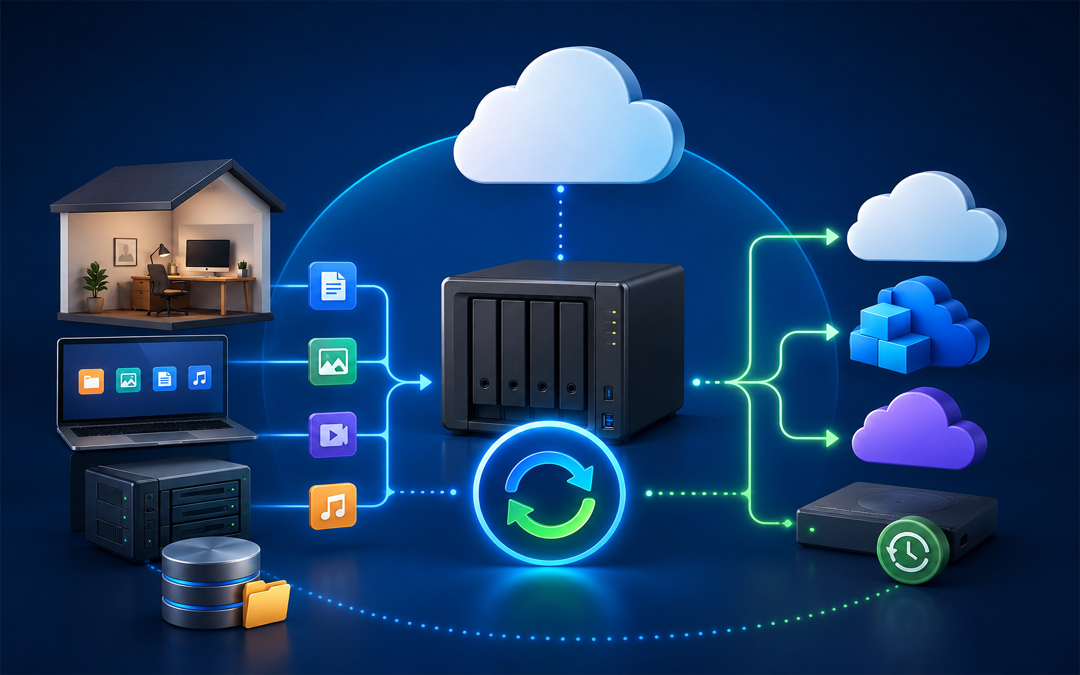
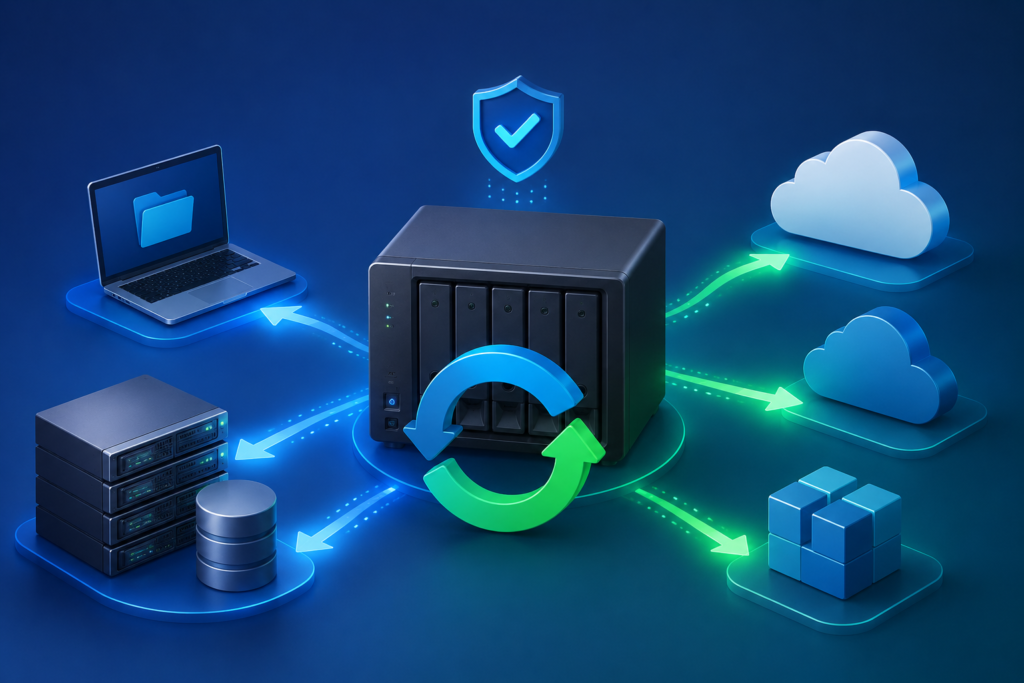
Hybrid backup is a data protection plan that involves storing a copy of your data in multiple locations other than just one location, usually using a mixture of local storage and cloud or remote storage. An example is that a business will keep a single backup on a local server on a local NAS device so that it will be easily accessible, and another one on a cloud computing server where it can keep it safely.

Balance is the critical benefit of hybrid backup. Local backups enable quick recovery, and cloud backups enable protection in case the local system is destroyed, stolen, or hacked. This mix guarantees the availability of data and also its security, which will make this an efficient solution to the contemporary corporate world.

Understanding Hybrid Backup Sync

Three fundamental functions, which include backup, restore, and synchronization, make up Hybrid Backup Sync. It does not separate these functions, which involve handling them as a single, fluent working process.

Backup will guarantee a copy and storage of your data in a safe place. Richos Repair enables you to recover misplaced or damaged files as and when required. Synchronization maintains files in sync between two or more locations, meaning that the files are consistent across devices or systems.

Practically, Hybrid Backup Sync automates data protection. Companies are able to make backups in advance, establish regulations on file versions, and synchronize valuable folders in both local and cloud resources. This conserves manpower and ensures up-to-date processing of data.

Understanding QNAP Hybrid Backup Sync

QNAP Hybrid Backup Sync

QNAP Hybrid Backup Sync is an application that is specifically made to work on QNAP NAS. It brings backup, restore and synchronization to a single platform, which is more convenient to users who wish to control their data protection policies.

QNAP Hybrid Backup Sync also allows users to schedule backup jobs automatically, define where data is kept and set to store and schedule how the backups should take place. It allows various storage choices, such as local storage, external storage, remote storage, and cloud storage.

Flexibility is one of its major strengths. Businesses are capable of having copies of files that are essential saved on their computers in order to have speedy recovery, and at the same time transfer copies to a remote or cloud-based server. It also enables synchronization of files among various devices, thus ensuring that the teams are able to get the latest version of files anywhere.

To illustrate, a company with QNAP NAS can set up daily backups on key files, synchronize project files on team devices and revert to old versions of files as may be necessary. It simplifies the process of data management as one does not have to use a variety of tools.

Reliable Data Backup & Disaster Recovery Solutions by Pexo

Pexo IT consulting also offers Data Backup and Disaster Recovery services to businesses that may want to have the services of an expert to make the process easier. The services include secure backup systems, fast recovery services and protection in case of data loss. With professional help, businesses are likely to have a reliable and well-managed backup strategy that suits their operational requirements.

Conclusion

Hybrid backup is an effective and convenient method of data safety in business. It has a combination of local and cloud storage that provides speed and security. Hybrid Backup Sync and QNAP Hybrid Backup Sync solutions streamline data management processes by integrating backup, restore and synchronization. The use of a hybrid backup strategy is a clever and future-proof method that businesses that want to remain safe and protected can implement.

FAQs

1. What is hybrid backup in simple terms?

Hybrid backup consists of having your data stored locally as well as in the cloud in such a manner that you can retrieve it within a short time and do so in a secure manner.

2. How is Hybrid Backup Sync different from regular backup?

Normal backup merely copies files, whereas Hybrid Backup Sync integrates it into a single system with backup, restore and file synchronization.

3. What is QNAP Hybrid Backup Sync?

It allows users to backup, restore and synchronize data in a local storage, external storage, remote server and cloud platform through one interface.

Understanding Disaster Recovery: Meaning, How It Works, and the Role of a Disaster Recovery Server

In the all-digital world of today, companies cannot effectively run without data, applications, and IT infrastructure. But there are unforeseen interruptions like computer attacks, technical malfunctions, or natural catastrophes which can shove the processes to the ground. This is where disaster recovery will come in play. An effective disaster recovery program will ensure companies are able to restore essential systems promptly and reduce downtime, saving money and reputation.

What is Disaster Recovery?

Diaster Recovery meaning

Disaster recovery is a term that is used to describe the act of recovering information, systems, and IT infrastructure following a disruption. Such interruptions may include hardware failures and human errors, as well as more crucial events such as ransomware attacks or natural disasters.

The major object of disaster recovery is to provide business continuity. Organizations will be able to restore their operations within a set time as opposed to losing valuable data or extending their downtime. A disaster recovery plan is normally an element of a larger business continuity plan (BCP), with specific emphasis on data and IT system recovery.

Important aspects of disaster recovery are:

  • Back-up/Storage of data.
  • Recovery plans and processes.
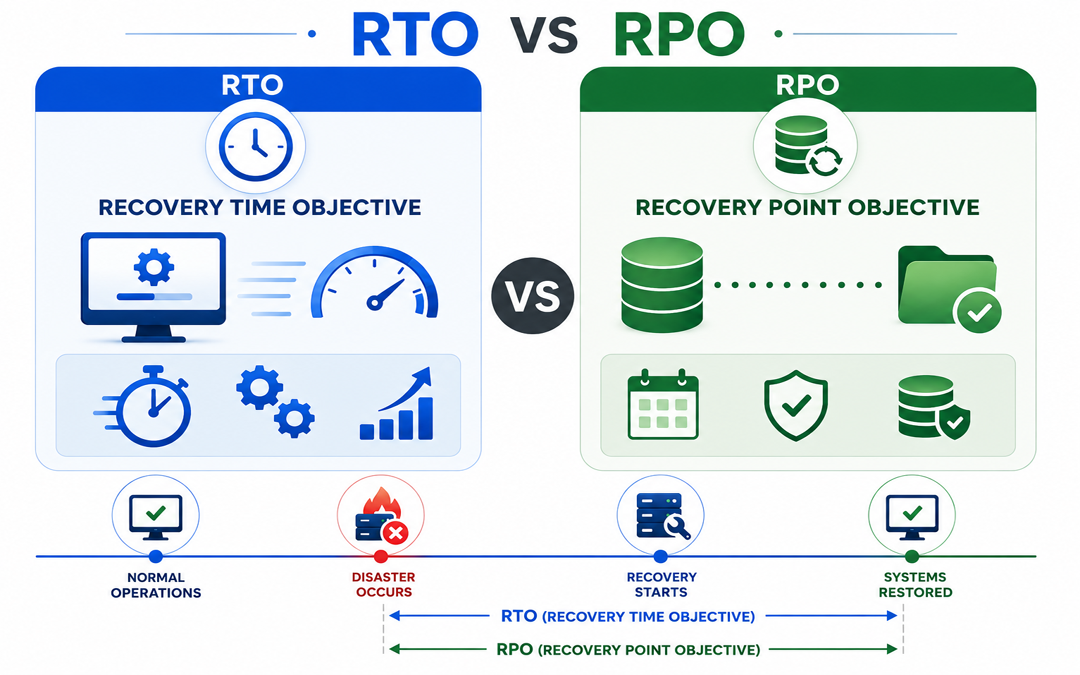
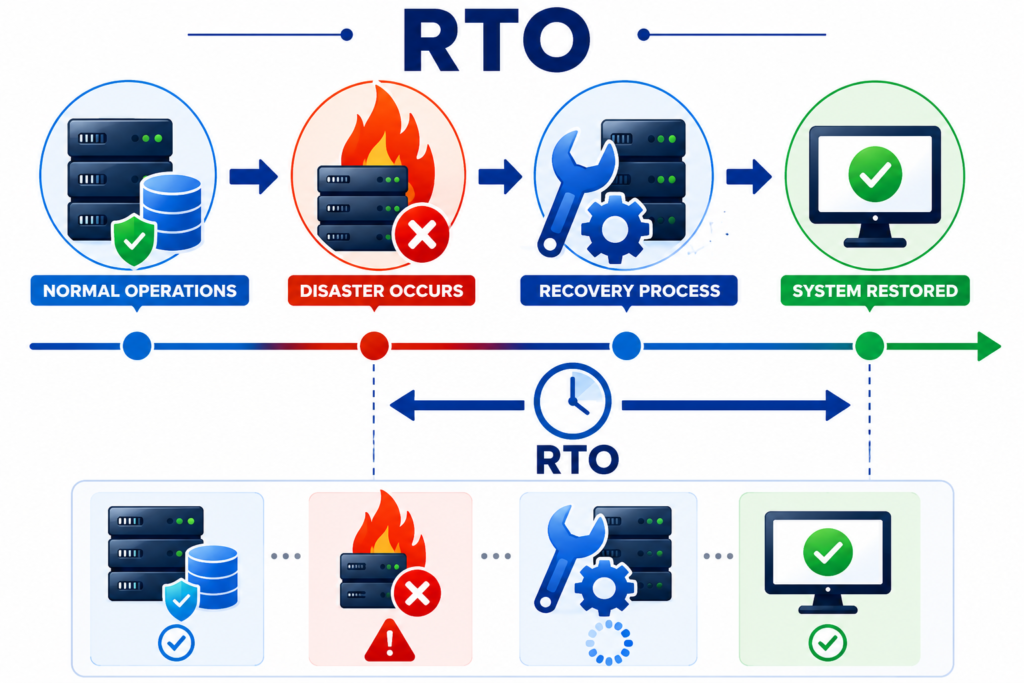
  • Well-determined recovery time goals (RTO)
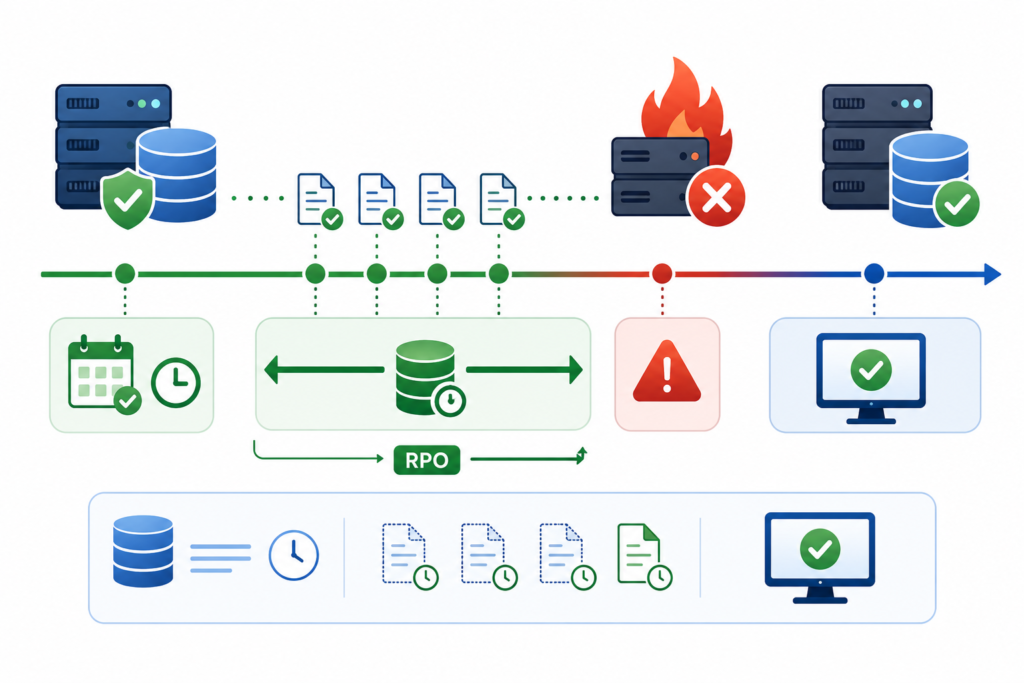
  • Recovery point objectives (RPO)

How Disaster Recovery Works

Disaster Recovery Works

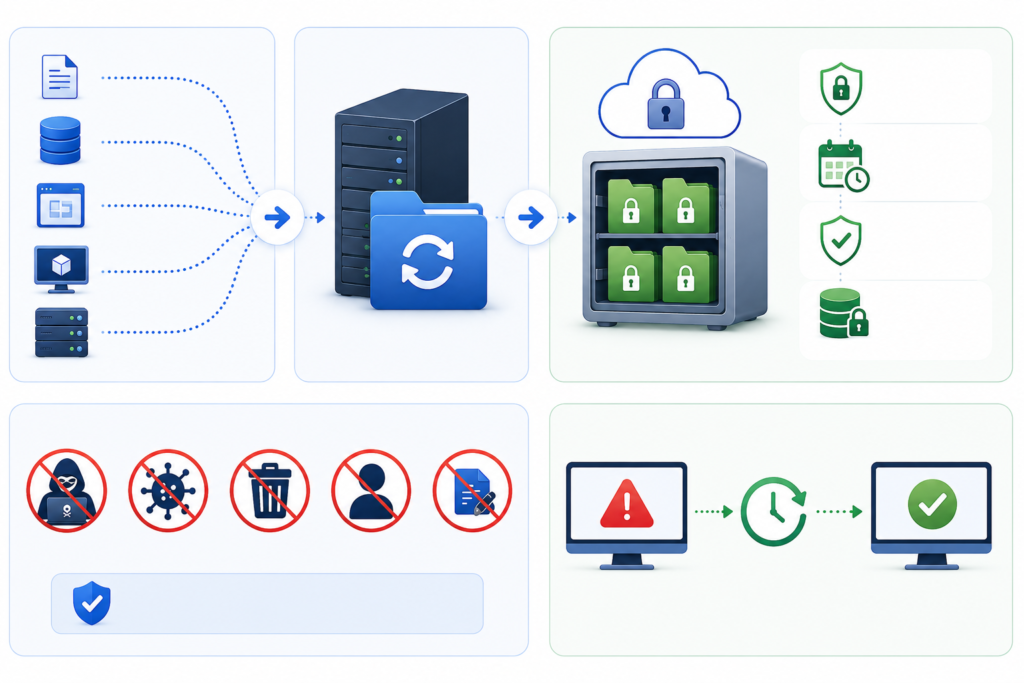
Disaster recovery is a product of planning, technology, and procedures that ensure that normal operations are restored within a short time after a disaster. In a simple overview of how it functions, the following is what happens:

1. Risk Assessment and Planning

The first step here is completed by organizations, as they determine potential threats and vulnerabilities. This assists in designing a disaster recovery plan that is specific to certain risks.

2. Data Backup

Periodic backups are carried out and saved in safes places out in the cloud or offsite. This guarantees access to information even in cases where the main system may be ruined.

3. Replication and Redundancy

Vital systems and information are mirrored on-the-fly or periodically. This redundancy enables companies to change to backup systems without huge hitches.

4. Failover Mechanism

Should a failure occur, the systems will automatically transition to a backup server or environment. This is referred to as failover and assists in continuity.

5. Recovery and Restoration

When the problem is addressed, systems are reinstated in their natural setting. Data integrity is verified, and the normal operations are restored.

6. Testing and Updates

Disaster recovery plans are tested on a regular basis and updated to maintain the effectiveness of the plans against changing threats.

This thoroughly organized process provides minimum downtime, short recovery, and less data loss.

What Does a Disaster Recovery Server Mean?

A disaster recovery server is a special-purpose server that restores and provides backup service in case of loss of the main server. It provides a reserve setting that can carry out operations in case of an emergency.

These servers are normally offered in a different physical place or in cloud format so that they are not impacted by the same disaster that has happened to the main system.

Key functions of a disaster recovery server include:

  1. Caching of data/information replica of primary systems.
  2. Permitting fast recovery in the event of outages.
  3. Helping business continuity through the running of essential applications.
  4. Minimizing downtime and loss of data.

Disaster recovery servers can be of various types, which include:

  • Cold servers – Turned on when required (slower recovery)
  • Warm servers – Partially configured and quicker to activate
  • Hot servers – Complete replicas, but with instant failover.

The correct type is based on the recovery objectives, the budget, and the criticality of the operations of a given organization.

Disaster Recovery is Important to businesses.

In the absence of an adequate disaster recovery plan, a simple disruption can result in:

  1. Significant financial losses
  2. Corruption or irreversible loss of data.
  3. Loss of brand image.
  4. Compliance or legal problems.

Having a working disaster recovery system will provide businesses with assurance that they will be able to recover in time and keep serving the clients without serious inconveniences.

Secure Your Data with Pexo IT Consulting’s Professionally Owned Solutions.

Disaster recovery is more than just basic backups to protect your business against the unexpected and should include a more detailed disaster recovery plan. Pexo is a company that provides sophisticated solutions to data backup and disaster recovery that ensure your important systems are secure and that they can be easily recovered. Secure cloud backups, real-time data replication, and scalable recovery facilities ensure that businesses reduce downtime and ensure smooth business operations. Discover their customized solutions here to develop a strong IT infrastructure.

FAQs

1. What is the primary intent of the disaster recovery?

Disaster recovery is primarily intended to recover the IT system and data back to normal following a disruption so that lost time is minimal, and business is still carried on.

2. What is the frequency of disaster recovery plan testing?

The disaster recovery plans must be testable at least once a year or twice or as many as there are substantial changes in the IT infrastructure.

3. What is the difference between disaster recovery and backup?

Backup entails data replication in order to maintain the integrity, and is half the battle, whereas disaster recovery is the entire process involved in restoring systems, applications, and operations after a failure.

Data Backup: Definition, Types, and Benefits

In present day digital world, one of the most valuable assets for both individuals and businesses is data. Right from personal files to important business data, losing data can cause serious consequences. This is where data backup plays an important role. It acts like a safety net, making sure your information is always protected and easily recoverable.

Data Backup: What Is It?

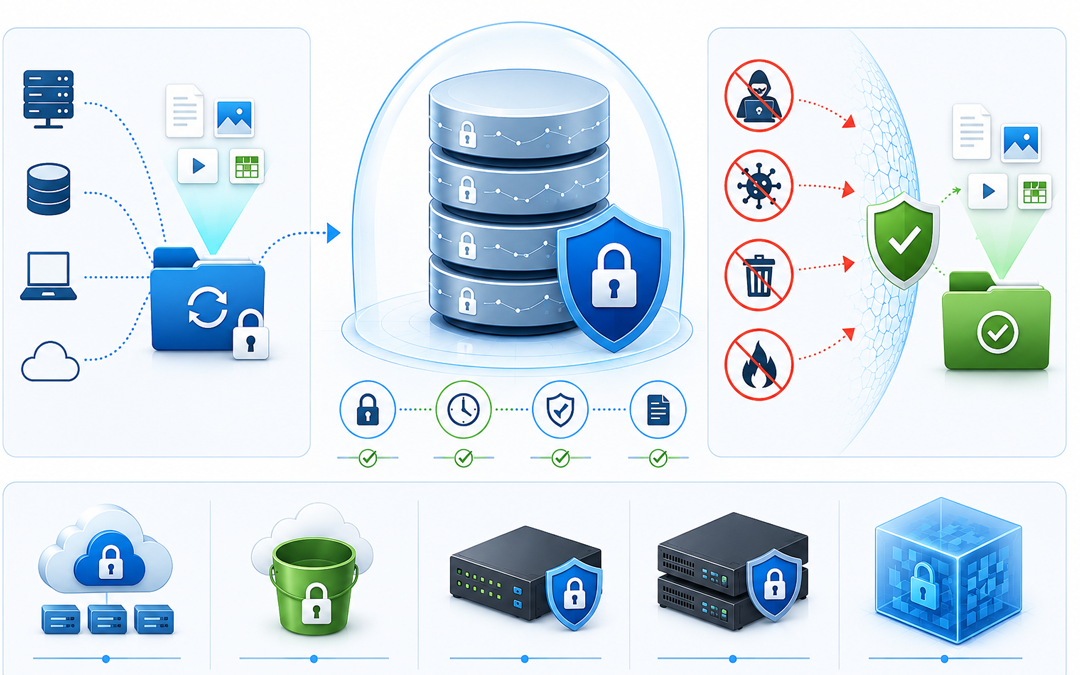
Data backup is a process of creating copies of vital digital data and maintaining them in a different, safe location. When actual data is lost, compromised or is corrupted because of any unforeseen situations, these copies can be used for restoration.

Documents, photos, software files, and entire systems can all be included in backup data. Ensuring business continuity and preventing irreversible data loss are the primary objectives.

Why It Is Important To Have Data Backup?

Data loss can happen anytime and for several reasons. Hardware failures, human errors, malware attacks and environmental disasters are most common causes. Without a backup, recovering lost data is very difficult or sometimes impossible.

A proper data backup plan make sure that organizations and individuals can rapidly recover their data and continue operations without major disturbances. It is fundamental part of any data protection and disaster recovery plan.

Types Of Data Backup

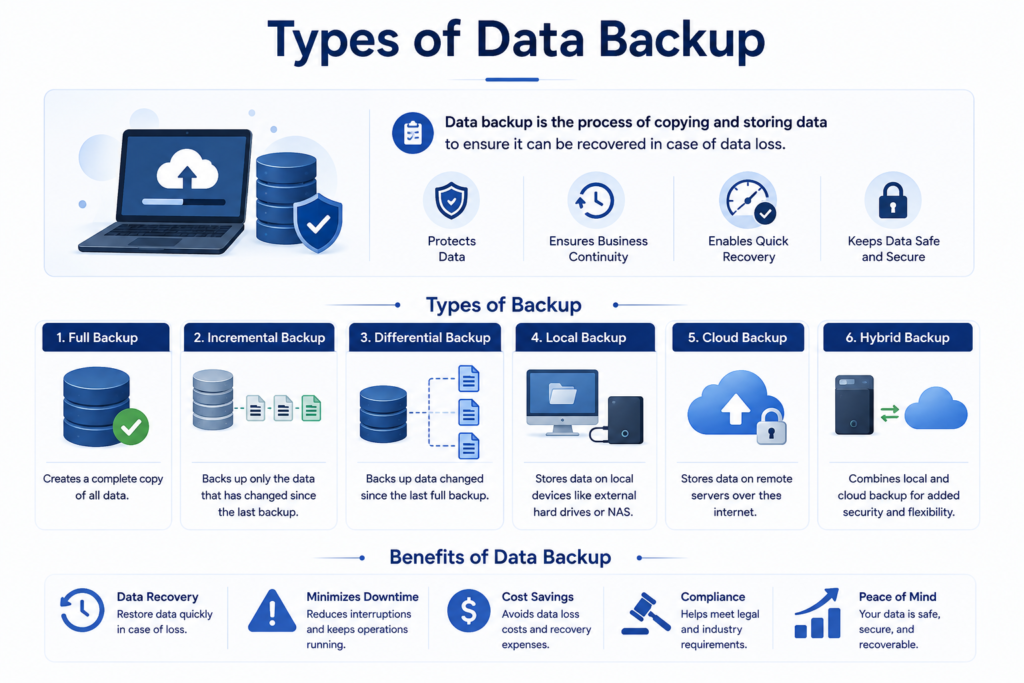
There are many kinds of data backup, but the most commonly used ones are:

Full backup

A full backup includes copying all data from a system and storing it in a backup location.

Benefits

  • Complete [protection of data
  • Fast process of recovery

Drawbacks

  • Needs more space for storage
  • Takes long to perform

This kind is mainly done periodically as a base backup.

Incremental backup

This kind of backup stores only the data that has undergone change since the last backup.

Benefits

  • Helps in saving storage space
  • Fast backup process

Drawbacks

  • Recovery can be slow as various backup sets are required.
  • It is good for businesses that requires backups in frequent basis.

Differential backup

Differential backup saves all alterations made since the last complete backup.

Benefits

  • Fast recovery as compared to incremental backups
  • Balanced usage of storage

Drawbacks

  • Needs more storage than incremental backups over time
  • This kind provides a balance between speed and storage effectiveness

Local backup

Local backup mainly includes data storage on physical devices like external hard drives or any servers within the organizations.

Benefits

  • Rapid access and recovery
  • Complete control over data

Drawbacks

  • Susceptible to physical damage or theft

Cloud backup

Cloud backup stores data on remote servers accessed through internet.

Benefits

  • Easy to access from anywhere
  • Protection against all physical disasters
  • Measurable storage

Drawbacks

  • Relies on internet connectivity
  • Consistent cost of subscriptions

Hybrid backup

Hybrid backup mixes both local and cloud backups

Benefits

  • Increased safety
  • Fast recovery with local copy
  • Offsite protection through cloud

Drawbacks

More complicated for managing

Advantages Of Data Backup

Executing a strong backup strategy provides many important advantages

Protection against loss of data

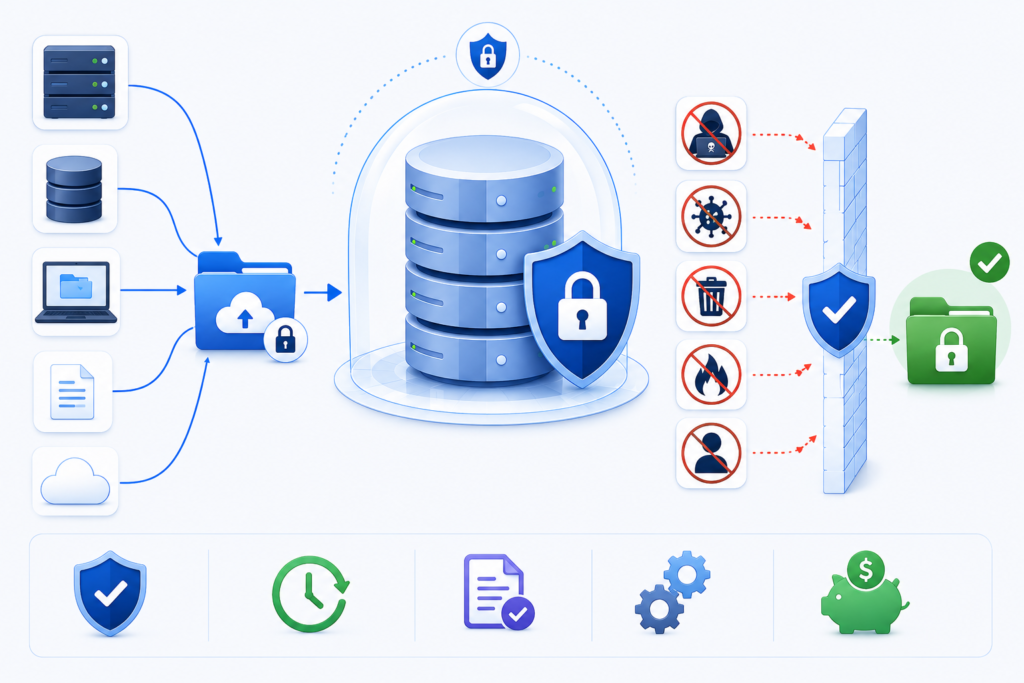
The main benefit of data backup is protection against loss of data caused by system failures, accidental deletion and cyberattacks.

Business continuation

Backups makes sure that businesses can continue functioning even after unexpected disturbances. Data can be restored fast, lessening downtime and loss.

Recovering from cyber threats

With the rise of ransomware and cyber-attacks, backups offers a dependable way for restoring data without paying for recovery or losing important information.

Cost savings

Recovering lost data without backups becomes expensive and also time consuming. Backups decreases the requirement for expensive data recovery services and prohibits loss of revenue.

Compliance and legal needs

Several industries needs organizations for maintaining safe backups for compliance with regulations. Proper backup system assists in meeting legal obligations.

Protection from human mistakes

Mistakes like accidental deletion or overwriting files are very common. Backups facilitates users for recovering from previous versions easily.

Recovery from disaster

Natural disasters such as floods, fires or any power failures can cause damage to physical systems. Backup solutions mainly cloud based make sure data stays safe and easily recoverable.

Protect Your Business Data with Pexo’s Advanced Backup Solutions

To keep your data secure and always accessible, it is important to rely on trusted solutions like Pexo’s data backup and disaster recovery services. These services help protect critical information from unexpected loss, cyber threats, and system failures while ensuring quick recovery and smooth business continuity with minimal disruption.

Conclusion

Backing up data is an important part of modern data management and security, not just a technical need. You can keep your personal and professional lives running smoothly by making secure copies of your data.

If you know a lot about the different kinds of data backups and what they can do for you, you can choose the best one for your needs. No matter how big or small your business is, you need to invest in a reliable backup solution to ensure long-term success and peace of mind.

FAQS

What is the primary purpose of data backup?

The primary purpose is protection of data and enabling recovery in case of loss, damages or cyberattacks.

Which kind of backup is best?

There is no single best backup, A combination of complete, incremental and cloud backups is often most efficient.

How frequently data should be backed up?

It relies on how often your data changes, but daily or consistent backups are recommended for important data.

Is cloud back up safe?

Yes, most of the cloud backup solutions make use of encryption and latest safety measures for protection of data.