What Is The Difference Between Hybrid And Multi-Cloud?

A hybrid cloud is a system that combines both private and public clouds into a single connected configuration. Multi-cloud is a hybrid cloud that uses several public clouds like AWS Azure and Google Cloud, without linking them. Multi-cloud is more flexible and does not rely on one vendor.

Today, most businesses store and operate their applications in the “cloud.” The cloud isn’t one single thing. It’s possible to use hybrid cloud or multi-cloud.

Both terms are often confused. Both terms sound the same and do have some overlap. They work differently, and they solve different issues. You’ll learn what they mean, how to compare them, and which one might work best for you.

What Is Hybrid Cloud Technology?

A hybrid cloud setup is one that connects at least two public clouds, such as Amazon Web Services (AWS), Microsoft Azure or Google Cloud. is the key here. Data and applications can be moved between private and public cloud environments in a hybrid setup.

Imagine a co-working area and your home office. When you require more space or resources, you can head over to the shared co-working area. You move seamlessly between the two spaces, as they are both part of your daily routine.

Why Hybrid Cloud Is Used By Businesses?

Hybrid Cloud
  • For legal and security reasons, they must keep sensitive data on their private servers
  • The public clouds are “bursting” during peak periods, but they don’t want to pay for the capacity all year round.
  • The cloud is a gradual migration from older systems

Multi-cloud: What is it?

Multi-cloud is using more than one public cloud provider at once. A company may run their storage system on AWS and use Microsoft Azure to provide AI tools. They might also use Google Cloud as a platform for analytics.

Multi-cloud, unlike hybrid cloud does not necessarily mean that these clouds are interconnected. Each cloud may operate separately, handling different tasks.

Multi-cloud, to use the same office metaphor: it is the equivalent of renting desks at three co-working spaces in the city. Each one has been chosen for its suitability.

What is the business case for multi-cloud computing?

  • Avoid being tied to one cloud service provider
  • Choose the right tool for each job from different providers
  • If one cloud fails, the others continue to run.
  • Data storage regulations require specific geographical regions to be stored in order to comply with the requirements.

What’s The Main Difference Between Multi-Cloud And Hybrid Cloud?

What they are connecting and why is the biggest difference.

           Hybrid Cloud                             Multi-Cloud
It combinesCloud computing: private + publicMulti-public clouds
Do they connect?Yes. It is tightly integratedNot necessarily
Main goalFlexible + secureFlexible + Best-of-Breed Services
The Best ofRegulation of industries and gradual migrationAvoiding vendor lock-in, resilience


The hybrid cloud bridges your private cloud infrastructure to the public cloud. Multi-cloud means diversifying your cloud services across different public providers. Businesses can use both a private cloud and multiple public clouds at the same. This is called hybrid multi-cloud.

What Is The Best Option For You?

Your specific needs will determine the best choice for you.

If you are unsure, choose hybrid cloud:

  • Your servers are a safe place to store sensitive information (data on healthcare, finances, and government).
  • The transition from your on-premises servers to cloud is about halfway complete
  • Data should flow easily and seamlessly between your systems.

Select multi-cloud mode if:

  • Want to be independent of a cloud provider?
  • Cloud providers have specialized services for different teams.
  • Your business’s top priorities are uptime and redundancy.

Select hybrid multi-cloud when:

  • Both private cloud infrastructure security and the flexibility provided by multiple public clouds providers are essential.

No one answer fits all. The Flexera 2024 State of the Cloud Report shows that 89% of businesses now have a multicloud strategy and 73% have a hybrid one, indicating they don’t want to pick just one.

Challenges With Different Approaches

Both setups are not without their complications.

Hybrid cloud challenges:

  • Securely connecting private and public systems can be a complex task
  • Integration requires IT professionals to be skilled in managing the integration
  • If the infrastructure is outdated, costs can mount.

Multi-cloud challenges:

  • Multiple vendors mean multiple interfaces and billing systems.
  • It is harder to monitor data security across platforms
  • The cost and time involved in moving data from one provider to another can be high.

Choose The Setup That Best Suits Your Goals

Multi-cloud and hybrid cloud both offer businesses greater flexibility than using a single platform, but solve very different problems. The hybrid cloud was designed for companies that want to securely connect their private infrastructure and the public cloud. Multi-cloud was designed for companies that wish to take advantage of the best features from different providers, without being locked into one.

Pexo’s cloud transformation services will accelerate your digital transformation. Our experts can help with a variety of cloud environments, including hybrid clouds, multi-clouds, and cloud native. They will also optimize performance, lower costs, build a scalable architecture, and support your business’ growth.

The first step is to understand the differences. Next, you will need to audit your existing infrastructure and identify your pain points. You can then consult a cloud architect on which combination or model is best for your business.

FAQs

What is the difference between hybrid cloud and multi-cloud computing?

No. A hybrid cloud is a cloud that connects on-premises or private servers with a cloud public. Multi-cloud is a combination of two or more cloud service providers. Both have distinct goals and different structures. However, some companies use them both simultaneously.

Is it possible to use hybrid cloud as well as multi-cloud simultaneously?

Yes. Hybrid multi-cloud is a setup which uses multiple public cloud services alongside a private one. This approach is used by many large companies to increase flexibility, security and resilience.

Is hybrid cloud cheaper than multi-cloud?

Your existing infrastructure will determine the cost. If you have on-premises server, hybrid cloud costs can be higher. The multi-cloud model can help you save money by offering services at competitive prices, but it also adds complexity to your operations.

Is hybrid cloud more secure than multi-cloud?

For workloads that are sensitive to security, hybrid cloud is preferred because the data can be kept on a server private. It is possible to make multi-cloud highly secure but this requires careful governance on multiple platforms.

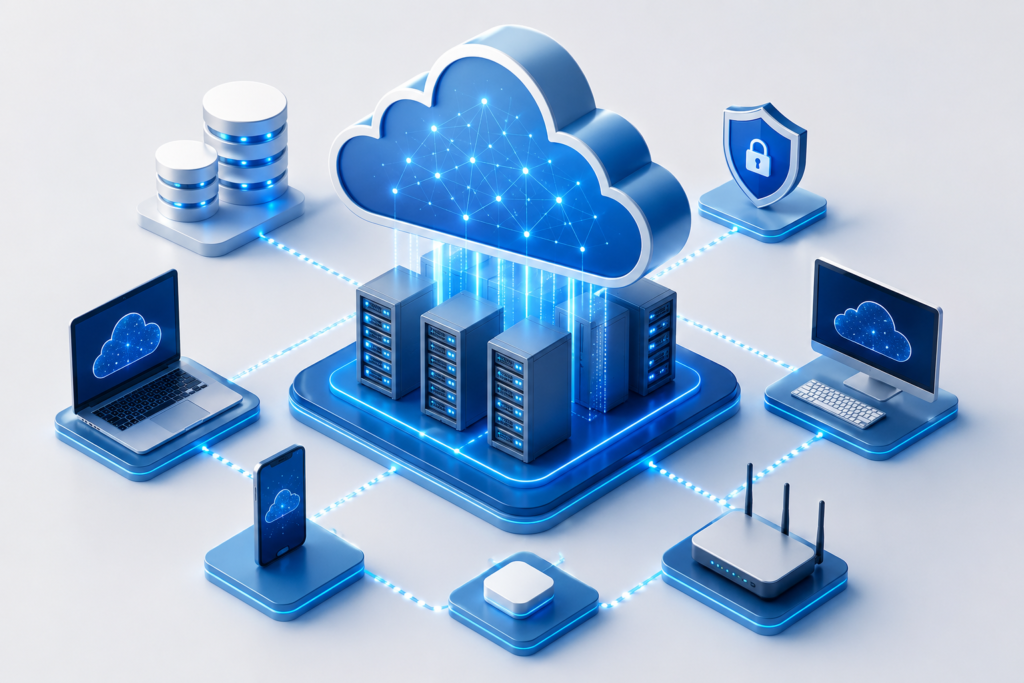
5 Ways to Set Up Your Cloud IT Infrastructure 

In today’s world, businesses require flexible, secure and easily managed technology. Enterprise cloud IT infrastructure allows companies to store their data, run programs and allow workers to work anywhere. It also lowers hardware expenditure and eases growth as your company progresses. 

There must be planning for migrating to the cloud. The correct installation maximizes the performance, security and reliability. We will talk about the 5 most popular methods of setting up your cloud IT infrastructure. 

5 Smart Ways to Build Your Cloud IT Infrastructure 

Smart Cloud IT Infrastructure

1. Select the proper Cloud Model. 

The first step is selecting the type of cloud to fit your business. It could be done in three principal ways; 

● Public Cloud : It can be a cheaper alternative, although it will be sharing the cloud resources with other clients. 

● Private Cloud: It has resources that you can utilize solely to gain further security and control. 

● Hybrid Cloud: Dynamically combines Public and Private Cloud. 

The open cloud is a cheap option for small businesses. Enterprises with stringent security or compliance issues may have the best use of private or hybrid cloud. 

Cloud Model Best For Main Benefit 
Public Cloud Small and medium-sized businesses Low cost and easy to scale 
Private Cloud Businesses with strict security needs Greater control and enhanced security 
Hybrid Cloud Growing businesses with mixed workloads Flexibility to use both public and private environments 

2. Assess Your Existing IT Environment 

Evaluate the current IT environment prior to cloud migration. Determine the workloads, databases, and applications to migrate. 

Make inquiries like: 

  1. What business critical applications do you have? 
  1. What is the storage that you currently use? 
  1. What systems do you need high availability for? 
  1. Are there any applications that are outmoded and have to be removed? 

The correct assessment will prevent you from incurring any additional costs, and the moving steps will go more smoothly. 

3. Invest in Good Security from the Start 

Securing the environment is important and must be accounted for at the beginning of the process to move to the cloud. It’s critical to protect your business data. 

Some of the key security issues are: 

  • Employ multi-factor authentication (MFA) 
  • Encrypt sensitive data 
  • Identify proper password practices 
  • Keep software updated 
  • Set user access based on user job role 
  • Monitor clouds on a frequent basis. 

Further, with regular backups and disaster recovery plans, downtimes are minimized in case of unforeseen problems. 

4. Selection of trusted cloud solutions 

A cloud infrastructure is based on the services that you select. Search and find a solution that has good customer support, reliability, and scalability. 

Take into consideration the following aspects: 

  1. System uptime 
  1. Data backup options 
  1. Security certifications 
  1. Easily integrates with the existing software. 
  1. Technical support availability 
  1. Pricing and scalability in the future. 

By making the right decision to rely on the services of a trustworthy cloud, you will be able not only to run your business without any inconveniences but also to help your business develop in the future. 

5. Monitor, Optimise and Scale 

Building your cloud infrastructure is only one aspect. Active watchful waiting ensures your systems are maintained at an effective performance. 

Monitor key areas, such as: 

  • Server performance 
  • Storage usage 
  • Network traffic 
  • Cloud costs 
  • Security alerts 

As your business expands, add storage and computing capacity and new cloud-based services without having to purchase costly hardware. One of the major benefits of cloud infrastructure is this adaptability. 

Why Choose Pexo for Cloud Transformation? 

Cloud transition is not an easy path to undertake without the proper assistance. With minimal disruption, Pexo’s Cloud Transformation Service helps businesses plan, migrate and optimise their cloud environment. From upgrading to the latest technology to building a new cloud site from the ground up, Pexo provides solutions that can be customized to meet the needs of each business to improve their performance, security and efficiency.  

Advantages of a Well-Planned Cloud IT Infrastructure 

In the long term, a well-designed cloud infrastructure offers the following opportunities: 

  1. Lower the costs of IT infrastructure investments 
  1. Better business continuity 
  1. Improved data security 
  1. A user can log in remotely and easily. 
  1. Reduce deployment time for new applications 
  1. Scalability to adjust to different business requirements. 
  1. Reduce storage and maintenance of physical servers. 

These benefits empower organizations to invest more in building their businesses and less in IT maintenance. 

Conclusion 

Cloud IT infrastructure provides flexibility, security and performance that are required by today’s digital world. With the right cloud model, evaluation of current systems, enhanced security, reliable cloud services and constant evaluation of your environment, you can establish a cloud infrastructure that will set you up for success. 

Cloud Migration Strategy: Key Steps, Types & Timeline for Successful Digital Transformation

In present day digital first business environment, cloud technology is not only trending but also a necessity. Companies are shifting from traditional on premise infrastructure and accepting cloud solutions for enhancing flexibility, measurability and safety. But simply moving data and applications to the cloud is not sufficient.

Know About Cloud Migration Strategy

A cloud migration strategy is a well-strategized that outlines how a business will shift its applications, workloads, IT processes and databases from on premise systems or legacy infrastructure to a cloud system. The strategy outlines the migration goals, technologies, safety measures, timelines and functional processes required for a good transition.

A right strategy make sure that businesses lessens risks, maintains compliance and optimizes performance during and post migration. It also assists organizations in selecting the right cloud model, no matter whether public, hybrid or multi cloud. A successful cloud transformation includes proper planning, safe execution, constant optimization and consistent supervision for aligning technology with business objectives.

Common Kinds Of Cloud Migration Plans

Businesses mainly select from many migration approaches based on their goals and existing infrastructure.

Rehosting

This method mainly includes moving applications to the cloud with less charges. It is one of the fastest and simple migration methods, best for businesses looking for rapid deployment.

Replatforming

Replatforming involves small optimizations to applications at the time of migration without complete redesigning. This approach helps in balancing speed and performance enhancements.

Refactoring

Refactoring includes redesigning applications mainly for cloud native atmosphere. Even if time consuming, it offers good scalability and long term effectiveness.

Hybrid cloud migration

Some businesses select a hybrid approach where some workloads remains on-premises while others move to the cloud.

Multi-cloud migration

Organizations dispense workloads across many cloud providers to enhance dependability and prevent vendor lock in.

Important Stages Of Cloud Migration

A successful migration mainly follows a step by step process.

Planning and valuation

Businesses at first do evaluation of their existing infrastructure, workloads and applications. This phase recognizes risks, reliance and migration imports.

Design of cloud architecture

The organization chooses the right cloud environment and makes the infrastructure for meeting safety, performance needs and compliance.

Migration of data and application

Applications, workloads and databases are shifted to the cloud in stages for lessening disruptions.

Testing and validation

Post migration, businesses check performance, safety and compatibility of system to make sure all things are working perfectly.

Supervision and optimization

Cloud environments needs consistent supervision and optimization for management of cost, enhancement of performance and safety maintenance.

Duration Of Cloud Migration

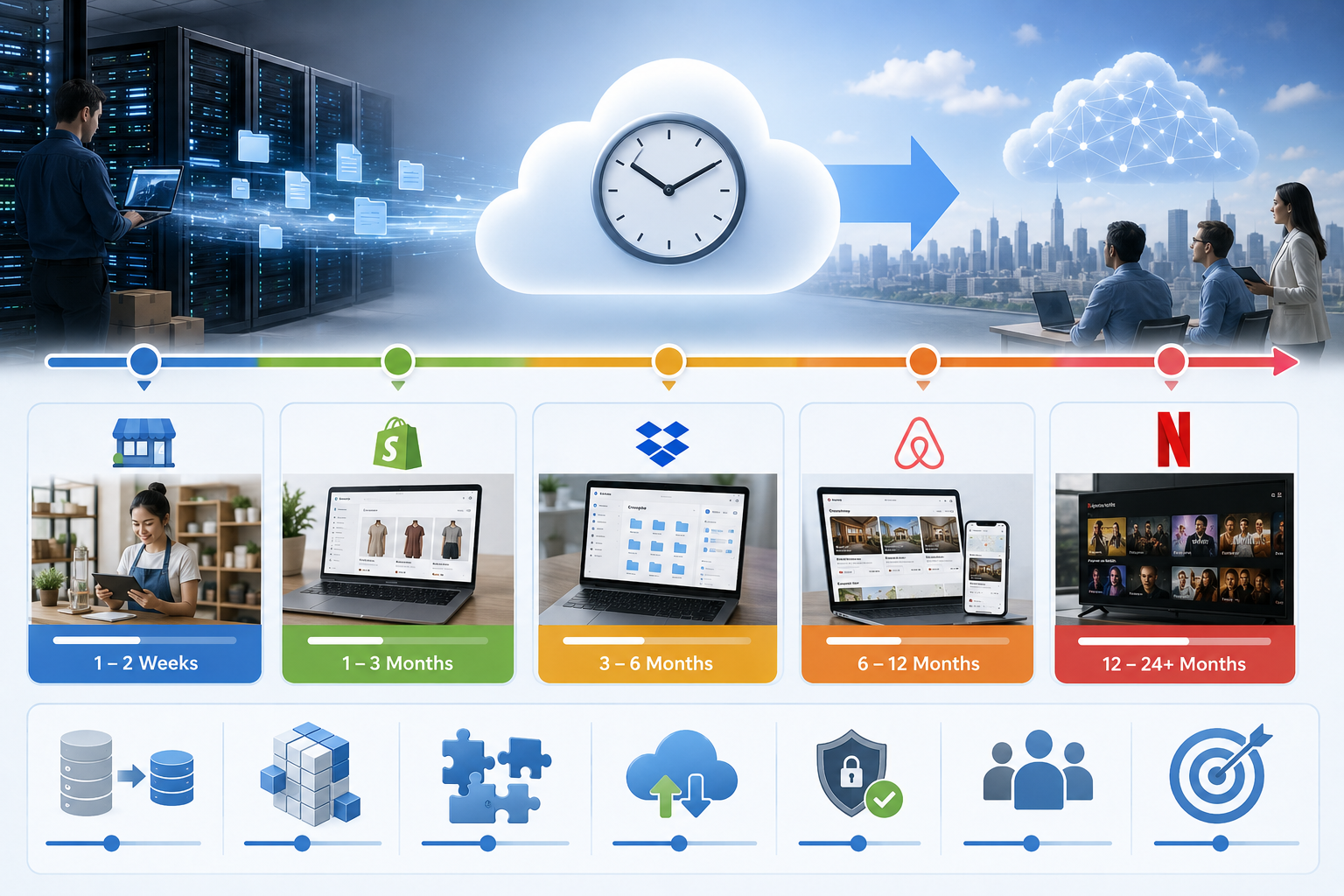
The duration of cloud migration relies on many factors, which includes organization size, systems complexity, data amount and the strategy of migration used.

Small businesses

For small businesses with less applications and simple infrastructure, migration might take anywhere right from few weeks to two months.

Mid-sized businesses

Organizations with bug workloads and various systems need 2-6 months for a full migration process.

Big enterprises

Big enterprises with complicated infrastructures, compliance needs and legacy systems might require 6 months to more than a year for completion of migration successfully.

Factors Affecting Migration Time

Many elements can affect how rapidly migration can be completed:

  • How complicated is the existing infrastructure
  • Number of databases and applications
  • Speed of transfer and data volume
  • Compliance and safety needs
  • Downtime limitations
  • Obtainability of internal IT resources
  • Requirement for application modernization
  • Businesses rushing migration without right strategy often face delays and functional issues later on.

Selecting The Right Cloud Migration Partner

Partnering with experienced cloud specialists can substantially decrease migration difficulties. An expert cloud transformation partner assists businesses in assessing risks, design, and measurable architecture, execute safety controls and do optimization of cloud performance post migration.

Why Choose Pexo IT Consulting for Cloud Transformation & Infrastructure Support?

Pexo IT consulting offers cloud transformation and support for infrastructure made to assist businesses in modernizing operations safely and effectively. Their approach involves infrastructure assessment, development of architecture, migration implementation, consistent optimization and functional supervision to make sure there is smooth adoption of cloud.

Conclusion

Cloud migration is on one of the major step towards digital transformation and business growth in long term. But success depends highly on having a well- defined cloud migration plan. Right from assessing infrastructure to optimization of cloud performance post deployment, each stage needs right planning and implementation.

The migration duration can vary from a few week to several months based on business complications, but organizations that make investments in right planning and expert guidance can attain smooth transitions, strong safety and enhanced functional effectiveness. As cloud technology continues to evolve, businesses adopting scalable and future ready cloud environments can be positioned better for staying competitive in latest digital landscape.

How Long Does Cloud Migration Take? Real-World Examples Explained

When a CTO and/or a business owner have decided to move to the cloud, it is usually the first question they ask. They want an even number – six months, one year, two. Yet as we all know, cloud migration is not an event but a journey and it really depends on where you start from, how far along you are and what your goals are.

To give you an idea of timings, a typical mid-size migration will take between 6 and 24 months. To see where your project might be on that axis, we must examine some of the moving pieces and reality.

How Long Does Cloud Migration Take?

It is important to understand the “Big Three” factors that save time before we get into examples:

  • The Migration Strategy (The 6 R’s): A “Rehosting” (Lift and Shift) project is significantly less time-consuming than a “Refactoring” project which rewrites code for cloud-native use.
  • Data Size and Complexity: It is one thing to move ten terabytes of simple files. It is another challenge entirely to migrate to a large, entangled legacy database that has not been cleaned in a decade.
  • Compliance and Security: If you are in the healthcare or finance space, naturally auditing and security configuration phases will elongate your timeline.

Real-World Cloud Migration Examples

Modernize your business with secure and scalable cloud transformation solutions.

Example 1: The Quick Win with a Lift Shift

Estimated Time: 3 to 5 Months

An example: A mid-tier 50-server retail company chose to move away from an aging on-premises data center. They did not ask for anything that would significantly improve their apps except to provide freedom from the burden of hardware maintenance.

They decided on a Rehosting strategy and things flew. One month of discovery and planning, two months of configuring the landing zone inside AWS, and finally the migration itself took them two months to migrate the virtual machines.

Example two from the Real World: Hybrid Transformation

How Long: 9-15 Months

A regional financial services entity needed to migrate its customers facing portal to the cloud while keeping core sensitive for compliance. Such Hybrid Cloud approaches are static.

Data transferring is not where the bulk of time is spent here; it is continuously. Producing secure low latency tunnels between the cloud and local data center requires heavy unit tests. For example, it will take 4 months just to do architectural design in this case without even having moved a byte.

Ready have you moved to the cloud yet? With no clear roadmap it can want to try to navigate through these timelines by a guessing game. If you are still uncomfortable with the technical challenges or want to ensure your migration does not stop halfway, the team at Pexo it consulting can help. These are Cloud Transformation services that go beyond merely moving files to modernizing your workings, so the cloud works for you and not the other way around. They might shave months off your projected timeline while keeping your data safe and you would be well served to have the discussion with them.

Live Example 3: The Business Company Refactor

Estimated Time: 2+ Years

Think about a global manufacturer with over five hundred applications, most of which are monolithic (legacy software that is connected to everything else). They were not just looking to simply migrate these apps to the cloud but rather refactor them into microservices.

This is a Refactoring project. The migration, for a company of this scale, is done “in waves” They might migrate ten non-mission critical apps in the first six months to get used to the process, then take on the big guns over an additional 18-month period. This is a marathon, not a sprint but hands-down this has the highest ROI as it minimizes operational cost significantly over the long run.

Common Reasons Cloud Migration Gets Delayed

If you want to stay near the shorter side of these timelines, keep an eye on the usual “time-sinks”:

  • Inventory Management Failings: Few organizations have real visibility of how many “shadow” apps are running in their basement. Again, I have learned that discovery takes longer than you think.
  • Lack of Skills: If your in-house IT team has not previously worked in Azure or AWS, there is a training period that will delay the middle part of the project.
  • Data Cleaning: It is a sheer wastage of time and money to plough ahead with the task of moving dirty or redundant data. Manually sorting through what stays and what goes is laborious, time-consuming.

Key Takeaway

Without exposing yourself to downtime (or security holes), you cannot fast-track a migration. However, you can optimize it.

Begin with a Cloud Readiness Assessment Knowing exactly what you have and picking the ideal migration path (Rehost vs. Refactor) puts a realistic deadline on your shoulders. 5 months or 25 months, it does not matter either way, you want nothing but a stable and scalable environment that lets your business scale.

Cloud Security : Definition, Examples, and the Four Key Types

Cloud security is a term that is used to describe the policies, controls, technologies and best practices that are followed in the process of protecting cloud-based data, applications, systems, and infrastructure. Simply put, it enables business organisations to protect their cloud against unauthorised access, leaked information, malware, misconfigurations and service failures. Cloud computing refers to the on-demand nature of the networked shared computing resources in the form of servers, storage, networks, and applications available on the internet.

The shared responsibility model varies from cloud security to traditional IT security. When identities, workloads, access, and data are brought into play, the underlying infrastructure is usually secured by the provider, and the customer is likely to secure data, identities, workloads, and access as per whether they are using SaaS, PaaS or IaaS. It means that even a strong cloud platform can not become a sufficient requirement; even the control of access of users or an improperly developed storage bucket can become a serious risk.

The Importance Of Cloud Security

Cloud Transformation

The cloud offers various solutions to businesses, including speed, flexibility, remote access, and scalability, among others. The advantages, however, augment the attack surface. A loose cloud service could divulge information on customers, financial details, intellectual property or company-level computers. This tendency of focusing on secure cloud configurations, safeguarding of identity, as well as enhanced baseline control continues to exist in the recent government directions, following the growing use of cloud and sophisticated threats.

Cloud security examples

There is no single tool for cloud security. It is a stratified solution. The following are some of the practical ones.

  • All accounts of the admins should be enabled by developing multi-factor authentication.
  • Encryption of data at the stream and rest.
  • Role-based restrictions on access.
  • Tracking the activity of problematic log-in attempts or something awry
  • Supporting workloads on clouds and rehearsing response strategies.
  • Scanning cloud environments (determination of misconfigurations and compliance losses).

These controls are generally considered to be fundamental components of a secure cloud environment due to identity, visibility, and configuration management being some of the weakest aspects.

The Four Key Types Of Cloud Security

1. Identity and Access Management (IAM).

IAM manages the access control in a cloud platform. It comprises user authentication, role-based access, privileged account control, and multi-factor authentication. It is among the most critical kinds of cloud security due to the ease of accessing cloud systems through compromised credentials. A company ought to ensure that the employees, vendors, and administrators’ access is restricted to the bare minimum they require.

2. Data Security

Data security is concerned with the protection of sensitive data stored, processed, or transferred in the cloud. These include encryption and tokenisation, a data loss prevention policy, a backup policy and data retention controls. Whether a company has stored the records of a customer, contract or a report of the company in the cloud or whether the company has not, the goal is always to not be exposed, stolen, accidentally deleted or non-compliant.

3. Workload/network Security.

Such protection includes cloud applications, virtual machines, containers, API, and inter-system traffic. It covers firewalls, micro segmentation, secure configuration, patch, vulnerability scan, and runtime threat detection. This is what, in a real-world scenario, can not allow lateral mobility of attackers in a cloud infrastructure after they have gained access to the system.

4. Security Posture, Security Surveillance and Compliance.

Well-configured, good cloud tools may not perform well in an environment. The round-the-clock monitoring and log analysis, threat detection, posture management, and compliance tracking are the basis of such cloud security. It helps the companies define the areas of risk, determine the anomalies of operations early, and adjust the internal policies to the external laws. This has been of special interest with the high number of organisations migrating to a variety of cloud services and mixed deployments.

Common Cloud Security Risks

Among the most prevalent cloud security concerns are disabling misconfigurations, weak usernames and passwords, granting unwarranted access, and a lack of visibility, as well as obsolete access controls. Not all cloud incidents occur due to the breakdown of the cloud. They occur due to the fact that security settings were not fully developed, their understanding was not fully developed, or they were not reviewed after implementation. This is the reason why cloud security needs to be a continuous business process rather than a one-time operation.

Selecting the appropriate implementation partner can turn out to be a significant difference in businesses that are intending to adopt cloud or modernise. Cloud transformation services at Pexo IT Consulting help businesses migrate to the cloud in a secure, scalable, and performance-driven manner. In planning migration paths to creating more resilient cloud environments, the service is primed to help transformation journeys safer and more seamless.

Final Thoughts

There is more to cloud security than purchasing a security tool. It deals with safeguarding identities, data protection, workload lockdown, and environmental surveillance. Once organisations are aware of the four fundamental categories of cloud security and put them into practice routinely, they will be much better-placed to minimise risk, safeguard business, and develop confidence in the cloud.

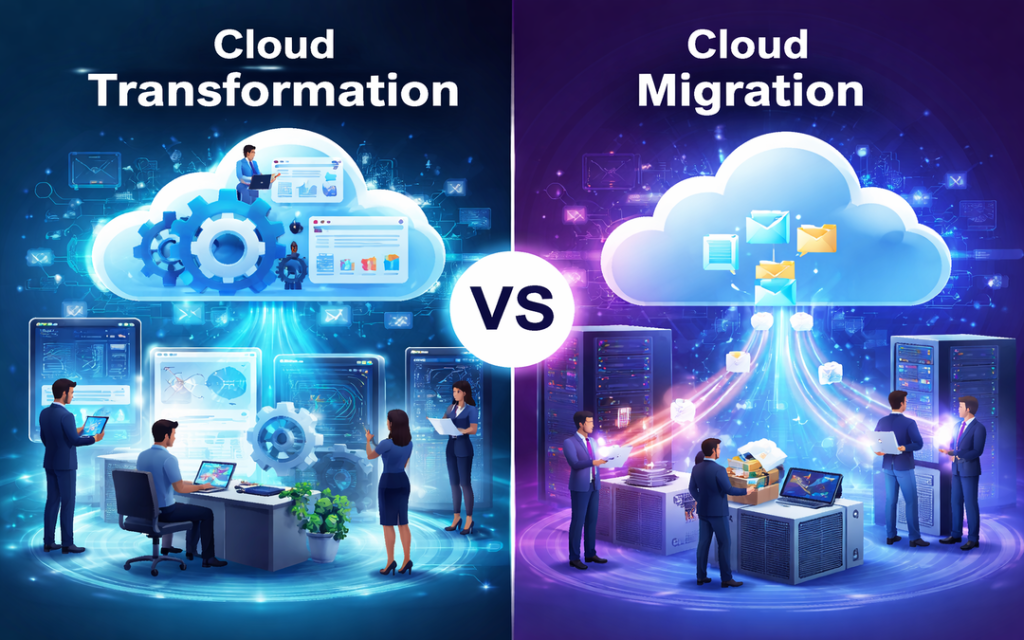
Cloud Transformation vs Cloud Migration: Understanding the Real Difference

With businesses embracing digital transformation, migrating to cloud is more than just a trend. However, several organizations confuse cloud migration with cloud transformation. Even if both are part of similar journey, they represent different approaches and results.

Cloud Migration

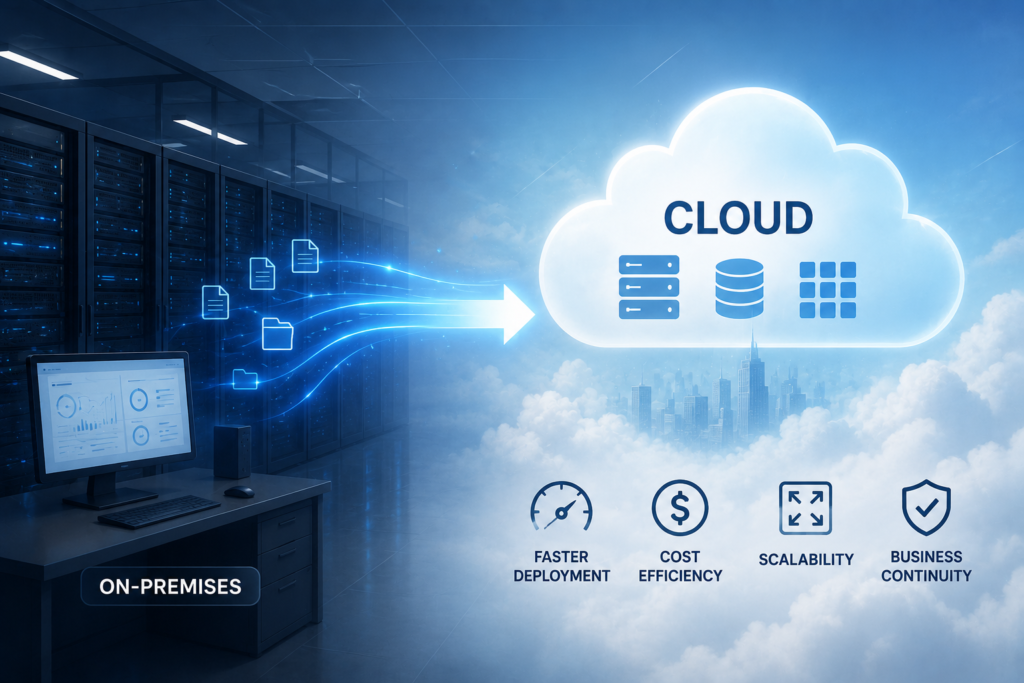
Cloud migration from on-premises servers to a cloud environment
Cloud Transformation vs Cloud Migration: Understanding the Real Difference 11

Cloud migration is a process of migrating your existing data, applications and systems from on premise servers to a cloud environment. In maximum cases, this involves shifting workloads with minimum changes. Businesses often select this route as it is fast and less disruptive. The idea is replicating your existing setup in the cloud without any redesigning.

This approach is often referred to as life and shift.

Why Businesses Select Cloud Migration?

  • Rapid transition to cloud infrastructure
  • Low upfront investment
  • Minimum changes to existing systems
  • Instant benefits such as measurability and remote access

Cloud Transformation

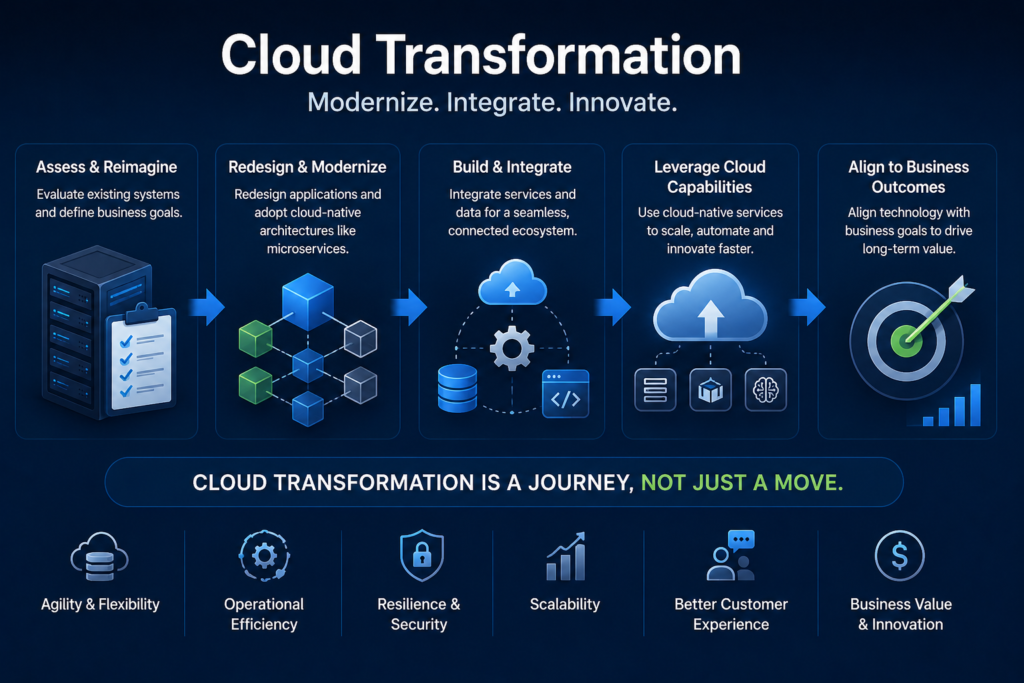
Cloud transformation journey from legacy systems to modern cloud-native infrastructure
Cloud Transformation vs Cloud Migration: Understanding the Real Difference 12

Cloud transformation takes things a step forward. Rather than simple migrating systems, it focuses on rethinking how such systems work in any cloud environment.

It includes redesigning applications, updating infrastructure and keeping technology and business goals well-aligned. Companies adopt cloud friendly practices like micro services, consistent integration and for complete leverage of cloud abilities. This approach is more planned and long term.

Why Is Cloud Transformation Different?

  • Re-architecting or rebuilding applications
  • Utilizing cloud native technologies
  • Enhancing performance and measurability
  • Allowing innovation and agility
  • Altering workflows and business processes

Cloud transformation is all about evolving your business with the cloud

Key Difference Between Cloud Migration And Cloud Transformation

Even if they are closely associated but the difference lies in intent as well as depth.

Purpose

Cloud migration mainly focuses on moving to the cloud, but cloud transformation focuses on increasing what the cloud can do for your business.

Level of change

Migration includes minimum changes but transformation might need a complete renovation of processes and systems.

Speed

Migration is fast and can be accomplished in a short time. Transformation is slow and consistent.

Cost perspective

Migration is more cost efficient in initial phase. Transformation needs high investment but delivers good long term value.

Impact on business

Migration enhances operational effectiveness. Transformation drives invention, growth and competitive benefits.

When You Should Select Cloud Migration?

Cloud migration is a good option when:

  • You wish to rapidly decrease dependency on physical infrastructure
  • Your existing systems are still efficient
  • You require a low risk entry into the cloud
  • There are limited budget and time

It works well as initial point for organizations who are starting their cloud journey.

When Should You Select Cloud Transformation?

Cloud transformation is good when:

  • Your systems are outdated or difficult to measure
  • You want to enhance performance and user experience
  • Innovation and agility are your main priorities of business
  • You want long term digital growth

It is best choice for companies wanting to stay ahead in a competitive market.

A Practical Approach: Combination Of Both

In real, most of the organizations do not select one over the other both they use both.

A common plan is starting with cloud migration to rapidly move workloads and then slowly adopt cloud transformations practices for optimizing and modernizing those systems.

This phase wise approach decreases risk while allowing long term success.

Speed Up Your Cloud Journey With Right Partner

If you are thinking of moving beyond basic migration and unlock your complete potential of the cloud, getting associated with the right experts can bring in all the difference.

Pexo It Consulting provides special cloud transformation services designed for assisting businesses in modernizing their infrastructure, increase performance and adopt cloud native solutions. Their approach mainly focuses on making measurable, effective and future ready systems customized for your business requirements.

Conclusion

Cloud migration and cloud transformation are not similar – but deeply connected. Migration assists in getting to the cloud rapidly, while transformation assists in using the cloud efficiently.

If you aim for short term effectiveness, migration is great to start with. But you are aiming for long term invention and growth, cloud transformation is where the real value lies.

FAQS

Is cloud migration enough for digital transformation?

Not all time. While migration offers advantages, transformations is required for complete leverage of cloud capabilities.

Can small businesses adopt cloud transformations?

Yes, they can benefit by adopting measurable and cost effective cloud native solutions.

How long does cloud transformations takes?

It relies on system complexity, but usually it’s a consistent process rather than a onetime project.

Do I require to migrate before transforming?

In maximum cases, yes. Migration often acts as an initial step towards a broad transformation strategy.