Every October, Canada marks Cyber Security Awareness Month, and the 2026 theme from the Government of Canada’s Get Cyber Safe campaign is “Your best defense is you.” For a business owner, that line describes how most attacks actually succeed. Firewalls, backups and updates all matter, but a single employee deciding whether to click, reply or share is often the last line of defense.
This year’s campaign adds a new twist. Artificial intelligence is making scams look more real, so phishing emails and fake messages are harder to spot than the old ones full of spelling mistakes. That is why Cyber Security Awareness Month 2026 puts habits ahead of checklists. A team that pauses by default is harder to fool than a team trying to remember a list of warning signs.
What Cyber Security Awareness Month 2026 Asks of Your Team
Get Cyber Safe splits October into four weekly themes: recognize cyber threats, strengthen your defences, protect your information and build your cyber security community. Cyber Security Awareness Month speaks to everyone, but each of its themes maps neatly onto something a small business can do with its own staff.
The numbers behind it explain the urgency. In the campaign’s 2026 tracking survey of Canadians, 59% reported at least one cyber incident in the past year, 73% said they are concerned about cybercrime involving AI, and only 42% felt confident they could recognize AI generated content. Those are figures for the general public, not for businesses, but your employees are part of that public.
Here are four habits to build with your team this month, one for each weekly theme. None of them requires new software.
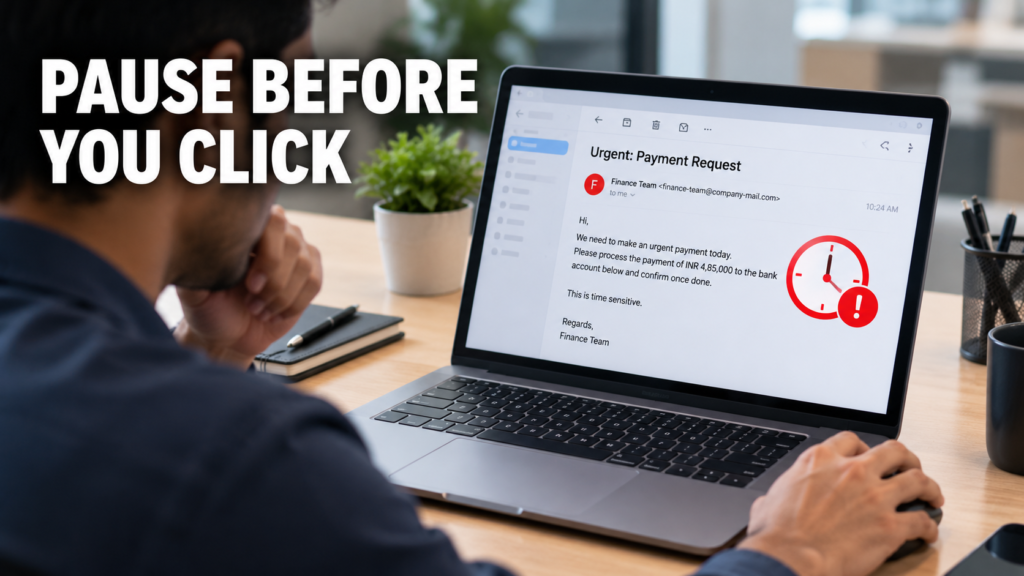
Habit 1: Pause Before You Click, Reply or Share
Convincing scams lean on urgency: an invoice that must be paid today, an executive asking for gift cards, a shared document that needs a login. Agree on one rule for the whole team. If a message asks for money, passwords or sensitive files, confirm it through a second channel, such as phoning the sender on a number you already have, not one printed in the message.
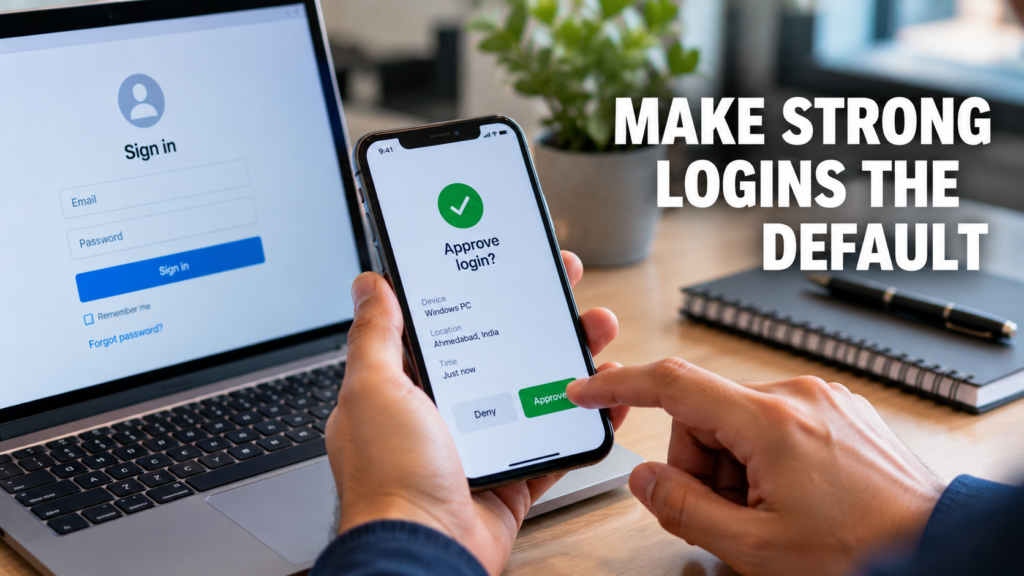
Week two of Cyber Security Awareness Month covers strong passwords, password managers and multi-factor authentication (MFA). For a business, the important word is default. In a 2026 survey of 1,000 US small and mid-sized business leaders by the National Cybersecurity Alliance and CISA, 86.8% had implemented MFA, but only 51.1% required it on all key business accounts. The accounts that get skipped are often the ones attackers want most, such as email, accounting software and remote access.
List your key accounts this week, turn MFA on for every one, and give staff a password manager so that using a unique password is easier than reusing one. If you are weighing options, our guide to what makes a password manager enterprise-grade explains what to look for.
Habit 3: Keep Business Information Where It Belongs
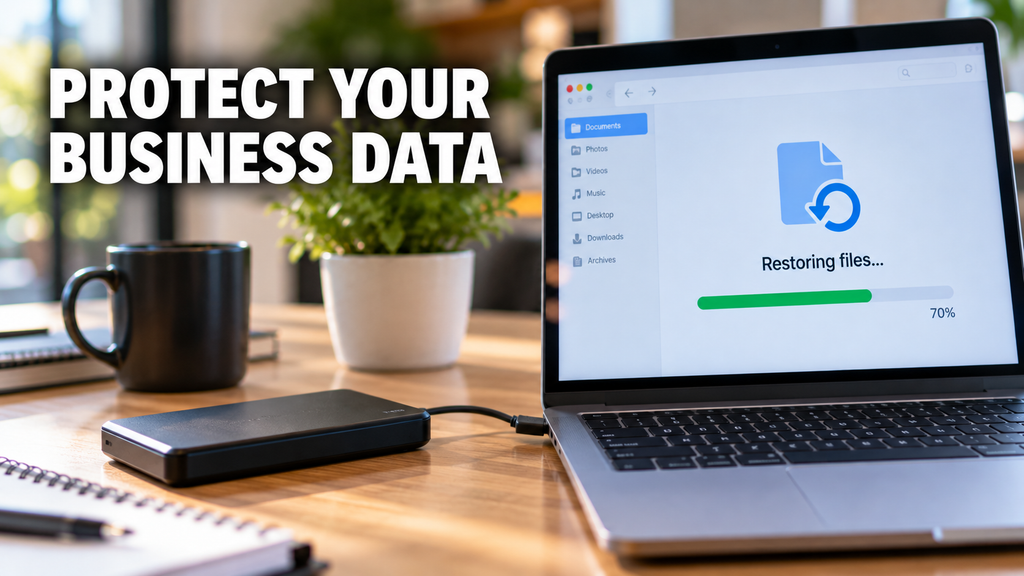
Week three of Cyber Security Awareness Month is about protecting information, and in Canada it also falls on Small Business Week. Get Cyber Safe has a quick guide to cyber security for small business worth sharing with your team. For a business, protecting information comes down to three questions: who can see it, where does it go, and can we get it back?
Two gaps stand out in the same US survey. AI use among small businesses reached 87.3%, but only 45.6% had formal guidelines for it. A one page rule is enough to start: no customer data, financial records or contracts go into free public AI tools. And while 88.4% of businesses had backups, only 61.4% had tested them. Schedule a test restore this month, so you learn whether your backup works before you need it.
Habit 4: Make Reporting Normal
The final theme is about building a community and reporting scams and fraud. Inside a business, that means the most valuable thing an employee can do with a suspicious message is tell someone quickly, without fear of blame. Pick one place for reports, such as a shared mailbox or a chat channel, and make sure everyone knows it.
Pair that with a one page incident plan: who gets called first, which devices get disconnected, and who speaks to clients. The same survey found that organizations that had been breached were far more likely to have a documented response plan than those that had not (74.9% against 51.5%), which suggests many businesses write theirs only after something goes wrong. Short, regular training helps too, and 42.4% of those leaders named short employee training as a priority.
Turning One Month Into a Habit
You do not need to do everything at once. Take one habit a week, start each with a short conversation, and put a reminder in the calendar so the habit outlasts Cyber Security Awareness Month. These habits also cover many of the basics that cyber insurance applications tend to ask about, so they are worth writing down. Our cybersecurity insurance questionnaire is a quick way to see where you stand.
If you would like help putting any of this in place, we support small businesses across Markham and the GTA with cyber security and managed IT services. Get in touch and we will walk you through where to start.
With businesses increasing digital, cybersecurity is no longer a mere IT issue; it is a key business priority. The year is 2026, and the world of cybersecurity has undergone significant transformation. Security teams must remain vigilantly initiative-taking to protect their organizations from data breaches, and all types of organizations are target for attack. The following are the six key cybersecurity trends shaping 2026 that will help your business know what risks to prepare for and how best to approach them with resilient security strategies. The Disturbance – The Concept of AI-driven Cyber Threats AI is revolutionizing both ends of cybersecurity. It facilitates the speedy detection of threats but also arms cybercriminals to conduct sophisticated strikes. Attackers are increasingly using AI in 2026 too: • Backdoor phishing campaigns with highly tailored messages• More quickly discover weaknesses in systems• Evade traditional security detection tools It means businesses need AI-powered cybersecurity solutions that can recognize anomalous behavior, respond in real time, and learn constantly from new threats. Zero Trust Architecture Becomes Standard The old “trust but verify” paradigm is no longer good enough. In 2026, Zero Trust Architecture (ZTA) is now the de facto best cybersecurity practice. Zero Trust works on the zero-trust model: • Do Not Trust User or Device by Default• Continuously verify identity and access• Control access by role and need As remote tasks and cloud systems become business as usual, Zero Trust guarantees that only the right users get access to the secure data, reducing the security risks for organizations. Increased Focus on Cloud Security As cloud computing remains at the forefront of business operations, no wonder ensuring its safety will be one of the top 2026 IT security trends. Misconfigured cloud settings continue to be one of the top causes of data breaches. Businesses must focus on: • Securing cloud infrastructure and applications• Monitoring access and user activity• Encryption of sensitive cloud-based data In a world where more organizations are shifting to multi-cloud and hybrid, being able to get visibility and control across the platforms gains importance. Growing Threat of Ransomware Attacks Ransomware is still, at this stage of the game, one of the most harmful cyber threats. By 2026, these attacks will grow sophisticated and targeted. Cybercriminals are now: • Attacking essential sectors like health care, finance, and logistics• Employing double extortion (stealing data prior to encryption)• Demanding higher ransom payments It is all too easy for a business to think they cannot at least afford these, when instead they need to be investing in strong backup systems, endpoint protection, and incident response plans to minimize the impact of such attacks. The Importance of Cybersecurity Awareness Human error remains a significant risk. Even the best systems can fail if employees are not trained to identify threats. In 2026, organizations are prioritizing: • Regular cybersecurity training programs• Phishing simulation exercises• Strong password and authentication policies Of all the things businesses can do, building a culture of security awareness is one of the most effective measures for minimizing cyber risks. Strengthening Your Cybersecurity Strategy With cyber threats becoming increasingly sophisticated, businesses must adopt an initiative-taking and holistic approach to security. Enlisting experts has an enormous impact on discovering vulnerabilities and putting the right safeguards in place. Advanced Cybersecurity Services by Pexo for Modern Enterprises Professional Cyber Security Services offered by Pexo are essential for organizations aiming to stay proactive and strengthen their cybersecurity posture. Our diverse expertise, ranging from cybersecurity risk assessments to advanced threat monitoring solutions, ensures that you have the right cybersecurity partner to support your business in an ever-evolving threat landscape. Regulatory Compliance and Data Privacy Countries across the globe are clamping down on data protection. AQUISITION Since 2026 compliance is not optional, it is necessary. Businesses must ensure: • How to manage and store data properly• Transparent privacy policies• Regional and global regulatory compliance Non-compliance carries hefty fines and harm to brand reputation. IoT Security Risks: New Attack Surface Internet of Things (IoT) is growing fast and connects devices in various sectors. But every connected device provides a potential gateway for cyberattacks. In 2026, businesses must: • Secure all connected devices• Regularly update firmware and software• Look for anomalies in network activity Now IoT security is crucial in the overall CIS strategy. Conclusion Cyber Security in 2026: The Future of Cybersecurity in Vision for 2026 As business moves away from reaction to initiative-taking intelligent security. With the help of AI-powered tools, incorporating Zero Trust models into their security strategy, making sure that their cloud environments are safe and taking an initiative-taking approach to raising employee awareness – organizations can remain one step ahead of cyber risks. Cybersecurity is beyond protection, it is about trust, continuity, and sustainable growth in a digital era. Frequently Asked Questions (FAQs)
In a world where everything is so connected, right from banking and shopping to business operations – cybersecurity is no more optional. Every login, click and transfer of data has potential risk. Cybercriminals are consistently looking for susceptibilities, and this is the reason understanding the various kinds of cybersecurity is required for businesses and individuals in same manner. Cybersecurity is not a single software or tool. It is a layered approach that shields networks, applications, data and systems from all kinds of unauthorized attacks, damages and access. Kinds Of Cybersecurity And Examples Let’s know about five major kinds of cybersecurity, along with some examples to know how they function in real life. 1. Network security Network security focuses mainly on protection of computer network from unauthorized access of users, cyberattacks and data breaches. As maximum digital communication occurs over networks, this is one of the most important layers of cybersecurity. Critical elements: Examples: Think of a company that installs a firewall for monitoring incoming and outgoing traffic. In case a hacker attempts for accessing the system, the firewall blocks the request and prohibits unauthorized entry. Importance: In absence of a strong network security, it becomes easy for attackers to infiltrate systems, steal sensitive data and cause disruptions in operations. 2. Application Security Application security includes protection of software and applications from threats at the time of development and post development. Since apps often manage sensitive data, they are common targets for cyberattacks. Important elements: Example: An online shopping application make use of safe login methods and regular updates are done for fixing bugs. This prohibits hackers from exploiting weaknesses for accessing consumer data. Importance Even a minor vulnerability in any application can result in huge data breaches or compromise of system. 3. Information security Information security focuses mainly on protection of data from corruption, theft or any unauthorized access. It make sure that all sensitive data stays confidential and accessible only for authorized users. Important elements: Example: A healthcare center encrypting records of patients so that only certified doctors and staff can get access to them, making sure there is compliance and privacy. Importance: One of the most valuable assets today is data. Losing it can result in loss of finances, damage to reputation and legal outcomes. 4. Cloud security As businesses are moving more and more to cloud platforms, importance of cloud security is also increasing. It focuses on protection of data, applications and services that are hosted in cloud environments. Important elements: Example: A company storing files on the cloud allows multi-factor authentication. Even when somebody gets the password, they can’t get access to the account without extra verification. Importance: Cloud platforms store big volumes of sensitive data, which makes them strong targets for cybercriminals. 5. Endpoint security Endpoint security shields devices like laptops, desktops and smartphones that connects to a network. With remote work becoming more and more common, keep these devices safe is important. Important elements: Example: An employee laptop is well-equipped with antivirus software that finds and eliminates malicious files before they cause any harm to the system or spreads to the network. Importance: Each connected device is a potential entry point for attackers. Weak endpoints can cause compromise of the whole system. Importance Of Multi-Layered Approach No single kind of cybersecurity can offer full protection. Cyber threats are consistently evolving and attackers often cause exploitation of various vulnerabilities at a single time. This is the reason, all five kinds can create a strong defense system. Like for instance, even when you have a safe network, a weak application or any unprotected device can cause exposure of your data. A multi-layered approach make sure that when one layer fails, other continue to give protection to your system. Keep Your Cybersecurity Strong With Expert Support Protecting your business from cyber threats needs more than any basic tools. It needs a planned and proactive approach. If you are searching for a dependable and latest protection, professional cybersecurity services can bring in all difference. The Solutions offered by Pexo it consluting assists businesses in recognizing vulnerabilities, execute strong safety measures and stay ahead of evolving threats. Right from risk assessment to real time tracking, investment in expert cybersecurity support make sure your data, systems and reputation stays safe. Conclusion Cybersecurity is a necessity in present day digital landscape. The five important kinds- network security, application security, information security, endpoint security and cloud security- each play a vital role in protection of your digital atmosphere. Understanding those categories assists in building a strong defense against cyber threats. Whether you are an individual user or you are running a business, staying well-informed and proactive is one of the best way for staying safe.
In today’s digital world, technology is integral to our everyday lives. People use it for banking, communication, shopping, the Storage of Critical Data, etc. These technologies, though, can be a source of vulnerability and opportunity for the cybercriminal. Cyber attacks are a growing threat to medium, small, and large businesses across every sector. What is a Cyber Attack? A cyber attack is an intentional act of hackers or cybercriminals used to gain access to a computer system, network, or information system without the permission of the owner. Cyber-attacks attempt to steal information, damage, or even shut down a computer system. Cyber attacks take many forms that entail the following: How Does a Cyber Attack Happen? If you know the way in which the attacks are made, it will provide a good opportunity for the organizations to enhance their habitudes so that they can be as secure as possible and minimalizing the risks to be caught up in the cyber attacks. Phishing Emails Phishing is still one of the main ways in which criminals fool people. Cybercriminals will send very deceptive emails that are faked to look like those from well-known companies or from people you might trust. Weak Passwords Using the same weak password over and over again makes it easier for hackers to gain access to your accounts. Cybercriminals can guess passwords using automated tools and will then try to get access to your system or application without your permission. Malware and Ransomware Malware refers to any kind of malicious software that is designed to cause harm to a computer or to steal data. Ransomware is a form of malware whereby files or systems are locked until a ransom is paid. In most cases, a user is duped into downloading malware or is sent a suspicious attachment. Software Vulnerabilities Cyber attackers are known to exploit security loopholes in old software or operating systems. If an organization fails to apply security patches or install updated versions of their software, then it is as if to invite the hackers who are capable of using these vulnerabilities to break into their networks without authorization. Unsafe Public Wi-Fi You should not even consider using an unsecured public Wi-Fi as it is extremely easy for a cybercriminal to attack you. Their actions may even consist of observing your Internet traffic and, at the same time, stealing your passwords, bank account information, or other types of sensitive data that you may be sending while you are still on an unprotected connection. How to Avoid a Cyber Attack? Be sure to create a strong password Make your passwords longer and more complicated by combining letters, numbers, and different symbols. Avoid using the same password for different accounts. Also, use multi-factor authentication whenever it is available. Keep Software Updated You should upgrade your computer’s operating system as well as your apps and anti-virus program quite often. This way, vulnerabilities will not only be patched, but also the level of protection will be raised to counter new threats. Train Employees Human error accounts for a significant portion of cyberattacks. Companies need to offer training to their staff members on how to spot phishing emails, handle suspicious messages, and perform online activities safely to lessen the vulnerability to such attacks. Install Reliable Security Software Antivirus software, firewalls, and endpoint security solutions form the first line of defense by detecting and preventing the running of malicious code that the attackers use to harm your computers. Backup Important Data By backing up data, businesses, are able to survive the aftermath of a ransomware attack or any incident of data loss. They must keep the backup copies in safe locations and carry out their verification regularly and thoroughly. Avoid Suspicious Links and Attachments Generally, interacting with strange links, downloading files from untrusted sources, or even opening suspicious mail attachments should be completely avoided by users. One of the security habits is to always check the sender’s credibility before replying to emails. Nowadays, companies are exposed to numerous cyber threats that call for sophisticated protection measures together with regular surveillance. Pexo offers extensive cybersecurity services to help enterprises recognize threats, prevent attacks, and protect sensitive information. Conclusion To sum up, hacking is a very serious issue in the tech world that not only harms individuals but businesses too. Knowing what hacking is, in case it is perpetrated, and effective ways to stop it are among the factors that can greatly minimize one’s exposure to data theft and monetary fraud.
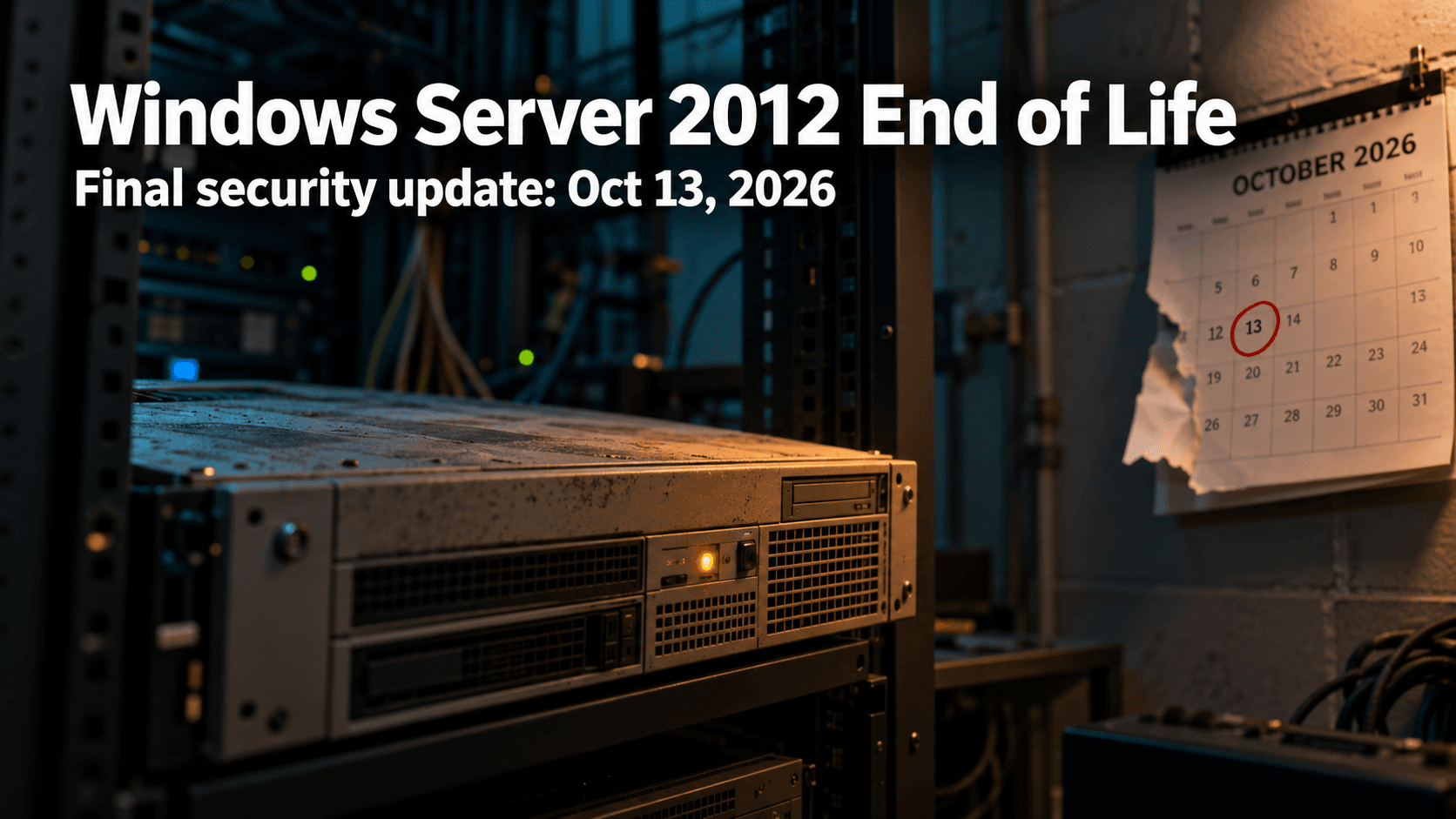
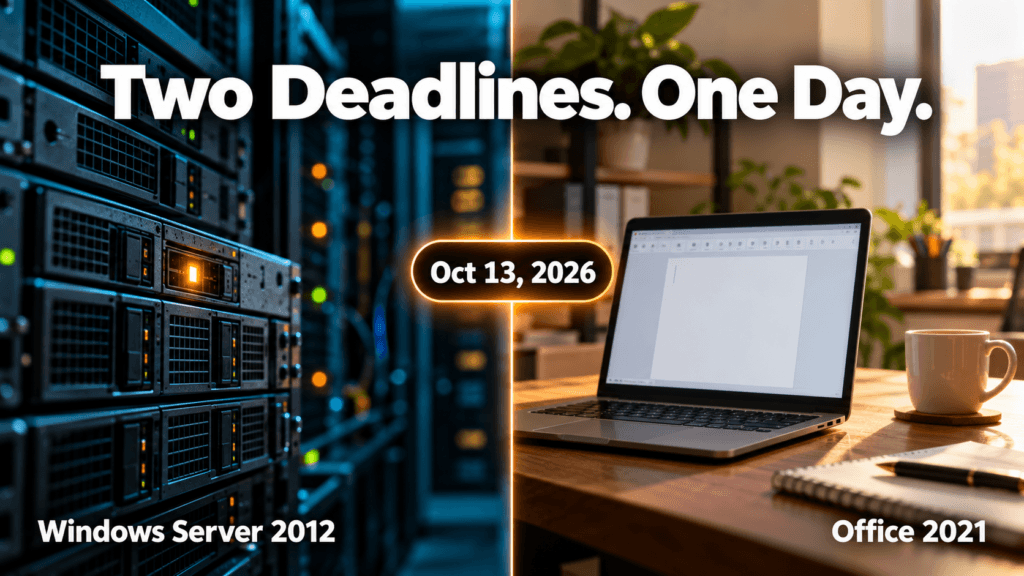
Windows Server 2012 end of life is almost here. On October 13, 2026, Microsoft ships the final security update for Windows Server 2012 and 2012 R2. The Office 2021 end of support date lands on the very same day, and it is also Patch Tuesday, so the next two weeks are a good window to find out what is actually running in your office.
Here is what is changing, what it means in plain terms, and how a small or mid-sized business can handle it without a last-minute scramble.
What Windows Server 2012 end of life actually means
Windows Server 2012 and 2012 R2 reached the end of extended support in October 2023. Since then, the only way to keep receiving security fixes has been Microsoft’s paid Extended Security Updates program, which runs for a maximum of three years. That third year ends on October 13, 2026, and there is no fourth.
In practice, October 13 is the real cliff edge. Your servers will keep running after that day, and nothing on screen will warn you. The difference is that any new vulnerability found in Windows Server 2012 will stay unpatched for good. An attacker only needs one flaw that nobody is going to fix.
A quick note on Windows Server 2022: it also leaves mainstream support on October 13, but that is not a security cliff. It keeps receiving security updates under extended support until October 2031, so there is nothing to panic about there.
Windows 10 is the other date to check. For commercial editions (Pro, Enterprise and Education), Microsoft’s ESU dates table shows the first year of Extended Security Updates also ending on October 13, 2026, with the second year running through October 12, 2027. Any Windows 10 PCs that rely on that program need the next year of coverage in place to keep receiving updates.
Office 2021 end of support lands on the same day
Office 2021 and Office LTSC 2021 reach end of support on October 13, 2026. Unlike Windows Server 2012, Microsoft is offering no extended security updates for Office 2021. The apps will keep opening and working, but Microsoft stops issuing security fixes and bug fixes, and phone and chat support ends too.
That matters more than it sounds. Office is where your team opens email attachments all day, and Office flaws are a regular feature of Patch Tuesday. We saw this in our September 2026 Patch Tuesday breakdown, where the Office and Outlook Preview Pane risk stood out. After October 13, flaws like those simply stop being fixed in Office 2021.
The usual way forward is Microsoft 365 Apps, which updates continuously, or Office LTSC 2024 if you prefer a one-time purchase.
Why unsupported software is a bigger risk than it looks
Small businesses tend to feel this sooner than they expect, for three reasons.
Security. Every new flaw stays open permanently, and the longer an unsupported system stays in place, the more of them pile up.
Insurance.Cybersecurity insurance applications and renewals commonly ask what software you run, and unsupported systems can make those conversations harder.
Baseline expectations. Canada’s Cyber Centre baseline controls for small and medium organizations include automatically patching operating systems and applications. They also recommend replacing software that no longer receives updates because the vendor ended support, which describes Windows Server 2012 and Office 2021 after October 13.
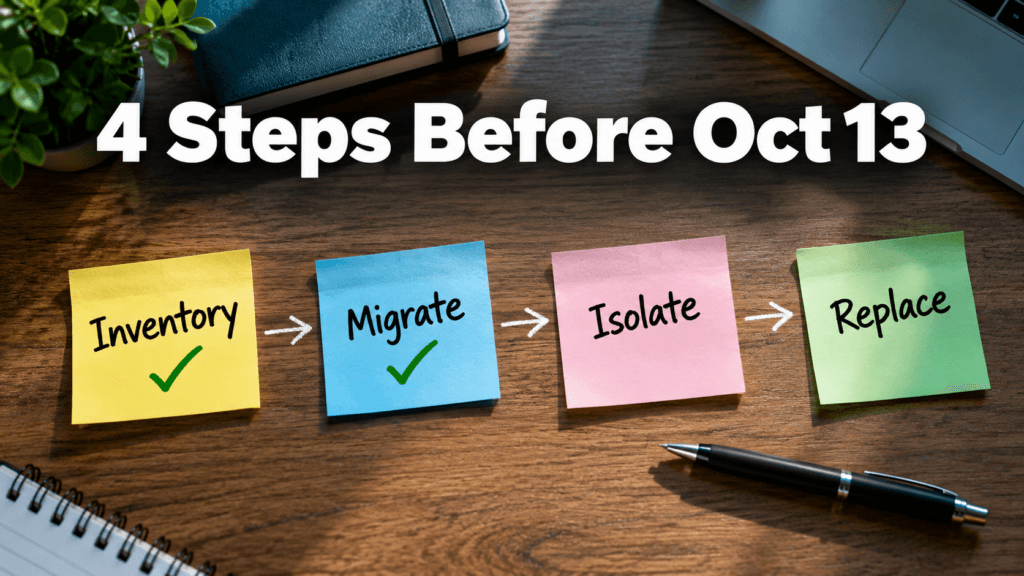
What to do before October 13?
Take inventory. List every server and PC running Windows Server 2012, 2012 R2, or Office 2021, plus any Windows 10 PCs that depend on Extended Security Updates. The ones people forget are usually the old file server, the box that runs the accounting or line of business application, and the machine in the back room nobody has touched in years.
Migrate what you can. Moving the workload to a supported Windows Server version or a cloud service is the cleanest fix. Servers hosted in Azure receive these extended updates for free, but on the same schedule, so treat that as a stepping stone during migration, not a way to stay on Server 2012.
Isolate what you cannot move in time. Some applications take months to migrate. For those, restrict who and what can reach the server, keep it off the open internet, and monitor it closely. This is a stopgap, not a fix, and it is the kind of work a cyber security services team can put in place quickly.
Replace Office 2021. Move to Microsoft 365 Apps or Office LTSC 2024 so email and documents stay on a supported footing.
Not sure what your office is running?
That is the most common starting point, and it is a normal one. Windows Server 2012 end of life is a fixed date you can plan around, and two weeks is enough to make a real start. If you want a second pair of eyes, a managed IT services provider can run the inventory, line up the migration, and help you decide what to move first. Whenever you are ready, you can reach the Pexo team through our contact page.
Microsoft’s September 2026 Patch Tuesday just set a record. CrowdStrike’s analysis of the release counted 972 patched vulnerabilities, more than double August’s count, and 113 of them rated Critical. Two are already being used in real attacks. If your business runs Windows anywhere, on a server, a laptop, or through a VPN, this month’s update deserves more attention than the usual “we’ll get to it”. Inside the September 2026 Patch Tuesday Release This September 2026 Patch Tuesday release patched 972 vulnerabilities in a single cycle, more than double the roughly 415 CVEs Microsoft fixed the month before, the largest release Microsoft has shipped to date. Of those, 113 carry a Critical severity rating, and two are already confirmed to be actively exploited before most businesses had a chance to patch. The volume matters less than the mix: real client-side risk in Office and Outlook, server-side risk in DNS, DHCP, and Netlogon, and infrastructure risk in Hyper-V and VPN services, all landing in the same release window. Two Vulnerabilities Are Already Being Exploited Microsoft confirmed active exploitation of two flaws before most businesses had even applied the patch. CVE-2026-81963 sits in the Windows Update Stack. CVE-2026-85880 sits in a core Windows communication component called ALPC. Both let an attacker who already has a foothold on a device, through a phishing email, a compromised browser, or stolen credentials, jump straight to full SYSTEM control. No extra clicks, no extra warnings. This is the step that turns “someone opened the wrong email” into “the attacker owns the machine.” A Dozen Office Vulnerabilities Need No Click at All Twelve of this month’s Critical fixes affect Outlook, Word, Excel, and PowerPoint, and they share a dangerous trait. Exploitation happens the moment a file is previewed, not opened. If Outlook’s Reading Pane or Windows’ Preview Pane is switched on, which it is by default on most machines, simply receiving a malicious email or having a crafted file land in a shared folder can be enough to run code on the device. CVE-2026-78509 (Outlook) and CVE-2026-78510 (Word) both score a full 9.8 out of 10 and fall into this category. No attachment to open. No macro to approve. No click required. Core Business Infrastructure Was Also Exposed This wasn’t only a desktop software patch cycle. Critical, unauthenticated remote code execution flaws landed in DNS Server, DHCP Server, Netlogon, and Kerberos, the services that handle domain logins, network addressing, and authentication for any business running Windows Server and Active Directory. Hyper-V and the built in SSTP VPN service were also patched for flaws that let an attacker escape a virtual machine or breach an internet facing VPN gateway directly. Left unpatched on exposed infrastructure, any one of these is a realistic path to a full network compromise, not just a single device. The Patching Doesn’t Stop at Microsoft’s Fix Roughly two hours after this month’s patches went out, a security researcher published a new proof of concept targeting Microsoft Defender itself, claiming an earlier fix was incomplete. There is no patch available for it yet. It’s a reminder that a Patch Tuesday release isn’t the finish line for a given month’s risk. It’s the starting point for what still needs watching. What This Means Without a Dedicated IT Team? A record setting patch release is exactly the kind of month where “we’ll update everything next time we’re in the office” gets expensive. Two of these flaws are already being exploited, and a handful more are one proof of concept away from the same fate. This is the gap that managed IT and cybersecurity support exists to close, especially in a month like this September 2026 Patch Tuesday release. Patches get assessed, prioritized by real risk instead of by however Windows Update happens to sort them, and applied on a schedule that doesn’t depend on someone remembering to click Update between meetings.
In the all-digital world of today, companies cannot effectively run without data, applications, and IT infrastructure. But there are unforeseen interruptions like computer attacks, technical malfunctions, or natural catastrophes which can shove the processes to the ground. This is where disaster recovery will come in play. An effective disaster recovery program will ensure companies are able to restore essential systems promptly and reduce downtime, saving money and reputation. What is Disaster Recovery? Disaster recovery is a term that is used to describe the act of recovering information, systems, and IT infrastructure following a disruption. Such interruptions may include hardware failures and human errors, as well as more crucial events such as ransomware attacks or natural disasters. The major object of disaster recovery is to provide business continuity. Organizations will be able to restore their operations within a set time as opposed to losing valuable data or extending their downtime. A disaster recovery plan is normally an element of a larger business continuity plan (BCP), with specific emphasis on data and IT system recovery. Important aspects of disaster recovery are: How Disaster Recovery Works Disaster recovery is a product of planning, technology, and procedures that ensure that normal operations are restored within a short time after a disaster. In a simple overview of how it functions, the following is what happens: 1. Risk Assessment and Planning The first step here is completed by organizations, as they determine potential threats and vulnerabilities. This assists in designing a disaster recovery plan that is specific to certain risks. 2. Data Backup Periodic backups are carried out and saved in safes places out in the cloud or offsite. This guarantees access to information even in cases where the main system may be ruined. 3. Replication and Redundancy Vital systems and information are mirrored on-the-fly or periodically. This redundancy enables companies to change to backup systems without huge hitches. 4. Failover Mechanism Should a failure occur, the systems will automatically transition to a backup server or environment. This is referred to as failover and assists in continuity. 5. Recovery and Restoration When the problem is addressed, systems are reinstated in their natural setting. Data integrity is verified, and the normal operations are restored. 6. Testing and Updates Disaster recovery plans are tested on a regular basis and updated to maintain the effectiveness of the plans against changing threats. This thoroughly organized process provides minimum downtime, short recovery, and less data loss. What Does a Disaster Recovery Server Mean? A disaster recovery server is a special-purpose server that restores and provides backup service in case of loss of the main server. It provides a reserve setting that can carry out operations in case of an emergency. These servers are normally offered in a different physical place or in cloud format so that they are not impacted by the same disaster that has happened to the main system. Key functions of a disaster recovery server include: Disaster recovery servers can be of various types, which include: The correct type is based on the recovery objectives, the budget, and the criticality of the operations of a given organization. Disaster Recovery is Important to businesses. In the absence of an adequate disaster recovery plan, a simple disruption can result in: Having a working disaster recovery system will provide businesses with assurance that they will be able to recover in time and keep serving the clients without serious inconveniences. Secure Your Data with Pexo IT Consulting’s Professionally Owned Solutions. Disaster recovery is more than just basic backups to protect your business against the unexpected and should include a more detailed disaster recovery plan. Pexo is a company that provides sophisticated solutions to data backup and disaster recovery that ensure your important systems are secure and that they can be easily recovered. Secure cloud backups, real-time data replication, and scalable recovery facilities ensure that businesses reduce downtime and ensure smooth business operations. Discover their customized solutions here to develop a strong IT infrastructure. FAQs
The most useful questions to ask your MSP right now have nothing to do with your own network. They are about the tools your provider uses to reach into it. On September 11, 2026, the U.S. Cybersecurity and Infrastructure Security Agency added a critical ConnectWise ScreenConnect vulnerability to its Known Exploited Vulnerabilities catalog after confirming that attackers were already using it in real attacks. ScreenConnect is one of the most widely used remote support platforms in the managed services industry, which means the story is not really about one product. It is about a category of tools that sit at the center of how nearly every managed IT provider reaches into a client’s network. For a small or mid-sized business, the useful takeaway is not which specific vulnerability appeared this week. It is a short set of questions to ask your MSP so you understand how they secure the tools they use to reach you. What Actually Happened With ScreenConnect? The flaw, tracked as CVE-2026-84869, is an improper privilege management and missing authorization issue. In practical terms, it could allow an attacker to transfer files to a device and execute them during an active remote support session without the host user ever approving the action. CISA set a remediation deadline of September 14, 2026, for federal agencies covered by Binding Operational Directive 26-04, and the same urgency applies to any organization running the affected version. The specific patch was straightforward for providers who noticed. The harder question sits one level up: how confident is your provider in their ability to spot, patch, and respond to something like this on their own infrastructure, not just on yours? Why This Matters for Small Businesses? Managed service providers are built on trust and access. A single provider often holds administrative reach into dozens or hundreds of client environments using remote support tools, remote monitoring platforms, and centralized password vaults. That concentration of access is efficient for delivery, and it is also exactly why attackers have been aiming at the provider layer rather than at each client individually. According to the Huntress 2026 Cyber Threat Report, abuse of remote monitoring and management tools now accounts for 24% of all observed incidents, up from 7% the year before. Huntress’s own analysis flagged ScreenConnect specifically, including one case where a rogue install sat quietly for five months before an attacker used it as an entry point. The ScreenConnect entry in the KEV catalog is not an isolated event. It is the latest example of a documented, ongoing trend, and it is why the cybersecurity posture of your provider now matters as much as your own, which is exactly why the questions to ask your MSP have shifted this year. 5 Questions to Ask Your MSP If you already have a managed IT provider, or you are evaluating one, these are the questions to ask your MSP directly. Good providers will have clear, unrehearsed answers. 1. How quickly do you patch the tools you use to reach my network? Ask about their patch cadence for their own infrastructure, not just yours. A provider running weekly patch cycles internally is in a very different position than one that treats their tools as “set and forget.” Our September Patch Tuesday breakdown shows how quickly critical fixes can pile up in a single month. 2. What monitoring do you have on your own remote sessions? Session logging, anomaly detection, and alerting on unusual remote access patterns should all exist on the provider side. If they cannot describe what triggers an alert on their own systems, that is a signal worth paying attention to. 3. Do you enforce multi-factor authentication on every tool that reaches my environment? Every account, every technician, every tool. Not “we use MFA on email.” MFA on the remote support platform, on the RMM console, on the password vault, and on any cloud dashboard that touches client data. Enterprise-grade password managers make this practical to enforce at scale. 4. What is your response plan if one of your own accounts is compromised? The right answer is not “that would not happen.” The right answer is a specific set of steps: session revocation, credential rotation, client notification timelines, and a documented containment playbook. This should also connect back to whatever cybersecurity insurance obligations exist on either side. 5. Are you aligned to a recognized security framework internally, not just for compliance reporting? Frameworks like the NIST Cybersecurity Framework 2.0 and the CIS Controls exist for exactly this reason. A provider who applies these internally, not only when a client asks about compliance, is thinking about their own posture the same way they think about yours. What to Do Next? If you already have a managed IT provider, send these five questions in a short message and see how they respond. The quality of the answer matters as much as the content: unrehearsed and specific beats polished and vague every time. If you are weighing options, bring these questions to ask your MSP into the conversation before you sign anything. A provider who treats these questions as reasonable and expected is showing you how they operate. One who deflects is also telling you something. At Pexo, security posture starts with the tools we use before it reaches the networks we protect. If you are evaluating your options, our managed IT services team is happy to walk you through exactly how we answer each of these questions for our own environment.