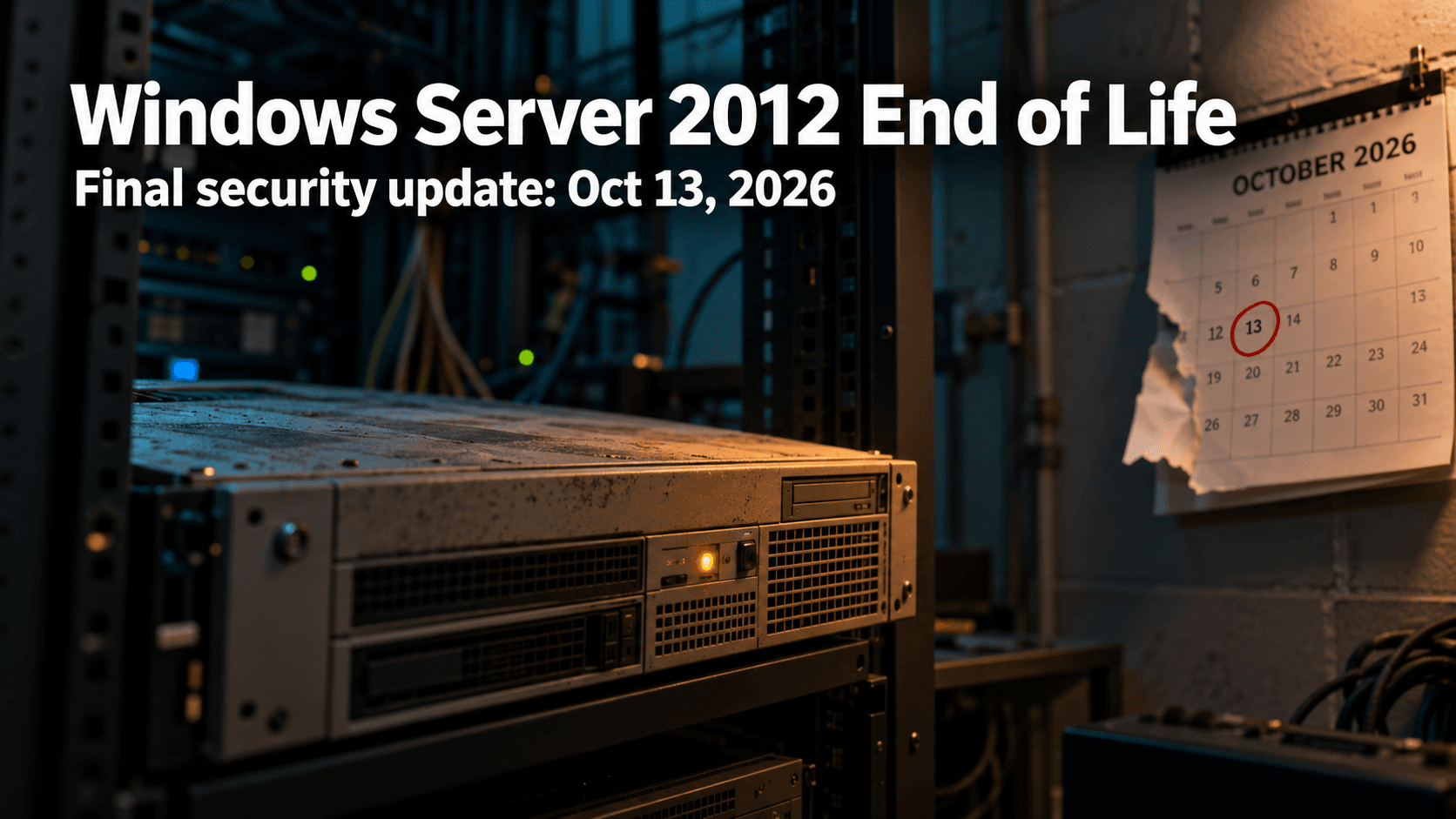
Windows Server 2012 end of life is almost here. On October 13, 2026, Microsoft ships the final security update for Windows Server 2012 and 2012 R2. The Office 2021 end of support date lands on the very same day, and it is also Patch Tuesday, so the next two weeks are a good window to find out what is actually running in your office.
Here is what is changing, what it means in plain terms, and how a small or mid-sized business can handle it without a last-minute scramble.
What Windows Server 2012 end of life actually means
Windows Server 2012 and 2012 R2 reached the end of extended support in October 2023. Since then, the only way to keep receiving security fixes has been Microsoft’s paid Extended Security Updates program, which runs for a maximum of three years. That third year ends on October 13, 2026, and there is no fourth.
In practice, October 13 is the real cliff edge. Your servers will keep running after that day, and nothing on screen will warn you. The difference is that any new vulnerability found in Windows Server 2012 will stay unpatched for good. An attacker only needs one flaw that nobody is going to fix.
A quick note on Windows Server 2022: it also leaves mainstream support on October 13, but that is not a security cliff. It keeps receiving security updates under extended support until October 2031, so there is nothing to panic about there.
Windows 10 is the other date to check. For commercial editions (Pro, Enterprise and Education), Microsoft’s ESU dates table shows the first year of Extended Security Updates also ending on October 13, 2026, with the second year running through October 12, 2027. Any Windows 10 PCs that rely on that program need the next year of coverage in place to keep receiving updates.
Office 2021 end of support lands on the same day
Office 2021 and Office LTSC 2021 reach end of support on October 13, 2026. Unlike Windows Server 2012, Microsoft is offering no extended security updates for Office 2021. The apps will keep opening and working, but Microsoft stops issuing security fixes and bug fixes, and phone and chat support ends too.
That matters more than it sounds. Office is where your team opens email attachments all day, and Office flaws are a regular feature of Patch Tuesday. We saw this in our September 2026 Patch Tuesday breakdown, where the Office and Outlook Preview Pane risk stood out. After October 13, flaws like those simply stop being fixed in Office 2021.
The usual way forward is Microsoft 365 Apps, which updates continuously, or Office LTSC 2024 if you prefer a one-time purchase.
Why unsupported software is a bigger risk than it looks
Small businesses tend to feel this sooner than they expect, for three reasons.
Security. Every new flaw stays open permanently, and the longer an unsupported system stays in place, the more of them pile up.
Insurance.Cybersecurity insurance applications and renewals commonly ask what software you run, and unsupported systems can make those conversations harder.
Baseline expectations. Canada’s Cyber Centre baseline controls for small and medium organizations include automatically patching operating systems and applications. They also recommend replacing software that no longer receives updates because the vendor ended support, which describes Windows Server 2012 and Office 2021 after October 13.
What to do before October 13?
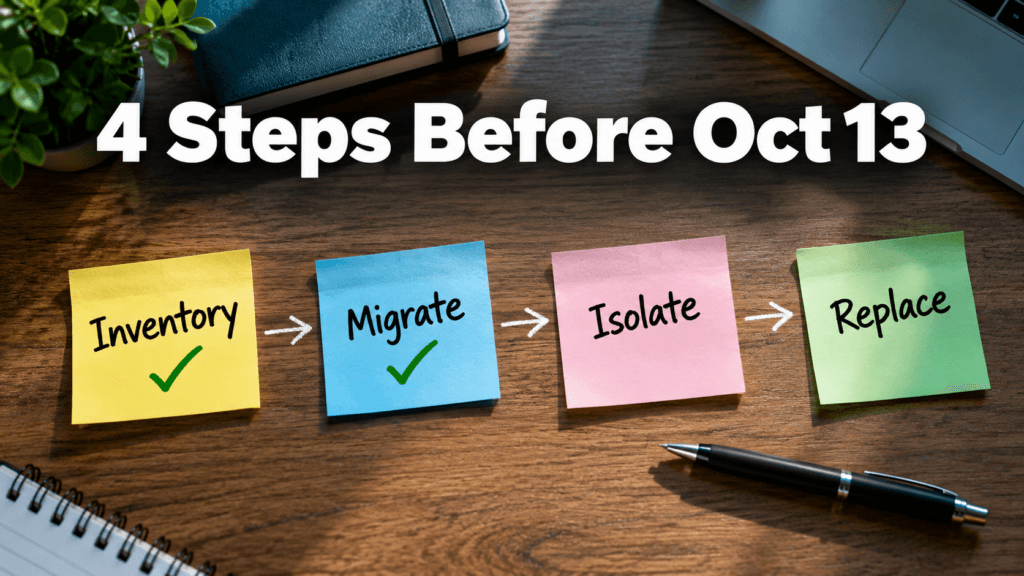
Take inventory. List every server and PC running Windows Server 2012, 2012 R2, or Office 2021, plus any Windows 10 PCs that depend on Extended Security Updates. The ones people forget are usually the old file server, the box that runs the accounting or line of business application, and the machine in the back room nobody has touched in years.
Migrate what you can. Moving the workload to a supported Windows Server version or a cloud service is the cleanest fix. Servers hosted in Azure receive these extended updates for free, but on the same schedule, so treat that as a stepping stone during migration, not a way to stay on Server 2012.
Isolate what you cannot move in time. Some applications take months to migrate. For those, restrict who and what can reach the server, keep it off the open internet, and monitor it closely. This is a stopgap, not a fix, and it is the kind of work a cyber security services team can put in place quickly.
Replace Office 2021. Move to Microsoft 365 Apps or Office LTSC 2024 so email and documents stay on a supported footing.
Not sure what your office is running?
That is the most common starting point, and it is a normal one. Windows Server 2012 end of life is a fixed date you can plan around, and two weeks is enough to make a real start. If you want a second pair of eyes, a managed IT services provider can run the inventory, line up the migration, and help you decide what to move first. Whenever you are ready, you can reach the Pexo team through our contact page.
Microsoft’s September 2026 Patch Tuesday just set a record. CrowdStrike’s analysis of the release counted 972 patched vulnerabilities, more than double August’s count, and 113 of them rated Critical. Two are already being used in real attacks. If your business runs Windows anywhere, on a server, a laptop, or through a VPN, this month’s update deserves more attention than the usual “we’ll get to it”. Inside the September 2026 Patch Tuesday Release This September 2026 Patch Tuesday release patched 972 vulnerabilities in a single cycle, more than double the roughly 415 CVEs Microsoft fixed the month before, the largest release Microsoft has shipped to date. Of those, 113 carry a Critical severity rating, and two are already confirmed to be actively exploited before most businesses had a chance to patch. The volume matters less than the mix: real client-side risk in Office and Outlook, server-side risk in DNS, DHCP, and Netlogon, and infrastructure risk in Hyper-V and VPN services, all landing in the same release window. Two Vulnerabilities Are Already Being Exploited Microsoft confirmed active exploitation of two flaws before most businesses had even applied the patch. CVE-2026-81963 sits in the Windows Update Stack. CVE-2026-85880 sits in a core Windows communication component called ALPC. Both let an attacker who already has a foothold on a device, through a phishing email, a compromised browser, or stolen credentials, jump straight to full SYSTEM control. No extra clicks, no extra warnings. This is the step that turns “someone opened the wrong email” into “the attacker owns the machine.” A Dozen Office Vulnerabilities Need No Click at All Twelve of this month’s Critical fixes affect Outlook, Word, Excel, and PowerPoint, and they share a dangerous trait. Exploitation happens the moment a file is previewed, not opened. If Outlook’s Reading Pane or Windows’ Preview Pane is switched on, which it is by default on most machines, simply receiving a malicious email or having a crafted file land in a shared folder can be enough to run code on the device. CVE-2026-78509 (Outlook) and CVE-2026-78510 (Word) both score a full 9.8 out of 10 and fall into this category. No attachment to open. No macro to approve. No click required. Core Business Infrastructure Was Also Exposed This wasn’t only a desktop software patch cycle. Critical, unauthenticated remote code execution flaws landed in DNS Server, DHCP Server, Netlogon, and Kerberos, the services that handle domain logins, network addressing, and authentication for any business running Windows Server and Active Directory. Hyper-V and the built in SSTP VPN service were also patched for flaws that let an attacker escape a virtual machine or breach an internet facing VPN gateway directly. Left unpatched on exposed infrastructure, any one of these is a realistic path to a full network compromise, not just a single device. The Patching Doesn’t Stop at Microsoft’s Fix Roughly two hours after this month’s patches went out, a security researcher published a new proof of concept targeting Microsoft Defender itself, claiming an earlier fix was incomplete. There is no patch available for it yet. It’s a reminder that a Patch Tuesday release isn’t the finish line for a given month’s risk. It’s the starting point for what still needs watching. What This Means Without a Dedicated IT Team? A record setting patch release is exactly the kind of month where “we’ll update everything next time we’re in the office” gets expensive. Two of these flaws are already being exploited, and a handful more are one proof of concept away from the same fate. This is the gap that managed IT and cybersecurity support exists to close, especially in a month like this September 2026 Patch Tuesday release. Patches get assessed, prioritized by real risk instead of by however Windows Update happens to sort them, and applied on a schedule that doesn’t depend on someone remembering to click Update between meetings.
In the all-digital world of today, companies cannot effectively run without data, applications, and IT infrastructure. But there are unforeseen interruptions like computer attacks, technical malfunctions, or natural catastrophes which can shove the processes to the ground. This is where disaster recovery will come in play. An effective disaster recovery program will ensure companies are able to restore essential systems promptly and reduce downtime, saving money and reputation. What is Disaster Recovery? Disaster recovery is a term that is used to describe the act of recovering information, systems, and IT infrastructure following a disruption. Such interruptions may include hardware failures and human errors, as well as more crucial events such as ransomware attacks or natural disasters. The major object of disaster recovery is to provide business continuity. Organizations will be able to restore their operations within a set time as opposed to losing valuable data or extending their downtime. A disaster recovery plan is normally an element of a larger business continuity plan (BCP), with specific emphasis on data and IT system recovery. Important aspects of disaster recovery are: How Disaster Recovery Works Disaster recovery is a product of planning, technology, and procedures that ensure that normal operations are restored within a short time after a disaster. In a simple overview of how it functions, the following is what happens: 1. Risk Assessment and Planning The first step here is completed by organizations, as they determine potential threats and vulnerabilities. This assists in designing a disaster recovery plan that is specific to certain risks. 2. Data Backup Periodic backups are carried out and saved in safes places out in the cloud or offsite. This guarantees access to information even in cases where the main system may be ruined. 3. Replication and Redundancy Vital systems and information are mirrored on-the-fly or periodically. This redundancy enables companies to change to backup systems without huge hitches. 4. Failover Mechanism Should a failure occur, the systems will automatically transition to a backup server or environment. This is referred to as failover and assists in continuity. 5. Recovery and Restoration When the problem is addressed, systems are reinstated in their natural setting. Data integrity is verified, and the normal operations are restored. 6. Testing and Updates Disaster recovery plans are tested on a regular basis and updated to maintain the effectiveness of the plans against changing threats. This thoroughly organized process provides minimum downtime, short recovery, and less data loss. What Does a Disaster Recovery Server Mean? A disaster recovery server is a special-purpose server that restores and provides backup service in case of loss of the main server. It provides a reserve setting that can carry out operations in case of an emergency. These servers are normally offered in a different physical place or in cloud format so that they are not impacted by the same disaster that has happened to the main system. Key functions of a disaster recovery server include: Disaster recovery servers can be of various types, which include: The correct type is based on the recovery objectives, the budget, and the criticality of the operations of a given organization. Disaster Recovery is Important to businesses. In the absence of an adequate disaster recovery plan, a simple disruption can result in: Having a working disaster recovery system will provide businesses with assurance that they will be able to recover in time and keep serving the clients without serious inconveniences. Secure Your Data with Pexo IT Consulting’s Professionally Owned Solutions. Disaster recovery is more than just basic backups to protect your business against the unexpected and should include a more detailed disaster recovery plan. Pexo is a company that provides sophisticated solutions to data backup and disaster recovery that ensure your important systems are secure and that they can be easily recovered. Secure cloud backups, real-time data replication, and scalable recovery facilities ensure that businesses reduce downtime and ensure smooth business operations. Discover their customized solutions here to develop a strong IT infrastructure. FAQs
The most useful questions to ask your MSP right now have nothing to do with your own network. They are about the tools your provider uses to reach into it. On September 11, 2026, the U.S. Cybersecurity and Infrastructure Security Agency added a critical ConnectWise ScreenConnect vulnerability to its Known Exploited Vulnerabilities catalog after confirming that attackers were already using it in real attacks. ScreenConnect is one of the most widely used remote support platforms in the managed services industry, which means the story is not really about one product. It is about a category of tools that sit at the center of how nearly every managed IT provider reaches into a client’s network. For a small or mid-sized business, the useful takeaway is not which specific vulnerability appeared this week. It is a short set of questions to ask your MSP so you understand how they secure the tools they use to reach you. What Actually Happened With ScreenConnect? The flaw, tracked as CVE-2026-84869, is an improper privilege management and missing authorization issue. In practical terms, it could allow an attacker to transfer files to a device and execute them during an active remote support session without the host user ever approving the action. CISA set a remediation deadline of September 14, 2026, for federal agencies covered by Binding Operational Directive 26-04, and the same urgency applies to any organization running the affected version. The specific patch was straightforward for providers who noticed. The harder question sits one level up: how confident is your provider in their ability to spot, patch, and respond to something like this on their own infrastructure, not just on yours? Why This Matters for Small Businesses? Managed service providers are built on trust and access. A single provider often holds administrative reach into dozens or hundreds of client environments using remote support tools, remote monitoring platforms, and centralized password vaults. That concentration of access is efficient for delivery, and it is also exactly why attackers have been aiming at the provider layer rather than at each client individually. According to the Huntress 2026 Cyber Threat Report, abuse of remote monitoring and management tools now accounts for 24% of all observed incidents, up from 7% the year before. Huntress’s own analysis flagged ScreenConnect specifically, including one case where a rogue install sat quietly for five months before an attacker used it as an entry point. The ScreenConnect entry in the KEV catalog is not an isolated event. It is the latest example of a documented, ongoing trend, and it is why the cybersecurity posture of your provider now matters as much as your own, which is exactly why the questions to ask your MSP have shifted this year. 5 Questions to Ask Your MSP If you already have a managed IT provider, or you are evaluating one, these are the questions to ask your MSP directly. Good providers will have clear, unrehearsed answers. 1. How quickly do you patch the tools you use to reach my network? Ask about their patch cadence for their own infrastructure, not just yours. A provider running weekly patch cycles internally is in a very different position than one that treats their tools as “set and forget.” Our September Patch Tuesday breakdown shows how quickly critical fixes can pile up in a single month. 2. What monitoring do you have on your own remote sessions? Session logging, anomaly detection, and alerting on unusual remote access patterns should all exist on the provider side. If they cannot describe what triggers an alert on their own systems, that is a signal worth paying attention to. 3. Do you enforce multi-factor authentication on every tool that reaches my environment? Every account, every technician, every tool. Not “we use MFA on email.” MFA on the remote support platform, on the RMM console, on the password vault, and on any cloud dashboard that touches client data. Enterprise-grade password managers make this practical to enforce at scale. 4. What is your response plan if one of your own accounts is compromised? The right answer is not “that would not happen.” The right answer is a specific set of steps: session revocation, credential rotation, client notification timelines, and a documented containment playbook. This should also connect back to whatever cybersecurity insurance obligations exist on either side. 5. Are you aligned to a recognized security framework internally, not just for compliance reporting? Frameworks like the NIST Cybersecurity Framework 2.0 and the CIS Controls exist for exactly this reason. A provider who applies these internally, not only when a client asks about compliance, is thinking about their own posture the same way they think about yours. What to Do Next? If you already have a managed IT provider, send these five questions in a short message and see how they respond. The quality of the answer matters as much as the content: unrehearsed and specific beats polished and vague every time. If you are weighing options, bring these questions to ask your MSP into the conversation before you sign anything. A provider who treats these questions as reasonable and expected is showing you how they operate. One who deflects is also telling you something. At Pexo, security posture starts with the tools we use before it reaches the networks we protect. If you are evaluating your options, our managed IT services team is happy to walk you through exactly how we answer each of these questions for our own environment.
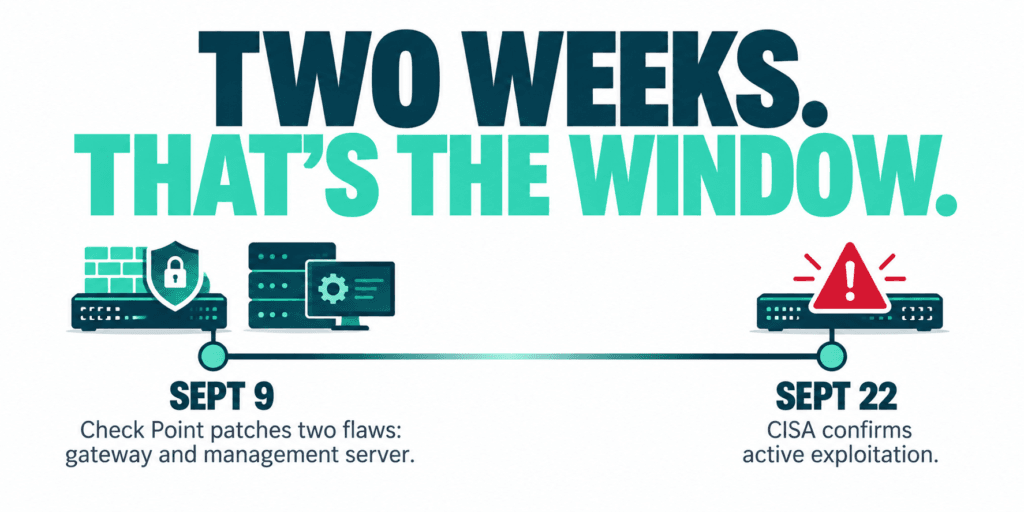
A firewall vulnerability rated 9.8 out of 10 was patched by Check Point on September 9. There was no confirmed attack at the time, just a warning from the Dutch government’s cyber security centre that exploitation looked imminent. On September 22, CISA confirmed it, and added a second Check Point flaw alongside it. That two week gap between disclosure and confirmed exploitation is the whole story here, and it says more about patch timing than about any one vendor.
What This Firewall Vulnerability Actually Does
Check Point actually shipped two separate patches on September 9, for two different vulnerabilities on two different parts of its product line.Check Point actually shipped two separate patches on September 9, for two different vulnerabilities on two different parts of its product line.
CVE-2026-85102 is the flaw in the Security Gateway itself, the device handling live VPN traffic. It’s a flaw in how the gateway validates certificates during VPN negotiation. Get past that check and an unauthenticated attacker can run code directly on the gateway, no login required.
CVE-2026-93616 sits somewhere different: the Security Management Server, the console that controls policy, logs, and configuration across a Check Point deployment (also affects Multi-Domain Security Management Server, Log Server, Multi-Domain Log Server, and SmartEvent). It’s a path traversal flaw that lets an unauthenticated attacker upload and execute arbitrary scripts on the management server, fixed separately through Check Point’s R82.20 Security Hotfix, not the same patch that covers the gateway flaw.
That distinction matters operationally. Patching the gateway doesn’t patch the management server, and vice versa. A business running Check Point needs to confirm both planes are current, not just one.
Check Point found and disclosed both issues itself, and shipped fixes the same day. No evidence of active exploitation at the time of disclosure. By September 12, Check Point had started observing exploitation attempts against Spark firewall customers using anonymizing infrastructure. By September 22, CISA had confirmed active exploitation of both and added them to its Known Exploited Vulnerabilities catalog with a federal remediation deadline of September 25, as SecurityAffairs reported.
The same week, CISA added two more network edge products to its confirmed exploited list: a flaw in Arista’s VeloCloud Orchestrator, and one in F5’s BIG-IP APM. Four vulnerabilities, three vendors, one week, the same lesson each time. Attackers probe internet facing network gear first, because it’s the thing standing between them and everything behind it.
Why This Matters for a Small or Midsize Business?
These aren’t obscure enterprise products. Firewalls, VPN gateways, and the management consoles that control them are exactly what a small business relies on to guard its perimeter, often without a dedicated security team watching vendor bulletins day to day. A firewall vulnerability like this doesn’t need an employee to click a link or fall for a phishing email. It just needs the device to be reachable and unpatched.
The Real Gap Isn’t the Vendor, It’s the Patch Window
Check Point did everything right here. Found both issues itself, disclosed them, shipped fixes the same day, no delay. The businesses at risk right now aren’t the ones using Check Point. They’re the ones still running the unpatched build two weeks later, whether or not anyone on staff knew a patch existed, or knew there were two patches to apply instead of one.
That’s true of any vendor, not just this one. A 9.8 severity rating is urgent the day it’s published, not the day it shows up on a government watchlist.
What to Check This Week?
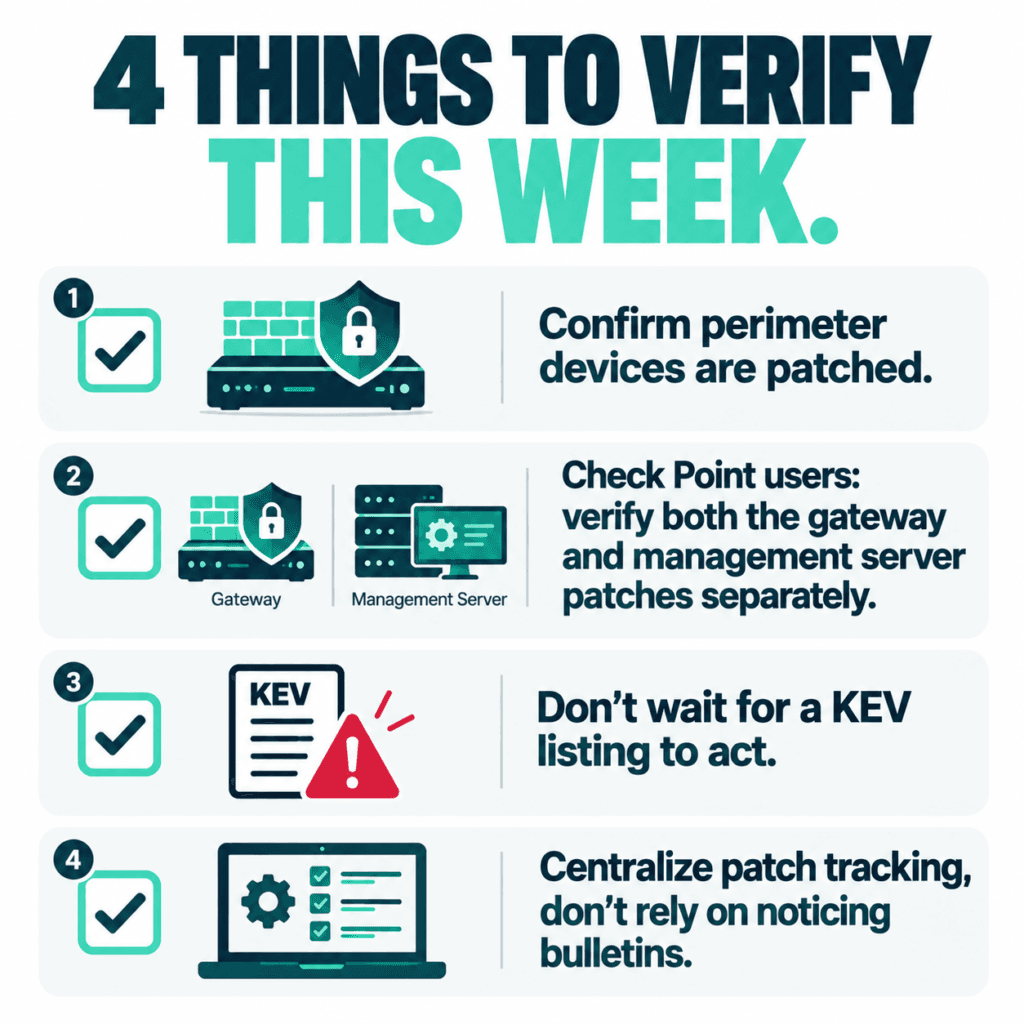
Confirm perimeter devices, firewalls, VPN gateways, remote access appliances, and their management consoles, are on the vendor’s current patched build, not just “up to date” by whatever definition IT last used.
If you run Check Point, verify both patches separately. The gateway fix and the management server fix are not the same update.
Don’t wait for a CISA KEV listing to treat a critical severity rating as urgent. By the time it’s confirmed exploited, the window has already closed for some businesses.
Check whether patch management is actually tracked somewhere, or whether it depends on someone noticing a vendor bulletin. If it’s the second one, that’s the actual finding from this week, not the CVE number.
If patching your perimeter isn’t something you can say with confidence is centrally tracked and verified across every device and every console, that’s worth a conversation before the next firewall vulnerability lands. Managed IT services that includes patch management as a standing part of the job closes exactly this kind of gap. It’s the same problem covered in what to ask your MSP about their own security, just from the vendor side this time.
Microsoft’s September 2026 Patch Tuesday just set a record. CrowdStrike’s analysis of the release counted 972 patched vulnerabilities, more than double August’s count, and 113 of them rated Critical. Two are already being used in real attacks. If your business runs Windows anywhere, on a server, a laptop, or through a VPN, this month’s update deserves more attention than the usual “we’ll get to it”. Inside the September 2026 Patch Tuesday Release This September 2026 Patch Tuesday release patched 972 vulnerabilities in a single cycle, more than double the roughly 415 CVEs Microsoft fixed the month before, the largest release Microsoft has shipped to date. Of those, 113 carry a Critical severity rating, and two are already confirmed to be actively exploited before most businesses had a chance to patch. The volume matters less than the mix: real client-side risk in Office and Outlook, server-side risk in DNS, DHCP, and Netlogon, and infrastructure risk in Hyper-V and VPN services, all landing in the same release window. Two Vulnerabilities Are Already Being Exploited Microsoft confirmed active exploitation of two flaws before most businesses had even applied the patch. CVE-2026-81963 sits in the Windows Update Stack. CVE-2026-85880 sits in a core Windows communication component called ALPC. Both let an attacker who already has a foothold on a device, through a phishing email, a compromised browser, or stolen credentials, jump straight to full SYSTEM control. No extra clicks, no extra warnings. This is the step that turns “someone opened the wrong email” into “the attacker owns the machine.” A Dozen Office Vulnerabilities Need No Click at All Twelve of this month’s Critical fixes affect Outlook, Word, Excel, and PowerPoint, and they share a dangerous trait. Exploitation happens the moment a file is previewed, not opened. If Outlook’s Reading Pane or Windows’ Preview Pane is switched on, which it is by default on most machines, simply receiving a malicious email or having a crafted file land in a shared folder can be enough to run code on the device. CVE-2026-78509 (Outlook) and CVE-2026-78510 (Word) both score a full 9.8 out of 10 and fall into this category. No attachment to open. No macro to approve. No click required. Core Business Infrastructure Was Also Exposed This wasn’t only a desktop software patch cycle. Critical, unauthenticated remote code execution flaws landed in DNS Server, DHCP Server, Netlogon, and Kerberos, the services that handle domain logins, network addressing, and authentication for any business running Windows Server and Active Directory. Hyper-V and the built in SSTP VPN service were also patched for flaws that let an attacker escape a virtual machine or breach an internet facing VPN gateway directly. Left unpatched on exposed infrastructure, any one of these is a realistic path to a full network compromise, not just a single device. The Patching Doesn’t Stop at Microsoft’s Fix Roughly two hours after this month’s patches went out, a security researcher published a new proof of concept targeting Microsoft Defender itself, claiming an earlier fix was incomplete. There is no patch available for it yet. It’s a reminder that a Patch Tuesday release isn’t the finish line for a given month’s risk. It’s the starting point for what still needs watching. What This Means Without a Dedicated IT Team? A record setting patch release is exactly the kind of month where “we’ll update everything next time we’re in the office” gets expensive. Two of these flaws are already being exploited, and a handful more are one proof of concept away from the same fate. This is the gap that managed IT and cybersecurity support exists to close, especially in a month like this September 2026 Patch Tuesday release. Patches get assessed, prioritized by real risk instead of by however Windows Update happens to sort them, and applied on a schedule that doesn’t depend on someone remembering to click Update between meetings.
The most useful questions to ask your MSP right now have nothing to do with your own network. They are about the tools your provider uses to reach into it. On September 11, 2026, the U.S. Cybersecurity and Infrastructure Security Agency added a critical ConnectWise ScreenConnect vulnerability to its Known Exploited Vulnerabilities catalog after confirming that attackers were already using it in real attacks. ScreenConnect is one of the most widely used remote support platforms in the managed services industry, which means the story is not really about one product. It is about a category of tools that sit at the center of how nearly every managed IT provider reaches into a client’s network. For a small or mid-sized business, the useful takeaway is not which specific vulnerability appeared this week. It is a short set of questions to ask your MSP so you understand how they secure the tools they use to reach you. What Actually Happened With ScreenConnect? The flaw, tracked as CVE-2026-84869, is an improper privilege management and missing authorization issue. In practical terms, it could allow an attacker to transfer files to a device and execute them during an active remote support session without the host user ever approving the action. CISA set a remediation deadline of September 14, 2026, for federal agencies covered by Binding Operational Directive 26-04, and the same urgency applies to any organization running the affected version. The specific patch was straightforward for providers who noticed. The harder question sits one level up: how confident is your provider in their ability to spot, patch, and respond to something like this on their own infrastructure, not just on yours? Why This Matters for Small Businesses? Managed service providers are built on trust and access. A single provider often holds administrative reach into dozens or hundreds of client environments using remote support tools, remote monitoring platforms, and centralized password vaults. That concentration of access is efficient for delivery, and it is also exactly why attackers have been aiming at the provider layer rather than at each client individually. According to the Huntress 2026 Cyber Threat Report, abuse of remote monitoring and management tools now accounts for 24% of all observed incidents, up from 7% the year before. Huntress’s own analysis flagged ScreenConnect specifically, including one case where a rogue install sat quietly for five months before an attacker used it as an entry point. The ScreenConnect entry in the KEV catalog is not an isolated event. It is the latest example of a documented, ongoing trend, and it is why the cybersecurity posture of your provider now matters as much as your own, which is exactly why the questions to ask your MSP have shifted this year. 5 Questions to Ask Your MSP If you already have a managed IT provider, or you are evaluating one, these are the questions to ask your MSP directly. Good providers will have clear, unrehearsed answers. 1. How quickly do you patch the tools you use to reach my network? Ask about their patch cadence for their own infrastructure, not just yours. A provider running weekly patch cycles internally is in a very different position than one that treats their tools as “set and forget.” Our September Patch Tuesday breakdown shows how quickly critical fixes can pile up in a single month. 2. What monitoring do you have on your own remote sessions? Session logging, anomaly detection, and alerting on unusual remote access patterns should all exist on the provider side. If they cannot describe what triggers an alert on their own systems, that is a signal worth paying attention to. 3. Do you enforce multi-factor authentication on every tool that reaches my environment? Every account, every technician, every tool. Not “we use MFA on email.” MFA on the remote support platform, on the RMM console, on the password vault, and on any cloud dashboard that touches client data. Enterprise-grade password managers make this practical to enforce at scale. 4. What is your response plan if one of your own accounts is compromised? The right answer is not “that would not happen.” The right answer is a specific set of steps: session revocation, credential rotation, client notification timelines, and a documented containment playbook. This should also connect back to whatever cybersecurity insurance obligations exist on either side. 5. Are you aligned to a recognized security framework internally, not just for compliance reporting? Frameworks like the NIST Cybersecurity Framework 2.0 and the CIS Controls exist for exactly this reason. A provider who applies these internally, not only when a client asks about compliance, is thinking about their own posture the same way they think about yours. What to Do Next? If you already have a managed IT provider, send these five questions in a short message and see how they respond. The quality of the answer matters as much as the content: unrehearsed and specific beats polished and vague every time. If you are weighing options, bring these questions to ask your MSP into the conversation before you sign anything. A provider who treats these questions as reasonable and expected is showing you how they operate. One who deflects is also telling you something. At Pexo, security posture starts with the tools we use before it reaches the networks we protect. If you are evaluating your options, our managed IT services team is happy to walk you through exactly how we answer each of these questions for our own environment.
Cybersecurity has a wide scope and ultimately refers to numerous types of security targeting different problems. However, at the same time, the dependency of the world on technology is exposing us to many risks. Cyber threats (ransomware, phishing, breaches, etc.) remain some of the biggest sources of business risks. To be safe, one of the things a business has to do is to be aware of the ways of protecting different areas of security, making them strong and safe. 7 Types of Cyber Security 1. Network Security Network security primarily involves securing the communication channels and the computer networks of an enterprise. It aims to prevent unauthorized access, misuse, malfunction, modification, destruction, or improper disclosure of the networks. Many businesses use the internet to communicate and operate their systems and software. This is why it is so important to have adequate network security in place; otherwise, any hacker could gain access to the business and their confidential information or cause a disruption in their operations. 2. Application Security Application security covers, in particular, the software, applications, and web apps side of the business. It reaches the different points, such as lines of code, servers, and platforms, where cyber threats and vulnerabilities can get through. The primary focus here is on preventing data or code within the app from being stolen or hijacked. Aside from physical checks, it can be done by applying some security patches or encryption. 3. Cloud Security With more and more companies putting data and operations on the cloud, cloud security has become more crucial than ever before. It is concerned with protecting data, applications, and storage services hosted in a cloud. If cloud security is not implemented, organizations could experience data security, compliance, and cash losses. 4. Endpoint security It ensures protection for devices like laptops, mobiles, tablets, and servers that are connected to a network system. Given the widespread adoption of remote and hybrid work, many endpoints are increasingly being seen as a prime target by cyber criminals, by way of malware, ransomware, and phishing. 5. Information security It refers to protecting critical information (whether in storage or in transition) from many threats to ensure the availability, integrity, and confidentiality of the information. It maintains the privacy, integrity, and availability of business information. This covers protecting the customer records, financial data, contracts, and business documents through encryption, access controls, and backup systems. 6. Operational Security Maintaining operational security means developing the policies and procedures for managing and safeguarding sensitive business information. Cybersecurity of this nature restricts who may store, use, or disclose the data of a company. Companies that carry out solid operational security measures are less prone to facing insider risks or accidentally exposing data. 7. Disaster Recovery and Business Continuity Besides causing damage to a company’s reputation, cyberterrorism may also lead to a complete malfunction of the business. Disaster recovery, plus business continuity measures, enables companies to bounce back swiftly in case of a breach of security. Why Do Businesses Need Cyber Security? Protection Against Data Breaches Growing clients’ and firms’ data repository is the first step toward becoming a potential hacker’s target. Cybersecurity measures provide a barrier against the theft of, /misuse of, and access to sensitive information by users without proper authorization. Financial Loss Prevention A cyberattack can cause huge financial losses through downtime of the system, fines from courts, cost of restoration, and loss of image. Implementing robust security measures can help a business prevent such expensive mishaps. Customer Trust and Brand Reputation Customers trust companies with their personal data and expect them to safeguard it. Even one breach can ruin the company’s reputation and cause a decline in customers’ faith. Having cyber security measures in place is a way of honoring that trust and maintaining one’s position in the market. Compliance With Regulations Disregarding compliance with data protection laws and cybersecurity regulations often means penalties, legal actions, and loss of reputation. Protection From Evolving Threats Attackers are always finding new ways to exploit vulnerabilities, leveraging AI to conduct phishing, ransomware, and identity theft among other tactics. Cybersecurity solutions need to be up-to-date to be effective against current threats. Pexo Offers Cyber Security Services That Provide Smart and Reliable Cyber Defense Pexo Cyber Security Services provides advanced cybersecurity solutions that not only protect a business from cyber threats of the 21st century but also help the enterprise to comply with the regulations and secure its operations. Conclusion Cybersecurity cannot be limited to a single aspect. For example, network security, cloud security, or disaster recovery are lockdown measures in different dimensions of the organization. Securing operations vulnerable to intrusions, safeguarding the company’s sensitive information, and reassuring customers are three very important aspects of cybersecurity.