What Zero Trust Means in Cyber Security

Cyber threats, meanwhile, remain to mature and far outpace traditional security models in their capability to secure a modern organization. And with organizations operating in cloud environments to support remote workforces and the increasing amount of sensitive data flowing through multiple devices and networks And those shifts have resulted in an environment that is especially difficult for cybersecurity.

Zero Trust is one of the most effective security methodologies developed in modern times. Multiple types of enterprises are utilizing the frameworks to reduce cyber risk and achieve enhanced data protection. Then what is Zero Trust, (in cyber security), and how does it work?

Understanding Zero Trust in Cyber Security

At its core, Zero Trust is about one simple principle never trust, always verify. Zero Trust is a new and different way of thinking about network security as compared to the traditional model, where users or machines inside the fort were trusted.

This means that no user, device, application, or system should automatically be trusted and given access to resources. An actor is not trusted just because he made it inside the network.

Zero Trust aims to limit the impact of a breach, data exfiltration, and internal sideways movement.

Here are all the reasons that Traditional Security Models Just Don’t Cut It

  • Traditional cyber security approaches were convenience through perimeter-based security. Information was often kept in silos but once a user was through the network firewall they would have free access to systems and data.
  • However, the business environment has changed significantly over the past few years. Workers today are going to the remote office (home) where all apps are cloud-based and cybercriminals run their ever-changing exploit methods that beat regular configurations.
  • This creates vulnerabilities as we rely solely on perimeter security. For instance, if there is no IDS, once an attacker penetrates the network he can move freely from system to system without any restriction.
  • Enter Zero Trust, who addresses this exclusion by questioning all ask feel capped all source of origin.

How Does Zero Trust Work?

Simultaneously, Zero Trust is data-centric this does not exempt parts of the IT environment from identity and access control measures. The system is based on constant validation, rather than the expectance of trust as it allows users and devices to gain access.

It operates through a handful of model principles in the form of framework.

Continuous Verification

Verify and authorize all users and devices trying to access your system. Rent, when the user logs in, does not do a check which is only done once.

This helps to promptly identify any weird activity or even an account hacking.

Least Privilege Access

In Zero Trust, the principle of least privileged access is applied meaning users are provided access to only those resources that will help them in getting their jobs done.

So if you happen to be an employee in finance, that wont grant you access to HR or engineering systems. You are constrained by how much damage can be done if an account is hacked.

Multi-Factor Authentication (MFA)

Multi-Factor authentication Multi-factor authentication is one of the fundamental components in Zero Trust based security. These are two-factor authentication to verify who you are, i.e., require the users to enter a password biometric (fingerprint) or one-time verification code.

It provides another layer of protection from stolen credentials and unauthorized users.

Device Security Verification

The key difference with the new Zero Trust, is that it evaluates not only the user but also the device and security status. Devices that do not match those security requirements may be denied access.

By the way, an antibiotic lacking current antivirus programs or security patches could be identified as harmful and, therefore, prevented from checking linkup to critical systems.

Network Segmentation

Network segmentation is another key feature of Zero Trust. You segment virutally so that systems cannot traverse the data center as easily.

This serves as a containment area, restricting lateral movement in case an attacker gains access.

Benefits of Zero Trust Security

In fact, there are some dead giveaways to the upside for enterprises in Zero Trust.

Arguably, the biggest advantage is improved cyber attack defense. Getting unauthorized access to the critical systems is very hard as every request is verified.

This also makes you more visible and in the public eye. However, for organizations, you can actively track user activity and quickly identify potential threats so that effective action can be taken immediately to continue attacks more quickly.

However, one of the biggest benefits is that it provides much better support for remote work & cloud environments. Even in the case of employees working from anywhere, zero trust provides access.

Deployment of access controls through the Framework allows organizations to meet compliance and data protection requirements in a much more secure manner.

Elements of a Typical Zero Trust Architecture

Zero Trust is the bigger picture of technology security working together.

Identity and access management systems are designed to not only authenticate users but also manage what authorities they have. Endpoint security tools monitor the health and compliance state of devices. SIEM Systems: IT Security Information and Event Management.

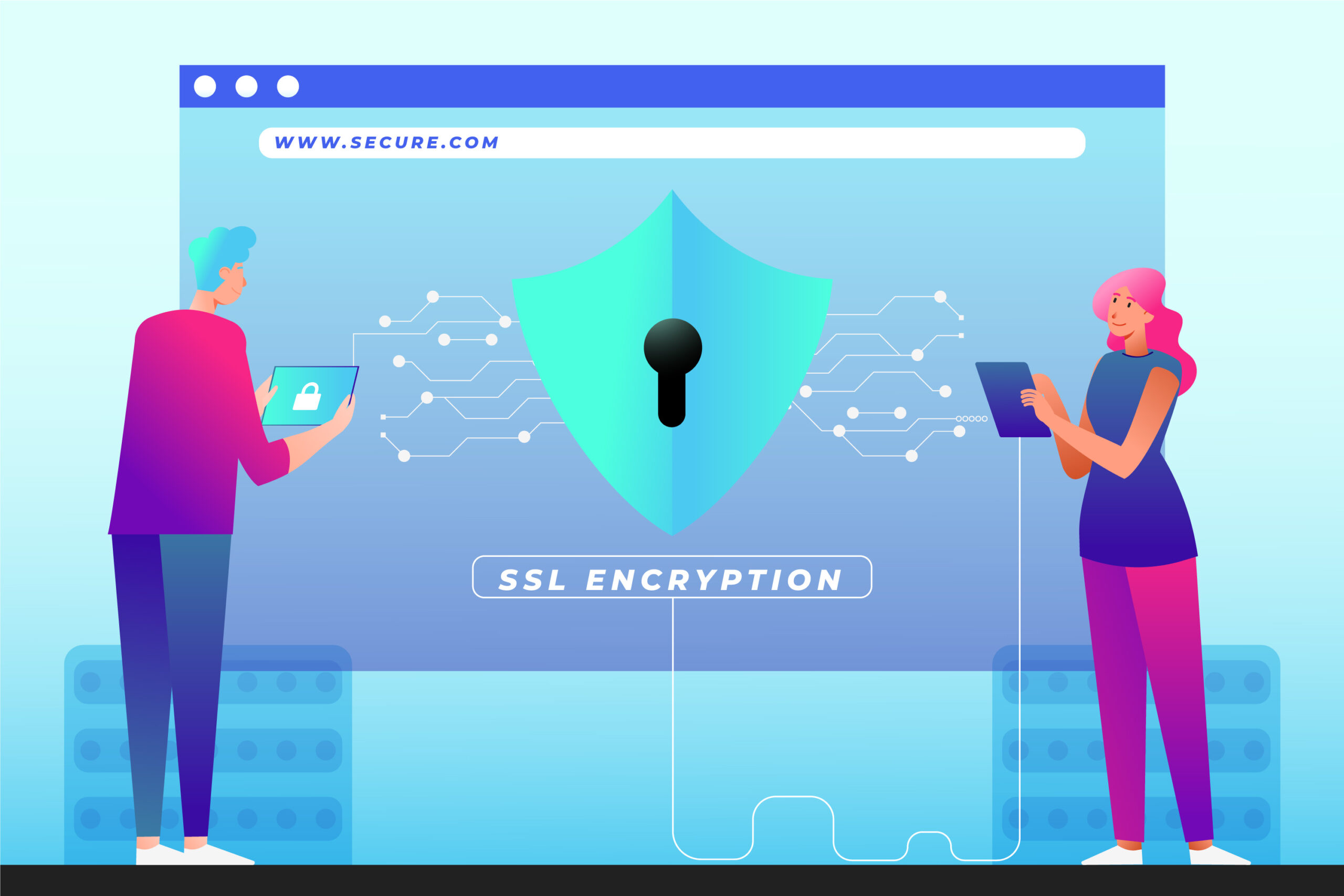
Encryption is, of course, an important piece as well, providing security for sensitive data both in transit and at rest.

And these elements are what makes layered and far more secure environment.

Challenges of Implementing Zero Trust

Zero Trust offers many security benefits but can be a challenge for some organizations to implement.

The majority of the organizations struggle to harmonize Zero Trust with legacy systems that were designed before the modern security frameworks. Besides, investments have been made on technologies and building employee capabilities.

Additionally, designing continuous authentication and access for large organizations is complicated and involves extensive groundwork.

In many cases there are barriers that must be overcome, but the investment of time and money in your security broadly pales by comparison to waiting.

When it comes to security, the main question that everyone has is Do You Need Zero Trust and More Specifically Zero Trust For your Small Business?

Zero Trust is Still Not Just for Enterprises As for the statistics, cyberattacks are frequent targets of an SMB where there is much space to improve with better security controls.

The latest zero trust solutions are crucially helping small companies without a security infrastructure already in place, to enjoy the benefits of the latest cybersecurity methods with much less heavy lifting and training needed than was before possible.

Why Choose Pexo for Modern Cybersecurity Protection?

Zero Trust is not implemented via a simple switch; rather, it requires advanced planning, cutting-edge security technology and ongoing monitoring expertise. Specialist telecom security pros, like the industry leaders at Pexo, provide managed services to help these businesses elevate their cybersecurity posture With cutting-edge cyber security solutions, companies can improve threat detection and log management, secure all their data remote access points, and form a more formidable defense against modern cyber terrorists.

Conclusion

Zero Trust is a contemporary cybersecurity approach centered on the concept of never trusting any user, device, or system without verification. This framework minimizes your cyber risks by continuously verifying access requests and restricting permissions, so that you can turn data quality into a tangible inside track, while keeping the damage of each attack to a minimum.

Due to the remote work revolution, where both cloud geometry and cyber threats proliferate across some business systems. Zero Trust as one of modern forms cybersecurity strategies This is just one kind of strategy businesses can adopt and migrate toward for improved security, visibility and protection against hybrid risk that will only get more complicated with time.
Spear Phishing: Definition & Examples

You can see how this flows you are educated then. Spear phishing is one of the biggest threats in today’s cyberattack landscape, and it has gotten more sophisticated than ever. Spear phishing differs from the more general phishing frauds that target large swathes of people by being strategic and targeted. Cybercriminals stop the trickery data theft to induce the sufferer give up their non-public records or grant them get right of entry to a machine.

Such attacks are efficient but the hardest to detect because they appear legitimate and tailor-made. Understanding how spear phishing operates what is more common examples of it enables you and your business to defend yourselves against major security incidents.

What Is Spear Phishing?

Cyber protection built for today

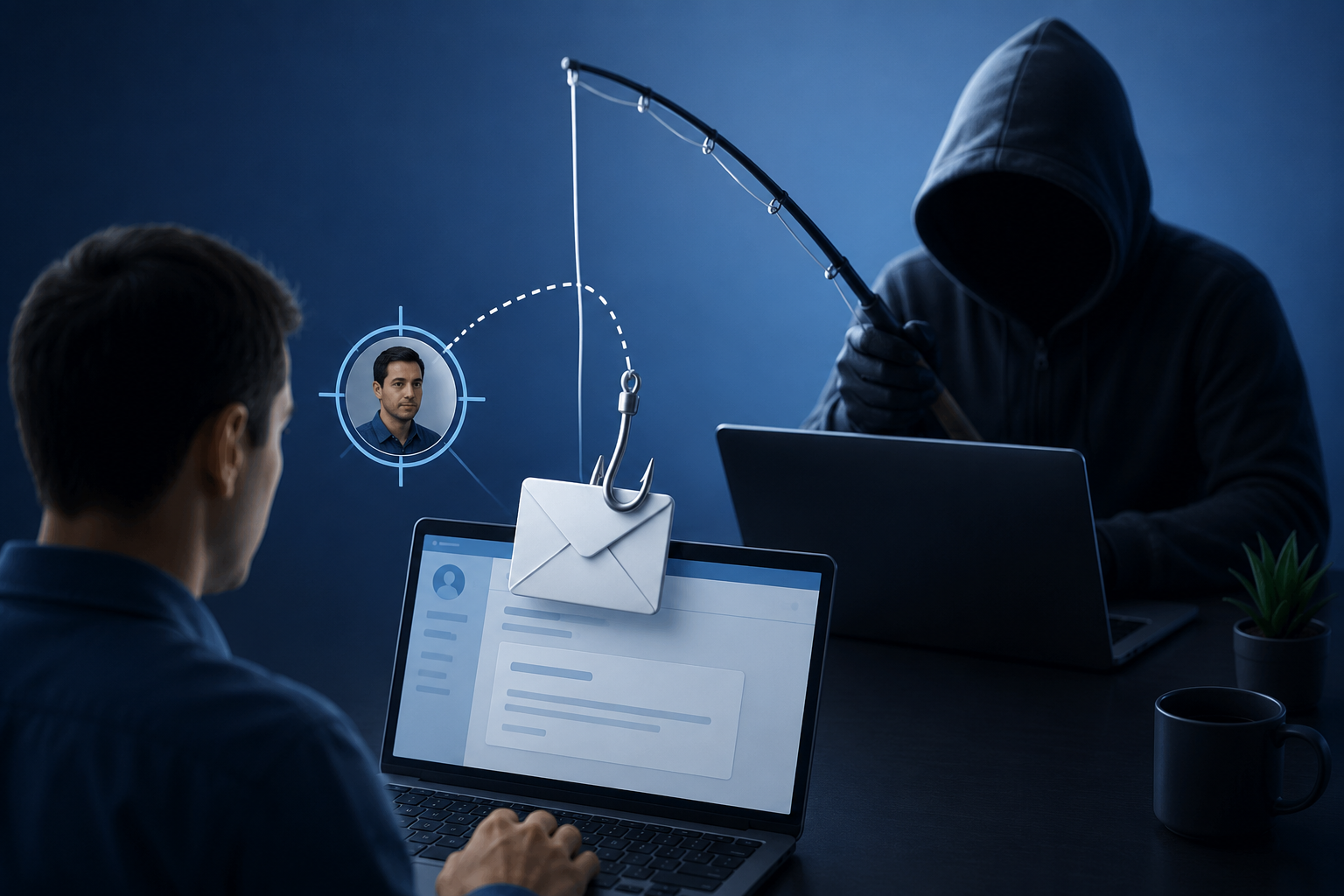
One of the specific types of cyber-attack is spear phishing which involves impersonation, where an attacker tries to mimic a legitimate person or business as well via emails to convince their target (you) to furnish sensitive information under the pretense, clicking on malicious links and/or downloading malware.

A spear phishing attack can be an email sent to a specific victim in comparison to a phishing email which files against thousands of random users. First, attackers will often perform their reconnaissance and research based on data that is available – often publicly – from social media, company websites, or other previous breaches in the same organization.

Spear phishing aims to extract directly or indirectly (through social engineering) login credentials, financial and personal dox sensitive business data, or access to secure systems.

How Does Spear Phishing Work?

This is the crux of spear phishing social engineering tactics. Instead of going beyond the technical limits, attackers go away around them exploiting human trust.

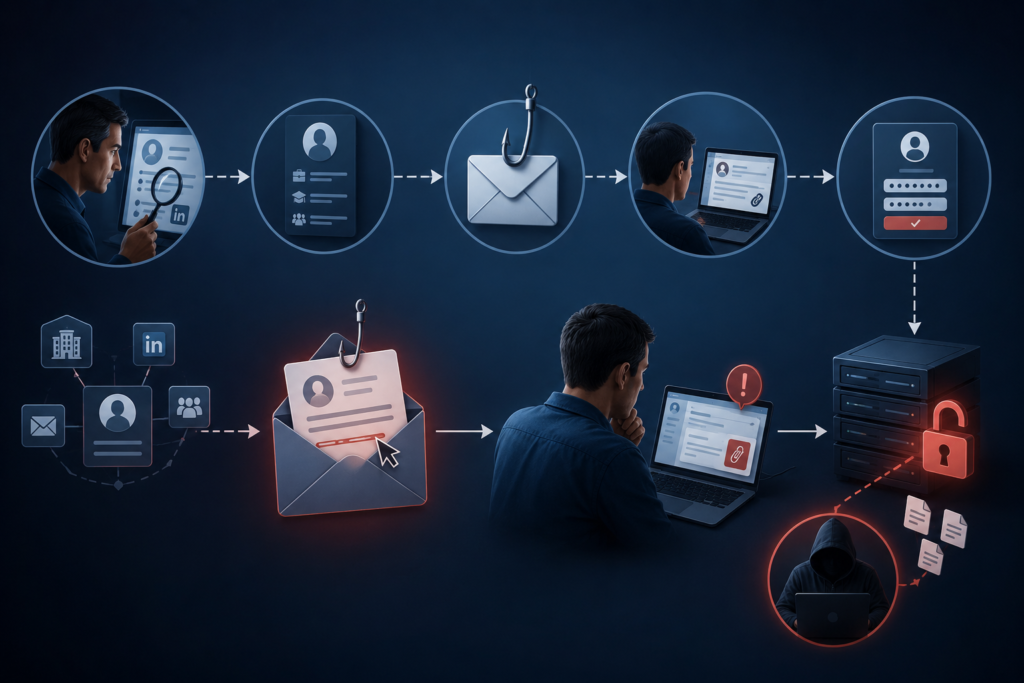
It usually begins with research. Criminals gather information about the target such as name, job title, email address and whether his company is engaged in any activity. Until then, it can create messages that sound quite convincing.

Once they have collected enough information, the attacker will send an authentic email or text. It might look like it was dropped into your inbox from a manager, peer, bank, vendor, or trusted party.

Usually, it carries an element of urgency or compulsion and directs the victim to perform an action without validation on whether the requestor is genuine or not. Common tactics include:

  • Requesting password reset
  • Requesting wire transfers
  • Phishing fake invoices
  • Sending virus/certain malware through attachments
  • Phishing and how does it work phishing users on realistic login pages

Attackers can gain access to accounts, networks, or sensitive information if a victim bites the worm.

Phishing and Spear Phishing

Answer: Phishing and spear phishing both are fraudulent messages sent; however, the major difference is that it targets a specific person.

Phishing is a general and well-known type of attack. The attackers then send that same message to thousands, in the hope that some small percentage of recipients will respond.

But spear phishing, which is targeted only to that person as compared to other types of phishing. The attacker focusses on one person or organisation by using highly custom-made information to make it more credible and successful.

The personalization aspect allows spear phishing attacks to be far more threatening and much less detectable.

Common Examples of Spear Phishing

The types of Spears Phishing The different types of spear phishing attacks are very specific due to the end-user and objective of an attacker.

Fake Executive Emails

One common example is impersonating a company executive or CEO by an attacker. Example: Hacker sends an email asking for secret payment, financial data, or account credentials.

That may not even be a real order, but because it looks like the sort of thing senior leadership would say, employees may operate as if it is true.

Fraudulent Vendor Requests

Additionally, attackers can impersonate reliable suppliers or merchants. Example: finance department gets mail containing fake invoice with altered ones due payment details.

The way the payment works is that the funds are paid directly from your account, straight to the attackers when you finish.

Fake Login Pages

An instance would be a victim getting emails to log in to his company account or change passwords. You click the link, and it directs you to a bogus site where when you log in, they will try to steal your credentials.

These pages are also many times indistinguishable from real web sites.

Malware Attachments

Spear phishing emails also come with attachments that contain files posing as invoices, reports, or other business documents. He opens the attachment, and bang malware or ransomware is as good as installed on his machine.

There is also the possibility of data theft, of leaving compromised systems or a shutdown for the whole network.

The Dangers of Spear Phishing

Working on the fact that people are trusting and it manipulates human elements spear phishing is aimed at success. The attack is also more believable to victims because it is personalized.

However, as we have seen with the recent Sony breach, this is not fail-safe: if staff members are persuaded to provide their credentials or open a malicious file then irrespective of how many other technical security measures you have in place it will be a problem.

Successful spear phishing attacks can have trainees teach more on:

  • Monetary loss
  • Data breaches
  • Identity theft
  • Business disruption
  • Reputational damage

For enterprises, just one successful attack can help target networks and even release. Sensitive customer information.

How To Realize You Are Under the Attack of Spear Phishing

Spear phishing messages are convincing but often have indicators that point to foul play.

But do be careful about any requests for sensitive information you were not expecting. People also need to be vigilant about urgency or pressure being placed in emails; that is another back flag.

In the case of suspicious mail also beware of unusual sender addresses, misspellings as well as links or attachments you were not anticipating.

Even if the message purports to be from someone you recognize, always confirm such a request through another channel before executing it.

Spear Phishing Prevention

To stop spear phishing, you need technical security and employee education.

In such cases, the best response is two-factor authentication, which adds an additional layer of protection when credentials are compromised.

Employee training is equally important. Staff should receive training about checking whether a request or message is related to phishing; clicking on an unknown link or attachment from the email is best avoided.

They also need to ramp up anti-spam management, endpoint fraud detection, and continued vigilance of their networks for intrusion.

Updating software and systems also helps defend against malware delivered through phishing campaigns.

Protect Your Business with Advanced Cybersecurity

Spear phishing attacks are becoming more targeted and dangerous, making strong cybersecurity essential for every business. Secure Your Business with Pexo IT Consulting Services and stay protected with advanced threat detection, email security, endpoint protection, and employee awareness training. Their expert team helps businesses reduce cyber risks, prevent data breaches, and build a stronger defense against modern cyber threats.

Conclusion

Spear phishing is known to be the most lethal type of cyber-attack that exploits trickery, customizability and social engineering against a specific individual or target corporation. Unlike phishing frauds, these attacks are designed to appear reasonable and trustworthy.

Understanding what spear phishing is, how it works, and seeing some examples are all part of reducing exposure to this kind of attack. In either case, individual users and large organizations alike must utilize proper cybersecurity processes to keep digital security high as well.

5 Types of Cyber Security & Examples

In a world where everything is so connected, right from banking and shopping to business operations – cybersecurity is no more optional. Every login, click and transfer of data has potential risk. Cybercriminals are consistently looking for susceptibilities, and this is the reason understanding the various kinds of cybersecurity is required for businesses and individuals in same manner.

Cybersecurity is not a single software or tool. It is a layered approach that shields networks, applications, data and systems from all kinds of unauthorized attacks, damages and access.

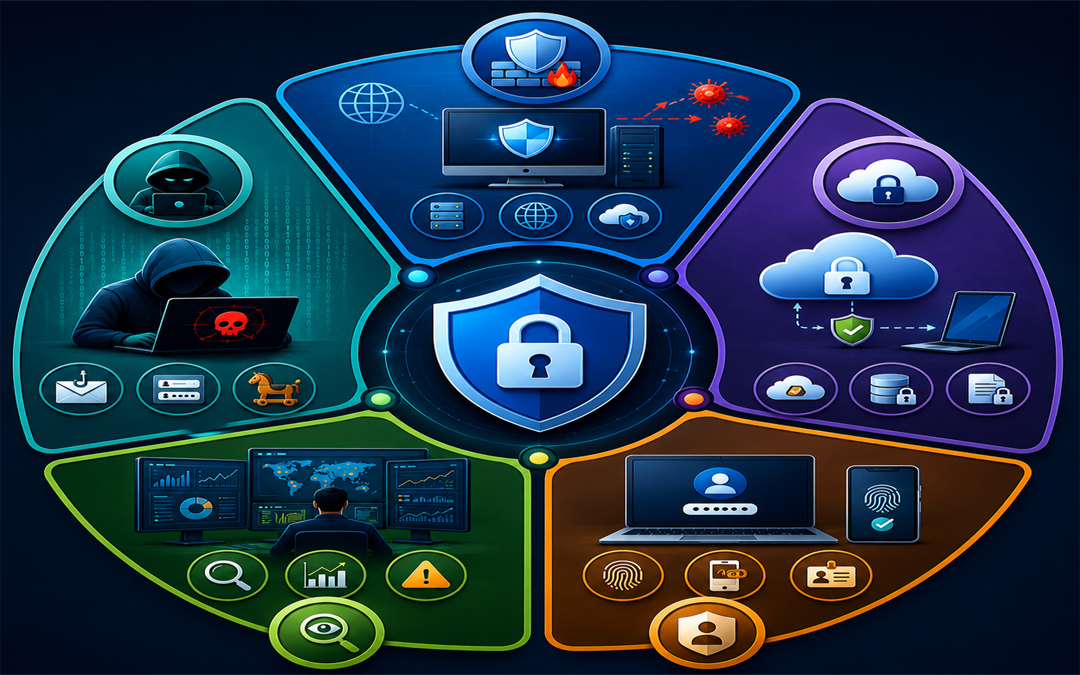
Kinds Of Cybersecurity And Examples

Let’s know about five major kinds of cybersecurity, along with some examples to know how they function in real life.

1.     Network security

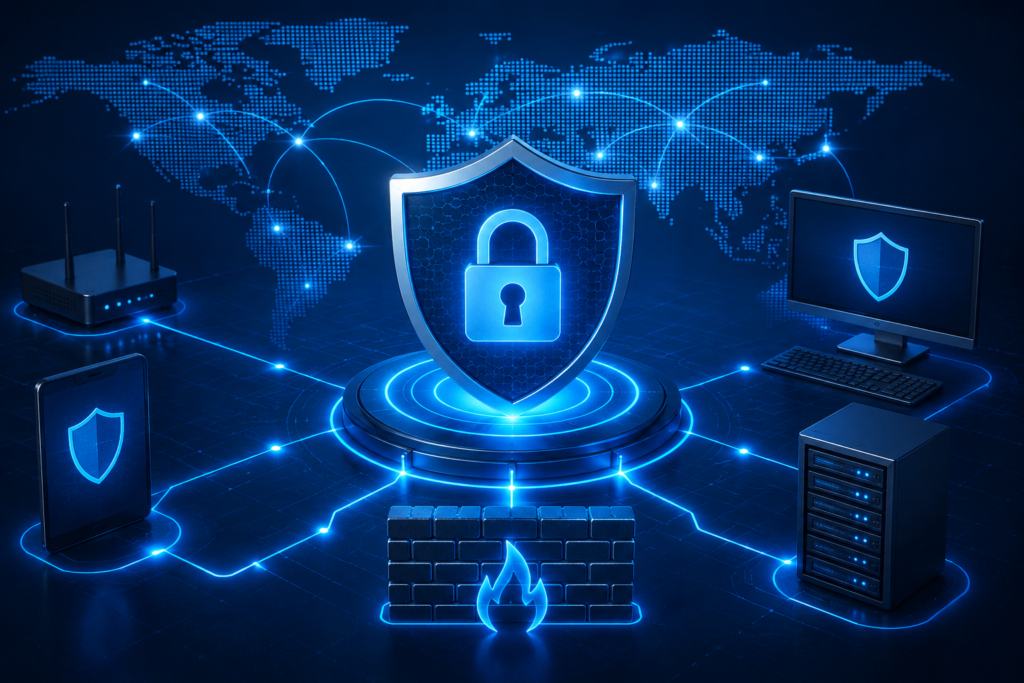
Network security

Network security focuses mainly on protection of computer network from unauthorized access of users, cyberattacks and data breaches. As maximum digital communication occurs over networks, this is one of the most important layers of cybersecurity.

Critical elements:

  • Firewalls
  • Virtual Private Networks or VPNs
  • Intrusion Detection Systems
  • Secure Network Configurations

Examples:

Think of a company that installs a firewall for monitoring incoming and outgoing traffic. In case a hacker attempts for accessing the system, the firewall blocks the request and prohibits unauthorized entry.

Importance:

In absence of a strong network security, it becomes easy for attackers to infiltrate systems, steal sensitive data and cause disruptions in operations.

2.     Application Security

Application security includes protection of software and applications from threats at the time of development and post development. Since apps often manage sensitive data, they are common targets for cyberattacks.

Important elements:

  • Safe coding practices
  • Update and patches on regular basis
  • Authentication systems
  • Vulnerability testing

Example:

An online shopping application make use of safe login methods and regular updates are done for fixing bugs. This prohibits hackers from exploiting weaknesses for accessing consumer data.

Importance

Even a minor vulnerability in any application can result in huge data breaches or compromise of system.

3.     Information security

Information security focuses mainly on protection of data from corruption, theft or any unauthorized access. It make sure that all sensitive data stays confidential and accessible only for authorized users.

Important elements:

Example:

A healthcare center encrypting records of patients so that only certified doctors and staff can get access to them, making sure there is compliance and privacy.

Importance:

One of the most valuable assets today is data. Losing it can result in loss of finances, damage to reputation and legal outcomes.

4.     Cloud security

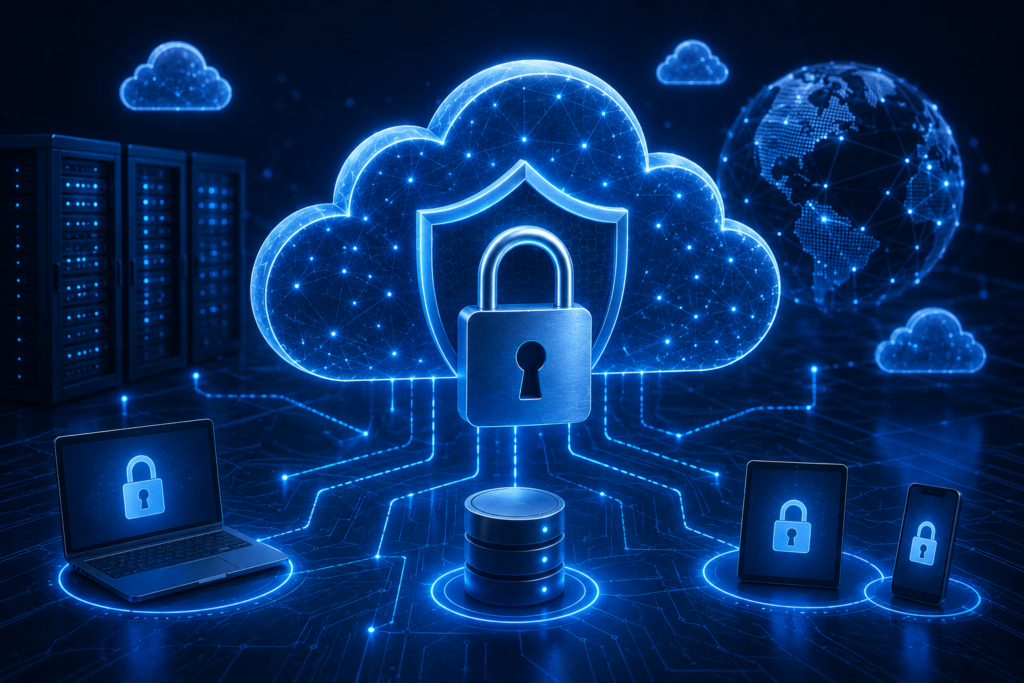
cloud security

As businesses are moving more and more to cloud platforms, importance of cloud security is also increasing. It focuses on protection of data, applications and services that are hosted in cloud environments.

Important elements:

  • Identity and access management
  • Data encryption
  • Configurations of secure cloud
  • Consistent monitoring 

Example:

A company storing files on the cloud allows multi-factor authentication. Even when somebody gets the password, they can’t get access to the account without extra verification.

Importance:

Cloud platforms store big volumes of sensitive data, which makes them strong targets for cybercriminals.

5.     Endpoint security

Endpoint security shields devices like laptops, desktops and smartphones that connects to a network. With remote work becoming more and more common, keep these devices safe is important.

Important elements:

  • Anti-virus and anti-malware software
  • Monitoring of devices
  • Endpoint detection and response
  • Safe device policies

Example:

An employee laptop is well-equipped with antivirus software that finds and eliminates malicious files before they cause any harm to the system or spreads to the network.

Importance:

Each connected device is a potential entry point for attackers. Weak endpoints can cause compromise of the whole system.

Importance Of Multi-Layered Approach

No single kind of cybersecurity can offer full protection. Cyber threats are consistently evolving and attackers often cause exploitation of various vulnerabilities at a single time. This is the reason, all five kinds can create a strong defense system.

Like for instance, even when you have a safe network, a weak application or any unprotected device can cause exposure of your data. A multi-layered approach make sure that when one layer fails, other continue to give protection to your system.

Keep Your Cybersecurity Strong With Expert Support

Protecting your business from cyber threats needs more than any basic tools. It needs a planned and proactive approach. If you are searching for a dependable and latest protection, professional cybersecurity services can bring in all difference.

The Solutions offered by Pexo it  consluting assists businesses in recognizing vulnerabilities, execute strong safety measures and stay ahead of evolving threats. Right from risk assessment to real time tracking, investment in expert cybersecurity support make sure your data, systems and reputation stays safe.

Conclusion

Cybersecurity is a necessity in present day digital landscape. The five important kinds- network security, application security, information security, endpoint security and cloud security- each play a vital role in protection of your digital atmosphere.

Understanding those categories assists in building a strong defense against cyber threats. Whether you are an individual user or you are running a business, staying well-informed and proactive is one of the best way for staying safe.

Virtualization for Disaster Recovery

In the digital-first world, downtime is no longer merely an inconvenience; it can result in huge financial losses and reputation damage. Virtualization is a field that is emerging as a sought-after solution for businesses to reinforce disaster recovery (DR) plans. But what is the role of virtualization in aiding disaster recovery, and why has virtualization become a necessity in the contemporary IT environment? Let’s explore.

What Is Virtualization In Simple Terms?

Virtualization refers to the act of producing a virtual copy of the physical IT resources, such as servers, storage devices, or networks. Rather than using a single physical computer, through virtualization, it is possible to have several virtual machines, known as VMs, which run on a single system, but each computer is autonomous.

This flexibility is highly useful when disaster recovery is in the cards, as it will allow for restoring systems and data more quickly and efficiently.

Why Disaster Recovery Needs Virtualization

Virtualization Help with Disaster Recovery

Conventional disaster recovery processes are based on physical backup, duplicate hardware, and manual restorations. These methods not only become expensive, but also take time.

Virtualization is transforming the game by:

  • Eliminating dependence on physical hardware.
  • Allowing quicker rehabilitation.
  • Improving data availability
  • Minimizing downtime

In brief, disaster recovery planning is enhanced by speed, efficiency, and scale brought by virtualization.

How Virtualization Helps With Disaster Recovery

1. Faster Backup and Recovery

Virtual machines can be provided with snapshots as detailed images, operating systems, applications, and data. This implies that businesses not only can recover complete environments but also can do it at a very fast rate, as opposed to building them out.

A VM can be restarted within minutes on another host in case of a failure, and this will significantly decrease the period of recovery.

2. Hardware Independence

The first, and perhaps one of the greatest, benefits of virtualization is that virtual machines are not limited to specific hardware. This means:

  1. You do not require the same backup servers.
  2. Recovery can occur on other hardware or even in the cloud.
  3. Migration becomes seamless

Such flexibility guarantees that companies can rebound operations in case their physical infrastructure is destroyed.

3. Disaster Recovery Simplified Testing.

Disaster recovery plan testing is important; however, the conventional testing would interfere with the functioning. Virtualization enables organizations to:

  • Test DRs in isolated environments.
  • Simulate failures without affecting live systems
  • Learn to spot gaps and enhance strategies.

This simplifies issues with regular testing and enhances its safety and efficiency.

4. Improved Replication and Data Protection

Real-time or near-real-time data replication is a feature of virtualization platforms. This ensures that:

  1. Information is kept up-to-date in many locations.
  2. Minimum Recovery Point Objectives (RPO).
  3. Critical systems are secure.

Businesses can also move to an alternate environment with little loss in terms of data in case of a disaster.

5. Scalability and economies of scale.

Virtualization saves the use of costly replication hardware. Businesses can instead have a complete backup system:

  • Use shared resources
  • Expand or contract according to requirements.
  • Maximize storage and computing price.

This ensures that disaster recovery is more cost-effective and does not lose its effectiveness.

6. Seamless Cloud Integration

Cloud computing cannot be imagined without virtualization, and hence permits hybrid and completely cloud-computer-based disaster recovery systems.

Benefits include:

  1. Added security of off-site backups.
  2. Rapid recovery to clouds.
  3. Eliminate or reduce dependence on physical data centers.

The on-demand forward access of the clouds has introduced business continuity even under a large-scale disruption situation.

Real-World Impact of Virtualization in Disaster Recovery

Below is an example of such a scenario: the central data center of an organization is offline due to a power outage or a cyber-attack. With the old recovery methods, recovering the operations could take hours or even days.

With virtualization:

  • Systems are restored within a matter of a couple of minutes.
  • The databases are replicated continuously, which decreases the risk of losing data.
  • Business running is swift to get going again.

Such resilience is one of the reasons why virtualization has become a critical component of present-day disaster recovery strategies.

Technology is not the only way to develop a proper disaster recovery plan; it also requires knowledge and adequate solutions. Pexo IT Consulting provides reliable data backup and disaster recovery services, provide the option to help businesses have secure, scalable, and reliable recovery systems. Such solutions offer low business downtimes and optimality of business continuity (whether in real-time protection of information or speed of their recovery even during interventions).

Key Benefits of Virtualization for Disaster Recovery

In a nutshell, virtualization provides:

  1. Rapid recovery times
  2. Reduced hardware dependency
  3. Efficient data replication
  4. Cost-effective infrastructure
  5. Seamless cloud integration
  6. Uncomplicated testing and maintenance.

All this makes virtualization an essential component of an effective disaster recovery plan.

Conclusion

The concept of virtualization has changed the way companies are tackling disaster recovery. It makes organizations resistant to disruptions and is continuous in that it makes them recover more quickly, costs less, and increases flexibility.

During a period when downtime is an expensive situation, virtualization-based disaster recovery is not only a good alternative but a necessity.

Cybersecurity Threats: Types & Examples

Cybersecurity dangers in a digitally-first world have become one of the largest threats to businesses, governments, and individuals. Whether it’s a data breach, ransomware, or any other type of threat, these types are continuously evolving, and therefore, it is important to know what it is, how it functions, and how it affects your online space.

The blog will dissect the definition of cybersecurity threats, their key types, and contain some examples of real-life cases to keep you informed and prepared.

What Are Cybersecurity Threats?

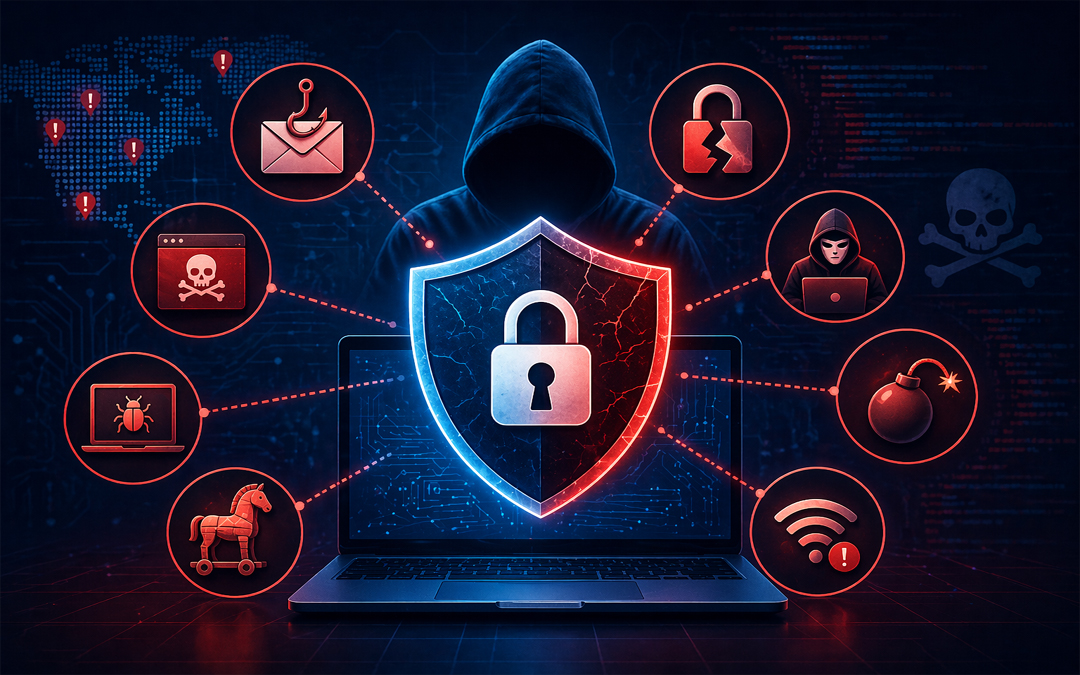
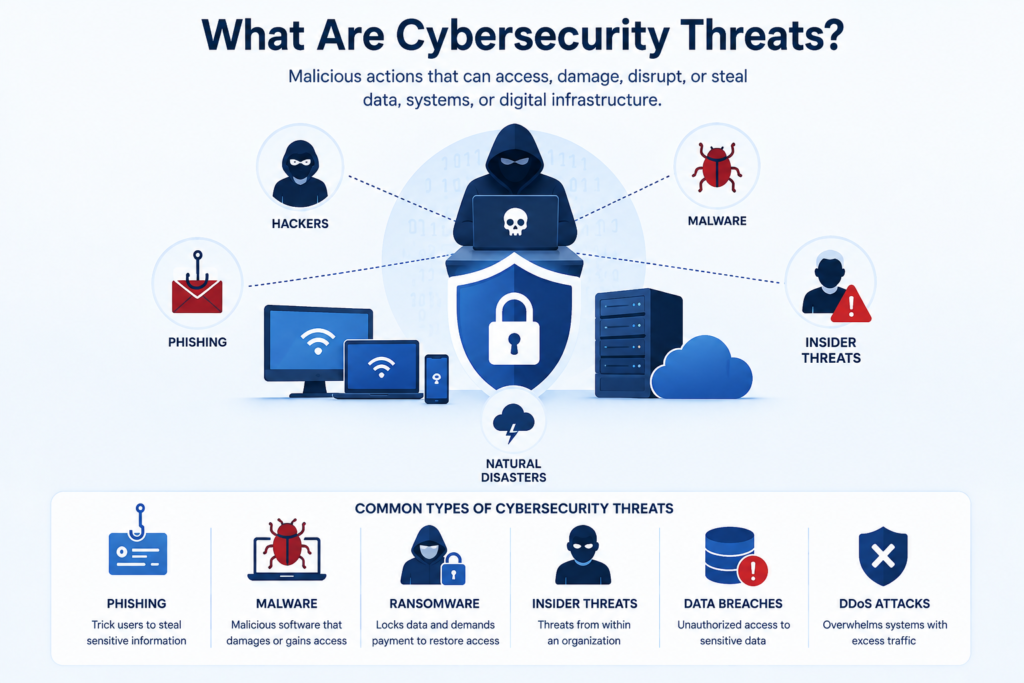
Cybersecurity threats including hackers, malware, phishing, insider threats, and data breaches

The notion of cybersecurity threats may be defined as any malicious action aimed at accessing, damaging, disrupting, or stealing data, systems, or digital infrastructure. These attacks may be initiated by hackers, cyber criminal gangs, insiders, or even human bots. They mainly seek to take advantage of network vulnerabilities, software weaknesses, or human factors.

Cyber threats may be directed at anything that is related to the internet: computers, mobile devices, servers, and cloud systems. Increasingly, organizations are becoming dependent on digital tools, and the attack surface is growing faster, so cybersecurity is more of a priority than ever.

Why Are The Threats Of Cybersecurity Getting Bigger?

The increase of cybersecurity threats is motivated by multiple critical aspects:

  1. Digital Transformation: Some of the businesses are changing to online platforms and cloud-based systems.
  2. Remote Work: More personal devices and unsecured networks.
  3. Advanced Attack Techniques: Hackers can now employ AI and automation to roll out highly technological attacks.
  4. Big Data Value: Data on the dark web, such as personal records and finances, is very lucrative.

Examples Of Cybersecurity Threats (Types)

The initial step to cybersecurity protection is to understand the various types of threats. The most typical, along with real-world examples, are listed below.

1. Malware Attacks

Definition:

The malicious software (malware) is comprised of viruses, worms, spyware, and trojans, which are aimed at damaging or abusing systems.

Example:

On the user side, he or she downloads the file containing a Trojan, which is a piece of free software. It is installed and then silently steals and transmits the login credentials to hackers.

2. Phishing Attacks

Definition:

Phishing is an email, message, or web-based fraud where an attacker aims to deceive users into disclosing their sensitive information.

Example:

A worker gets an email that looks like it is devised by his or her bank requesting the worker to authenticate his or her account. The connection to a bogus site steals their login information.

3. Ransomware

Definition:

Ransomware is a form of malware that encrypts a victim’s data and requires a payment to release it.

Example:

When an employee clicks a bad link, a company is locked with all of its data. The attacker requires an amount of cryptocurrency to reconnect.

4. Denial-Of-Service (Dos) Attacks

Definition:

DoS attacks overload a system, server, or network by sending excessive traffic, which results in crashing or unavailability.

Example:

A malicious source of traffic is suddenly and abruptly increased to such a degree that an e-commerce site blocks real customers from accessing it during a sale.

5. Man-In-The-Middle (Mitm) Attacks

Definition:

MitM attacks involve the interception of communication between two parties that the attackers use to steal or alter data.

Example:

A hacker monitors data passed through any public Wi-Fi network and intercepts some of the sensitive data, such as passwords or credit card details.

6. Insider Threats

Definition:

These threats originate within an organization, either by employees or by people hired by the organization as contractors, who abuse access privileges.

Example:

An employee who is dissatisfied is downloading company information and sending it to rivals.

7. SQL Injection Attacks

Definition:

SQL injection entails the injection of malicious code into a database query in order to access the database unauthorizedly.

Example:

A site with a weak security system will enable an attacker to“inject SQL code into a session of a login page and then extract user data from a database.

8. Zero Day Exploits

Definition:

Zero-day attacks exploit unknown vulnerabilities in software prior to them being fixed.

Example:

A hacker identifies a vulnerability in one of the widely used software applications and takes advantage of it before the organisation is in a position to restrict it with a security patch.

Ways To Safeguard Against Cybersecurity Threats

Although cyber threats cannot be eradicated, they can be reduced to a minimum through proper strategies:

  • Use passwords that are tough, and multi-factor authentication must be set.
  • Maintain software and systems.
  • Educate staff on phishing and suspicious activities.
  • Put up antivirus software and firewalls.
  • Periodically save important information.
  • Keep watch over the suspicious behavior.

Pexo IT Consulting: Advanced Cybersecurity for Modern Businesses

Some of the solutions that can be provided by Pexo are advanced threat detection, vulnerability assessments, and end-to-end cybersecurity solutions, based on your business requirements. Whether dealing with cloud infrastructure or when dealing with sensitive data, expert help can be the difference between developing a strong defense.

Conclusion

Cybersecurity risks are an inevitable aspect of the online world, yet knowing the types of them and real-life examples might allow you to stay a step ahead. Malware and phishing, insider threats, and zero-day attacks are just a few of the threats that need to be addressed through awareness and proactive actions.

Businesses and individuals can save, invest in, and utilize the solutions of cybersecurity experts, protect this data, and keep trust and make them safe in the digital space in the long term.

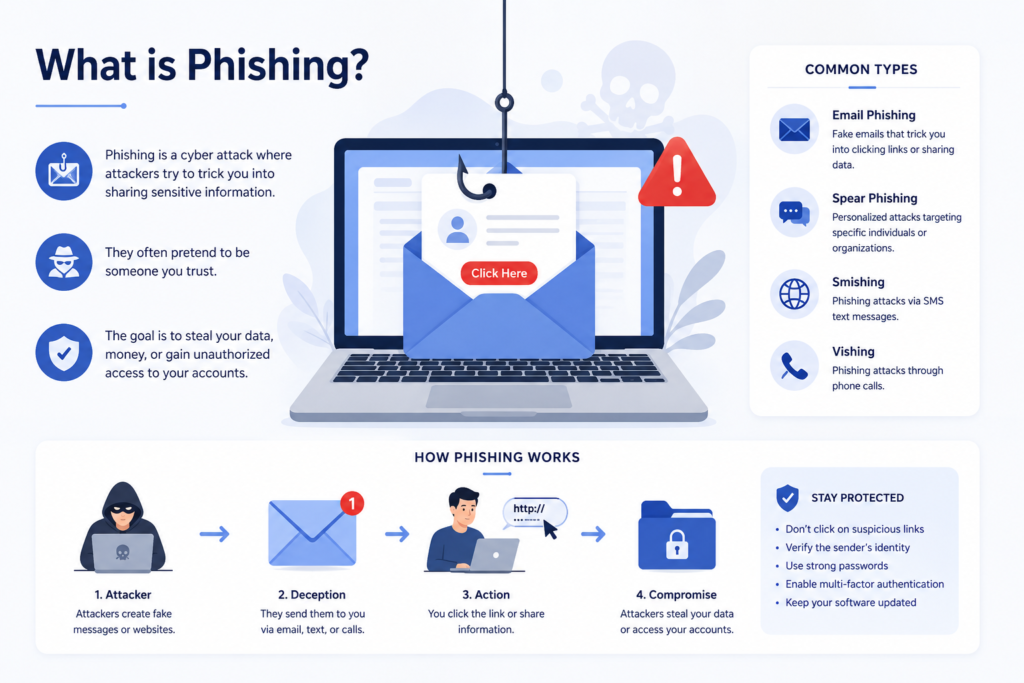
What Is Phishing? Types & Examples

Nowadays, cyber threats are gaining sophistication, and phishing is one of the most frequent and dangerous ones. Phishing is critical to the security of sensitive data, whether you are an individual or a business, and losing money. In this blog, you can find the definition of phishing and the forms of phishing, along with a real-life example, to be able to protect yourself on the Internet.

What is Phishing?

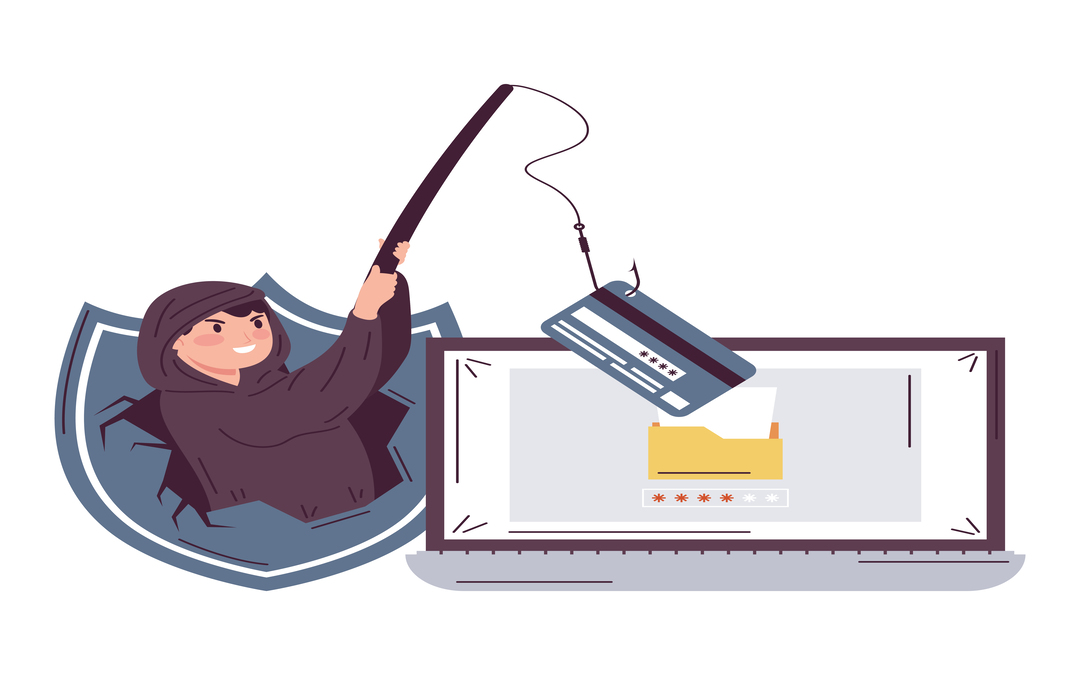
Phishing attack using deceptive emails and links to steal sensitive information

Phishing is a form of cybercrime, which involves criminals pretending to be an authorized figure like a bank, organization, or a work associate in order to swindle people into disclosure of personal details such as passwords, credit cards or login codes.

In most cases, phishing scams are conducted using e-mails, text messages, over the phone or by fraudulent websites. It aims at alleviating the psychology of people and not taking advantage of the technical flaws.

How Phishing Works

The phishing attacks typically take a pattern:

  1. Impersonation- The attacker poses himself as a trusted source (bank, company, or colleague).
  2. Urgency or Fear The message causes a panic (e.g. your account will be blocked ).
  3. Action Request – The victim is requested to link up, download an alternate file or furnish details.
  4. Data Theft- Sensitive data is tapped and used to commit fraud or identity theft.

Types of Phishing

Phishing manifests itself in different ways. The most frequently used would be the following:

1. Email Phishing

It is the most popular one. The attackers use deceptive emails that might seem to be sent by genuine organizations.

Example:

You receive an email that manages to appear to be written by your bank, asking you to check your account by clicking on a link. The connection gives you a malicious website that steals your login information.

2. Spear Phishing

An attack is characterized by a particular person or organization that reaches out to individuals with specific details.

Example:

One of the employees gets an email message issued by a person who pretends to be the manager and is asking for confidential company information.

3. Vishing (Voice Phishing)

Phishing via phone calls.

Example:

A scammer makes calls under the pretence that he is calling your bank, asking you to provide your OTP or account details.

4. Smishing (SMS Phishing)

Text messages convey phishing attacks.

Example:

There is a message that informs you that your package is delayed and you can track it by clicking here, but it directs you to a fake site that captures your details.

5. Clone Phishing

The attackers replicate an authorized email and redirect links or attachments to malicious ones.

Example:

You get an email copy of an actual invoice, and the link to the payment is a fraudulent site.

6. Pharming

Routes users to counterfeit websites without the user’s knowledge.

Example:

When you type the URL of your bank, you are redirected into another duplicate site which aims at stealing your information.

7. Social Media (Angler) Phishing.

Hackers make an additional fake social media user account or post to deceive users.

Example:

A scam customer support page requests that you provide login information to troubleshoot a problem.

8. Pop-Up Phishing

Sends false pop-ups or alerts to the users to help various malicious links.

Example:

A pop-up notification informs you that there is something wrong with your system, and it wants you to install a security program that is actually malware.

Real-Life Examples of Phishing

Knowledge of real-world means can aid you in detecting phishing:

  1. Banking Scam: You get an email saying there is something suspicious on your account, and you are requested to log in right away. The link will take you to a scam banking site.
  2. Corporate Attack: Hackers send emails to staff saying that they are from HR and need to give them login information so they can update their policies.
  3. E-commerce Scam: The email is a fake confirmation of receiving the order, and requests you to respond by clicking a button to cancel or make changes to the order.
  4. Tech Support Scam: A customer is told that the caller is a tech company and needs access to her computer so that they can troubleshoot a problem.

Phishing may lead to identity theft, loss of money, and data breach unless promptly detected.

Why Businesses Need Strong IT Infrastructure Support

Phishing is not a crime targeted at individuals only, but also at those who can run a whole organization. Banks should have a very strong IT backbone and monitoring to avoid such threats.

Stay Protected with Pexo Infrastructure Support Services

Pexo Infrastructure Support Services is a professional IT service provider that provides solutions for stronger cybersecurity and cleaner businesses against phishing and other cyber attacks. Through their infrastructure support services, businesses manage to have secure systems in place, keep an eye on their vulnerability and provide smooth operations with advanced protection strategies.

Conclusion

Phishing is considered one of the most frequent cyber threats in recent years, which uses human trust instead of technical failure. Phishing may be improved by emails fake and emails confirmed; however, advanced spear-phishing attacks have been developed quickly.

Through the definition, identification, and viewing of real-life examples, you will be able to greatly diminish the risk. In the new digital world, it is important to remain up to date and adopt robust security controls, whether as a person or a firm.

Cyber Security vs Data Analytics

The emerging digital era relies heavily on information and technology for companies’ expansion, competition, and innovation. The two significant influences that led to this change are cybersecurity and data analytics.

Cybersecurity and data analytics have been among the most significant areas of change. Although both deal with data, their intentions, instruments, and professions are very different. When you want to know about the differences between these spheres or you want to comprehend how technologies and technologies in general help companies to operate, this guide will help you navigate through the distinctions simply and interestingly.

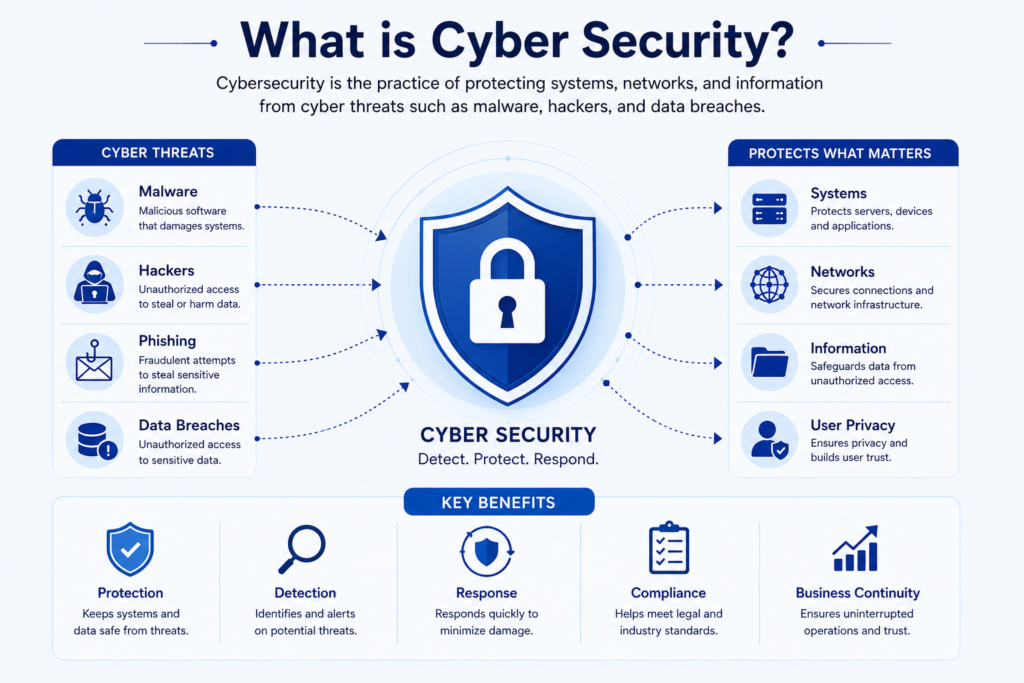
What is Cyber Security?

Cyber security protecting systems, networks, and information from cyber threats

The matter of cybersecurity is to protect against cyber threats (e.g., malware, hackers, breach of data) of systems, networks, and information. As the number of cyber attacks continues to increase across the globe, businesses are spending a lot of finances in the effort to secure the online environment.

Key Responsibilities:

  • Preventing unauthorized users 
  • Surveillance of concerning networks.
  • Removing cyber attacks and vulnerabilities.
  • Action in response to security incidents.

Common Tools & Skills:

  • Antivirus systems and firewalls.
  • Techniques using Ethical Hacking
  • Encryption methods
  • Risk analysis and assurance.

Essentially, a cybersecurity expert is a bodyguard to the organization in the cyber world. The confidential information of the company and to ensure that the confidential information is not fall into the wrong hands.

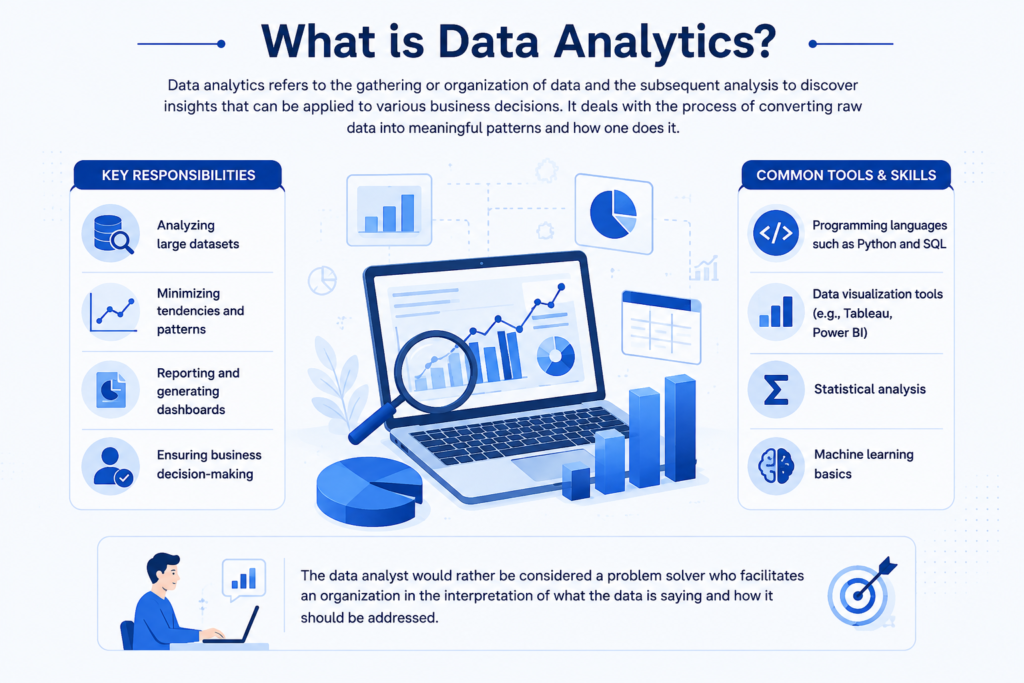
What is Data Analytics?

Data analytics turning raw data into insights for business decision-making

Data analytics refers to the gathering or reorganization of data and the subsequent analysis to discover insights that can be applied to various business decisions. It deals with the process of converting raw data into meaningful patterns and how one does it.

Key Responsibilities:

  • Analyzing large datasets
  • Ministering tendencies and patterns.
  • Reporting and generating dashboards.
  • Ensuring business decision-making.

Common Tools & Skills:

  •  Programming languages such as Python and SQL.
  • Data visualization tools (e.g., Tableau, Power BI).
  • Statistical analysis
  • Machine learning basics

The data analyst would rather be considered a problem solver who facilitates an organization in the interpretation of what the data is saying and how it should be addressed.

Cyber Security vs Data Analytics: Key Differences

The reason behind a prospective employee in the technological field must be aware of the distinction between these two fields.

AspectCyber SecurityData Analytics
Primary GoalProtect data and systemsAnalyze data for insights
Focus AreaSecurity threats and preventionData trends and decision-making
Skill SetNetworking, encryption, and ethical hackingStatistics, programming, visualization
ToolsFirewalls, IDS/IPS, SIEMPython, SQL, Tableau
Career OutcomeSecurity Analyst, Ethical HackerData Analyst, Business Analyst

Simply put, cybersecurity protects data, whereas data is used in data analytics.

Which Career Path is Better?

Whether you want to favour the security of your cyber or data is up to you and your strengths.

Choose Cyber Security if:

  • You like to solve security issues.
  • You want to know about ethical hacking.
  • You like working on risk management.

Choose Data Analytics if:

  • You like to deal with figures and designs.
  • You prefer the data unfiltered storytelling.
  • You are fascinated with business knowledge.

 The two are very in demand, have good salaries, and good growth in their careers.

How Cyber Security and Data Analytics Work Together

These different disciplines do have their distinctions, but basically, they often go hand in hand. For instance:

Data analytics can help spot abnormal patterns in network traffic, which could indicate a cyberattack.

Cybersecurity secures the data that analytics rely on.

They form an effective platform for safe, intelligent decision-making together.

This is a crossroads that is gaining critical significance in contemporary business.

Pexo IT Consulting – Enhance Your Security with Expert Solutions

Professional help might be important in securing your business online. Pexo IT Consulting provides the most advanced solutions to cybersecurity, which protect against threats that claim your data, systems, and operations. They have services focused on preventing risks, risk assessment, and proactive monitoring, which ensures that their businesses are secure and they concentrate on expansion. Irrespective of the size of a business or its expansion, long-term security and peace will be guaranteed by investing in the advanced services of cybersecurity professionals.

Conclusion

They are required not only in the contemporary world that is characterized by technology, but they also serve various purposes. Cybersecurity deals with the security of data and systems as a whole, where data analytics assists the company in making wiser decisions using data.

When making a career choice, choose whether you will be more interested in systems protection or data analysis. Both trends have been quite interesting and critical to the future of digital innovation.

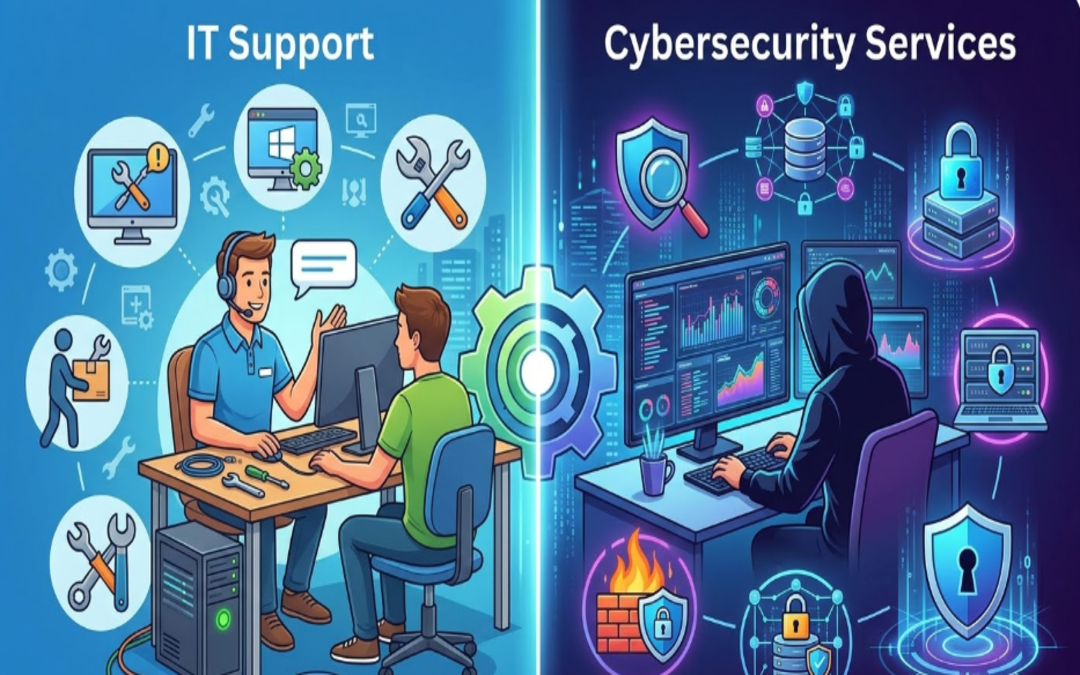
What is the Difference Between IT Support and Cybersecurity Services?

In a digital-first business environment, technology is deeply embedded in how organizations store data, run their operations, and communicate with customers. Hence, IT Support and Cybersecurity Services have become two services that every business, regardless of size, requires. Although these terms are used side-by-side, they have different goals and offer separate pieces to an organization’s tech puzzle.

The distinctions between IT support and cybersecurity services can help businesses make informed decisions, allocate resources efficiently, and strength their overall IT ecosystem.

What Is IT Support?

IT support is a variety of services that assist in maintaining and troubleshooting an organization’s technology systems. The main purpose of IT support is to maintain the smooth and effective operation of all hardware, software and networks.

IT support teams take care of daily technical challenges like:

• Repairing software bugs and system mistakes
• Installing and configuring computer systems
• Managing networks and connectivity
• Installing updates and patches
• Providing helpdesk support to employees

These services are vital to help minimize downtime and keep employees productive. That is entirely up to the organization, as IT support can be in-house or outsourced to managed service providers.

What Are Cybersecurity Services?

Cybersecurity services primarily deal with securing an organization’s systems, networks, and data from cyber threats like hacking, malware, phishing or ransomware attacks. The main purpose is to protect sensitive information and restrict unauthorized access.

Cybersecurity is a proactive defensive position that involves:

• Monitoring systems for suspicious activity
• Firewall | Intrusion detection system
• Vulnerability assessment and penetration testing
• Handling encryption and access policies
• Managing and recovering from security incidents

With the increasing sophistication of cyber threats, cybersecurity services are vital in building trust, compliance and ensuring business continuity.

The Key Differences between IT Support and Cybersecurity Services

While IT support and cybersecurity services are closely linked, there are significant focus differences in their approach and responsibilities.

Purpose and Focus

IT support is concerned with the performance of systems, providing solutions to end-user technical problems. It guarantees the functioning and efficacy of all IT systems.

In contrast, cybersecurity aims to safeguard systems and data from various threats. Its purpose is to avert breaches and risk.

Reactive vs. Proactive Approach

IT support is also typically reactive — it clicks in when things go wrong, like a system crash or a connectivity issue.

Cybersecurity is mostly preventative — it finds weaknesses and puts protections in place to stop attacks before they occur.

Scope of Work

Media coverage and the support provided by IT services have evolved, starting from technical aspects to hardware set-up, software installation, and user-related devices.

Cybersecurity services, on the other hand, are more specialized and focused solely on risk management, threat detection, and data protection.

Skill Sets Required

IT Support staff are usually well-versed in system administration, networking, and troubleshooting.

Specialized knowledge is necessary in fields like ethical hacking, encryption, risk assessment, and compliance standards for cybersecurity specialists.

Why Businesses Need Both

IT support and cybersecurity should not be considered mutually exclusive — the two fields work together. An organisation could boast great IT support but no cyber security infrastructure in place, opening itself up to being hacked. On the same vein, robust cybersecurity may result in operational inefficiencies without dependably timed IT assistance.

They work together to provide a balanced and secure IT ecosystem ensuring systems operate seamlessly while safeguarding data.

How to Choose the Right IT Support Partner

However, businesses that want to work smarter while achieving strong protection and ownership should engage a reputable IT service provider. IT services like IT Support by Pexo use not just technical expertise but also proactive management to ensure that systems work together seamlessly. Organizations that utilize professional IT support can expect less downtime, greater productivity, and a solid foundation upon which other elements (such as cybersecurity) can be built.

Why IT Support and Cybersecurity Go Hand in Hand

In a contemporary business, IT support and cybersecurity teams frequently work in close collaboration. For example:

• Those IT support who manage systems regularly ensure that security patches and updates are deployed, assisting in eliminating security vulnerabilities
• Cybersecurity teams define policies implemented by IT support
• Both teams collaborate during incident response and recovery

This partnership assures that enterprises are not merely operational but bolstered from evolving digital threats.

When to Invest in Cybersecurity?

If the businesses facing this issue fall into these categories, they need to prioritize cybersecurity services:

• Manage sensitive customer or financial information
• Operate in regulated industries
• Adopt cloud systems and remote work environments
• Have experienced previous cyber incidents

By investing in cybersecurity from the get-go, a company can avoid costly breaches and protect its reputation.

Conclusion

Though IT support and cyber security services work toward different goals, they are both critical elements of a modern business strategy. IT support keeps the systems up and running, while cybersecurity secures those systems against threats and vulnerabilities.

Grasping the disparity between the two and appreciating their significance enables enterprises to develop a holistic IT strategy that facilitates growth, enhances productivity, and secures critical assets.

What is an IT Managed Service Provider and How Do Managed IT Services Work?

Modern businesses rely heavily on technology to manage operations, store data, communicate with customers, and maintain productivity. As technology continues to evolve, managing IT infrastructure has become more complex. Many organizations struggle to manage networks, cybersecurity, and system maintenance with limited internal resources. To overcome these challenges, businesses often partner with an IT Managed Service Provider (MSP). Managed IT services allow companies to outsource the maintenance and support of their technology systems to skilled professionals.

What is an IT Managed Service Provider?

An IT Managed Services Provider is a unique firm that services and maintains a business’s IT environment continuously. Organizations do not need a full in-house IT department; instead, they rely on MSPs to handle some of the most critical technology projects, including network maintenance, system monitoring, cybersecurity, and technical support.

MSPs act as an IT outsourcing force that maintains a firm’s technology to be secure and reliable. They also apply high-level monitoring equipment and technical knowledge capabilities to diagnose problems likely to cause any problems in advance and fix them before they occur to the business. Such a proactive solution can assist companies not only in preventing costly downtime but also in preserving efficient workflow.

Managed IT Services Exploration.

Managed IT services are the long-term association program between an organization and an IT service provider for the administration of the organization’s technology systems. These services are often offered on a subscription basis, with a monthly plan, so businesses can obtain regular, uninterrupted IT services at a set price.

Conventional IT support is typically based on a break-fix model, where technicians troubleshoot the system. However, managed IT services rely on proactive maintenance and continuous monitoring. This will lower the risks of system failures in the system, and enhance the overall performance of IT.

An average managed IT services package can include:

•      System management, Network monitoring.
•      Threat detection and solutions to cybersecurity.
•      Disaster recovery planning/data backup.
•      Storing and management of cloud infrastructure.
•      Employee assistance.
•      Patch management and software upkeep.
•      Technology planning and IT consulting.

Outsourcing such tasks gives businesses access to a pool of IT professionals who can better operate their technology environment.

How Managed IT Services Work

There are several major factors that define how MSPs provide their services.

Constant monitoring in the system.

Managed service providers have sophisticated monitoring platforms that monitor the performance of networks, servers, and the devices attached to them 24/7. Should any anomaly be noticed in performance or the actual occurrence of any odd activity, the IT team is notified in real time, allowing them to intervene before the matter gets out of control.

Remote Technical Support

Secure management tools can be accessed remotely to solve many IT problems. MSP technicians will be able to enter systems for troubleshooting issues, install updates and carry out maintenance without physically going to the office. This will enable faster responses and more effective problem resolution.

Service Agreements

Service Level Agreements (SLAs) are typically used to control managed IT services. These contracts specify the scope of operations, turnaround time, and anticipated service quality. SLAs help businesses understand what they will receive and the provider’s accountability.

Cybersecurity Management

Managed IT services prioritize security. The various barriers that MSPs deploy to protect against viruses and related threats include firewalls, antivirus applications, endpoint protection, and round-the-clock threat scanning. Such filters can protect companies against cyberattacks such as phishing, ransomware, and unauthorized access.

Regular III Maintenance and Updates.

To ensure systems remain reliable, managed service providers frequently update their software, apply security patches, and upgrade systems to optimize performance. Maintenance of systems helps prevent vulnerabilities and enables efficient technology performance.

How Pexo Helps?

When companies are interested in the expansion of their IT infrastructure and the minimization of difficulties related to technologies, it can be extremely helpful to engage in cooperation with a reliable service provider. Professionals like those at Pexo’s provide proactive IT monitoring, adaptable cybersecurity, and professional technical support tailored to the business. Through collaboration with experienced individuals, organizations can maintain consistent technology systems while focusing on growth, innovation, and customer care.

Conclusion

IT Managed Service Provider assists companies to effectively administering their technology infrastructure through the provision of preventive monitoring, cybersecurity, system upkeep, and technical assistance. Rather than addressing them when they arise, the IT services of managed care are aimed at preventing the issues and ensuring the maintenance of systems. The idea of becoming a managed service provider to businesses seeking cost-effective, enhanced security, and greater reliability in their IT operations is a smart, strategic move.

Frequently Asked Questions

1. What is the activity of a managed service provider?

A managed service provider manages, maintains, and contributes to IT infrastructure of a company, such as networks, security systems, and cloud environments.

2. What are the commonly used methods of pricing managed IT services?

The majority of providers offer managed IT services on a monthly subscription basis, depending on the level of service required.

3. Do small businesses benefit through managed IT services?

Yes, the benefit of small businesses is that they have easy access to professional IT support at a lower cost than maintaining a full internal IT team.

4. Why are managed IT services unlike typical IT support?

Managed IT services focus on preventive checkups and proactive measures, whereas traditional IT support services are primarily concerned with addressing issues as they arise.

The Future of Cybersecurity in 2026: Key Trends Every Business Must Know

With businesses increasing digital, cybersecurity is no longer a mere IT issue; it is a key business priority. The year is 2026, and the world of cybersecurity has undergone significant transformation. Security teams must remain vigilantly initiative-taking to protect their organizations from data breaches, and all types of organizations are target for attack.

The following are the six key cybersecurity trends shaping 2026 that will help your business know what risks to prepare for and how best to approach them with resilient security strategies.

The Disturbance – The Concept of AI-driven Cyber Threats

AI is revolutionizing both ends of cybersecurity. It facilitates the speedy detection of threats but also arms cybercriminals to conduct sophisticated strikes.

Attackers are increasingly using AI in 2026 too:

• Backdoor phishing campaigns with highly tailored messages
• More quickly discover weaknesses in systems
• Evade traditional security detection tools

It means businesses need AI-powered cybersecurity solutions that can recognize anomalous behavior, respond in real time, and learn constantly from new threats.

Zero Trust Architecture Becomes Standard

The old “trust but verify” paradigm is no longer good enough. In 2026, Zero Trust Architecture (ZTA) is now the de facto best cybersecurity practice.

Zero Trust works on the zero-trust model:

• Do Not Trust User or Device by Default
• Continuously verify identity and access
• Control access by role and need

As remote tasks and cloud systems become business as usual, Zero Trust guarantees that only the right users get access to the secure data, reducing the security risks for organizations.

Increased Focus on Cloud Security

As cloud computing remains at the forefront of business operations, no wonder ensuring its safety will be one of the top 2026 IT security trends. Misconfigured cloud settings continue to be one of the top causes of data breaches.

Businesses must focus on:

• Securing cloud infrastructure and applications
• Monitoring access and user activity
• Encryption of sensitive cloud-based data

In a world where more organizations are shifting to multi-cloud and hybrid, being able to get visibility and control across the platforms gains importance.

Growing Threat of Ransomware Attacks

Ransomware is still, at this stage of the game, one of the most harmful cyber threats. By 2026, these attacks will grow sophisticated and targeted.

Cybercriminals are now:

• Attacking essential sectors like health care, finance, and logistics
• Employing double extortion (stealing data prior to encryption)
• Demanding higher ransom payments

It is all too easy for a business to think they cannot at least afford these, when instead they need to be investing in strong backup systems, endpoint protection, and incident response plans to minimize the impact of such attacks.

The Importance of Cybersecurity Awareness

Human error remains a significant risk. Even the best systems can fail if employees are not trained to identify threats.

In 2026, organizations are prioritizing:

• Regular cybersecurity training programs
• Phishing simulation exercises
• Strong password and authentication policies

Of all the things businesses can do, building a culture of security awareness is one of the most effective measures for minimizing cyber risks.

Strengthening Your Cybersecurity Strategy

With cyber threats becoming increasingly sophisticated, businesses must adopt an initiative-taking and holistic approach to security. Enlisting experts has an enormous impact on discovering vulnerabilities and putting the right safeguards in place.

Advanced Cybersecurity Services by Pexo for Modern Enterprises

Professional Cyber Security Services offered by Pexo are essential for organizations aiming to stay proactive and strengthen their cybersecurity posture. Our diverse expertise, ranging from cybersecurity risk assessments to advanced threat monitoring solutions, ensures that you have the right cybersecurity partner to support your business in an ever-evolving threat landscape.

Regulatory Compliance and Data Privacy

Countries across the globe are clamping down on data protection. AQUISITION Since 2026 compliance is not optional, it is necessary.

Businesses must ensure:

• How to manage and store data properly
• Transparent privacy policies
• Regional and global regulatory compliance

Non-compliance carries hefty fines and harm to brand reputation.

IoT Security Risks: New Attack Surface

Internet of Things (IoT) is growing fast and connects devices in various sectors. But every connected device provides a potential gateway for cyberattacks.

In 2026, businesses must:

• Secure all connected devices
• Regularly update firmware and software
• Look for anomalies in network activity

Now IoT security is crucial in the overall CIS strategy.

Conclusion

Cyber Security in 2026: The Future of Cybersecurity in Vision for 2026 As business moves away from reaction to initiative-taking intelligent security.

With the help of AI-powered tools, incorporating Zero Trust models into their security strategy, making sure that their cloud environments are safe and taking an initiative-taking approach to raising employee awareness – organizations can remain one step ahead of cyber risks. Cybersecurity is beyond protection, it is about trust, continuity, and sustainable growth in a digital era.

Frequently Asked Questions (FAQs)

So, what makes cybersecurity more crucial in 2026?

As cyber threats grow more sophisticated and frequent, protecting sensitive data and maintaining operational continuity are critical for any organization.

Explain what Zero Trust is in cybersecurity.

This model, known as Zero Trust, builds on the traditional perimeter model of security by stipulating that all users and systems must be consistently validated before being granted access to sensitive data.

How can businesses defend against ransomware?

Regular data backups, strong endpoint security, employee training, and incident response planning are some business practices that can help mitigate the impact of ransomware attacks.

How is cloud security different from traditional security?

Yes, cloud security guards’ data, applications and services hosted in the cloud which require different tools and strategies thanon-premisessystems.ms.