How Smarter IT Support Boosts Employee Productivity

Intelligent IT support is more than just fixing devices that are broken. It also enables collaboration and hybrid infrastructures, as well as defining the digital tools used by employees every day. Modern IT support can help organizations improve their productivity, employee retention and efficiency.

Each business owner wants to have a highly productive staff. Productivity is not a result of a motivational post or team building exercise. Most often, productivity is a function of the technologies that employees use every day – and whether or not they work well.

Smarter IT support can make a big difference. It’s not the type that shows up only when things break, but rather the kind which actively manages and optimizes your tools. Your organization can be transformed by the right IT partner. Employees will focus more on important tasks, rather than struggling with slow systems or software that is incompatible.

The post explains how IT support can improve employee productivity. It covers everything from the relationship between IT and employee output to digital employee experience, hybrid work collaboration and more.

What is the impact of technology on employee productivity?

impact of technology on employee productivity

Modern work is centered around technology. It doesn’t matter if it is a spreadsheet that tracks quarterly revenues, a PowerPoint presentation for a meeting with a board, or video calls connecting remote teams across time zones. Each of these depend on tools which either work smoothly or cause friction.

Employees who are well-trained in the use of technology can:

  • Data processing software that is purpose-built for data analysis will help you process and analyze data more quickly.
  • Communication is easier with reliable video and messaging platforms
  • Share documents with others and store files in the cloud to collaborate instantly
  • Report and present work with confidence using responsive reporting and presentation software
  • Easily integrate bookkeeping tools with project management software to stay organized

Employees are more productive when these tools function as designed. If they fail, morale and productivity suffer.

Does outdated technology affect employee productivity?

Organizations often undervalue the productivity cost of outdated technology. Costs are often not apparent until the total is added up.

The Saman age State of Workplace Survey, cited by HR Dive & Spark light Business, shows that U.S. companies lose as much as $1.8 trillion annually due to outdated infrastructure. ICT Inc. data suggests that employees are losing an average of 10.5 workdays each year because of tech problems.

The numbers show a common pattern that most employees are familiar with. These problems are not just a waste of time. These problems can cause frustration over several weeks or months.

It goes far beyond the time lost.

  • Vulnerabilities: Older computers are more vulnerable to attacks and can be costly.
  • High maintenance costs Legacy hardware and/or software may require frequent (and/or more expensive) repair.
  • Turnover and employee frustration. According to Ivanti’s State of Digital Experience Study, 49 percent of employees were frustrated with the technology offered by their organizations and 26 percent had considered quitting their job because of this. This is a major retention issue for any company.

It’s not a small inconvenience. This is a serious business concern.

How Does smarter IT support actually look?

It is no longer true that the traditional picture of IT support, a technician coming to repair a broken computer, accurately reflects what IT support does. The modern IT support model is strategic, proactive and integrated with the business.

What is proactive IT monitoring?

Smarter IT teams monitor devices and networks for warnings before they break. A proactive IT team will address any issues before they cause an outage, such as if a server shows signs of stress or the hard drive on a device is close to failure.

This method, which is often called Managed IT Services (MITS), shifts the focus from reactive support to proactive. This results in fewer interruptions and less downtime. Employees can continue their work without being interrupted.

How important is IT strategy advice for long-term productivity in IT?

Support for IT goes beyond the day-today issues. Good IT partners also provide advice on technology choices that will shape your company over time, from software purchases and infrastructure upgrades to compliance policies and cybersecurity frameworks.

This function provides strategic advice to help organizations make better investments. Businesses can create a tech stack that supports their team’s workflow, rather than buying tools that are difficult to integrate or that do not scale well.

Elevate Services Group explains that modern IT support involves “more than simply contacting the Helpdesk.” Professionals in IT support today manage and monitor networks, while also offering IT advice that is aligned with business goals.

What are the benefits of IT support for collaboration in hybrid work environments?

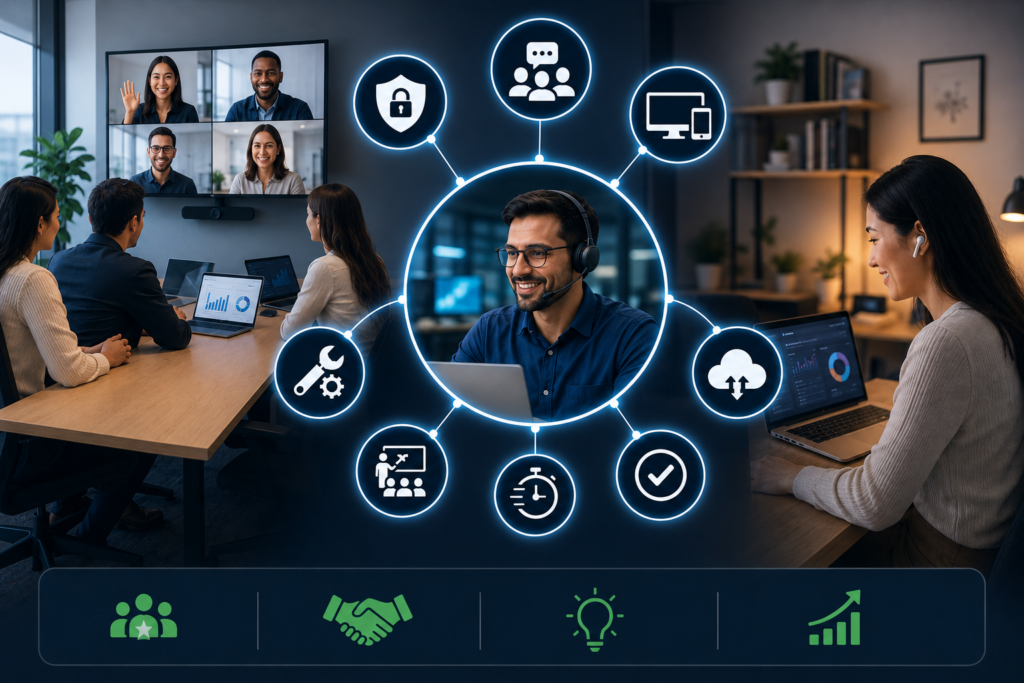
The hybrid work model has changed the way teams function. The employees split their time between the home and office or even in different cities. This split can create communication problems, file sharing headaches and delays in collaboration without the proper IT infrastructure.

Cloud-based solutions fill this gap. Platforms such as Microsoft Teams or OneDrive enable employees to collaborate on files, share documents and host video conferences, regardless of their location. These tools, when configured properly, supported and secured, can help hybrid teams achieve a degree of cohesiveness that is comparable to (and sometimes even exceeds) the level possible in traditional offices.

This is made possible by IT teams. These teams are responsible for the integration, deployment and management of cloud platforms, ensuring employees have the resources they require, regardless if they’re working at home or in an office.

It’s not just that hybrid work is changing the way people work, but it’s also changed IT’s stakes. The system failure at 9AM used to only affect one building. It can now affect a distributed workforce at the same time.

What is IT support and how does it help businesses scale without losing productivity?
IT support for collaboration in hybrid work environments

Most organizations are aiming for growth. Growth creates additional demands for IT infrastructure: more users, devices, data and complexity.

Scalable IT infrastructures can increase workloads and maintain performance. It could mean upgrading the network bandwidth or adding additional security measures, as well as providing new staff with software and access to it.

Growing businesses can hit a brick wall without IT support. Security gaps increase, systems slow down and infrastructure that was meant to help the business become a bottleneck.

Strong IT partners anticipate these growth points, and build infrastructures that can flex with business needs. This could mean scaling up when hiring is high or scaling down after a particular project.

Why is digital employee experience (DEX), and what does it mean for productivity?

The Digital Employee Experience, also known as DEX describes how employees use the tools of technology provided by their employers. This includes everything from the performance of devices and software to how fast IT problems are resolved.

Ivanti’s DEX Report 2025 found that 86% of IT teams agreed that DEX has a positive impact on productivity. Yet the same research shows that both adoption and integration of DEX strategies remain inconsistent across organizations meaning many businesses are leaving productivity gains on the table.

What is the impact of DEX on employee engagement and retention in hybrid workplaces?

DEX is directly related to retention. Employee frustration increases when they are constantly faced with slow software, devices that perform poorly, or tools which don’t function well together. Ivanti research shows that, as mentioned earlier, nearly one-fourth of employees have considered quitting their jobs because they are frustrated with technology.

  • DEX-focused support for IT addresses this through:
  • Monitor device performance to detect issues as early as possible
  • Software configurations should be standardized to ensure tools perform consistently
  • Automation of routine IT tasks, such as software upgrades and patch management to reduce disruptions
  • Collecting feedback from employees on their technology experience to improve the system

DEX is a strategy that can have measurable effects on productivity and morale. It also improves employee engagement.

How Should You Choose an IT Support Provider?

The right IT partner can be one of the best technology investments a company makes. A bad partner can create dependency but fail to deliver results. A good partner becomes a member of your team—a trusted adviser who understands your business goals and creates the IT infrastructure needed to support them.

Prioritize the following:

  • Managed Services and Proactive Monitoring: Find a partner who monitors your systems continuously, not just when something breaks. Working with a reliable managed IT services provider can help identify and resolve issues before they impact your operations.
  • Strategic IT Guidance: Your IT partner should be able to provide strategic advice that aligns technology investments with your long-term business objectives.
  • Cybersecurity Expertise: Security and productivity go hand in hand. A partner with strong cybersecurity capabilities can help protect your business from downtime, data loss, and other consequences of a security breach.
  • Support for Scalability: Choose a partner with experience helping businesses grow without outgrowing their IT infrastructure.
  • Clear Communication: Before hiring an IT partner, clearly explain your business goals, existing IT environment, and the specific challenges you want to address. Good partners listen carefully before making recommendations.

Elevate Services Group emphasizes that clearly communicating your IT goals and infrastructure when engaging an IT support provider is essential. This upfront clarity creates the foundation for a successful partnership and ensures your technology strategy supports your business growth.

IT support that is smarter and more productive can be a productivity strategy, not an overhead cost

Businesses that view IT support more as an investment than as a necessity will see their returns compound. Less disruptions means more concentrated hours. Better tools mean stronger collaboration. Security that is proactive means less costly incidents. A workforce who isn’t always battling with technical issues is one that will bring their best work to the table.

Businesses of all sizes can easily make the shift from reactive IT support to proactive strategic IT partnerships. First, you must recognize that the productivity of your team is directly related to how your technology performs.

Elevate Services Group offers a no-obligation consultation to anyone who is interested in learning more about how smarter IT can be for their organization.

FAQs

How does IT support affect employee productivity?

By managing the systems, tools and infrastructure that employees depend on every day, IT support has a direct impact on employee productivity. If IT support is managed well and proactive, it will result in fewer interruptions for employees, more efficient tools and quicker resolutions of technical problems.

How does Digital Employee Experience impact productivity?

Digital Employee Experience refers to how employees interact with the technology at their work. Ivanti’s DEX Report 2025 found that 85% of IT teams believed strong DEX positively impacted productivity. A poor DEX, caused by slow software or unreliable hardware, leads to frustration, and according to Ivanti’s research, 26% of workers consider quitting their job.

What is the role of IT in hybrid collaboration?

Cloud-based collaboration platforms such as Microsoft Teams and OneDrive are managed by IT teams, allowing remote employees and office workers to share documents and communicate in real-time. Hybrid teams will be able to collaborate seamlessly if they have the right configuration, ongoing security monitoring, and management of their platforms.

How can a company find the right IT partner for their business?

Find a partner who offers proactive monitoring of your systems, IT advisory services that are strategic, cybersecurity expertise, and infrastructure solutions with scalability. Before making any recommendations, a good IT partner will take the time to fully understand your goals for business and current infrastructure.

What is the role of scalable IT Infrastructure in supporting business growth?

A scalable IT infrastructure enables businesses to increase their network capacity and add new staff without having to compromise system performance. These IT partners can help you design and implement systems that will not create security issues or bottlenecks.

What Are the 7 Types of Cyber Security and Why Do Businesses Need Them?

Cybersecurity has a wide scope and ultimately refers to numerous types of security targeting different problems. However, at the same time, the dependency of the world on technology is exposing us to many risks. Cyber threats (ransomware, phishing, breaches, etc.) remain some of the biggest sources of business risks. To be safe, one of the things a business has to do is to be aware of the ways of protecting different areas of security, making them strong and safe.

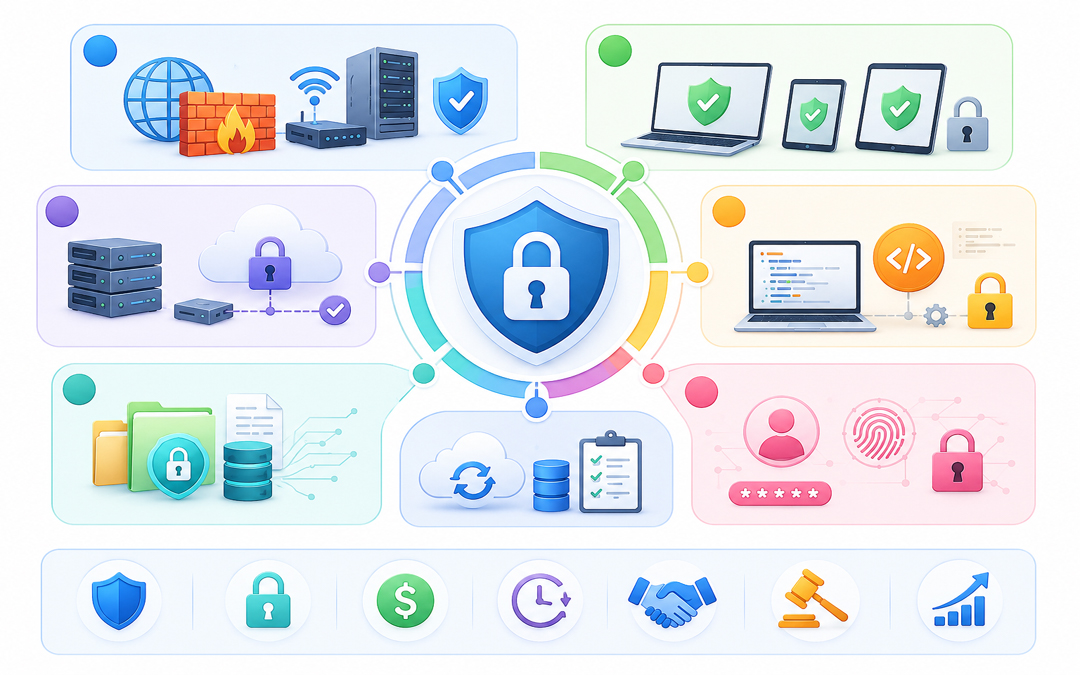
7 Types of Cyber Security

1. Network Security

Network security

Network security primarily involves securing the communication channels and the computer networks of an enterprise. It aims to prevent unauthorized access, misuse, malfunction, modification, destruction, or improper disclosure of the networks.

Many businesses use the internet to communicate and operate their systems and software. This is why it is so important to have adequate network security in place; otherwise, any hacker could gain access to the business and their confidential information or cause a disruption in their operations.

2. Application Security

Application security covers, in particular, the software, applications, and web apps side of the business. It reaches the different points, such as lines of code, servers, and platforms, where cyber threats and vulnerabilities can get through.

The primary focus here is on preventing data or code within the app from being stolen or hijacked. Aside from physical checks, it can be done by applying some security patches or encryption.

3. Cloud Security

Cloud Security

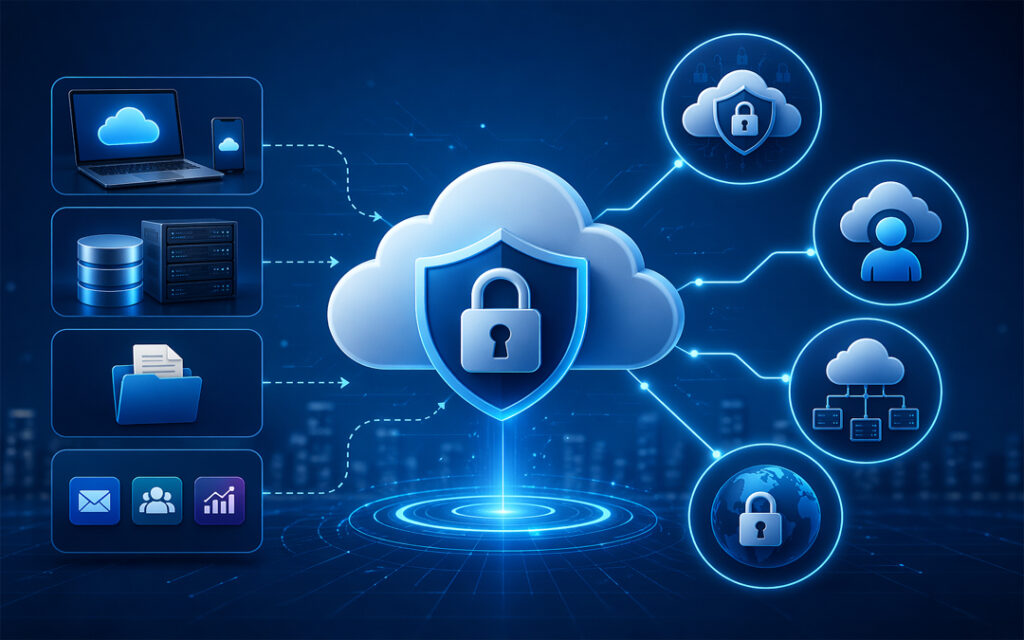
With more and more companies putting data and operations on the cloud, cloud security has become more crucial than ever before. It is concerned with protecting data, applications, and storage services hosted in a cloud.

If cloud security is not implemented, organizations could experience data security, compliance, and cash losses.

4. Endpoint security

It ensures protection for devices like laptops, mobiles, tablets, and servers that are connected to a network system.

Given the widespread adoption of remote and hybrid work, many endpoints are increasingly being seen as a prime target by cyber criminals, by way of malware, ransomware, and phishing.

5. Information security

It refers to protecting critical information (whether in storage or in transition) from many threats to ensure the availability, integrity, and confidentiality of the information. It maintains the privacy, integrity, and availability of business information.

This covers protecting the customer records, financial data, contracts, and business documents through encryption, access controls, and backup systems.

6. Operational Security

Maintaining operational security means developing the policies and procedures for managing and safeguarding sensitive business information.

Cybersecurity of this nature restricts who may store, use, or disclose the data of a company. Companies that carry out solid operational security measures are less prone to facing insider risks or accidentally exposing data.

7. Disaster Recovery and Business Continuity

Besides causing damage to a company’s reputation, cyberterrorism may also lead to a complete malfunction of the business. Disaster recovery, plus business continuity measures, enables companies to bounce back swiftly in case of a breach of security.

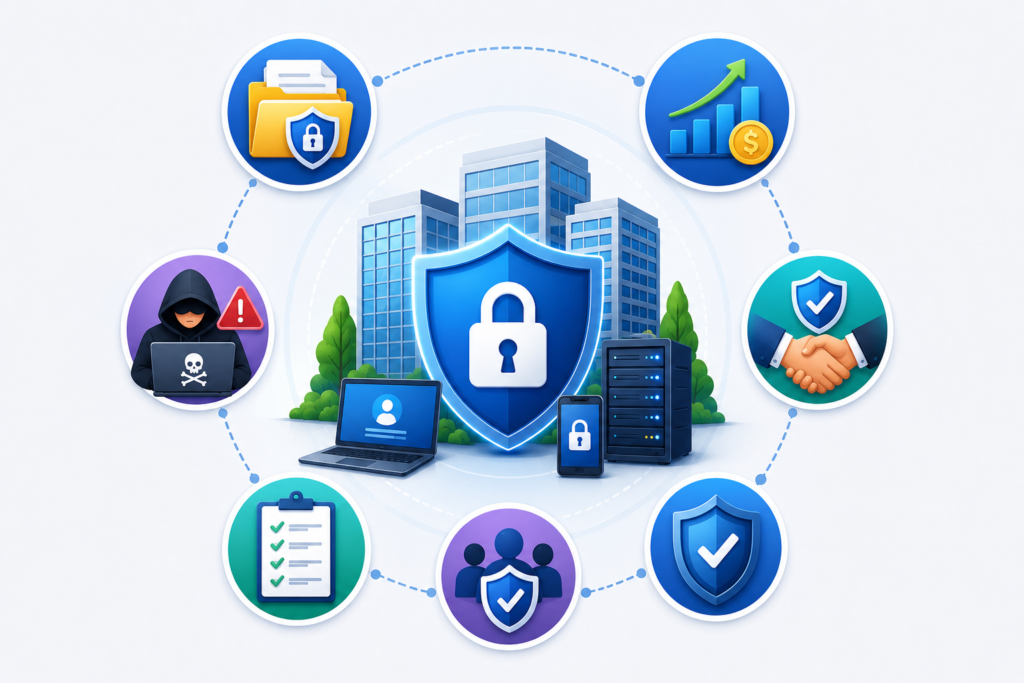
Why Do Businesses Need Cyber Security?

Why Do Businesses Need Cyber Security

Protection Against Data Breaches

Growing clients’ and firms’ data repository is the first step toward becoming a potential hacker’s target. Cybersecurity measures provide a barrier against the theft of, /misuse of, and access to sensitive information by users without proper authorization.

Financial Loss Prevention

A cyberattack can cause huge financial losses through downtime of the system, fines from courts, cost of restoration, and loss of image. Implementing robust security measures can help a business prevent such expensive mishaps.

Customer Trust and Brand Reputation

Customers trust companies with their personal data and expect them to safeguard it. Even one breach can ruin the company’s reputation and cause a decline in customers’ faith. Having cyber security measures in place is a way of honoring that trust and maintaining one’s position in the market.

Compliance With Regulations

Disregarding compliance with data protection laws and cybersecurity regulations often means penalties, legal actions, and loss of reputation.

Protection From Evolving Threats

Attackers are always finding new ways to exploit vulnerabilities, leveraging AI to conduct phishing, ransomware, and identity theft among other tactics. Cybersecurity solutions need to be up-to-date to be effective against current threats.

Pexo Offers Cyber Security Services That Provide Smart and Reliable Cyber Defense

Pexo  Cyber Security Services provides advanced cybersecurity solutions that not only protect a business from cyber threats of the 21st century but also help the enterprise to comply with the regulations and secure its operations.

Conclusion

Cybersecurity cannot be limited to a single aspect. For example, network security, cloud security, or disaster recovery are lockdown measures in different dimensions of the organization. Securing operations vulnerable to intrusions, safeguarding the company’s sensitive information, and reassuring customers are three very important aspects of cybersecurity.

What Is a Cyber Attack, How Does It Happen, and How Can We Avoid It?

In today’s digital world, technology is integral to our everyday lives. People use it for banking, communication, shopping, the Storage of Critical Data, etc. These technologies, though, can be a source of vulnerability and opportunity for the cybercriminal. Cyber attacks are a growing threat to medium, small, and large businesses across every sector.

What is a Cyber Attack?

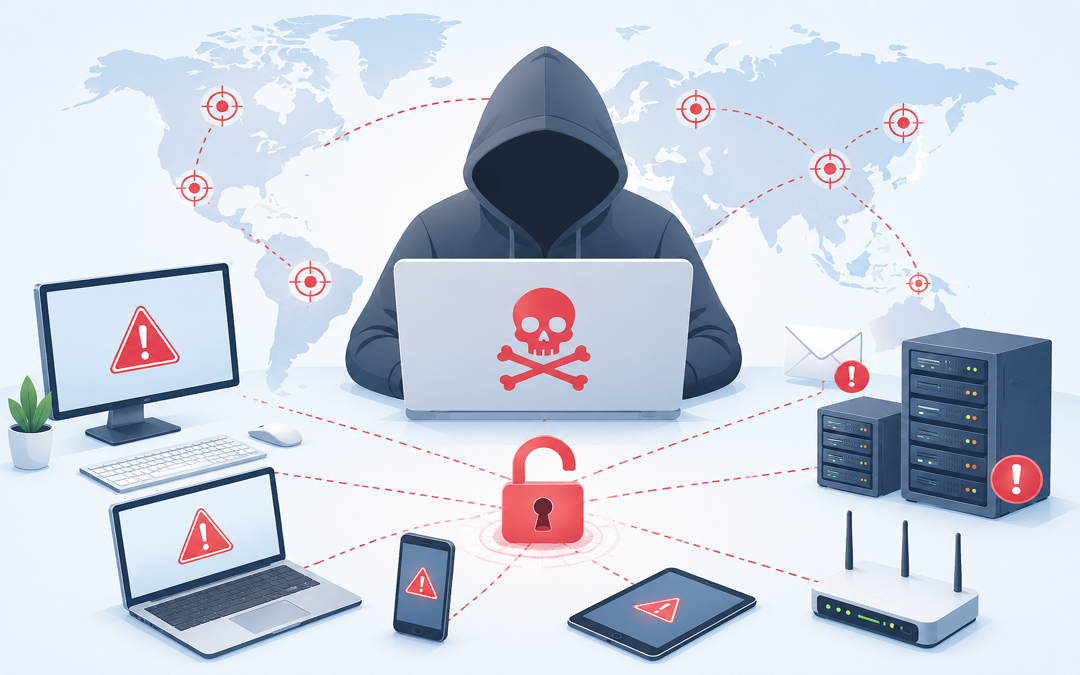
A cyber attack is an intentional act of hackers or cybercriminals used to gain access to a computer system, network, or information system without the permission of the owner.

Cyber-attacks attempt to steal information, damage, or even shut down a computer system.

Cyber attacks take many forms that entail the following:

  • Malware attacks.
  • Phishing scams.
  • Ransomware attacks.
  • Password breaches
  • Distributed Denial-of-Service (DDoS) attacks
  • Data theft and identity fraud

How Does a Cyber Attack Happen?

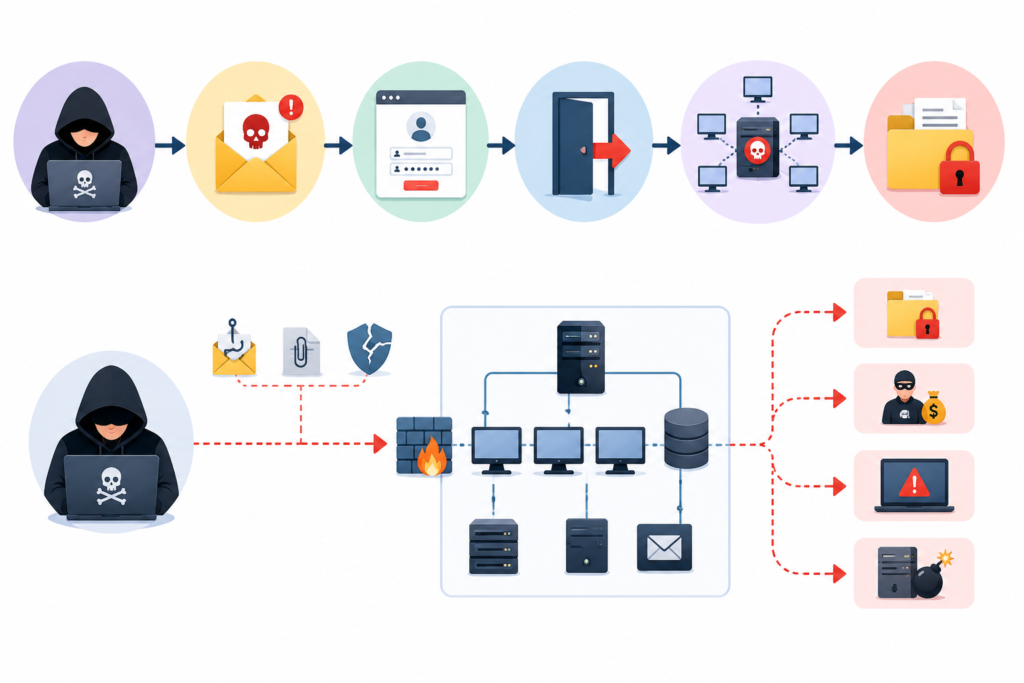
How Does a Cyber Attack Happen

If you know the way in which the attacks are made, it will provide a good opportunity for the organizations to enhance their habitudes so that they can be as secure as possible and minimalizing the risks to be caught up in the cyber attacks.

Phishing Emails

Phishing is still one of the main ways in which criminals fool people. Cybercriminals will send very deceptive emails that are faked to look like those from well-known companies or from people you might trust.

Weak Passwords

Using the same weak password over and over again makes it easier for hackers to gain access to your accounts. Cybercriminals can guess passwords using automated tools and will then try to get access to your system or application without your permission.

Malware and Ransomware

Malware refers to any kind of malicious software that is designed to cause harm to a computer or to steal data. Ransomware is a form of malware whereby files or systems are locked until a ransom is paid. In most cases, a user is duped into downloading malware or is sent a suspicious attachment.

Software Vulnerabilities

Cyber attackers are known to exploit security loopholes in old software or operating systems. If an organization fails to apply security patches or install updated versions of their software, then it is as if to invite the hackers who are capable of using these vulnerabilities to break into their networks without authorization.

Unsafe Public Wi-Fi

You should not even consider using an unsecured public Wi-Fi as it is extremely easy for a cybercriminal to attack you. Their actions may even consist of observing your Internet traffic and, at the same time, stealing your passwords, bank account information, or other types of sensitive data that you may be sending while you are still on an unprotected connection.

How to Avoid a Cyber Attack?

How to Avoid a Cyber Attack

Be sure to create a strong password

Make your passwords longer and more complicated by combining letters, numbers, and different symbols. Avoid using the same password for different accounts. Also, use multi-factor authentication whenever it is available.

Keep Software Updated

You should upgrade your computer’s operating system as well as your apps and anti-virus program quite often. This way, vulnerabilities will not only be patched, but also the level of protection will be raised to counter new threats.

Train Employees

Human error accounts for a significant portion of cyberattacks.

Companies need to offer training to their staff members on how to spot phishing emails, handle suspicious messages, and perform online activities safely to lessen the vulnerability to such attacks.

Install Reliable Security Software

Antivirus software, firewalls, and endpoint security solutions form the first line of defense by detecting and preventing the running of malicious code that the attackers use to harm your computers.

Backup Important Data

By backing up data, businesses, are able to survive the aftermath of a ransomware attack or any incident of data loss. They must keep the backup copies in safe locations and carry out their verification regularly and thoroughly.

Avoid Suspicious Links and Attachments

Generally, interacting with strange links, downloading files from untrusted sources, or even opening suspicious mail attachments should be completely avoided by users. One of the security habits is to always check the sender’s credibility before replying to emails.

Nowadays, companies are exposed to numerous cyber threats that call for sophisticated protection measures together with regular surveillance.

Pexo offers extensive cybersecurity services to help enterprises recognize threats, prevent attacks, and protect sensitive information.

Conclusion

To sum up, hacking is a very serious issue in the tech world that not only harms individuals but businesses too. Knowing what hacking is, in case it is perpetrated, and effective ways to stop it are among the factors that can greatly minimize one’s exposure to data theft and monetary fraud.

Ransomware Attacks Explained: What They Are, How Long They Last, and How to Prevent Them

Ransomware attacks are one of the largest digital risks to any business today, as cybercrime continues to evolve at a dazzling speed. No industry is immune to ransomware, from hospitals and banks through small businesses or government organisations. In just a few hours, one attack can render critical files unusable and bring even the most successful operations to their knees, resulting in losses that easily stretch to millions of dollars.

What Is a Ransomware Attack in Cyber Security?

Ransomware Attack in Cyber Security

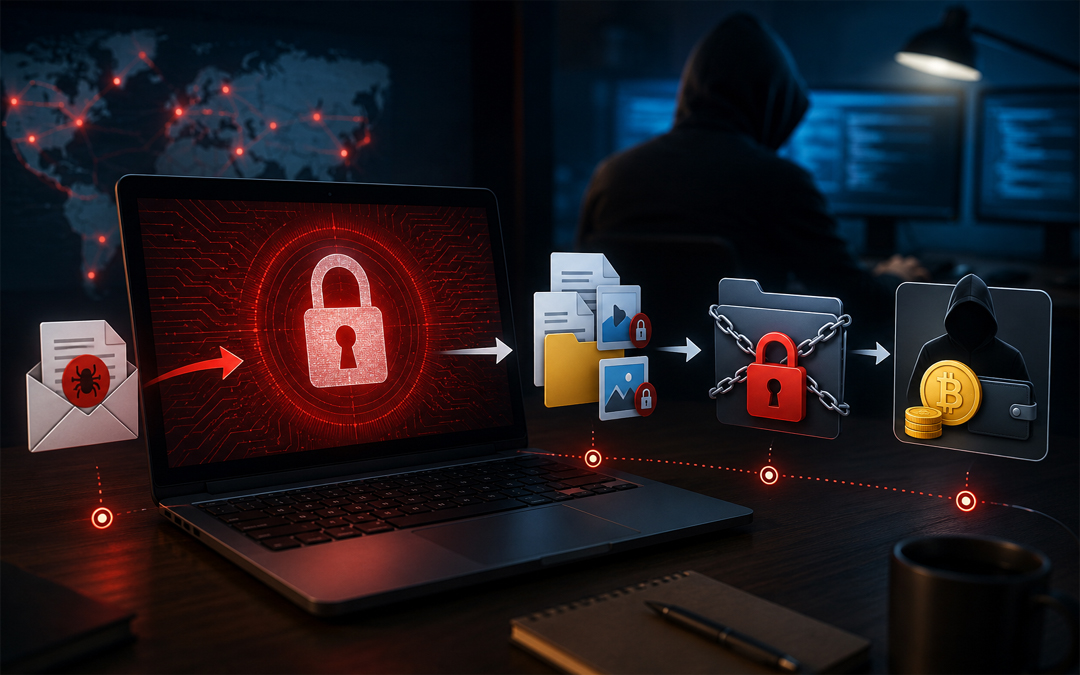
Ransomware attack is a kind of malicious cybersecurity behaviour in which hackers encrypt files, systems or networks of the victim and demand a ransom payment from their opponent so they can restore the situation. Because cryptocurrency is hard to track, the attackers often demand payment in this form of currency.

Ransomware attacks often begin through:

  • Phishing emails with malicious attachments
  • Unsafe downloads
  • Weak passwords
  • Exploited software vulnerabilities
  • Remote Desktop Protocol (RDP) attacks
  • Infected websites or links

Ransomware backs itself into a system quickly and locks essential files once it gains access. Victims would typically get a message that payment had to be made within a short window of time

How Long Do Ransomware Attacks Last?

The length of time the ransomware takes to conduct its attack can depend on how serious a breach it is, what kind of defences an organisation has in place and whether there are safety nets that work.

Initial Infection Phase

Attackers can execute their code within minutes of someone clicking on a rogue link or opening a contaminated file. Certain ransomware variants take days or weeks before they are triggered.

Encryption and System Downtime

When ransomware is enabled, it can encrypt thousands of files in a matter of hours. Here, one can expect business operations to totally stop.

Recovery Period

Depending on the factors, recovery can take several days to a few months:

  • Size of the organisation
  • Availability of secure backups
  • Extent of data damage
  • Incident response speed
  • Cybersecurity infrastructure

Organisations may continue facing issues even after systems are restored:

  • Financial losses
  • Reputation damage
  • Regulatory penalties
  • Customer trust issues

How to Avoid a Ransomware Attack

How to Avoid a Ransomware Attack

Train Employees on Cybersecurity Awareness

Ransomware is often the result of human error. Employees should be trained to:

  • Identify phishing emails
  • Avoid suspicious links
  • Verify unknown attachments
  • Use secure passwords

Keep Software and Systems Updated

The software that has security flaws? Hackers go after/outdated. Businesses should:

  • Install security patches regularly
  • Update operating systems
  • Upgrade antivirus software
  • Remove unsupported applications

Regular updates mitigate security loopholes ahead of malicious invaders.

Use Multi-Factor Authentication (MFA)

Multi-factor authentication provides a second level of security that asks users to prove their identity again, usually with something such as a password. MFA ensures that no unauthorised access can be provided to the attacker if he manages to get those login credentials.

Maintain Secure Data Backups

Frequent backups are one of the best defences against ransomware. Businesses should:

  • Store backups offline or in secure cloud environments
  • Test backups regularly
  • Maintain multiple backup copies
  • Separate backup systems from the main network

Businesses must have a sound disaster recovery plan to minimise downtime and recover vital information as early as possible. Pexo’s Data Backup and Disaster Recovery Services in order to safeguard important business information, build cyber resilience and restore systems efficiently after an unexpected cyber incident.

Implement Advanced Endpoint Protection

Modern endpoint protection solutions on the market utilise AI-based technology alongside behavioural analysis, where abnormal behaviour is flagged long before ransomware hash signatures ever hit your servers. Businesses should use:

  • Endpoint Detection and Response (EDR)
  • Antivirus software
  • Threat monitoring systems
  • Email security filters

Advanced protection tools can easily identify ransomware patterns and stop the attacks early on.

Restrict User Access

Not every worker should have access to company files. Lower user permissions help to stop the spread of ransomware through networks.

Businesses should use the principle of least privilege; employee roles only receive the access required.

Create an Incident Response Plan

Organisations needed to respond quickly during the attack by having an incident response plan. The plan should include:

  • Isolation procedures
  • Communication protocols
  • Backup restoration processes
  • Legal and compliance steps
  • Cybersecurity team responsibilities

Not every worker should be allowed to have access to company files.

Conclusion

Regardless of the size, organisations worldwide are falling victim to increasingly sophisticated and expensive ransomware attacks. Knowing what ransomware is in cybersecurity, how long ransomware attacks last and how to prevent this type of attack will allow all kinds of organisations to strengthen their protection against current advances in cybercrime.

What Does Zero Trust Mean in Cyber Security and How Does It Work?

Cyber threats, meanwhile, remain to mature and far outpace traditional security models in their capability to secure a modern organization. And with organizations operating in cloud environments to support remote workforces and the increasing amount of sensitive data flowing through multiple devices and networks And those shifts have resulted in an environment that is especially difficult for cybersecurity.

Zero Trust is one of the most effective security methodologies developed in modern times. Multiple types of enterprises are utilizing the frameworks to reduce cyber risk and achieve enhanced data protection. Then what is Zero Trust, (in cyber security), and how does it work?

Understanding Zero Trust in Cyber Security

At its core, Zero Trust is about one simple principle never trust, always verify. Zero Trust is a new and different way of thinking about network security as compared to the traditional model, where users or machines inside the fort were trusted.

This means that no user, device, application, or system should automatically be trusted and given access to resources. An actor is not trusted just because he made it inside the network.

Zero Trust aims to limit the impact of a breach, data exfiltration, and internal sideways movement.

Here are all the reasons that Traditional Security Models Just Don’t Cut It

  • Traditional cyber security approaches were convenience through perimeter-based security. Information was often kept in silos but once a user was through the network firewall they would have free access to systems and data.
  • However, the business environment has changed significantly over the past few years. Workers today are going to the remote office (home) where all apps are cloud-based and cybercriminals run their ever-changing exploit methods that beat regular configurations.
  • This creates vulnerabilities as we rely solely on perimeter security. For instance, if there is no IDS, once an attacker penetrates the network he can move freely from system to system without any restriction.
  • Enter Zero Trust, who addresses this exclusion by questioning all ask feel capped all source of origin.

How Does Zero Trust Work?

Simultaneously, Zero Trust is data-centric this does not exempt parts of the IT environment from identity and access control measures. The system is based on constant validation, rather than the expectance of trust as it allows users and devices to gain access.

It operates through a handful of model principles in the form of framework.

Continuous Verification

Verify and authorize all users and devices trying to access your system. Rent, when the user logs in, does not do a check which is only done once.

This helps to promptly identify any weird activity or even an account hacking.

Least Privilege Access

In Zero Trust, the principle of least privileged access is applied meaning users are provided access to only those resources that will help them in getting their jobs done.

So if you happen to be an employee in finance, that wont grant you access to HR or engineering systems. You are constrained by how much damage can be done if an account is hacked.

Multi-Factor Authentication (MFA)

Multi-Factor authentication Multi-factor authentication is one of the fundamental components in Zero Trust based security. These are two-factor authentication to verify who you are, i.e., require the users to enter a password biometric (fingerprint) or one-time verification code.

It provides another layer of protection from stolen credentials and unauthorized users.

Device Security Verification

The key difference with the new Zero Trust, is that it evaluates not only the user but also the device and security status. Devices that do not match those security requirements may be denied access.

By the way, an antibiotic lacking current antivirus programs or security patches could be identified as harmful and, therefore, prevented from checking linkup to critical systems.

Network Segmentation

Network segmentation is another key feature of Zero Trust. You segment virutally so that systems cannot traverse the data center as easily.

This serves as a containment area, restricting lateral movement in case an attacker gains access.

Benefits of Zero Trust Security

In fact, there are some dead giveaways to the upside for enterprises in Zero Trust.

Arguably, the biggest advantage is improved cyber attack defense. Getting unauthorized access to the critical systems is very hard as every request is verified.

This also makes you more visible and in the public eye. However, for organizations, you can actively track user activity and quickly identify potential threats so that effective action can be taken immediately to continue attacks more quickly.

However, one of the biggest benefits is that it provides much better support for remote work & cloud environments. Even in the case of employees working from anywhere, zero trust provides access.

Deployment of access controls through the Framework allows organizations to meet compliance and data protection requirements in a much more secure manner.

Elements of a Typical Zero Trust Architecture

Zero Trust is the bigger picture of technology security working together.

Identity and access management systems are designed to not only authenticate users but also manage what authorities they have. Endpoint security tools monitor the health and compliance state of devices. SIEM Systems: IT Security Information and Event Management.

Encryption is, of course, an important piece as well, providing security for sensitive data both in transit and at rest.

And these elements are what makes layered and far more secure environment.

Challenges of Implementing Zero Trust

Zero Trust offers many security benefits but can be a challenge for some organizations to implement.

The majority of the organizations struggle to harmonize Zero Trust with legacy systems that were designed before the modern security frameworks. Besides, investments have been made on technologies and building employee capabilities.

Additionally, designing continuous authentication and access for large organizations is complicated and involves extensive groundwork.

In many cases there are barriers that must be overcome, but the investment of time and money in your security broadly pales by comparison to waiting.

When it comes to security, the main question that everyone has is Do You Need Zero Trust and More Specifically Zero Trust For your Small Business?

Zero Trust is Still Not Just for Enterprises As for the statistics, cyberattacks are frequent targets of an SMB where there is much space to improve with better security controls.

The latest zero trust solutions are crucially helping small companies without a security infrastructure already in place, to enjoy the benefits of the latest cybersecurity methods with much less heavy lifting and training needed than was before possible.

Why Choose Pexo for Modern Cybersecurity Protection?

Zero Trust is not implemented via a simple switch; rather, it requires advanced planning, cutting-edge security technology and ongoing monitoring expertise. Specialist telecom security pros, like the industry leaders at Pexo, provide managed services to help these businesses elevate their cybersecurity posture With cutting-edge cyber security solutions, companies can improve threat detection and log management, secure all their data remote access points, and form a more formidable defense against modern cyber terrorists.

Conclusion

Zero Trust is a contemporary cybersecurity approach centered on the concept of never trusting any user, device, or system without verification. This framework minimizes your cyber risks by continuously verifying access requests and restricting permissions, so that you can turn data quality into a tangible inside track, while keeping the damage of each attack to a minimum.

Due to the remote work revolution, where both cloud geometry and cyber threats proliferate across some business systems. Zero Trust as one of modern forms cybersecurity strategies This is just one kind of strategy businesses can adopt and migrate toward for improved security, visibility and protection against hybrid risk that will only get more complicated with time.

Cloud Migration Strategy: Key Steps, Types & Timeline for Successful Digital Transformation

In present day digital first business environment, cloud technology is not only trending but also a necessity. Companies are shifting from traditional on premise infrastructure and accepting cloud solutions for enhancing flexibility, measurability and safety. But simply moving data and applications to the cloud is not sufficient.

Know About Cloud Migration Strategy

A cloud migration strategy is a well-strategized that outlines how a business will shift its applications, workloads, IT processes and databases from on premise systems or legacy infrastructure to a cloud system. The strategy outlines the migration goals, technologies, safety measures, timelines and functional processes required for a good transition.

A right strategy make sure that businesses lessens risks, maintains compliance and optimizes performance during and post migration. It also assists organizations in selecting the right cloud model, no matter whether public, hybrid or multi cloud. A successful cloud transformation includes proper planning, safe execution, constant optimization and consistent supervision for aligning technology with business objectives.

Common Kinds Of Cloud Migration Plans

Businesses mainly select from many migration approaches based on their goals and existing infrastructure.

Rehosting

This method mainly includes moving applications to the cloud with less charges. It is one of the fastest and simple migration methods, best for businesses looking for rapid deployment.

Replatforming

Replatforming involves small optimizations to applications at the time of migration without complete redesigning. This approach helps in balancing speed and performance enhancements.

Refactoring

Refactoring includes redesigning applications mainly for cloud native atmosphere. Even if time consuming, it offers good scalability and long term effectiveness.

Hybrid cloud migration

Some businesses select a hybrid approach where some workloads remains on-premises while others move to the cloud.

Multi-cloud migration

Organizations dispense workloads across many cloud providers to enhance dependability and prevent vendor lock in.

Important Stages Of Cloud Migration

A successful migration mainly follows a step by step process.

Planning and valuation

Businesses at first do evaluation of their existing infrastructure, workloads and applications. This phase recognizes risks, reliance and migration imports.

Design of cloud architecture

The organization chooses the right cloud environment and makes the infrastructure for meeting safety, performance needs and compliance.

Migration of data and application

Applications, workloads and databases are shifted to the cloud in stages for lessening disruptions.

Testing and validation

Post migration, businesses check performance, safety and compatibility of system to make sure all things are working perfectly.

Supervision and optimization

Cloud environments needs consistent supervision and optimization for management of cost, enhancement of performance and safety maintenance.

Duration Of Cloud Migration

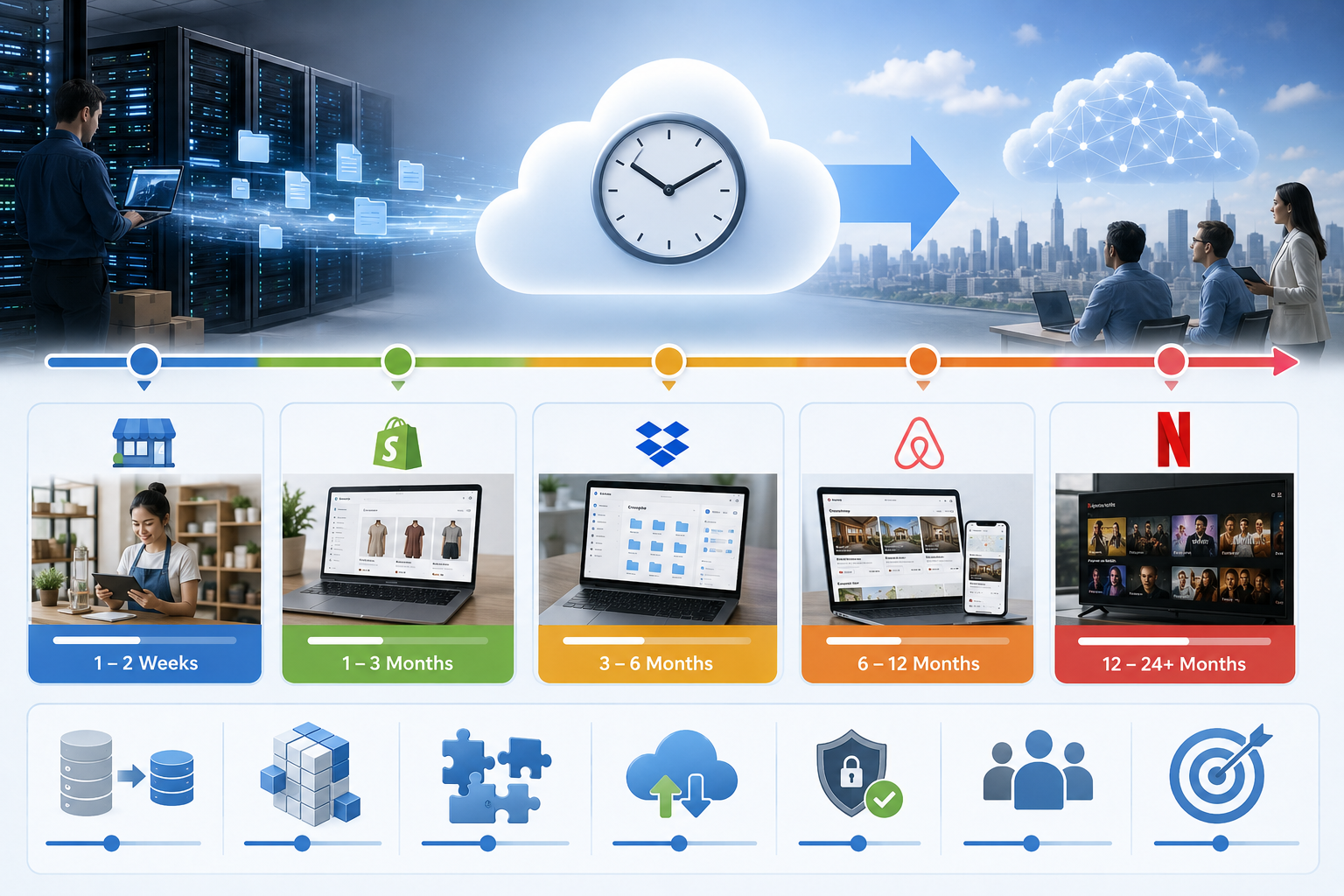
The duration of cloud migration relies on many factors, which includes organization size, systems complexity, data amount and the strategy of migration used.

Small businesses

For small businesses with less applications and simple infrastructure, migration might take anywhere right from few weeks to two months.

Mid-sized businesses

Organizations with bug workloads and various systems need 2-6 months for a full migration process.

Big enterprises

Big enterprises with complicated infrastructures, compliance needs and legacy systems might require 6 months to more than a year for completion of migration successfully.

Factors Affecting Migration Time

Many elements can affect how rapidly migration can be completed:

  • How complicated is the existing infrastructure
  • Number of databases and applications
  • Speed of transfer and data volume
  • Compliance and safety needs
  • Downtime limitations
  • Obtainability of internal IT resources
  • Requirement for application modernization
  • Businesses rushing migration without right strategy often face delays and functional issues later on.

Selecting The Right Cloud Migration Partner

Partnering with experienced cloud specialists can substantially decrease migration difficulties. An expert cloud transformation partner assists businesses in assessing risks, design, and measurable architecture, execute safety controls and do optimization of cloud performance post migration.

Why Choose Pexo IT Consulting for Cloud Transformation & Infrastructure Support?

Pexo IT consulting offers cloud transformation and support for infrastructure made to assist businesses in modernizing operations safely and effectively. Their approach involves infrastructure assessment, development of architecture, migration implementation, consistent optimization and functional supervision to make sure there is smooth adoption of cloud.

Conclusion

Cloud migration is on one of the major step towards digital transformation and business growth in long term. But success depends highly on having a well- defined cloud migration plan. Right from assessing infrastructure to optimization of cloud performance post deployment, each stage needs right planning and implementation.

The migration duration can vary from a few week to several months based on business complications, but organizations that make investments in right planning and expert guidance can attain smooth transitions, strong safety and enhanced functional effectiveness. As cloud technology continues to evolve, businesses adopting scalable and future ready cloud environments can be positioned better for staying competitive in latest digital landscape.

What Is Spear Phishing? – Definition, How It Works and Examples

You can see how this flows you are educated then. Spear phishing is one of the biggest threats in today’s cyberattack landscape, and it has gotten more sophisticated than ever. Spear phishing differs from the more general phishing frauds that target large swathes of people by being strategic and targeted. Cybercriminals stop the trickery data theft to induce the sufferer give up their non-public records or grant them get right of entry to a machine.

Such attacks are efficient but the hardest to detect because they appear legitimate and tailor-made. Understanding how spear phishing operates what is more common examples of it enables you and your business to defend yourselves against major security incidents.

What Is Spear Phishing?

Cyber protection built for today

One of the specific types of cyber-attack is spear phishing which involves impersonation, where an attacker tries to mimic a legitimate person or business as well via emails to convince their target (you) to furnish sensitive information under the pretense, clicking on malicious links and/or downloading malware.

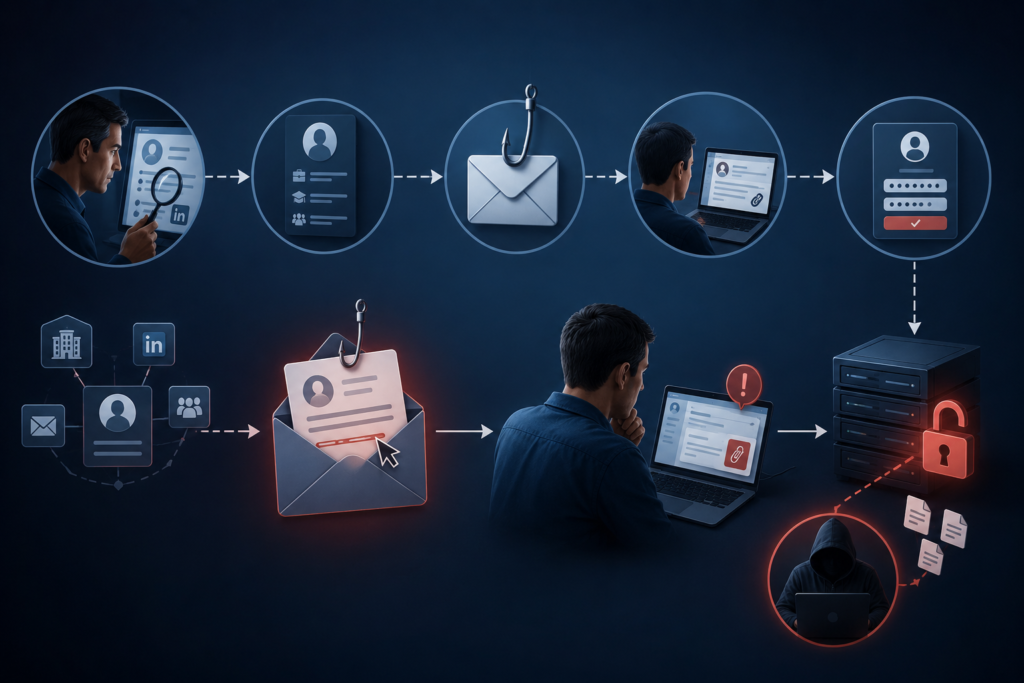
A spear phishing attack can be an email sent to a specific victim in comparison to a phishing email which files against thousands of random users. First, attackers will often perform their reconnaissance and research based on data that is available – often publicly – from social media, company websites, or other previous breaches in the same organization.

Spear phishing aims to extract directly or indirectly (through social engineering) login credentials, financial and personal dox sensitive business data, or access to secure systems.

How Does Spear Phishing Work?

This is the crux of spear phishing social engineering tactics. Instead of going beyond the technical limits, attackers go away around them exploiting human trust.

It usually begins with research. Criminals gather information about the target such as name, job title, email address and whether his company is engaged in any activity. Until then, it can create messages that sound quite convincing.

Once they have collected enough information, the attacker will send an authentic email or text. It might look like it was dropped into your inbox from a manager, peer, bank, vendor, or trusted party.

Usually, it carries an element of urgency or compulsion and directs the victim to perform an action without validation on whether the requestor is genuine or not. Common tactics include:

  • Requesting password reset
  • Requesting wire transfers
  • Phishing fake invoices
  • Sending virus/certain malware through attachments
  • Phishing and how does it work phishing users on realistic login pages

Attackers can gain access to accounts, networks, or sensitive information if a victim bites the worm.

Phishing and Spear Phishing

Answer: Phishing and spear phishing both are fraudulent messages sent; however, the major difference is that it targets a specific person.

Phishing is a general and well-known type of attack. The attackers then send that same message to thousands, in the hope that some small percentage of recipients will respond.

But spear phishing, which is targeted only to that person as compared to other types of phishing. The attacker focusses on one person or organisation by using highly custom-made information to make it more credible and successful.

The personalization aspect allows spear phishing attacks to be far more threatening and much less detectable.

Common Examples of Spear Phishing

The types of Spears Phishing The different types of spear phishing attacks are very specific due to the end-user and objective of an attacker.

Fake Executive Emails

One common example is impersonating a company executive or CEO by an attacker. Example: Hacker sends an email asking for secret payment, financial data, or account credentials.

That may not even be a real order, but because it looks like the sort of thing senior leadership would say, employees may operate as if it is true.

Fraudulent Vendor Requests

Additionally, attackers can impersonate reliable suppliers or merchants. Example: finance department gets mail containing fake invoice with altered ones due payment details.

The way the payment works is that the funds are paid directly from your account, straight to the attackers when you finish.

Fake Login Pages

An instance would be a victim getting emails to log in to his company account or change passwords. You click the link, and it directs you to a bogus site where when you log in, they will try to steal your credentials.

These pages are also many times indistinguishable from real web sites.

Malware Attachments

Spear phishing emails also come with attachments that contain files posing as invoices, reports, or other business documents. He opens the attachment, and bang malware or ransomware is as good as installed on his machine.

There is also the possibility of data theft, of leaving compromised systems or a shutdown for the whole network.

The Dangers of Spear Phishing

Working on the fact that people are trusting and it manipulates human elements spear phishing is aimed at success. The attack is also more believable to victims because it is personalized.

However, as we have seen with the recent Sony breach, this is not fail-safe: if staff members are persuaded to provide their credentials or open a malicious file then irrespective of how many other technical security measures you have in place it will be a problem.

Successful spear phishing attacks can have trainees teach more on:

  • Monetary loss
  • Data breaches
  • Identity theft
  • Business disruption
  • Reputational damage

For enterprises, just one successful attack can help target networks and even release. Sensitive customer information.

How To Realize You Are Under the Attack of Spear Phishing

Spear phishing messages are convincing but often have indicators that point to foul play.

But do be careful about any requests for sensitive information you were not expecting. People also need to be vigilant about urgency or pressure being placed in emails; that is another back flag.

In the case of suspicious mail also beware of unusual sender addresses, misspellings as well as links or attachments you were not anticipating.

Even if the message purports to be from someone you recognize, always confirm such a request through another channel before executing it.

Spear Phishing Prevention

To stop spear phishing, you need technical security and employee education.

In such cases, the best response is two-factor authentication, which adds an additional layer of protection when credentials are compromised.

Employee training is equally important. Staff should receive training about checking whether a request or message is related to phishing; clicking on an unknown link or attachment from the email is best avoided.

They also need to ramp up anti-spam management, endpoint fraud detection, and continued vigilance of their networks for intrusion.

Updating software and systems also helps defend against malware delivered through phishing campaigns.

Protect Your Business with Advanced Cybersecurity

Spear phishing attacks are becoming more targeted and dangerous, making strong cybersecurity essential for every business. Secure Your Business with Pexo IT Consulting Services and stay protected with advanced threat detection, email security, endpoint protection, and employee awareness training. Their expert team helps businesses reduce cyber risks, prevent data breaches, and build a stronger defense against modern cyber threats.

Conclusion

Spear phishing is known to be the most lethal type of cyber-attack that exploits trickery, customizability and social engineering against a specific individual or target corporation. Unlike phishing frauds, these attacks are designed to appear reasonable and trustworthy.

Understanding what spear phishing is, how it works, and seeing some examples are all part of reducing exposure to this kind of attack. In either case, individual users and large organizations alike must utilize proper cybersecurity processes to keep digital security high as well.

How Long Does Cloud Migration Take? Real-World Examples Explained

When a CTO and/or a business owner have decided to move to the cloud, it is usually the first question they ask. They want an even number – six months, one year, two. Yet as we all know, cloud migration is not an event but a journey and it really depends on where you start from, how far along you are and what your goals are.

To give you an idea of timings, a typical mid-size migration will take between 6 and 24 months. To see where your project might be on that axis, we must examine some of the moving pieces and reality.

How Long Does Cloud Migration Take?

It is important to understand the “Big Three” factors that save time before we get into examples:

  • The Migration Strategy (The 6 R’s): A “Rehosting” (Lift and Shift) project is significantly less time-consuming than a “Refactoring” project which rewrites code for cloud-native use.
  • Data Size and Complexity: It is one thing to move ten terabytes of simple files. It is another challenge entirely to migrate to a large, entangled legacy database that has not been cleaned in a decade.
  • Compliance and Security: If you are in the healthcare or finance space, naturally auditing and security configuration phases will elongate your timeline.

Real-World Cloud Migration Examples

Modernize your business with secure and scalable cloud transformation solutions.

Example 1: The Quick Win with a Lift Shift

Estimated Time: 3 to 5 Months

An example: A mid-tier 50-server retail company chose to move away from an aging on-premises data center. They did not ask for anything that would significantly improve their apps except to provide freedom from the burden of hardware maintenance.

They decided on a Rehosting strategy and things flew. One month of discovery and planning, two months of configuring the landing zone inside AWS, and finally the migration itself took them two months to migrate the virtual machines.

Example two from the Real World: Hybrid Transformation

How Long: 9-15 Months

A regional financial services entity needed to migrate its customers facing portal to the cloud while keeping core sensitive for compliance. Such Hybrid Cloud approaches are static.

Data transferring is not where the bulk of time is spent here; it is continuously. Producing secure low latency tunnels between the cloud and local data center requires heavy unit tests. For example, it will take 4 months just to do architectural design in this case without even having moved a byte.

Ready have you moved to the cloud yet? With no clear roadmap it can want to try to navigate through these timelines by a guessing game. If you are still uncomfortable with the technical challenges or want to ensure your migration does not stop halfway, the team at Pexo it consulting can help. These are Cloud Transformation services that go beyond merely moving files to modernizing your workings, so the cloud works for you and not the other way around. They might shave months off your projected timeline while keeping your data safe and you would be well served to have the discussion with them.

Live Example 3: The Business Company Refactor

Estimated Time: 2+ Years

Think about a global manufacturer with over five hundred applications, most of which are monolithic (legacy software that is connected to everything else). They were not just looking to simply migrate these apps to the cloud but rather refactor them into microservices.

This is a Refactoring project. The migration, for a company of this scale, is done “in waves” They might migrate ten non-mission critical apps in the first six months to get used to the process, then take on the big guns over an additional 18-month period. This is a marathon, not a sprint but hands-down this has the highest ROI as it minimizes operational cost significantly over the long run.

Common Reasons Cloud Migration Gets Delayed

If you want to stay near the shorter side of these timelines, keep an eye on the usual “time-sinks”:

  • Inventory Management Failings: Few organizations have real visibility of how many “shadow” apps are running in their basement. Again, I have learned that discovery takes longer than you think.
  • Lack of Skills: If your in-house IT team has not previously worked in Azure or AWS, there is a training period that will delay the middle part of the project.
  • Data Cleaning: It is a sheer wastage of time and money to plough ahead with the task of moving dirty or redundant data. Manually sorting through what stays and what goes is laborious, time-consuming.

Key Takeaway

Without exposing yourself to downtime (or security holes), you cannot fast-track a migration. However, you can optimize it.

Begin with a Cloud Readiness Assessment Knowing exactly what you have and picking the ideal migration path (Rehost vs. Refactor) puts a realistic deadline on your shoulders. 5 months or 25 months, it does not matter either way, you want nothing but a stable and scalable environment that lets your business scale.

What Is the Difference Between Incremental, Differential, and Full Backup?

In the context of business data protection, becoming familiar with backup types is not optional; it is mandatory. Whether it is a small business organisation or a large enterprise system, the selection of the appropriate backup strategy will directly affect recovery timeline, storage expenses and business continuity.

Here in this blog, we will be disassembling a full backup, an incremental backup and a differential backup in a simple, practical manner- so that you can make your choice of what suits best in your setup.

What Is A Full Backup?

Full Backup

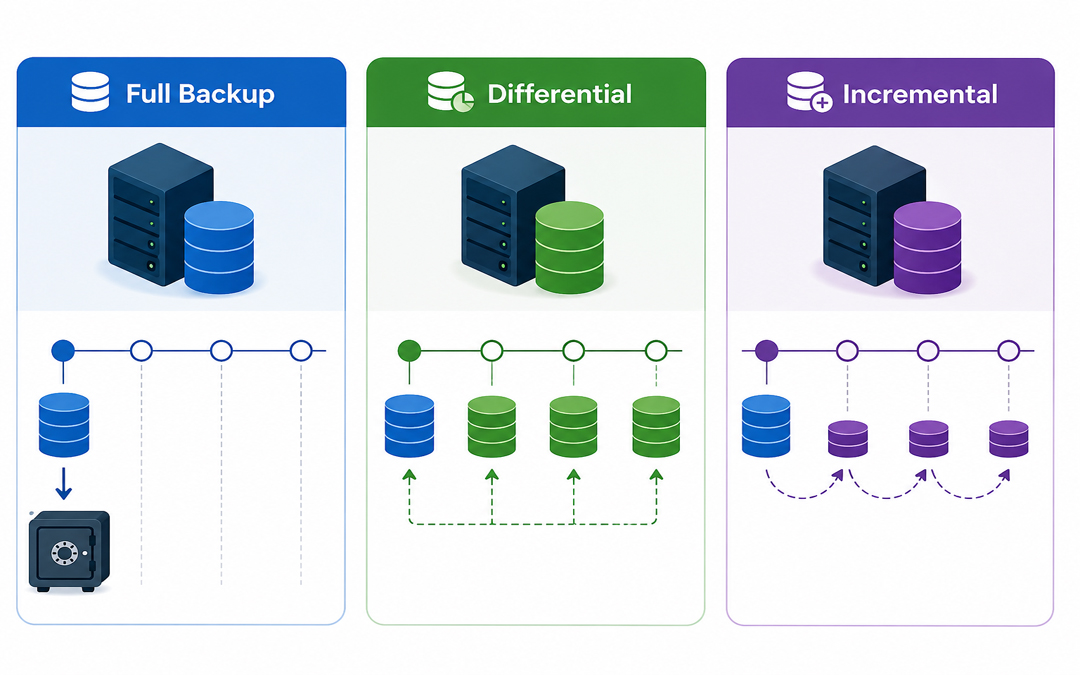
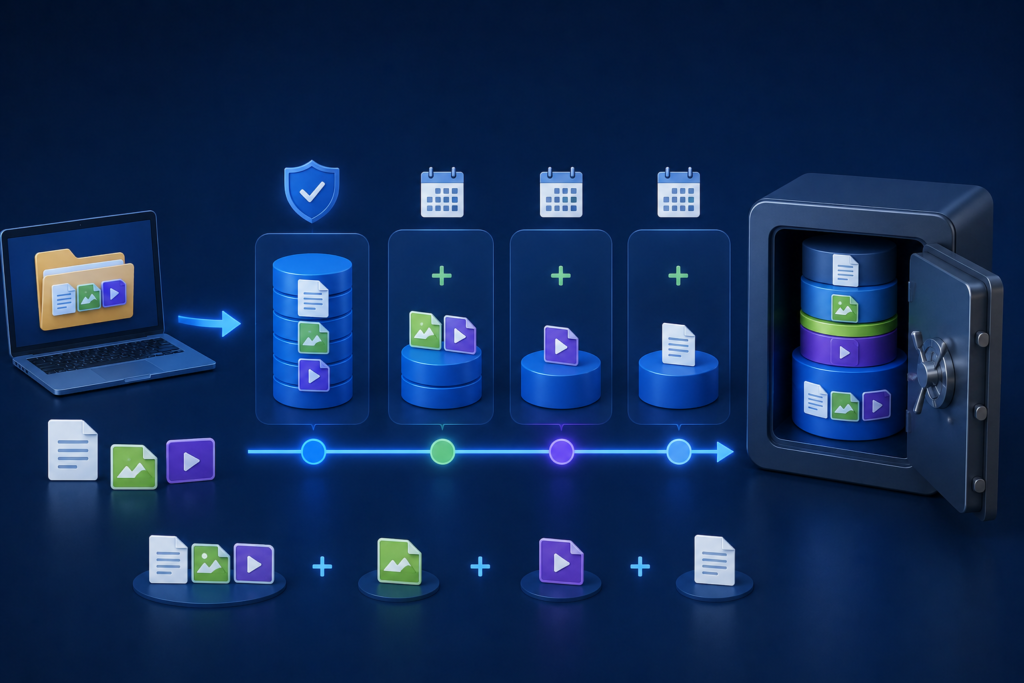
The simplest one is the complete backup. It generates an exact duplicate of all of your data, including files, folders and system information, at a given moment in time.

Example:

Consider that you have 100 GB of data. Each time you run it, it will make a complete copy of all 100 GB.

Key Features:

  1. Copies everything
  2. Works independently (no dependency on other backups)
  3. Quick and simple to restore.

Pros:

  • Rapid recovery (single file recovery was sufficient)
  • Simple to manage
  • Reliable

Cons:

  • Takes more time
  • Makes use of the biggest storage area.
  • A complete backup is commonly required as a baseline before implementing other backup techniques.

What is a Backup Incremental?

Incremental Backup

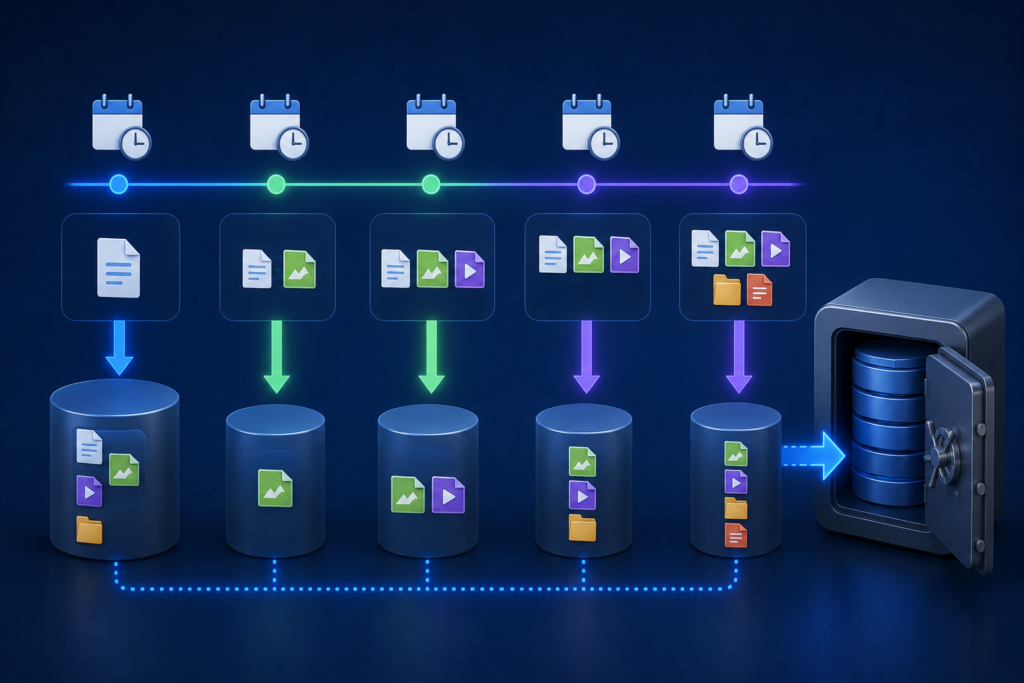
A differential backup captures all changes made since the last full backup.

Example:

Day 1 → Full backup (100 GB)
Day 2→ Differential (5 GB change)
Day 3 → Incremental backup (3 GB changes)

Key Features:

  • Its support to determine changes since the last backup.
  • Extremely efficient storage and speed.

Pros:

  • Fast backups
  • Low storage usage
  • Good to use daily or more frequently.

Cons:

  1. Slow recovery process
  2. Whole backup chain (full + all incrementals) required.
  3. Incremental files can be corrupt, failing to recover, since all steps are required.

What is a Differential Backup?

Differential Backup

A differential backup is a backup of the difference between the last full backup and the current backup.

Example:

Day 1 → Full backup (100 GB)
Day 2 → Differential (5 GB)
Day 3 → Differential (Changes since Day 1, 8 GB total)

Key Features:

  • Supports changes that have been made after the last full backup.
  • Easier to restore than incremental.

Pros:

  • Quicken a restore vs. an incremental.
  • Only for the requirement
  • Last full backup
  • Recent differential backup

Cons:

  • Takes more storage than incremental.
  • The size of the backup grows with time.

The difference between full and incremental backup is speed and reliability, established by differential backup.

Main Differences Between Full, Incremental, and Differential Backup

FeatureFull BackupIncremental BackupDifferential Backup
Data CopiedAll dataChanges since last backupChanges since last full
Backup SpeedSlowFastMedium
Storage UseHighLowMedium
Restore SpeedFastSlowFaster than incremental
DependencyNoneHigh (chain required)Moderate
Best UseWeekly/monthly basisFrequent backupsBalanced approach

Practical Scenario: Which one is to be used?

Suppose that you operate a business where data gets updated on a daily basis:

Option 1: Full Backup Only.

  • Daily backups = large storage requirements + slow processing.

Not efficient

Option 2: Full + Incremental (Most Common)

  • Weekly full backup
  • Daily incremental backups

Most suitable for saving storage and time.

Option 3:
Full + Differential

  • Weekly full backup
  • Daily differential backups

Slightly greater storage, faster recovery.

The majority of businesses adopt both and use a combination of approaches to achieve better performance.

When to Choose Each Backup Type

Select Full Backup When:

  • You need a simple recovery
  • Data size is small
  • You would like a clean restore point.

Select Incremental Backup When:

  • There is a lack of storage space.
  • You require regular backups.
  • Bandwidth in the network is low.

Select Differential Backup When:

  1. You desire to heal more quickly.
  2. You can match average storage usage.
  3. You must strike a balance between speed and reliability.

Why Backup Strategy Matters More Than You Think

Data loss may occur because of:

  • Cyberattacks (ransomware)
  • System failures
  • Human errors

Pexo’s Data Backup & Disaster Recovery services are designed to create automated and secure backup systems tailored to the unique needs of each business. Cloud backups and disaster recovery planning protection as well as relationships between these solutions, ensure minimal downtime and a timely recovery when it matters.
Conclusion

Knowing the distinction between full, incremental and differential backups will help you create a smarter, more efficient data protection policy.

  • Complete backups are simple and reliable.
  • Incremental backups are time and space-saving.
  • Differential Backup is faster to recover.

However, it is not about picking one- it is about the combination of them in a strategic manner to make sure that you are in safe hands when you need the data the most; you can access and recover it easily.

What Is Hybrid Backup? Understanding Hybrid Backup Sync and QNAP Hybrid Backup Sync in Simple Terms

Data loss is not only a technical problem, but it may also interfere with work, postpone projects, and even affect the income. Loss of important data may be expensive, whether as a result of accidental deletion, system failure, or a cyber threat. This explains why commercial companies are venturing far beyond the conventional way of backing and embracing intelligent alternatives such as hybrid backup.

What Is Hybrid Backup?

Hybrid Backup

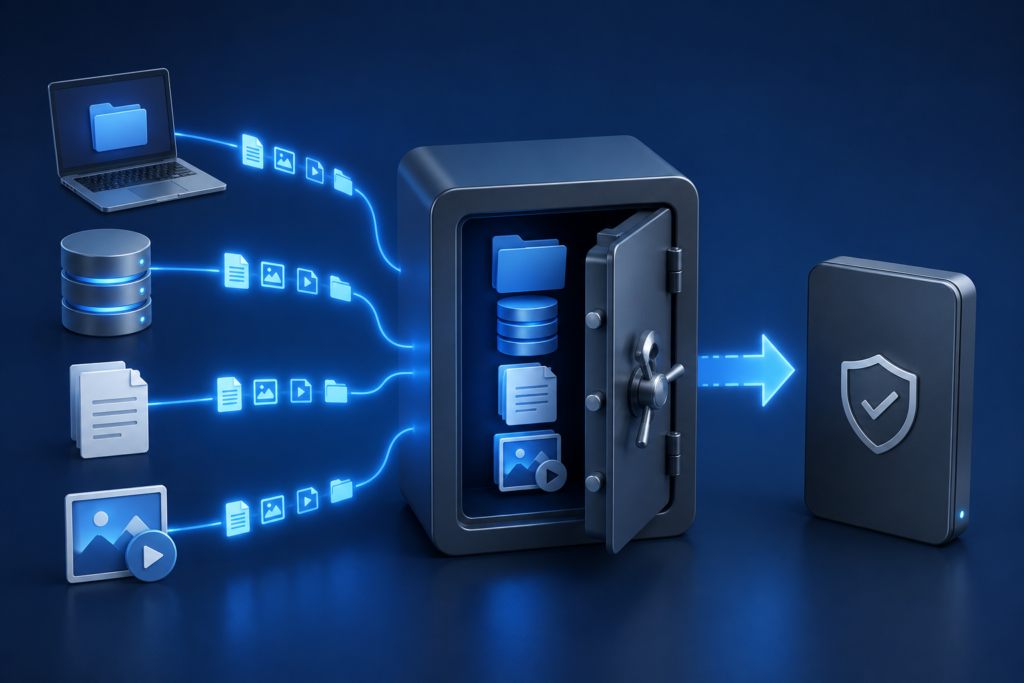
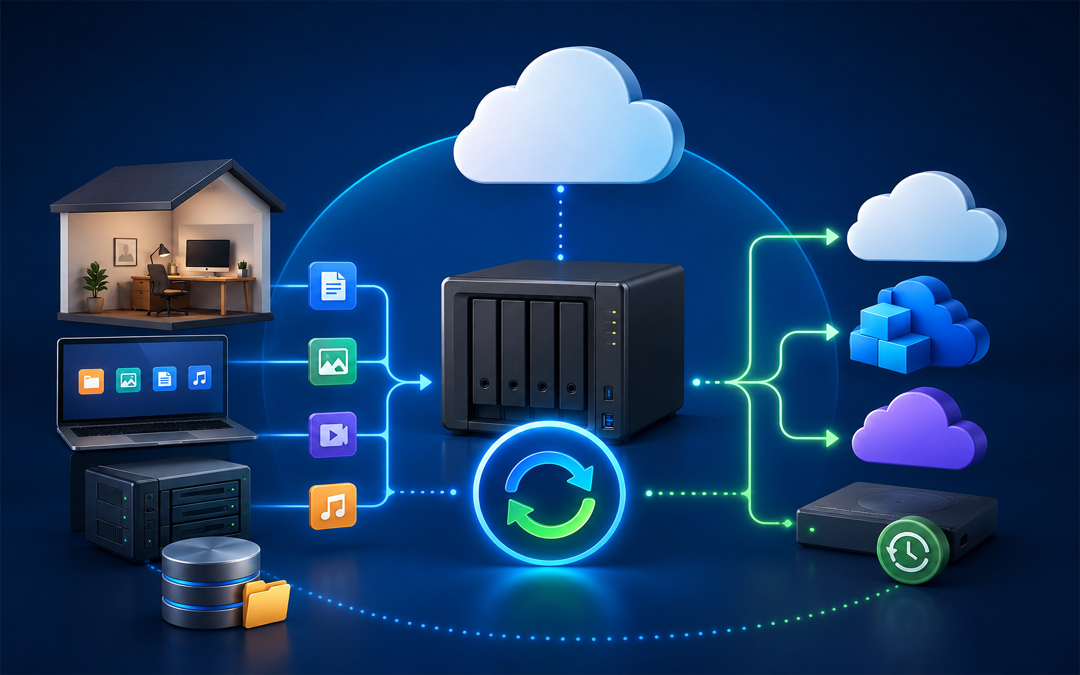
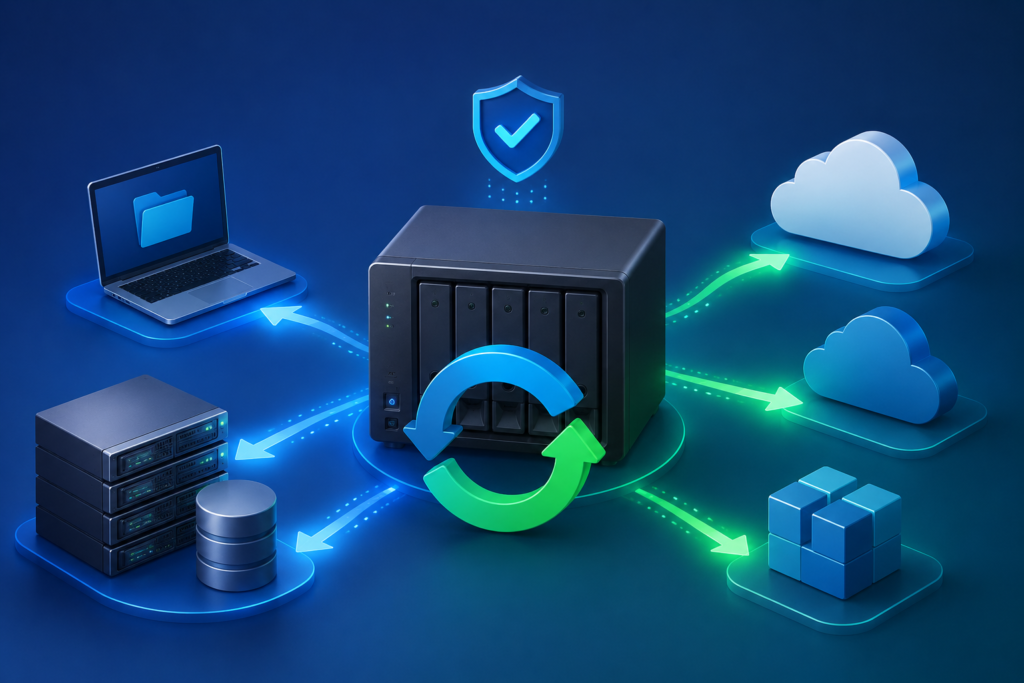
Hybrid backup is a data protection plan that involves storing a copy of your data in multiple locations other than just one location, usually using a mixture of local storage and cloud or remote storage. An example is that a business will keep a single backup on a local server on a local NAS device so that it will be easily accessible, and another one on a cloud computing server where it can keep it safely.

Balance is the critical benefit of hybrid backup. Local backups enable quick recovery, and cloud backups enable protection in case the local system is destroyed, stolen, or hacked. This mix guarantees the availability of data and also its security, which will make this an efficient solution to the contemporary corporate world.

Understanding Hybrid Backup Sync

Three fundamental functions, which include backup, restore, and synchronization, make up Hybrid Backup Sync. It does not separate these functions, which involve handling them as a single, fluent working process.

Backup will guarantee a copy and storage of your data in a safe place. Richos Repair enables you to recover misplaced or damaged files as and when required. Synchronization maintains files in sync between two or more locations, meaning that the files are consistent across devices or systems.

Practically, Hybrid Backup Sync automates data protection. Companies are able to make backups in advance, establish regulations on file versions, and synchronize valuable folders in both local and cloud resources. This conserves manpower and ensures up-to-date processing of data.

Understanding QNAP Hybrid Backup Sync

QNAP Hybrid Backup Sync

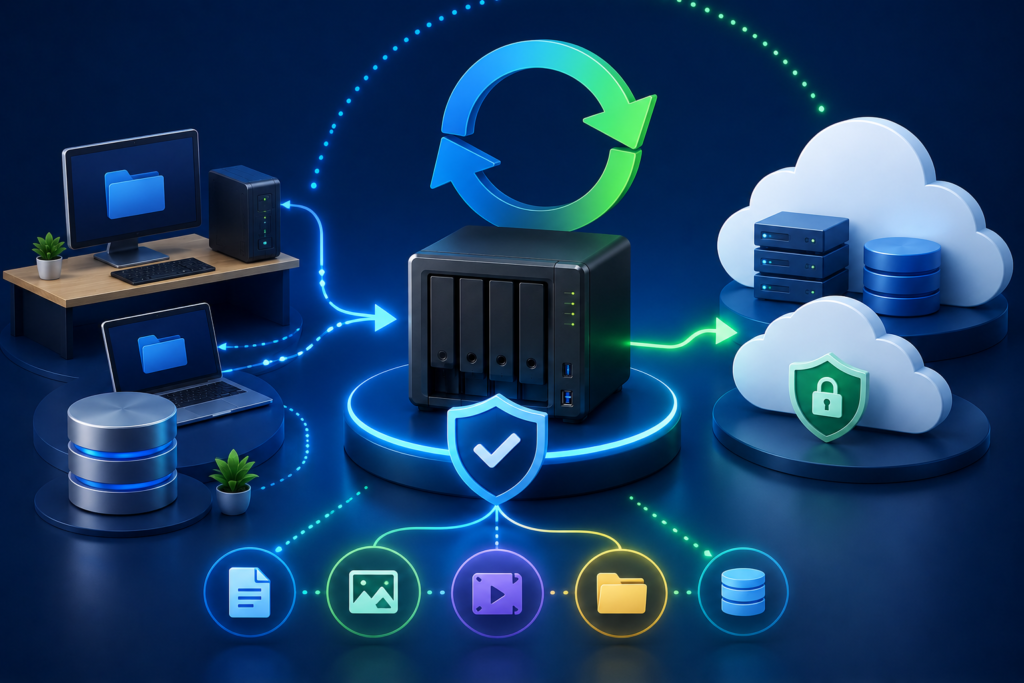
QNAP Hybrid Backup Sync is an application that is specifically made to work on QNAP NAS. It brings backup, restore and synchronization to a single platform, which is more convenient to users who wish to control their data protection policies.

QNAP Hybrid Backup Sync also allows users to schedule backup jobs automatically, define where data is kept and set to store and schedule how the backups should take place. It allows various storage choices, such as local storage, external storage, remote storage, and cloud storage.

Flexibility is one of its major strengths. Businesses are capable of having copies of files that are essential saved on their computers in order to have speedy recovery, and at the same time transfer copies to a remote or cloud-based server. It also enables synchronization of files among various devices, thus ensuring that the teams are able to get the latest version of files anywhere.

To illustrate, a company with QNAP NAS can set up daily backups on key files, synchronize project files on team devices and revert to old versions of files as may be necessary. It simplifies the process of data management as one does not have to use a variety of tools.

Reliable Data Backup & Disaster Recovery Solutions by Pexo

Pexo IT consulting also offers Data Backup and Disaster Recovery services to businesses that may want to have the services of an expert to make the process easier. The services include secure backup systems, fast recovery services and protection in case of data loss. With professional help, businesses are likely to have a reliable and well-managed backup strategy that suits their operational requirements.

Conclusion

Hybrid backup is an effective and convenient method of data safety in business. It has a combination of local and cloud storage that provides speed and security. Hybrid Backup Sync and QNAP Hybrid Backup Sync solutions streamline data management processes by integrating backup, restore and synchronization. The use of a hybrid backup strategy is a clever and future-proof method that businesses that want to remain safe and protected can implement.

FAQs

1. What is hybrid backup in simple terms?

Hybrid backup consists of having your data stored locally as well as in the cloud in such a manner that you can retrieve it within a short time and do so in a secure manner.

2. How is Hybrid Backup Sync different from regular backup?

Normal backup merely copies files, whereas Hybrid Backup Sync integrates it into a single system with backup, restore and file synchronization.

3. What is QNAP Hybrid Backup Sync?

It allows users to backup, restore and synchronize data in a local storage, external storage, remote server and cloud platform through one interface.